
1.製品オーバーview
The WISCENT WTB-795 is a versatile portable cassette player recorder boombox designed for both classic audio playback and modern connectivity. It features a cassette player/recorder, AM/FM radio, Bluetooth streaming, USB playback and recording, and a built-in microphone for recording. This manual provides instructions for its safe and efficient operation.

図1: 前面 view of the WISCENT WTB-795 Portable Cassette Player Recorder Boombox.
2. パッケージ内容
パッケージにすべてのアイテムが揃っていることを確認します。
- 1x WISCENT WTB-795 Cassette Player Boombox
- 1x AC電源コード
- ユーザーマニュアル x 1
3. セットアップ
3.1 デバイスへの電源供給
The WTB-795 can be powered by either AC power or batteries.
- AC電源: Connect the included AC power cord to the AC input jack on the back of the unit and plug it into a standard 110V-50Hz wall outlet.
- バッテリー電源: For portable use, insert 4 x C-size batteries (not included) into the battery compartment on the back of the unit. Ensure correct polarity.
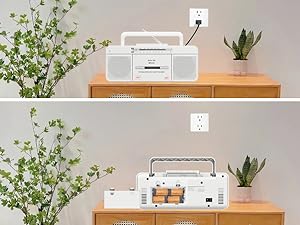
Figure 2: The boombox can be powered by AC cord or 4 C-size batteries.
3.2 Antenna Adjustment for Radio Reception
AM/FMラジオを最適に受信するには、伸縮アンテナを最大まで伸ばしてください。最もクリアな信号が得られるように、位置と方向を調整してください。
4. 操作手順
4.1 カセットプレーヤーの操作
- Set the FUNCTION switch to "TAPE/OFF".
- を押す PAUSE/STOP/EJECT ボタンを押してカセットコンパートメントを開きます。
- カセットテープを、開いた端を上に向けて挿入します。
- カセットコンパートメントをしっかりと閉じます。
- を押す 遊ぶ 再生を開始するボタン。
- 使用 FFWD (Fast Forward) or フレッシュ (Fast Rewind) to navigate the tape.
- プレス 一時停止 to temporarily stop playback. Press again to resume.
- プレス 停止/イジェクト to stop playback and open the compartment.
Video 1: Demonstrates how to use the Tape, Bluetooth, and USB functions on the WTB-795. Cassette player operation is shown from 0:18.
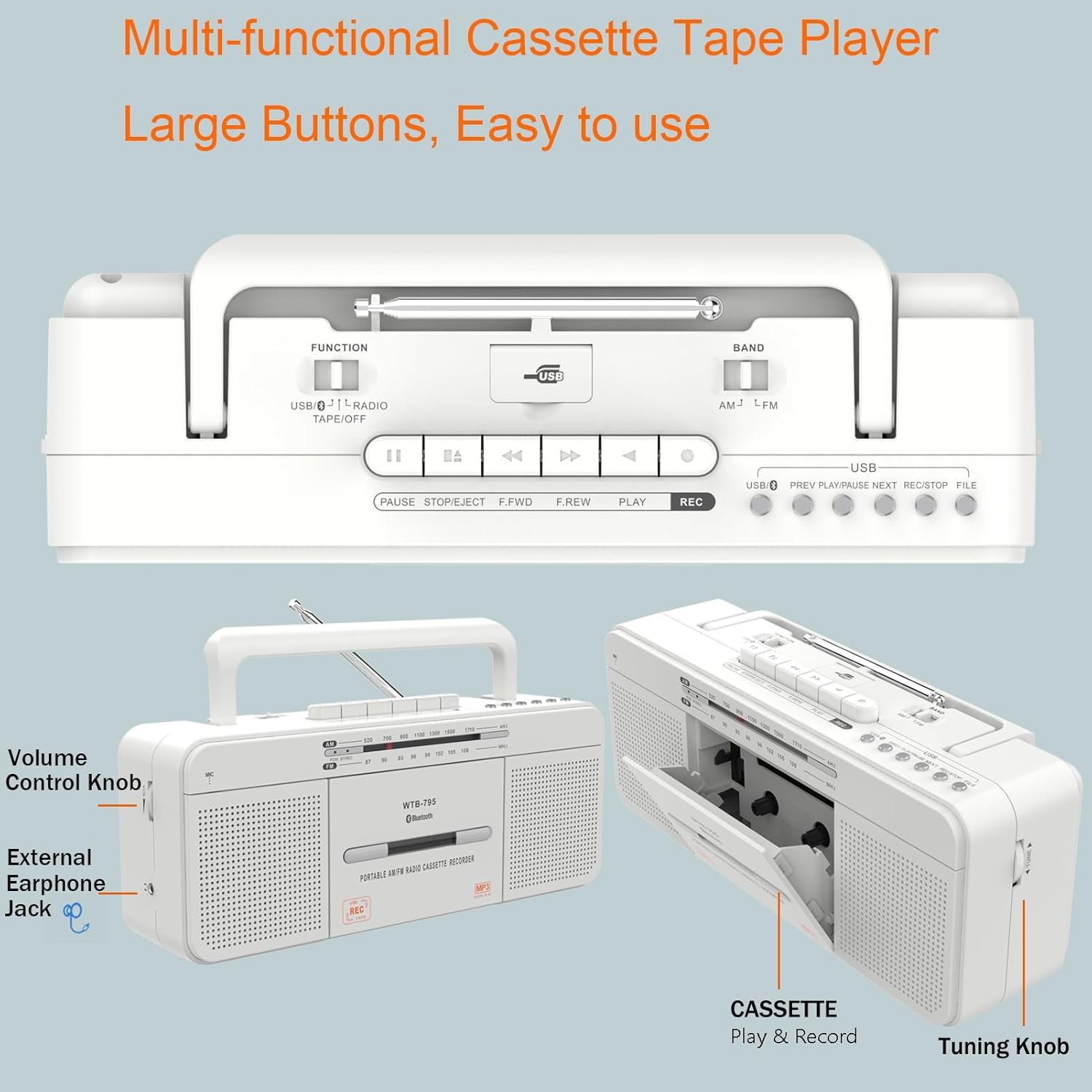
図3:詳細 view of the control buttons and cassette compartment.
4.2 Bluetooth接続
- Set the FUNCTION switch to "USB/BT/RADIO".
- Set the BAND switch to "BT". The unit will enter Bluetooth pairing mode, indicated by a flashing blue light.
- On your mobile device, enable Bluetooth and search for "WTB-795".
- Select "WTB-795" to pair. Once connected, the blue light will stop flashing.
- これで、デバイスからブームボックスにオーディオをストリーミングできるようになりました。
Video 2: Demonstrates Bluetooth connection on the WTB-795. Bluetooth pairing is shown from 0:29.
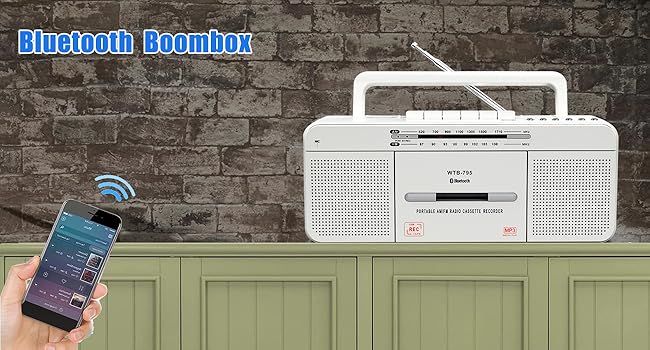
Figure 4: The boombox connected via Bluetooth to a smartphone.
4.3 USB再生
- Set the FUNCTION switch to "USB/BT/RADIO".
- Insert a USB flash drive (FAT32 format recommended) into the USB port.
- ユニットは自動的にMP3を検出し、再生を開始します。 fileUSB ドライブから s を取得します。
- 使用 前へ, 再生/一時停止、 そして 次 制御用のボタン。
Video 3: Demonstrates USB playback on the WTB-795. USB playback is shown from 0:41.
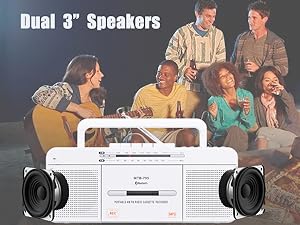
Figure 5: The USB port for playing MP3 files.
4.4 AM/FMラジオの操作
- Set the FUNCTION switch to "USB/BT/RADIO".
- Set the BAND switch to "AM" or "FM" for the desired radio band.
- 受信状態を良くするために伸縮アンテナを伸ばします。
- 回転する チューニング ラジオ局を検索するためのノブ。
- 調整する 音量 ノブを回して、好みのリスニングレベルに合わせます。

Figure 6: The boombox features an AM/FM radio with an extendable antenna.
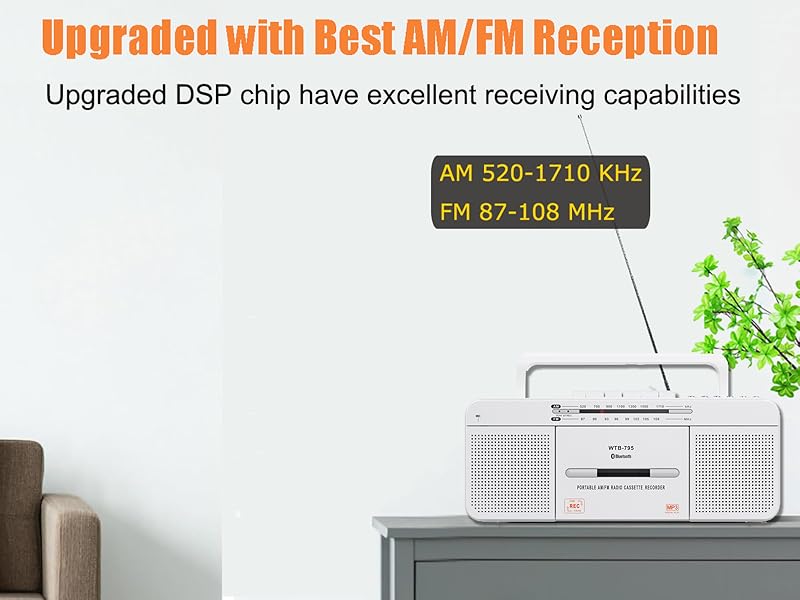
Figure 7: The telescopic antenna for improved radio reception.
4.5 録音機能
The WTB-795 supports multiple recording methods:
- External Voice Recording to Tape: Use the built-in microphone to record external audio directly to a blank cassette tape.
- USBへの外部音声録音: Record external audio via the built-in microphone directly to a USB flash drive.
- Radio Recording to Tape: Record live AM/FM radio broadcasts to a blank cassette tape.
- Radio Recording to USB: Record live AM/FM radio broadcasts directly to a USB flash drive.
- Tape to MP3 (USB) Conversion: Convert existing cassette tapes into MP3 file■USBフラッシュドライブ。
4.5.1 Recording from Tape to USB (MP3 Conversion)
- Set the FUNCTION switch to "TAPE/OFF".
- 録音したいカセットテープを挿入します。
- を押す 遊ぶ カセットプレーヤーのボタン。
- Insert a USB flash drive (FAT32 format) into the USB port.
- を押し続けます 記録 button on the USB control area until the red light illuminates. This indicates recording has started.
- 録音を停止するには、を押します 停止/イジェクト button on the cassette player. The USB recording will also stop.
- To record the other side of the tape, flip the tape and repeat the process.
- To check the recorded file, switch the FUNCTION to "USB/BT/RADIO" and the BAND to "USB". Use the 前/次 ナビゲートするためのボタン。
Video 4: Detailed instructions on how to record cassette tapes to USB with the WTB-795.
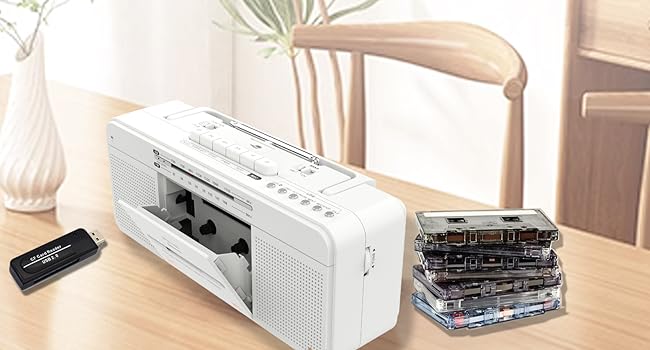
Figure 8: Visual representation of the tape to USB MP3 conversion process.
4.5.2 Recording via Built-in Microphone
- To record to tape: Set FUNCTION to "TAPE/OFF". Insert a blank cassette. Press 記録 on the cassette controls.
- To record to USB: Set FUNCTION to "USB/BT/RADIO". Insert a USB flash drive. Press and hold 記録 on the USB control area until the red light illuminates.
- Speak clearly into the built-in microphone (labeled "MIC").
- プレス 停止/イジェクト (for tape) or release 記録 (for USB) to end recording.

Figure 9: The built-in microphone allows for direct voice recording.
4.6 ヘッドホンの使用
Connect 3.5mm headphones to the headphone jack on the side of the unit for private listening. The internal speakers will be muted automatically.
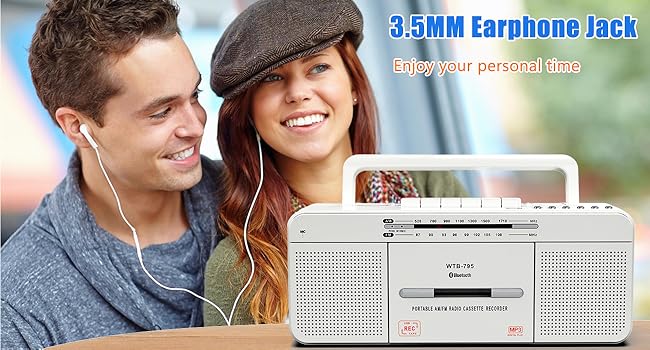
図 10: パーソナルオーディオ体験のための 3.5 mm ヘッドフォン ジャック。
5. メンテナンス
To ensure the longevity and optimal performance of your WISCENT WTB-795, follow these maintenance guidelines:
- クリーニング: Use a soft, dry cloth to clean the exterior of the unit. Do not use abrasive cleaners or solvents. For the cassette head and pinch roller, use a specialized tape head cleaning kit periodically.
- ストレージ: When not in use for extended periods, store the unit in a cool, dry place away from direct sunlight and extreme temperatures. Remove batteries if storing for a long time to prevent leakage.
- カセットのお手入れ: Avoid exposing cassette tapes to direct sunlight, heat, or strong magnetic fields. Store tapes in their cases to prevent dust accumulation.
6。 トラブルシューティング
If you encounter issues with your WTB-795, refer to the following common problems and solutions:
| 問題 | 考えられる原因 | 解決 |
|---|---|---|
| 電源なし | AC cord not connected, batteries depleted/incorrectly inserted. | Check AC connection, replace batteries, ensure correct polarity. |
| ラジオの受信状態が悪い | Antenna not extended/adjusted, weak signal area. | Extend and adjust the telescopic antenna. Try moving the unit to a different location. |
| Cassette tape not playing/poor sound | Tape incorrectly inserted, tape damaged, dirty tape head. | Ensure tape is inserted correctly. Try a different tape. Clean the tape head and pinch roller. |
| Bluetoothが接続されない | Unit not in pairing mode, device too far, incorrect pairing. | Ensure unit is in BT mode and flashing. Keep devices close. Re-pair the device. |
| USB再生が機能しない | USB drive not FAT32, no MP3 files, USB drive damaged. | Ensure USB is FAT32 format. Verify MP3 files are present. Try a different USB drive. |
| 録画が機能しない | No blank tape/USB, REC button not held long enough (for USB). | Ensure a blank tape or formatted USB is inserted. Hold the REC button until the indicator light comes on. |
7. 仕様
| 特徴 | 詳細 |
|---|---|
| ブランド | ウィセント |
| モデル番号 | WTB-795W |
| 製品寸法(長さ x 幅 x 高さ) | 11.4 x 3.35 x 4.53 インチ (290 x 85 x 115 mm) |
| アイテム重量 | 2.53ポンド(1.15kg) |
| 接続技術 | ブルートゥース、USB |
| スピーカータイプ | Stereo (Dual 3W speakers) |
| ラジオバンド | AM 520-1710 KHz、FM 87-108 MHz |
| 電源 | AC 110V-50Hz or 4 x C-size batteries (not included) |
| 録音方法 | 5-way recording (Mic to Tape/USB, Radio to Tape/USB, Tape to USB) |
8. 保証とサポート
For warranty information and customer support, please refer to the documentation included with your purchase or contact WISCENT customer service directly. Keep your purchase receipt as proof of purchase for warranty claims.