
導入
Welcome to the XTU S3 4K 30FPS WiFi Action Camera user manual. This guide provides essential information for setting up, operating, and maintaining your new action camera. The XTU S3 is designed to capture high-quality video and photos of your adventures, featuring 4K resolution, a dual touch screen, Electronic Image Stabilization (EIS), and Wi-Fi connectivity.
箱の中身
Upon unboxing your XTU S3 Action Camera, please verify that all the following items are included:
- XTU S3 Action Camera
- 充電式1350mAhバッテリー
- Waterproof Case (up to 40 meters)
- Wireless Remote Control Watch
- 外部マイク
- USB充電ケーブル
- Various Mounting Accessories (e.g., helmet mounts, bicycle mounts, adhesive mounts, clips, screws)
- クリーニングクロス
- ユーザーマニュアル(このドキュメント)

Image: The XTU S3 Action Camera displayed with its comprehensive set of accessories, including the waterproof case, remote control, external microphone, and various mounts.
設定
- バッテリーを充電する: Insert the provided 1350mAh battery into the camera. Connect the camera to a USB power source using the USB charging cable. The charging indicator light will show the charging status. Ensure the battery is fully charged before first use.
- マイクロ SD カードを挿入します。 Open the battery compartment and insert a compatible Micro SD card (Class 10 or higher, up to 128GB recommended) into the designated slot. Ensure it is inserted correctly until it clicks into place.
- 電源オン/オフ: Press and hold the Power/Mode button on the camera for a few seconds to turn it on or off.
- 初期設定: Upon first power-on, you may be prompted to set the language, date, and time. Navigate using the touch screen or physical buttons.
画像: クローズアップ view of the XTU S3 Action Camera's side, illustrating the location for battery and Micro SD card insertion, as well as the USB charging port.
操作手順
カメラモード
The XTU S3 offers various modes for different recording needs:
- ビデオモード: For capturing dynamic video footage.
- 写真モード: For taking still images.
- タイムラプスモード: Captures a series of photos at set intervals to create a sped-up video.
- スローモーションモード: スローモーション再生用に、より高いフレーム レートでビデオを録画します。
Using the Dual Touch Screen
The camera features both front and rear screens. The rear screen is a touch screen for intuitive navigation and settings adjustment. The front screen is ideal for framing selfies and vlogging.

Image: The XTU S3 Action Camera's rear touch screen displaying various navigation arrows and function buttons, indicating its intuitive interface for mode selection and settings.
音声コントロール
Control your camera hands-free using voice commands. This feature is particularly useful when the camera is mounted or when your hands are occupied.

Image: A user's hand holding the XTU S3 Action Camera, demonstrating the voice control feature with a graphic overlay showing "Take Photo" as a command.
リモートコントロール
The included wireless remote control watch allows you to start/stop recording or take photos from a distance, enhancing convenience for various activities.

Image: A user's hand wearing the XTU S3 remote control watch, with the action camera in the background capturing a person on a bicycle, highlighting the convenience of remote operation.
Wi-Fi接続
Connect your XTU S3 to your smartphone via Wi-Fi using the dedicated app. This enables live preview, remote control, easy transfer of files, and sharing your content.
主な特徴
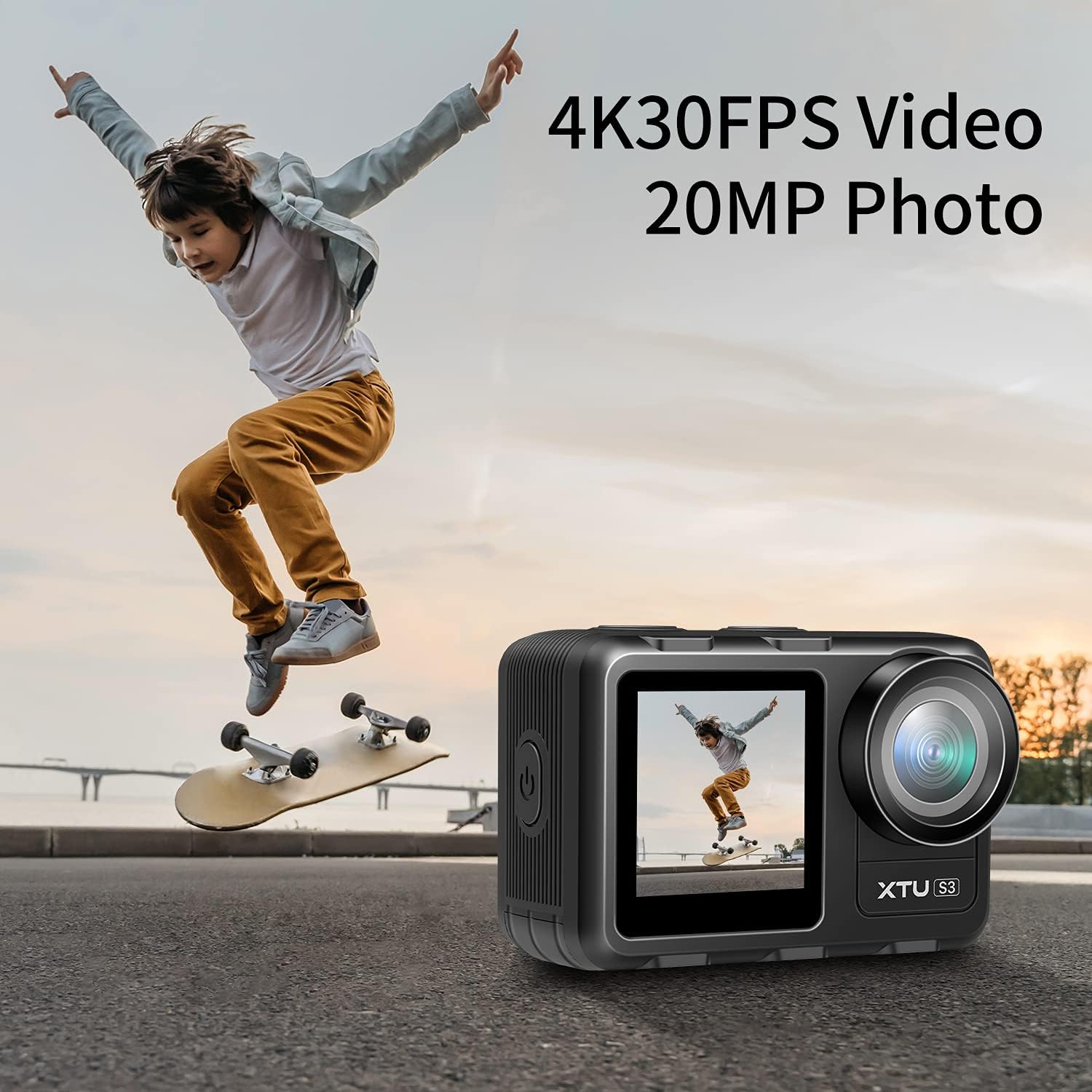
4K/30FPS Video & 20MP Photo
Capture stunning visuals with native 4K/30FPS Ultra HD video recording and high-resolution 20MP still photos. This ensures your memories are preserved with exceptional clarity and detail.

Image: The XTU S3 Action Camera positioned to capture a skateboarder in action, emphasizing its 4K 30FPS video and 20MP photo capabilities.
デュアルスクリーンディスプレイ
The XTU S3 features a dual-screen design, including a front-facing screen perfect for vlogging and selfies, and a rear touch screen for easy operation and playback.

Image: The XTU S3 Action Camera held by a gloved hand against a snowy mountain backdrop, prominently displaying its dual color screens.
電子画像安定化(EIS)
The built-in Electronic Image Stabilizer (EIS) ensures your videos remain stable and smooth, even during fast-paced activities or challenging terrain.

Image: A visual comparison demonstrating the effectiveness of Electronic Image Stabilization (EIS), showing a motorcycle rider with stabilization off, with other stabilization, and with the camera's Super Smooth 2.0 EIS enabled for significantly smoother footage.
防水設計
The XTU S3 is waterproof up to 5 meters without an external housing. For deeper underwater adventures, use the included waterproof case to dive up to 40 meters.

Image: The XTU S3 Action Camera partially submerged in clear water, showcasing its inherent waterproof design.
Time-lapse & Hyperlapse Modes
Explore creative videography with time-lapse and hyperlapse modes, allowing you to capture the passage of time with dramatic effect.

Image: A visual representation of the time-lapse feature, showing a sequence of images capturing a sunrise over a city skyline.
調整可能な広角
The camera offers a 166° wide-angle lens with 3 different view angles, allowing you to capture more of your surroundings in every shot.

Image: A group of friends jumping joyfully on a beach, illustrating the expansive field of view captured by the camera's wide-angle lens.
公式製品ビデオ
ビデオ: 公式製品view ビデオショーasing the XTU S3 4K30FPS WiFi Action Camera and its key features.
仕様
| 特徴 | 詳細 |
|---|---|
| ブランド | XTU |
| フォトセンサー技術 | シーモス |
| ビデオキャプチャ解像度 | 4K |
| 最大絞り | 2 倍 |
| フラッシュメモリタイプ | マイクロSD |
| ビデオキャプチャフォーマット | MP4 |
| 画面サイズ | 2インチ |
| 接続技術 | Wi-Fi |
| 特集 | 防水 |
| ビデオカメラタイプ | アクションカメラ |
| センサータイプ | シーモス |
| 特徴 | 防水 |
| 耐水性レベル | 防水 |
| 画像安定化機能搭載 | はい |
| 画像安定化 | 電子 |
| フォームファクター | ハンドヘルド |
| 電池の数 | 1A電池が必要です。 |
| レンズタイプ | Wide Angle, Zoom |
| フォーカスタイプ | 固定フォーカス |
| ディスプレイ解像度最大 | 4K フルHD |
| フラッシュメモリスピードクラス | C10 |
| フラッシュメモリビデオスピードクラス | バージョン60 |
| 対応デバイス | スマートフォン |
| 内蔵メディア | バッテリー |
| 電池は付属していますか | いいえ |
| メーカー | XTU |
| ユニット数 | 1 カウント |
| ビデオ解像度 | 4K |
| 実効静止画解像度 | 20 MP |
| 画像キャプチャ速度 | 60fps |
| 撮影モード | タイムラプス |
| 画像のアスペクト比 | 16:9 |
| File 形式 | MP4 |
| ズーム | デジタル |
メンテナンス
- クリーニング: Use a soft, lint-free cloth to clean the camera lens and screens. For stubborn smudges, slightly damp布を水で濡らしてください。刺激の強い化学薬品は避けてください。
- バッテリーのケア: バッテリーは涼しく乾燥した場所に保管してください。極端な温度にさらさないでください。長期間保管する前にバッテリーを完全に充電し、数ヶ月ごとに再充電してバッテリーの状態を維持してください。
- 防水ケース: After each use in water, rinse the waterproof case with fresh water and allow it to air dry. Inspect the O-ring seal for any debris or damage before each use to ensure waterproof integrity.
- ストレージ: Store the camera and accessories in a dry, dust-free environment away from direct sunlight.
トラブルシューティング
- カメラがオンにならない:
- Ensure the battery is fully charged. Check if the battery is inserted correctly. Try a different battery if available.
- Blurry Images/Videos:
- Clean the camera lens. Ensure proper lighting conditions. Check if EIS is enabled for video recording if motion blur is an issue.
- Wi-Fi 接続の問題:
- Ensure Wi-Fi is enabled on the camera and your smartphone. Restart both devices. Make sure you are within the camera's Wi-Fi range.
- 水漏れの場合:
- Immediately remove the camera from the water. Inspect the waterproof case's O-ring for any debris, cracks, or improper seating. Always perform a dry test of the case before submerging with the camera inside.
保証とサポート
The XTU S3 Action Camera comes with an unconditional lifetime warranty. For any claims, technical support, or customer service inquiries, please contact our friendly customer service team.
メールアドレス: support@xtucam.com
また、 webサイト ホームページ or scan the QR code on your warranty card for more information.

Image: The XTU Unconditional Lifetime Warranty Card, detailing warranty information, customer support email (support@xtucam.com), and a QR code for easy access to online resources.