
1。 オーバーview
This manual provides instructions for the roborock Main Brush Cover, Type F, designed for optimal performance and protection of your robotic vacuum cleaner. This replacement part ensures efficient cleaning and extends the lifespan of your device.

Image 1: The roborock Main Brush Cover, Type F, in white.
2. 互換性
The roborock Main Brush Cover (Type F) is compatible with the following robotic vacuum cleaner models:
- ロボロックS7
- ロボロックS7+
- ロボロックQ7
- ロボロックQ7+
- ロボロック Q7 マックス
- ロボロック Q7 マックス+

Image 2: Visual representation of the roborock Main Brush Cover and its compatible robotic vacuum models.
3. 取り付けと交換
Replacing the main brush cover is a hassle-free process that requires no special tools. Follow these steps to replace your old cover with a new one:
- Turn off your robotic vacuum cleaner and place it upside down on a clean, flat surface.
- Locate the main brush cover, which is typically secured by two latches.
- Press the latches to release the old brush cover.
- Carefully remove the old brush cover.
- Align the new roborock Main Brush Cover (Type F) with the designated slot on the vacuum.
- Press down firmly until you hear a click, indicating that the cover is securely latched into place.
- Ensure the protective pads on the cover are properly seated to prevent scraping.

Image 3: A hand demonstrating the replacement of the main brush cover on a roborock vacuum.
Video: Brush Back Cover Replacement
Video 1: A demonstration of how to replace the brush back cover for Roborock S7 and S7 MaxV series.
4. メンテナンス
To maintain optimal performance of your robotic vacuum, the main brush cover should be cleaned regularly, in sync with the main brush. This prevents debris buildup and ensures efficient operation.
- Remove the main brush cover as described in the installation steps.
- 広告でカバーを拭くamp cloth to remove any dust or hair.
- Ensure the cover is completely dry before reattaching it to the vacuum.

Image 4: The roborock Main Brush Cover being rinsed with water for cleaning.
5. Protective Design
The main brush cover features protective pads designed to prevent the cover from scraping against hard floors. This design helps to avoid damage to both the cover and your flooring, contributing to better cleaning results.
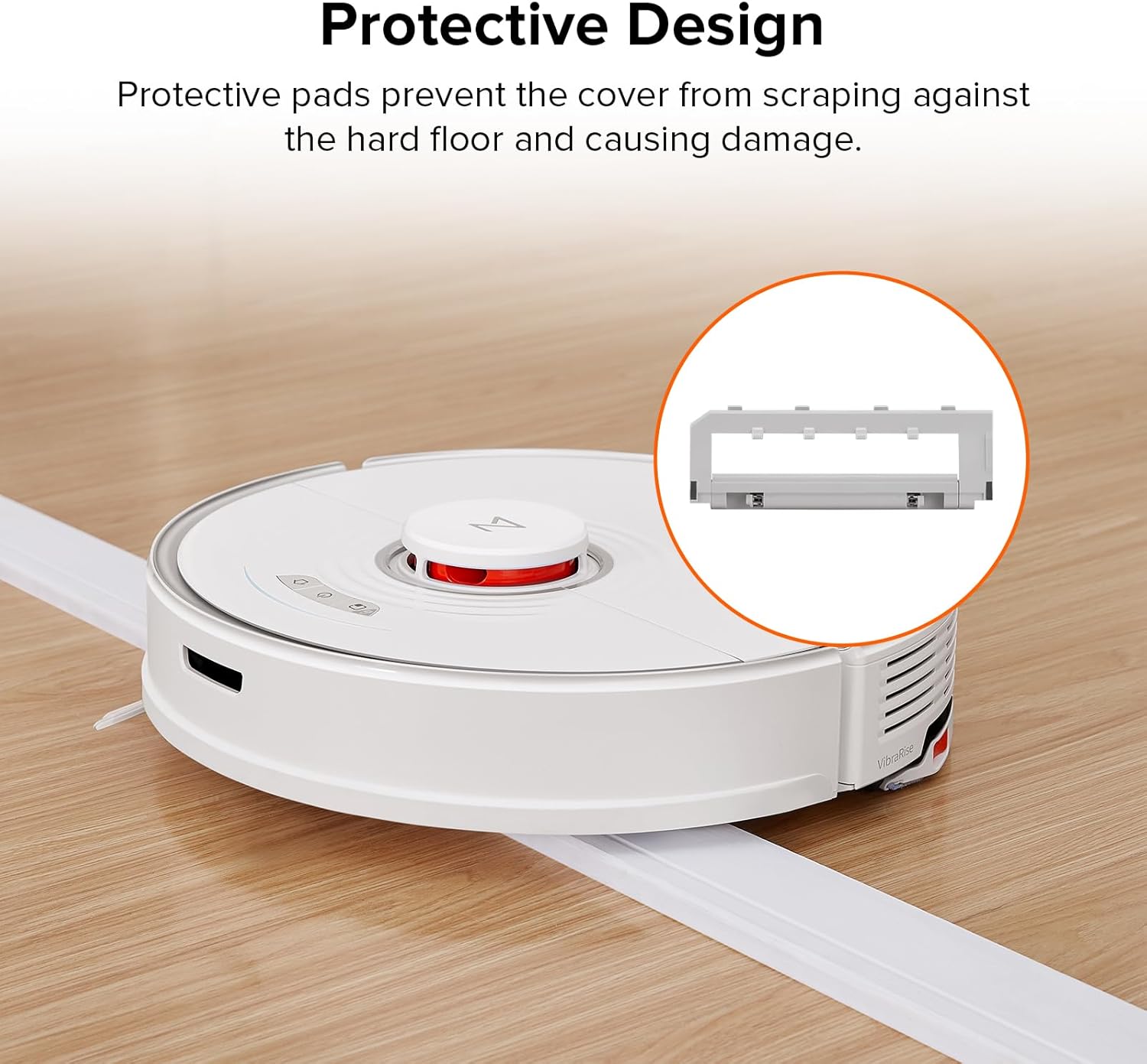
Image 5: An illustration highlighting the protective pads on the roborock Main Brush Cover.
6. 仕様
| 特徴 | 詳細 |
|---|---|
| メーカー | ロボロック |
| 製品寸法 | 8.27 x 2.91 x 0.83インチ |
| アイテム重量 | 2.89オンス |
| モデル番号 | S7 Main Brush Cover |
| 色 | 白 |
| スタイル | Main Brush Cover - Type F |

Image 6: Detailed dimensions of the roborock Main Brush Cover.
7。 トラブルシューティング
If you encounter any issues after replacing the main brush cover, please ensure it is correctly installed and securely latched. Refer to the installation steps in Section 3. If problems persist, consult your robotic vacuum's main instruction manual or contact roborock customer support.
8. 保証とサポート
For information regarding product warranty or to access customer support, please refer to the documentation included with your original roborock robotic vacuum cleaner or visit the official roborock webサイト。