
1. はじめに
This manual provides detailed instructions for the setup, operation, and maintenance of your Nixon A1309 Sport Watch. Please read this manual thoroughly to ensure proper use and to maximize the lifespan of your watch.
The Nixon A1309 Sport Watch features a digital LCD display, a durable polycarbonate case made from recycled marine plastic, and a comfortable rubber strap. It includes functions such as time, date, alarm, chronograph, and backlight, designed for daily wear and active lifestyles.
2.製品オーバーview
Familiarize yourself with the components of your Nixon A1309 Sport Watch.
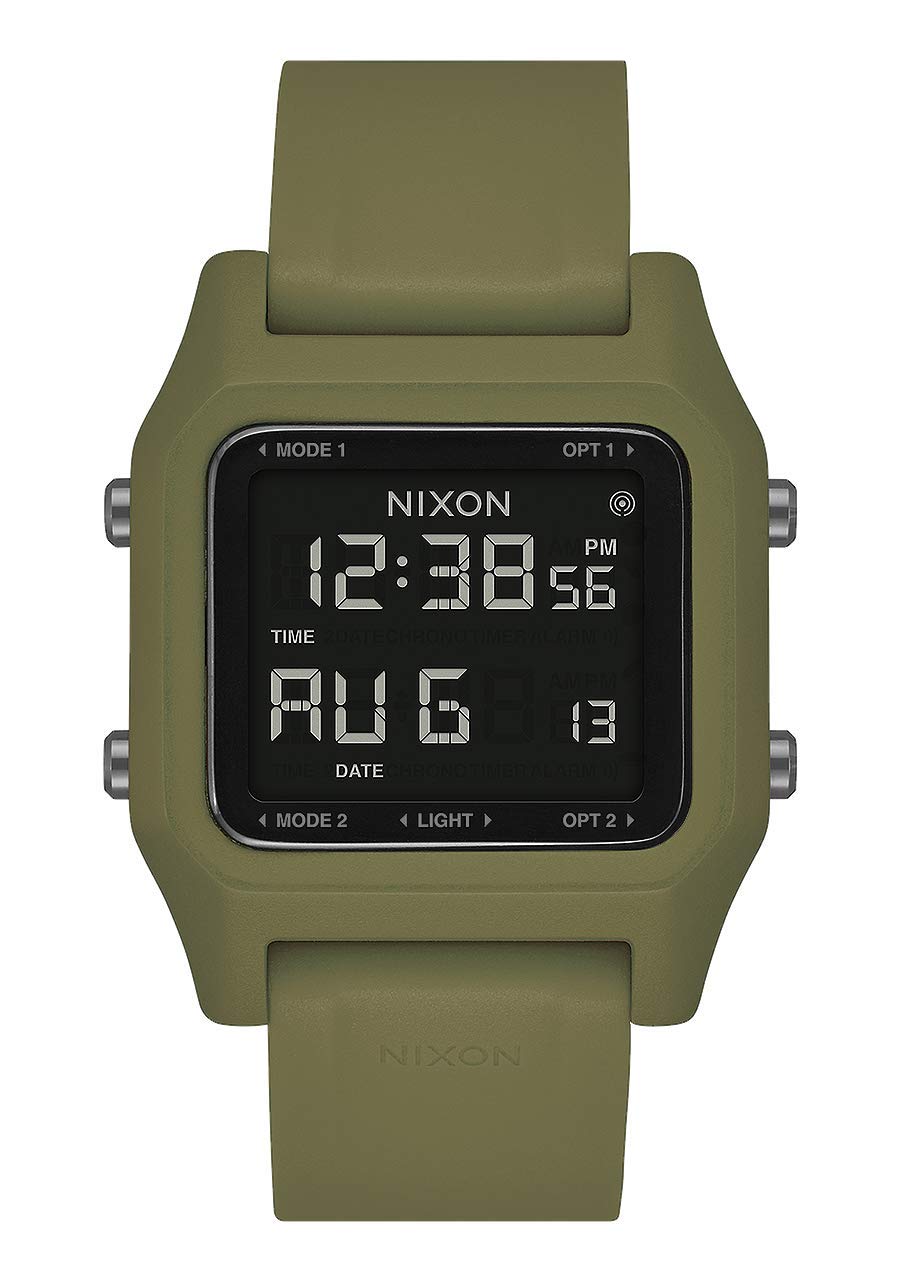
画像2.1: 側 view of the Nixon A1309 Sport Watch. This image displays the watch's profile, highlighting the two control buttons located on the left side of the watch case. These buttons are used for navigating modes and adjusting settings.
2.1 時計の部品
- デジタル LCD ディスプレイ: Shows time, date, and other function information.
- コントロールボタン: Typically located on the sides of the watch case, used for mode selection, setting adjustments, and activating functions like the backlight. (Specific functions detailed in Section 4).
- 場合: Made from durable polycarbonate, designed for protection.
- ストラップ: Olive green rubber strap with a buckle clasp for secure wearing.
- ケースバック: Provides information such as water resistance and material details.
3. セットアップ
3.1 初回電源投入と時刻設定
Your watch comes with a battery installed. If the display is blank, press any button to activate it. To set the time and date:
- を押す モードボタン (usually bottom left) repeatedly until the time setting mode is displayed (e.g., flashing hours).
- 使用 調整ボタン (usually top left) to change the flashing value (hours, minutes, year, month, day).
- を押す モードボタン もう一度押すと次の設定パラメータに移動します。
- すべての設定が正しければ、 モードボタン 設定モードを終了し、通常の時刻表示に戻ります。
Refer to the specific button labels on your watch for exact button identification if not explicitly marked as 'Mode' or 'Adjust'.
4. 操作手順
The Nixon A1309 Sport Watch offers several functions accessible via its control buttons.

画像4.1: The Nixon A1309 Sport Watch worn on a wrist, clearly showing the digital LCD display with the current time (12:58) and date (FEB 21).
4.1 時刻と日付の表示
- In normal time mode, the watch displays the current time (hours, minutes, seconds) and date (month, day).
- To switch between 12-hour and 24-hour format, enter the time setting mode and adjust the hour format.
4.2 クロノグラフ(ストップウォッチ)
The chronograph function allows you to measure elapsed time with 1/100 second resolution.
- を押す モードボタン until the chronograph display appears (usually '00:00:00').
- を押す スタート/ストップボタン (often the top right or a dedicated button) to start timing.
- を押す スタート/ストップボタン もう一度押すと、タイミングを一時停止/停止します。
- を押す リセットボタン (often the bottom right or a dedicated button) to clear the chronograph to zero.
4.3アラーム機能
特定の時間に鳴るアラームを設定します。
- を押す モードボタン アラーム設定モードが表示されるまで押し続けます。
- 使用 調整ボタン 希望するアラームの時間と分を設定します。
- を押す モードボタン 確認して終了します。
- To activate/deactivate the alarm, typically press a specific button (e.g., 調整ボタン) while in alarm mode. An alarm icon will appear on the display when active.
4.4バックライト
暗い場所でディスプレイを照らすには:
- を押す ライトボタン (often a dedicated button, or one of the control buttons with a light icon). The display will illuminate for a few seconds.
5. メンテナンス
5.1 クリーニング
- 時計のケースとストラップを柔らかくて乾いた布で拭いてください。amp 布。
- 時計の仕上げや素材を損傷する恐れがあるため、刺激の強い化学薬品、溶剤、研磨剤入りの洗剤の使用は避けてください。
- For stubborn dirt, a mild soap solution can be used, followed by rinsing with clean water and thorough drying.
5.2 耐水性
Your Nixon A1309 Sport Watch has a water resistance rating of 10 ATM (100 meters).
- This rating means the watch is suitable for swimming, snorkeling, and general water sports.
- Do ない operate the buttons while the watch is submerged in water, as this can compromise the water seal.
- Avoid exposing the watch to hot water, steam, or extreme temperature changes, which can affect the seals.
- 時計を海水にさらした後は、真水で洗い流し、完全に乾燥させてください。
5.3 電池の交換
The watch is powered by a product-specific battery. When the display becomes dim or functions become erratic, it may be time to replace the battery.
- Battery replacement should ideally be performed by a qualified watch technician to ensure the water resistance seal is properly maintained.
- 自分で電池を交換しようとすると、保証が無効になり、時計の耐水性が損なわれる可能性があります。
6。 トラブルシューティング
時計に問題が発生した場合は、次の一般的なトラブルシューティング手順を参照してください。
- 表示が空白です: バッテリー残量が少なくなっているか、消耗している可能性があります。専門家によるバッテリー交換をご検討ください。
- ボタンが反応しない: Ensure the watch is not in a locked mode (if applicable). If the issue persists, a reset may be required (consult a professional) or the battery may be low.
- 時間が間違っています: Re-enter the time setting mode and adjust the time and date as described in Section 3.1.
- 時計内部の水: すぐに時計を専門の時計修理店に持ち込んでください。自分で乾かそうとしないでください。
For issues not covered here, please contact Nixon customer support.
7. 仕様
Detailed technical specifications for the Nixon A1309 Sport Watch.

画像7.1: 戻る view of the Nixon A1309 Sport Watch. This image shows the stainless steel case back, which typically includes engravings for model information and water resistance, and how the rubber strap attaches to the watch case.
| ブランド | ニクソン |
| モデル名 | ステープル |
| モデル番号 | A1309 |
| 部品番号 | A1309-333-00 |
| 表示タイプ | デジタル |
| 移動タイプ | 石英 |
| 電源 | Battery Powered (1 product-specific battery required) |
| ケース素材の種類 | ポリカーボネート |
| ケース直径 | 39ミリメートル |
| ケースの厚さ | 8ミリメートル |
| 文字盤窓素材タイプ | ミネラル |
| 文字盤カラー | 黒 |
| バンド素材タイプ | ゴム |
| バンドカラー | Green (Olive) |
| バンド幅 | 22ミリメートル |
| 留め具タイプ | バックル |
| 耐水深度 | 100メートル(10気圧) |
| 特集 | Time of day display, Date display, Alarm, Timer, Backlight |
| 対象ユーザー | Unisex (Adult) |
| スポーツタイプ | 水泳 |
8. 保証とサポート
For warranty information, please refer to the warranty card included with your purchase or visit the official Nixon webサイトでご確認ください。保証請求に備えて購入証明書を保管してください。
If you require further assistance, technical support, or have questions regarding your Nixon A1309 Sport Watch, please contact Nixon customer service through their official channels.
- メーカー: ニクソン
- スペアパーツの入手可能性: 情報なし