
1.製品オーバーview
The COOAU Outdoor Security Camera DD201 is a wireless, solar-powered surveillance solution designed for outdoor use. It features a built-in rechargeable battery and an included solar panel for continuous power, eliminating the need for frequent recharging. The camera offers 1080P Full HD video, infrared night vision, and advanced human motion detection with real-time alerts. It also supports two-way audio and is rated IP65 for weather resistance.
主な機能は次のとおりです。
- 太陽光発電と充電式バッテリー: Ensures 365-day non-stop power with daily sunlight.
- 100%ワイヤレスセットアップ: Easy installation anywhere with 2.4 GHz WiFi connectivity (not compatible with 5GHz WiFi).
- 1080P Full HD & IR Night Vision: Provides clear 1080P video and night vision up to 66ft/20m.
- Human Motion Detection & Real-Time Alerts: Optimized algorithms reduce false alarms by focusing on human shapes.
- Two-Way Audio & IP65 Weatherproof: Built-in microphone and speaker for communication, designed to withstand various weather conditions.
2. 箱の中身
パッケージを開封したら、すべてのコンポーネントが揃っていることを確認してください。
- COOAU Outdoor Security Camera (DD201)
- 接続ケーブル付きソーラーパネル
- Mounting Bracket for camera
- Mounting Bracket for solar panel
- USB充電ケーブル
- ネジと壁アンカー
- ユーザーマニュアル

Image: Contents of the COOAU Outdoor Security Camera DD201 package, including the camera, solar panel, mounting hardware, and cables.
3. セットアップとインストール
3.1 初期充電
Before installation, fully charge the camera using the provided USB cable. Connect the USB cable to the camera's charging port and a standard USB power adapter (not included). The indicator light will show charging status.
3.2 アプリのダウンロードとカメラのペアリング
- スマートフォンのアプリストア(iOS または Android)から「CloudEdge」アプリをダウンロードします。
- アカウントを登録してログインします。
- Follow the in-app instructions to add your camera. Ensure your phone is connected to a 2.4GHz Wi-Fi network, as the camera is not compatible with 5GHz Wi-Fi.
- Scan the QR code on the camera or follow alternative pairing methods provided in the app.

Image: Screenshot of the CloudEdge app displaying a live feed from the security camera.
3.3 カメラとソーラーパネルの取り付け
Choose an installation location that provides optimal sunlight exposure for the solar panel and a clear view for the camera. Ensure the camera is within range of your 2.4GHz Wi-Fi network.
- カメラを取り付けブラケットに取り付けます。
- Secure the camera mounting bracket to a wall or desired surface using the provided screws and anchors.
- ソーラーパネルは、毎日数時間直射日光が当たる場所に設置してください。
- ソーラーパネルケーブルをカメラの充電ポートに接続します。
- Adjust the camera and solar panel angles for optimal coverage and charging efficiency.

Image: The COOAU Outdoor Security Camera DD201 installed on an exterior wall, connected to its solar panel for continuous power.

Image: The COOAU Outdoor Security Camera DD201 mounted under a roof overhang, demonstrating its 100% wire-free installation.
4. 操作
4.1 ライブ View 録音
Access the live video feed through the CloudEdge app. You can manually record video, take screenshots, and view 記録されたfootage stored on a microSD card (not included) or cloud storage (subscription may be required).
4.2 ナイトビジョン
カメラは暗い場所では自動的に赤外線暗視に切り替わり、最大 66 フィート (20 メートル) の距離まで鮮明な白黒ビデオを提供します。

画像: 分割 view demonstrating the camera's 1080P Full HD capability, showing a clear daytime image of a person and a car.
4.3 人間の動きの検出とアラート
The camera utilizes advanced algorithms to detect human shapes, minimizing false alarms from pets or swaying branches. When human motion is detected, you will receive instant alerts on your smartphone.
4.4 双方向オーディオ
Use the two-way audio feature in the app to communicate with visitors or deter intruders through the camera's built-in microphone and speaker.
5. メンテナンス
5.1 クリーニング
カメラのレンズとソーラーパネルを定期的に柔らかくて乾いた布で拭いてください。amp 最適なパフォーマンスを得るには、布で拭いてください。刺激の強い化学薬品や研磨剤の使用は避けてください。
5.2 耐候性
The camera is IP65 rated, meaning it is protected against dust and low-pressure water jets. It is designed to operate in temperatures between -4°F to 122°F (-20°C to 50°C).
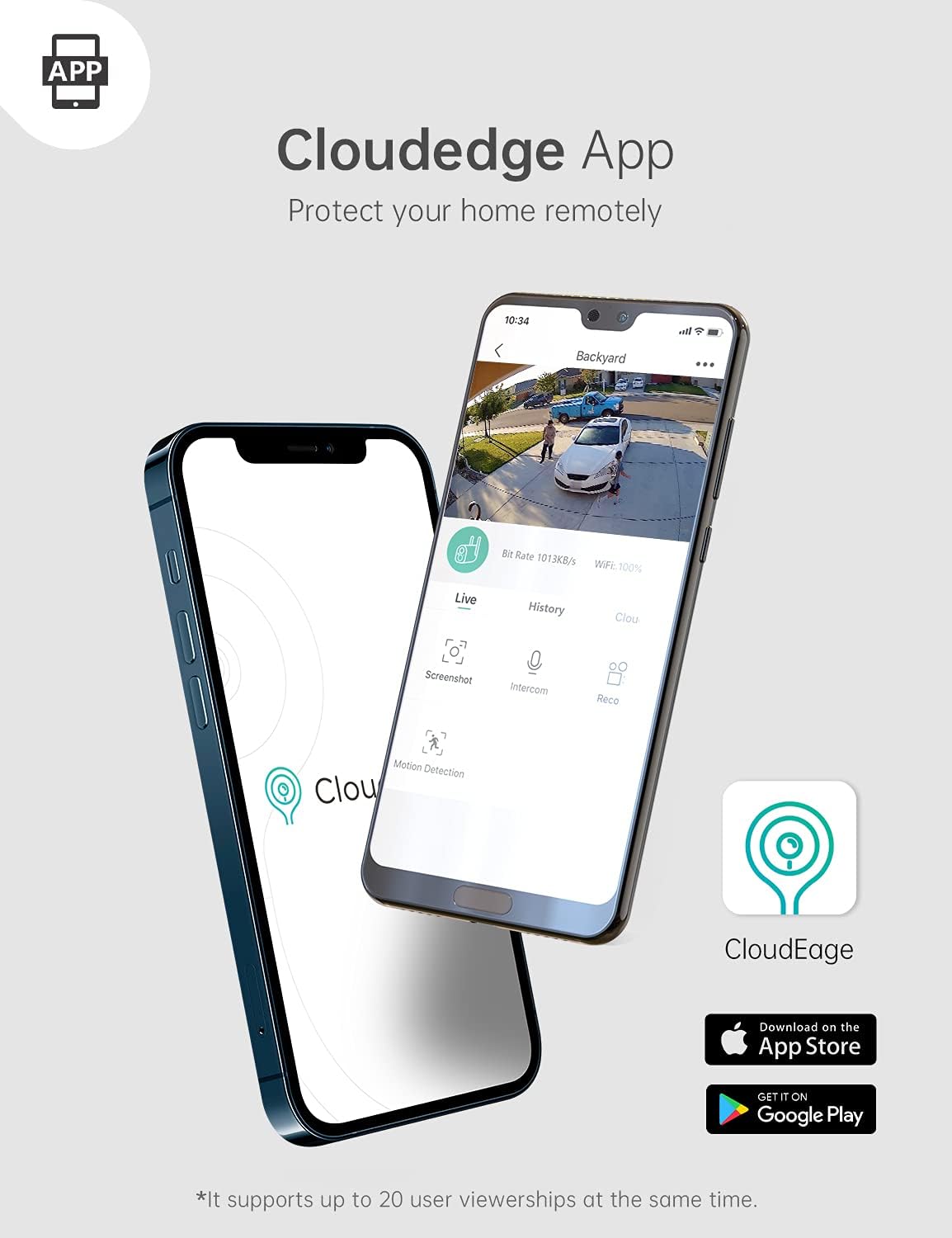
Image: The COOAU Outdoor Security Camera DD201 and its solar panel installed outdoors during snowy conditions, illustrating its IP65 weatherproof design.
6。 トラブルシューティング
- カメラがWi-Fiに接続できない: Wi-Fiネットワークが2.4GHzであることを確認してください。カメラの設置場所のWi-Fi信号強度を確認してください。ルーターとカメラを再起動してください。
- バッテリーが充電されない: Verify the solar panel is receiving direct sunlight. Check the connection between the solar panel and the camera. Ensure the camera's charging port is clean.
- 頻繁な誤報: Adjust the motion detection sensitivity in the app. Ensure the human motion detection feature is enabled to filter out non-human movements.
- 夜間視力が悪い: Ensure the camera lens is clean and free from obstructions. Check for any strong light sources directly facing the camera at night.
- ライブ view lag or delay: Check your Wi-Fi signal strength and internet speed. Reduce the video quality setting in the app if necessary.
7. 仕様
| 特徴 | 詳細 |
|---|---|
| ブランド | コーオー |
| モデル番号 | DD201 |
| 接続技術 | ワイヤレス(2.4GHz Wi-Fi) |
| 屋内/屋外での使用 | 屋外 |
| 有効なビデオ解像度 | 1080 Pixels (Full HD) |
| フォトセンサー解像度 | 2 MP |
| ナイトビジョン | Infrared (up to 66ft/20m) |
| モーション検出 | 人間の動き検出 |
| 双方向オーディオ | はい |
| 防水等級 | IP65 |
| 動作温度 | -4°F ~ 122°F (-20°C ~ 50°C) |
| 電源 | バッテリー駆動、ソーラー |
| バッテリー容量 | 10400ミリamp1時間あたり(mAh) |
| ストレージオプション | Cloud / SD Card (not included) |
| アイテムの寸法 | 0.39 x 0.39 x 0.39インチ(約) |
8.保証とサポート
For warranty information, technical support, or any inquiries regarding your COOAU Outdoor Security Camera DD201, please refer to the official COOAU webメーカーのウェブサイトをご覧いただくか、カスタマーサービスに直接お問い合わせください。連絡先は通常、パッケージまたはメーカーのウェブサイトに記載されています。 webサイト。
You can often find additional resources, FAQs, and firmware updates on the AmazonのCOOAUストア.