1. はじめに
Thank you for choosing the Symcode 2.4 GHz Wireless Laser Barcode Scanner. This device is designed for efficient and reliable barcode scanning, offering both wireless and wired connectivity options. This manual provides detailed instructions for setup, operation, and maintenance to ensure optimal performance.

図1: Symcode 2.4 GHz Wireless Laser Barcode Scanner. This image displays the Symcode 2.4 GHz Wireless Laser Barcode Scanner in black, along with its accompanying USB wireless dongle and USB charging cable. The scanner features a comfortable grip and a laser scanning window.
2. パッケージ内容
パッケージにすべてのアイテムが含まれていることを確認してください。
- Symcodeレーザーバーコードスキャナー x 1
- 1 x 2.4 GHz Wireless USB Dongle
- USB充電/データケーブル1本
3 製品の特徴
- 2-in-1接続: Supports both 2.4 GHz wireless and USB wired connections.
- プラグアンドプレイ: ほとんどのオペレーティング システムではドライバーのインストールは不要です。
- 幅広い互換性: Works with Windows, Mac, Android, and Linux systems, connecting to PCs, laptops, and POS machines via a USB port.
- 長い伝送距離: Up to 15-30 meters indoors (with obstacles) and 30-100 meters outdoors (open environment).
- 2 つのアップロード モード: Instant Upload and Offline Storage modes.
- プログラム可能な機能: Customizable settings for uppercase/lowercase, volume, terminator, prefix/suffix, and character addition/masking.
- High Decoding Capability: Reads various 1D barcodes.
- 耐久性のあるバッテリー: 長時間動作を可能にする1800mAhの容量。
4. セットアップ
4.1 有線接続(USB)
- USBケーブルをスキャナーのポートに接続します。
- USB ケーブルのもう一方の端をコンピュータの利用可能な USB ポートに差し込みます。
- The scanner will be recognized automatically by your operating system. It is ready for use once the connection is established.
4.2 Wireless Connection (2.4 GHz)
- Insert the 2.4 GHz wireless USB dongle into an available USB port on your computer.
- コンピュータは必要なドライバーを自動的にインストールします。
- Turn on the barcode scanner by pressing the trigger. The scanner will automatically pair with the dongle.
- ペアリングが完了すると、スキャナーはワイヤレス操作の準備が整います。

図2: Mini USB Receiver. This image highlights the compact mini USB receiver, emphasizing its plug-and-play functionality for easy connection to laptops and PCs. It also indicates the ability to store up to 100,000 barcodes.
5. 操作手順
5.1 スキャンモード
スキャナーは主に 2 つのスキャン モードをサポートしています。
- トリガーモード: Press the trigger to activate the laser and scan a barcode. Release the trigger to deactivate.
- 連続モード: The laser remains active, continuously scanning barcodes without needing to press the trigger for each scan.
To switch between scanning modes, specific setting barcodes are required. If these are not provided in your physical manual, please contact Symcode customer support for assistance.
5.2 データアップロードモード
スキャナーでは、スキャンしたデータをアップロードする方法が 2 つあります。
- Instant Upload Mode (Normal Mode): スキャンが成功すると、データはすぐにコンピュータに送信されます。これがデフォルトのモードです。
- オフライン保存モード: Scanned barcodes are stored in the scanner's internal memory. You can then upload all stored data to your computer at a later time by scanning a specific setting barcode. The scanner can store up to 100,000 barcodes.

図3: Two Upload Modes. This image illustrates the two data upload modes: Instant Upload Mode, where data is synchronously transferred to the computer after each scan, and Offline Storage Mode, where barcodes are stored internally in the scanner for later upload.
5.3 デコード機能
The Symcode MJ-2030-B scanner is capable of reading various 1D barcode types, including but not limited to:
- UPC/EAN (including add-on code)
- Code 128, UCC/EAN128
- コード 39、コード 39 フル ASCII
- コード 93
- コーダバー
- インターリーブ 2/5
- MSI
- コード 11
- ISBN, ISSN, China Postage
5.4 プログラム可能な機能
The scanner offers several programmable options to customize its behavior:
- Uppercase/Lowercase Settings: Adjust how scanned data appears.
- 音量調整: ブザーの音量レベルを制御します。
- ターミネーター設定: Configure the character appended to scanned data (e.g., Enter, Tab).
- Prefix/Suffix Setting: スキャンしたバーコード データの前後にカスタム文字を追加します。
- Add/Hide Characters: Modify specific characters within the scanned data.
These settings are typically configured by scanning specific programming barcodes found in the full user manual or provided by customer support.

図4: Prefix and Suffix Customization. This image shows how the scanner supports adding custom prefixes or suffixes to scanned barcode data, allowing for flexible data formatting.
5.5 多言語サポート
The scanner supports various keyboard layouts and languages, including English (US & UK), German, French, Italian, Spanish, and Japanese, to ensure correct data input in different regions.
6. メンテナンス
6.1 バッテリー情報
The scanner is equipped with a built-in 1800mAh Lithium-ion battery. To ensure optimal battery life and performance:
- 連続運転: Approximately 8 to 10 hours.
- 待機時間: 最大15日。
- 充電時間: Approximately 3.5 to 4 hours for a full charge using the provided USB cable.
- Recharge the battery when the low battery indicator is active or when performance degrades.
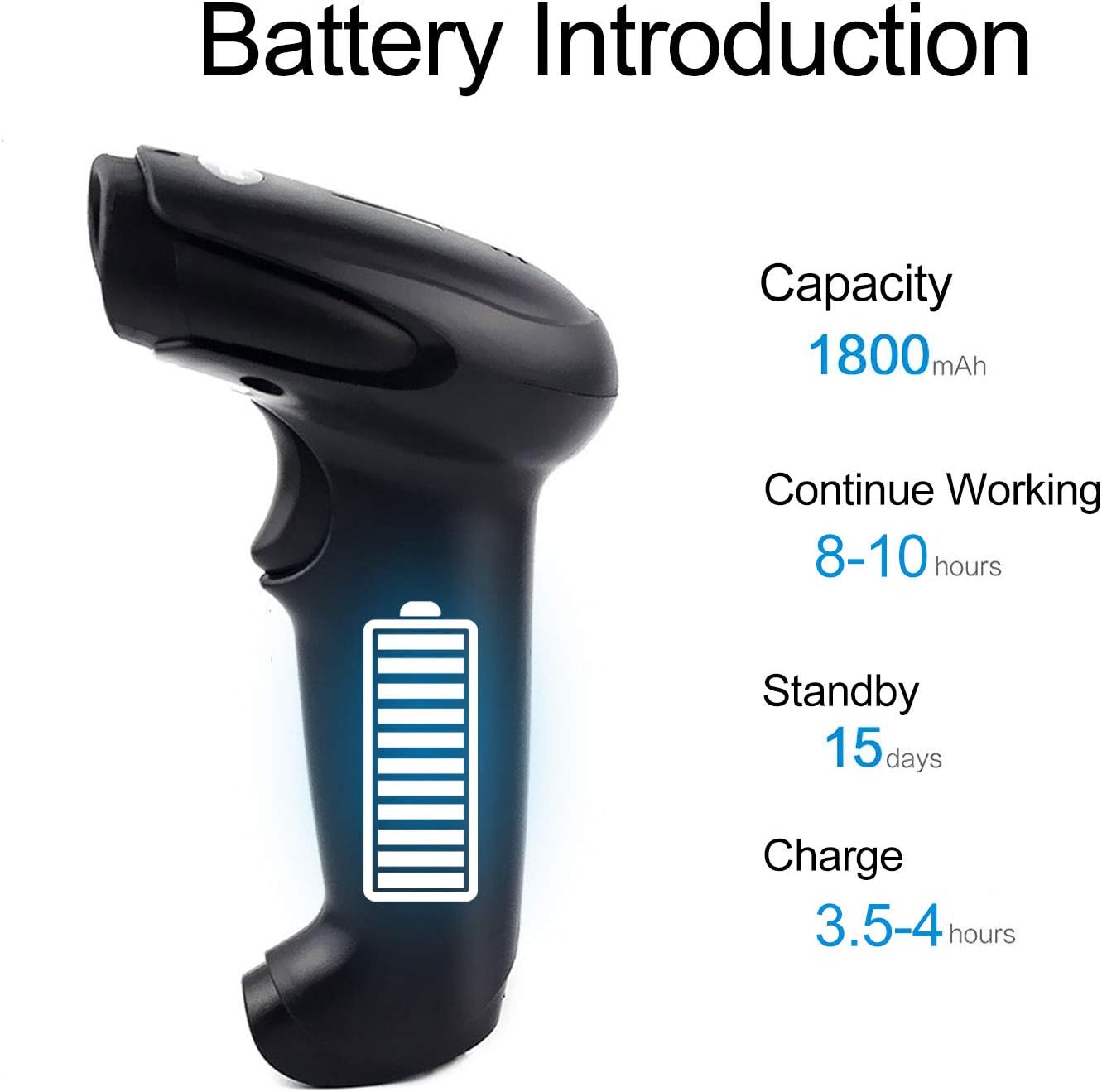
図5: Battery Specifications. This image provides details about the scanner's battery, including its 1800mAh capacity, 8-10 hours of continuous working time, 15 days of standby time, and 3.5-4 hours charging time.
6.2 クリーニング
To clean the scanner, use a soft, dry cloth. Do not use abrasive cleaners or solvents, as these can damage the device. Keep the scanning window clean for accurate performance.
7。 トラブルシューティング
- スキャナーが接続されません: Ensure the USB cable is securely connected or the wireless dongle is properly inserted. For wireless, ensure the scanner is charged and within range.
- スキャナーがバーコードを読み取れません: Ensure the barcode is not damaged or smudged. Check that the laser is active and properly aimed. Verify the scanner is in the correct scanning mode.
- Data not appearing on computer: Confirm the scanner is connected and in Instant Upload Mode. Check if the cursor is active in a text field on your computer.
- Difficulty changing settings: Specific setting barcodes are required for configuration. If these are missing from your manual, contact customer support for the correct codes.
- 短いバッテリー寿命: スキャナーが完全に充電されていることを確認してください。可能であれば、連続スキャン時間を短縮してください。
8. 仕様
8.1 技術的パラメータ
| 特徴 | 仕様 |
|---|---|
| 光源 | 650 nm (visible laser) |
| プロセッサ | 32ビットARM |
| スキャン速度 | 200行/秒 |
| スキャンの深さ | 2.5mm~600mm |
| スキャン幅 | 18センチ |
| 印刷コントラスト | 最低20% |
| エラー率 | 1/5万 |
| 解決 | 3ミリメートル |
| 指標 | Buzzer, LED light |
| Trigger Life | 3万回 |
| レーザーライフ | 100,000時間 |
8.2 無線パラメータ
| 特徴 | 仕様 |
|---|---|
| 伝送距離(屋内) | 15-30 meters (with obstacles) |
| 伝送距離(屋外) | 30-100 meters (open environment) |
| 動作モード | Normal Mode (Instant Upload), Storage Mode (Offline) |

図6: Long Transmission Distance. This image demonstrates the wireless transmission capabilities of the scanner, showing an indoor range of 10-50 meters with obstacles and an outdoor range of up to 100 meters in open areas.
8.3バッテリーの仕様
| 特徴 | 仕様 |
|---|---|
| 容量 | 1800mAh |
| 連続作業時間 | 8~10時間 |
| 待機時間 | 15日 |
| 充電時間 | 3.5~4時間 |
8.4環境パラメータ
| パラメータ | 価値 |
|---|---|
| 動作温度 | 0℃~40℃ |
| 保管温度 | -40℃~60℃ |
| 湿度 | 5% ~ 95% (結露なし) |
| アンビエントライト | 最大50,000ルクス |
| 静電気放電 | Air discharge 15 kV, Contact discharge 8 kV |

図7: Product Dimensions. This image provides the physical dimensions of the Symcode barcode scanner, indicating its length, width, and height in both inches and centimeters for precise measurement.
9. 保証とサポート
This Symcode barcode scanner comes with a 180日間の保証 ご購入日から1年間有効です。本保証は、通常の使用における製造上の欠陥および故障を対象としています。保証請求の際は、購入証明書を保管してください。
For technical support, specific setting barcodes, or warranty inquiries, please contact your seller or Symcode customer service. Refer to the contact information provided with your purchase or visit the official Symcode webサイト。