
導入
Thank you for choosing the Monster Clarity 700dB AirLinks Wireless Earbuds. These earbuds are designed to provide a premium audio experience with features like HiFi Sound, AptX support, and Active Noise Cancellation. This manual will guide you through the setup, operation, and maintenance of your new earbuds to ensure optimal performance and longevity.
箱の中身
- Monster Clarity 700dB AirLinks Wireless Earbuds (Left and Right)
- ワイヤレス充電ケース
- USB充電ケーブル
- 複数のサイズのイヤーチップ
- ユーザーマニュアル
設定
1. イヤホンとケースの充電
Before first use, fully charge the earbuds and the charging case. Place the earbuds into the charging case. Connect the USB charging cable to the charging port on the case and to a power source. The indicator lights on the case will show the charging status. A full charge provides over 100 hours of playtime with the case.

Image: High-capacity charging case for Monster Clarity 700dB AirLinks Wireless Earbuds, illustrating its ability to fully charge the earphones multiple times and extend playtime to over 100 hours. It also highlights a 5-minute quick charge feature for an hour of playtime.
2. デバイスとのペアリング
- 充電ケースを開けると、イヤホンは自動的にペアリングモードになります。
- デバイス(スマートフォン、タブレットなど)で、Bluetooth 設定に移動します。
- Select 'Monster Clarity 700dB' from the list of available devices.
- 接続されると、確認音が聞こえます。
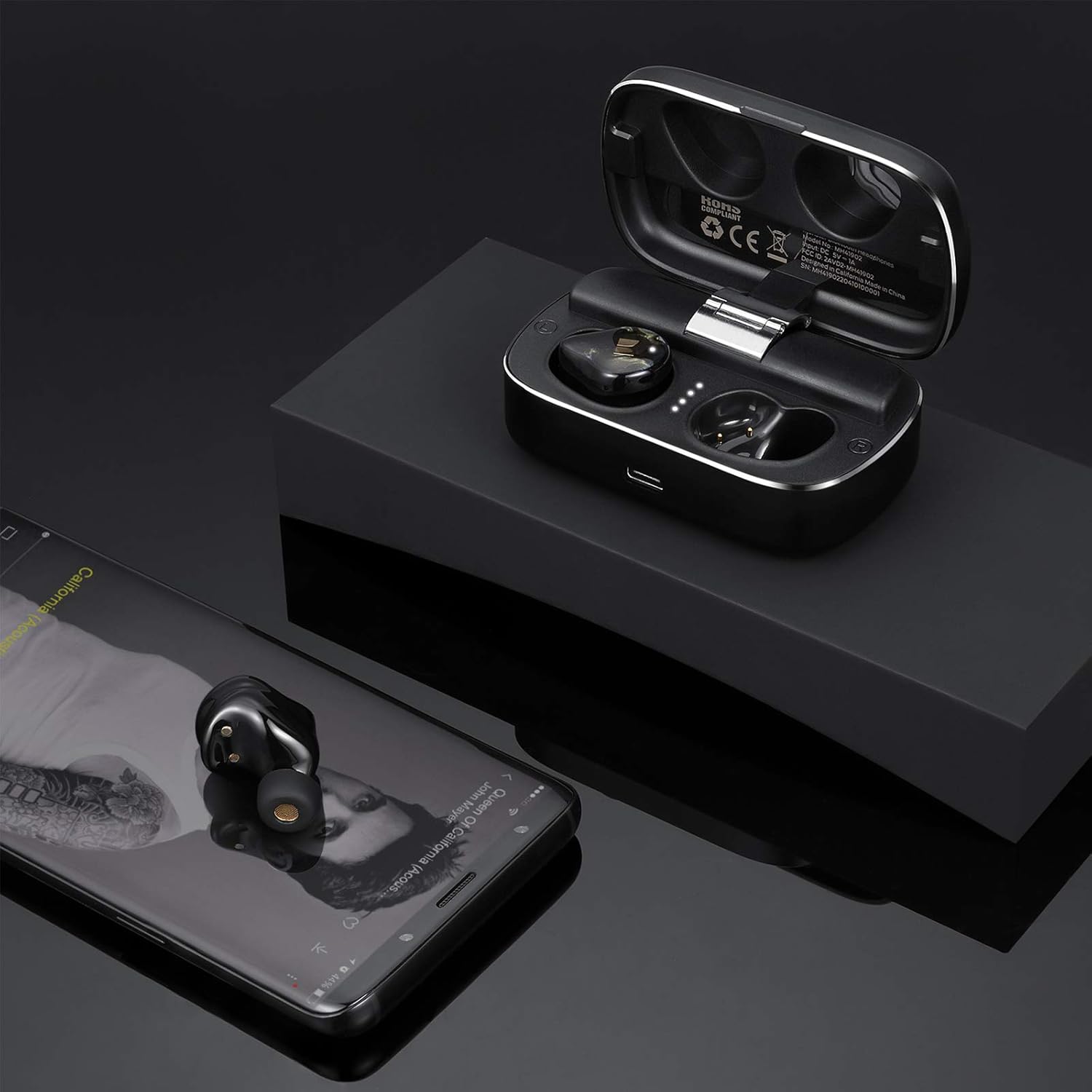
Image: Monster Clarity 700dB AirLinks Wireless Earbuds shown with their charging case and a smartphone, demonstrating the earbuds' readiness for use after pairing with a device for audio playback.
3. イヤホンの装着
Choose the ear tips that provide the most comfortable and secure fit for your ears. A proper fit is crucial for optimal sound quality and noise cancellation. Gently insert the earbuds into your ear canal and twist slightly to secure them.

Image: An illustration detailing the ergonomic design of the Monster Clarity 700dB AirLinks Wireless Earbuds, showing how they are engineered for a comfortable and secure fit within the ear, even during physical activities.
操作手順
タッチコントロール
The Monster Clarity 700dB AirLinks feature multi-function touch controls on each earbud. Specific functions may vary slightly depending on your device and application, but common controls include:
- 再生/一時停止: どちらかのイヤホンを 1 回タップします。
- 次のトラック: 右のイヤホンをダブルタップします。
- 前のトラック: 左のイヤホンをダブルタップします。
- 通話の応答/終了: 着信中または通話中にどちらかのイヤホンを 1 回タップします。
- 通話を拒否: 着信中にどちらかのイヤホンを 2 秒間押し続けます。
- 音声アシスタント(Siri/Google アシスタント)を有効にする: どちらかのイヤホンをトリプルタップします。
- アクティブノイズキャンセレーション(ANC)のオン/オフ: 左のイヤホンを2秒間押し続けます。

Image: A visual representation of the multi-function touch interface on the Monster Clarity 700dB AirLinks Wireless Earbuds, detailing the various touch gestures for controlling music playback, calls, and activating voice assistants.
マイクの使用
The earbuds are equipped with an integrated microphone for hands-free calling. Ensure the earbuds are properly connected to your device to use the microphone function during calls.
アクティブノイズキャンセル(ANC)
The Active Noise Cancellation feature helps reduce ambient noise for a more immersive listening experience. Activate or deactivate ANC using the touch controls as described above.
メンテナンス
防水性能(IPX5)
The Monster Clarity 700dB AirLinks are IPX5 water resistant, meaning they can withstand splashes and sweat. They are suitable for sports and exercise. However, they are not designed for submersion in water. Do not expose them to heavy rain or submerge them.

画像: クローズアップ view of the Monster Clarity 700dB AirLinks Wireless Earbuds with water droplets, visually confirming their IPX5 water-resistant rating, suitable for use during workouts or in light rain.
クリーニング
Regularly clean your earbuds and charging case with a soft, dry, lint-free cloth. Remove ear tips and clean them with mild soap and water, then dry thoroughly before reattaching. Avoid using abrasive materials or harsh chemicals.
トラブルシューティング
| 問題 | 考えられる原因 | 解決 |
|---|---|---|
| イヤホンがペアリングされない | イヤホンがペアリングモードになっていない、デバイスの Bluetooth がオフになっている、干渉が発生している。 | Ensure earbuds are in pairing mode (open case). Turn Bluetooth off and on again on your device. Move closer to your device. |
| 片方のイヤホンからしか音が再生されない | イヤホンが互いに、またはデバイスに正しく接続されていません。 | Place both earbuds back in the charging case, close the lid, wait a few seconds, then open again to re-establish connection. Re-pair with your device if necessary. |
| Loud voice prompts ('pairing', 'paired', 'disconnected') | System volume for voice prompts is high. | This is a known characteristic. There is currently no user-adjustable setting for prompt volume. Ensure earbuds are in your ears before powering on or connecting to minimize discomfort. |
| 音質が悪い / 低音が出ない | Improper ear tip fit; low battery; source audio quality. | Ensure you have the correct size ear tips for a secure seal. Fully charge the earbuds. Try different audio sources or files. |
| イヤホンが充電されない | Charging cable or port issue; dirty contacts. | 充電ケーブルと電源を確認してください。イヤホンとケースの充電端子が清潔で乾いていることを確認してください。 |
仕様
| 特徴 | 詳細 |
|---|---|
| ブランド | モンスター |
| モデル番号 | MH41902 |
| 耳の位置 | 耳に装着 |
| フォームファクター | 耳に装着 |
| 騒音制御 | アクティブノイズキャンセリング |
| 無線通信技術 | ブルートゥース |
| 内蔵メディア | ワイヤレス充電ケース |
| 周波数範囲 | 20Hz~20kHz |
| 追加機能 | Microphone Included, Noise Cancellation, USB connectivity, sports-and-exercise, water-resistant, wireless |
| エンクロージャ材質 | プラスチック |
| 耐水性レベル | 防水仕様(IPX5) |
| コントロールタイプ | メディアコントロール |
| 寸法(ケース) | 約3.35×1.26×1.02インチ |
| 重量(合計) | 約10.58オンス |
公式製品ビデオ
ビデオ: 公式製品view of the Monster Clarity 700dB AirLinks Wireless Earbuds, highlighting key features such as water resistance, microphone, USB connectivity, noise-canceling capability, and suitability for sports and exercise. It also details the compact design and Bluetooth connectivity.
保証とサポート
Your Monster Clarity 700dB AirLinks Wireless Earbuds come with a manufacturer's warranty. Please refer to the warranty card included in your product packaging for specific terms and conditions. For technical support, troubleshooting assistance, or warranty claims, please visit the official Monster webサイトまたは顧客サービス部門に連絡してください。