
1. はじめにview
The Ring Automotive RSC804 is a 4A smart battery charger and maintainer designed for a wide range of 6V and 12V vehicle batteries. It is compatible with Lead Acid, Gel, Calcium, EFB, and AGM battery types, including those found in START/STOP vehicles. This device ensures your battery remains in optimal condition by preventing overcharging and automatically transitioning to a long-term maintenance mode once fully charged. Its user-friendly design features one-button operation and a clear, backlit LCD display for easy monitoring of the charging process.
The RSC804 incorporates essential safety features such as reverse polarity and short-circuit protection, providing a secure and reliable charging experience.
2. 安全情報
充電器を使用する前に、すべての安全に関する指示をお読みください。指示に従わない場合、感電、火災、または重傷を負う可能性があります。
- バッテリーを扱うときは、必ず保護眼鏡と保護服を着用してください。
- 爆発性ガスの蓄積を防ぐため、充電エリアに十分な換気を確保してください。
- バッテリーや充電器の近くで喫煙したり、火花や炎を起こさないでください。
- Disconnect the AC power supply from the charger before connecting or disconnecting the battery leads.
- 凍結または損傷したバッテリーは絶対に充電しないでください。
- The charger is equipped with reverse polarity and short-circuit protection. However, always ensure correct polarity connections (positive to positive, negative to negative) to prevent damage.
- Keep the charger away from water and moisture. The unit is IP65 weatherproof, but direct submersion should be avoided.
- 充電器を開けたり改造したりしないでください。修理は必ず資格のある専門家にご依頼ください。
3. 箱の中身
パッケージを開封したら、すべてのコンポーネントが揃っていることを確認してください。
- Ring Automotive RSC804 Smart Battery Charger
- Connectors with battery clamps
- O-ring terminals for long-term connection
- ユーザーマニュアル

Image: Contents of the Ring Automotive RSC804 box, showing the charger, battery clamps, O-ring terminals, and user manual.
4. セットアップ手順
Follow these steps to safely set up your battery charger:
- バッテリーを準備します: バッテリー端子が清潔で腐食していないことを確認してください。必要に応じて、ワイヤーブラシで清掃してください。
- バッテリーに接続:
- Clの使用amps: 赤(プラス)のCLを接続します。amp to the positive (+) battery terminal. Connect the black (negative) clamp バッテリーのマイナス(-)端子に接続します。確実に接続してください。
- Using O-Ring Terminals (for long-term connection): Attach the red O-ring terminal to the positive (+) battery post and the black O-ring terminal to the negative (-) battery post. Secure them with the battery nuts.
- 電源に接続: Once the battery leads are securely connected, plug the charger's AC power cord into a suitable 230V mains outlet.
- 初期チェック: The charger's LCD display will illuminate, indicating it is powered on and ready for operation.

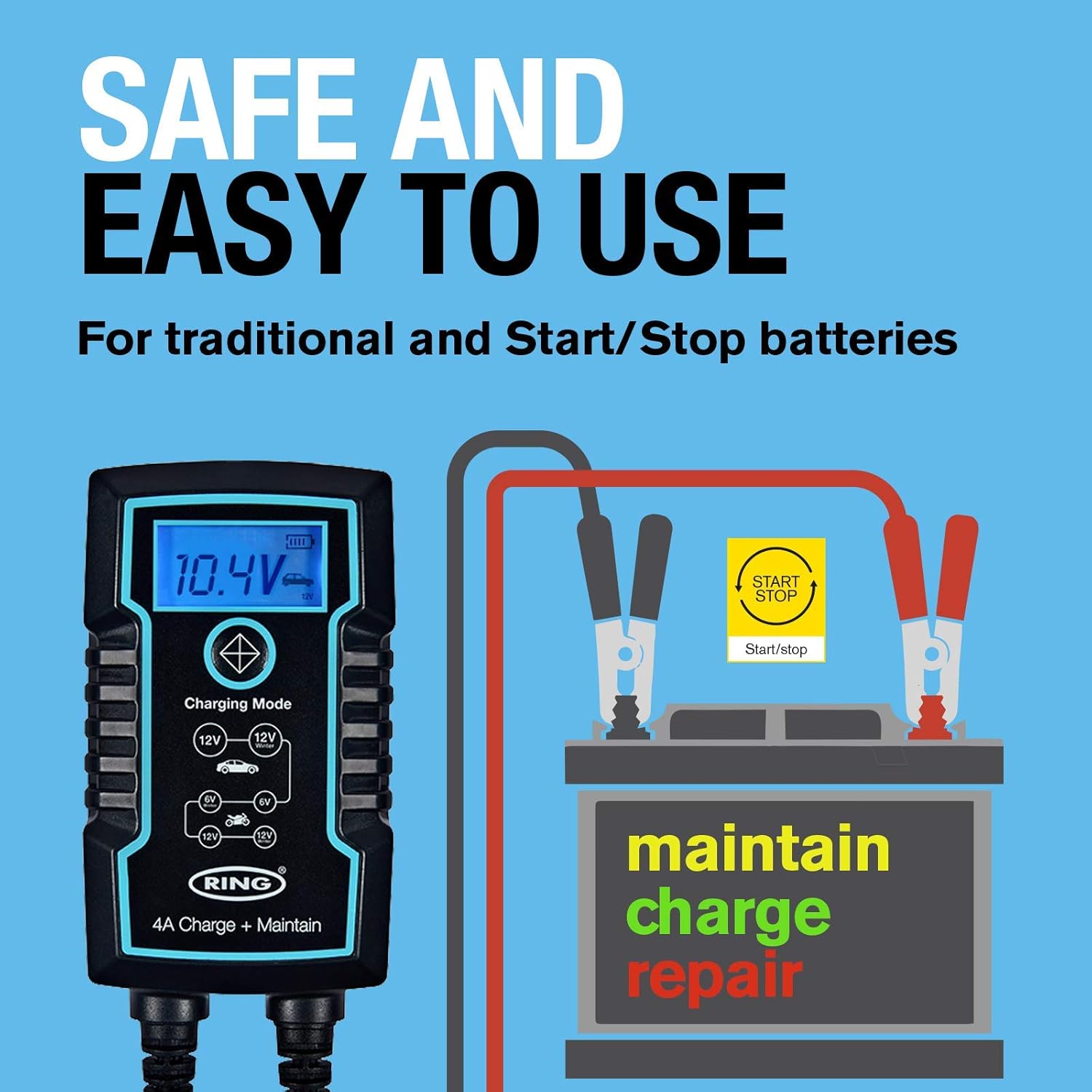
Image: Ring Automotive RSC804 charger connected to a car battery using clamps, illustrating a typical setup.
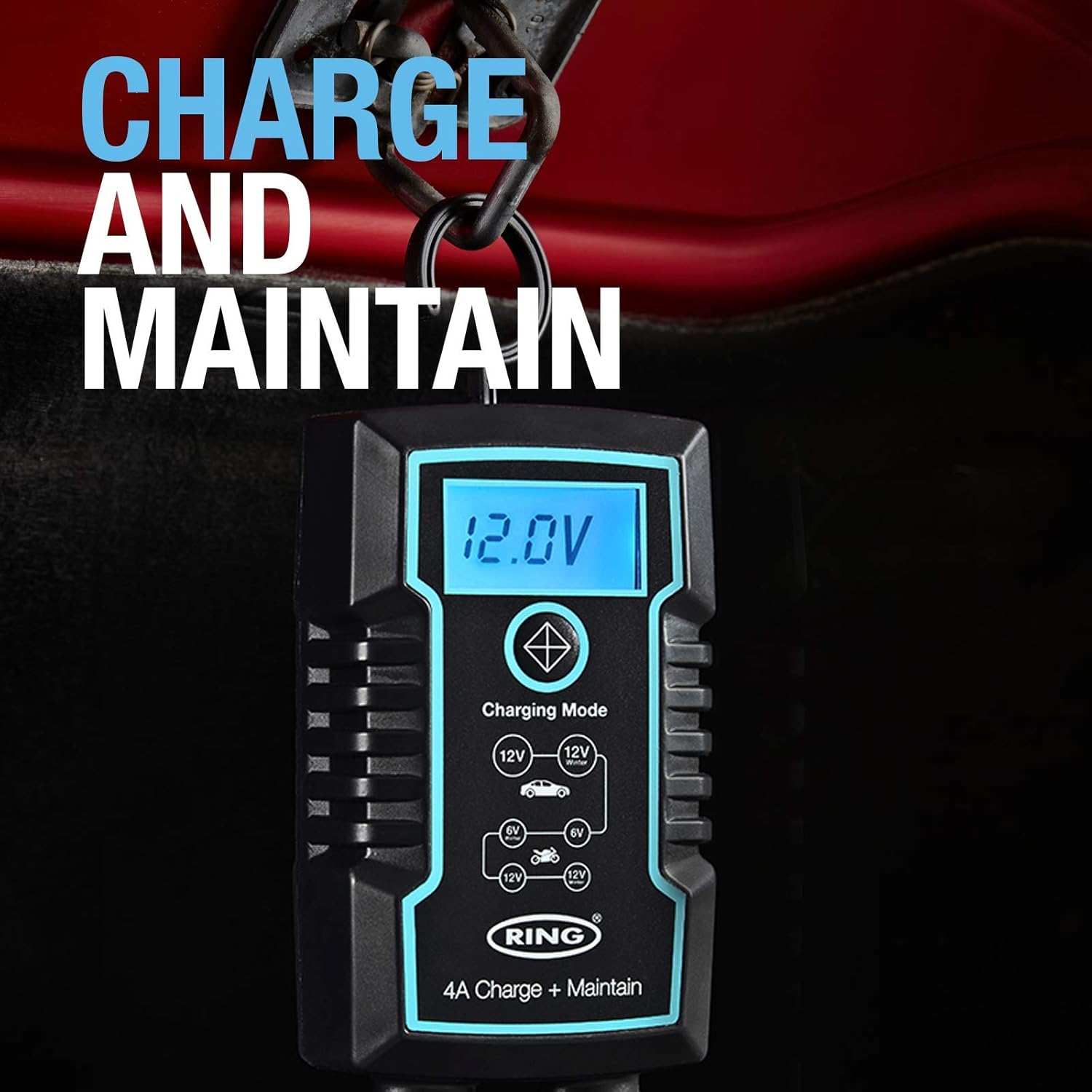
Image: Close-up of the RSC804 charger connected to a car battery, demonstrating proper terminal attachment.
5. 操作手順
Operating the RSC804 charger is straightforward:
- 電源オン: After connecting the charger to the battery and mains power, the charger will automatically power on.
- 充電モードを選択: Use the single button on the charger to cycle through the available charging modes. The backlit LCD display will show the selected mode (e.g., 6V, 12V Car, 12V Motorcycle). Select the mode appropriate for your battery type and voltage.
- 充電の進行状況を監視します: The LCD display provides real-time information including:
- バッテリー巻tage: 現在のボリュームを表示しますtagバッテリーのe。
- 充電の進行状況: An icon or indicator shows the battery's charging status.
- 選択されたモード: Confirms the active charging program.
- 自動メンテナンス: Once the battery reaches full charge, the RSC804 will automatically switch to a maintenance (trickle charge) mode. This prevents overcharging and keeps the battery optimally charged for extended periods.
- 切断中: To disconnect the charger, first unplug the AC power cord from the mains outlet. Then, disconnect the negative (-) battery lead, followed by the positive (+) battery lead.
画像: 詳細 view of the RSC804's backlit LCD display, highlighting voltage, charge progress, and mode selection.
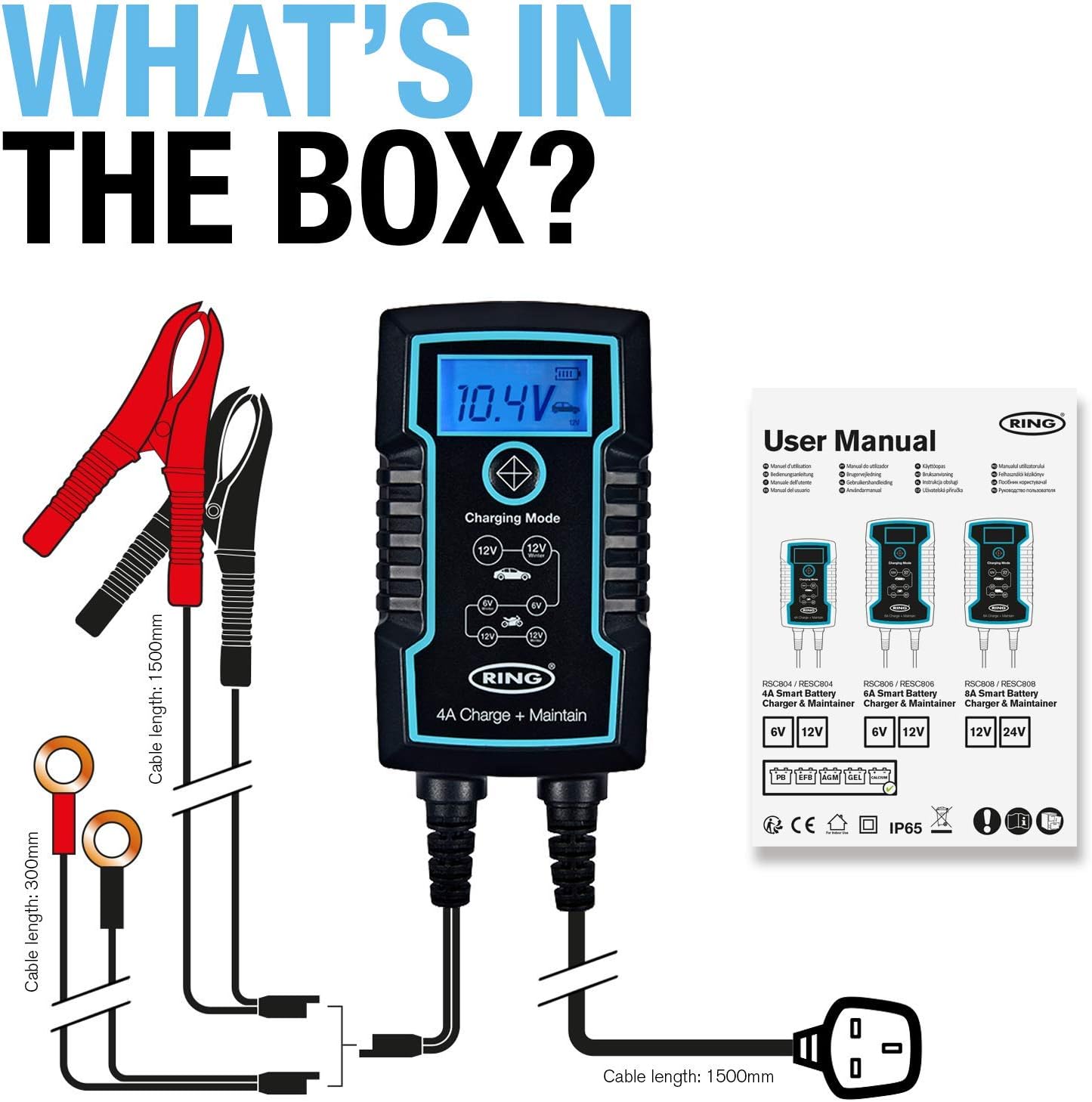
Image: The RSC804 charger in operation, displaying 12.0V and indicating maintenance mode, conveniently hanging from a vehicle's hood.
6. メンテナンス
Proper maintenance ensures the longevity and reliable performance of your RSC804 charger:
- クリーニング: Periodically wipe the charger's casin柔らかく乾いた布で拭いてください。刺激の強い化学薬品や研磨剤入りの洗剤は使用しないでください。
- ケーブル検査: Regularly inspect the power cord and battery leads for any signs of damage, cuts, or fraying. Do not use the charger if any cables are damaged.
- ストレージ: 充電器は使用しないときは、涼しく乾燥した場所に保管してください。直射日光、極端な温度、湿気を避けてください。
- バッテリー端子: Ensure battery terminals remain clean for optimal connection.

Image: The RSC804 charger's rugged and weatherproof (IP65) design, suitable for various environments.
7。 トラブルシューティング
If you encounter issues with your RSC804 charger, refer to the following common problems and solutions:
| 問題 | 考えられる原因 | 解決 |
|---|---|---|
| 充電器の電源が入りません。 | No AC power, faulty outlet, damaged power cord. | Check mains power supply. Try a different outlet. Inspect power cord for damage. |
| 充電器は接続されていますが、充電されていません。 | Incorrect battery connection, wrong mode selected, deeply discharged battery. | Ensure correct polarity and secure connections. Select the appropriate 6V or 12V mode. For deeply discharged batteries, the charger may take some time to initiate charging. |
| Error message or indicator light. | Reverse polarity, short circuit, internal fault. | Disconnect immediately. Recheck battery connections for correct polarity. If error persists, contact customer support. |
| バッテリーが完全に充電されていません。 | Battery fault, incorrect mode, charger fault. | Have the battery tested by a professional. Ensure the correct charging mode is selected. If the battery is confirmed good, contact customer support. |
If troubleshooting steps do not resolve the issue, please contact Ring Automotive customer support for further assistance.
8. 仕様
| 仕様 | 価値 |
|---|---|
| モデル番号 | RS804 型番 |
| 入力ボリュームtage | 230ボルトAC |
| 出力巻tage | 6V/12V DC |
| 現在の評価(Amperage) | 4 Amps |
| ワットtage | 60W |
| バッテリーの互換性 | Lead Acid, Gel, Calcium, EFB, AGM |
| ポート数 | 1 |
| アイテム重量 | 760グラム |
| 色 | 黒 |
| 保護機能 | Reverse Polarity, Short-Circuit, Overcharging |
| 耐候性評価 | IP65 |
9. 保証とサポート
This Ring Automotive product is covered by a manufacturer's warranty. For specific warranty terms and conditions, please refer to the documentation included with your purchase or visit the official Ring Automotive website. In case of product defects or operational issues not resolved by the troubleshooting guide, please contact Ring Automotive customer support. Have your model number (RSC804) and proof of purchase ready when contacting support.
For the most up-to-date support information and contact details, please visit the official Ring Automotive webサイト。