
Devia DV-307591
Devia メタルインイヤー有線イヤホン ユーザーマニュアル
Model: DV-307591 | Color: Silver
1. はじめに
Thank you for choosing the Devia Metal In-ear Wired Earphones. These earphones are designed to provide a high-quality audio experience with the convenience of an in-line remote and microphone. Featuring a durable metal construction and ergonomic design, they are suitable for various activities, from daily commutes to relaxation.
2. パッケージ内容
パッケージに以下の項目が含まれているか確認してください。
- Devia Metal In-ear Wired Earphones (Silver)
- Integrated Cable with 3.5mm Plug
3. セットアップ
Setting up your Devia Metal In-ear Wired Earphones is straightforward:
- オーディオ ポートを識別します。 スマートフォン、タブレット、ラップトップ、またはその他の互換性のあるオーディオ デバイス上の 3.5 mm オーディオ ジャックを見つけます。
- イヤホンを接続します: Insert the 3.5mm plug of the earphone cable firmly into your device's audio jack. Ensure a secure connection to prevent audio interruptions.
- イヤホンを装着する: Gently place the ear tips into your ears. The ergonomic design is intended for a comfortable and secure fit.
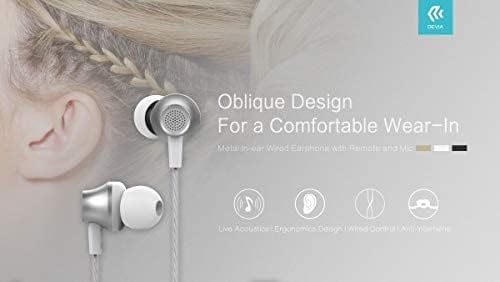
Close-up of Devia Metal In-ear Wired Earphones demonstrating the oblique design for comfortable wear, with the earphone positioned near an ear.
4. 操作手順
Your Devia earphones feature an in-line remote and microphone for convenient control of audio playback and calls.
4.1.オーディオ再生
- 再生/一時停止: 多機能ボタンをXNUMX回押します。
- 次のトラック: マルチファンクションボタンを素早く2回押します。
- 前のトラック: マルチファンクションボタンを素早く3回押します。
- 音量コントロール: Use the dedicated volume up (+) and volume down (-) buttons on the remote.
4.2.通話管理
- 通話の応答/終了: 着信中に多機能ボタンを 1 回押すと応答し、通話中に 1 回押すと終了します。
- 通話を拒否: 着信中にマルチファンクションボタンを約2秒間押し続けます。
- 音声コントロール: Press and hold the multi-function button to activate your device's voice assistant (e.g., Siri, Google Assistant).
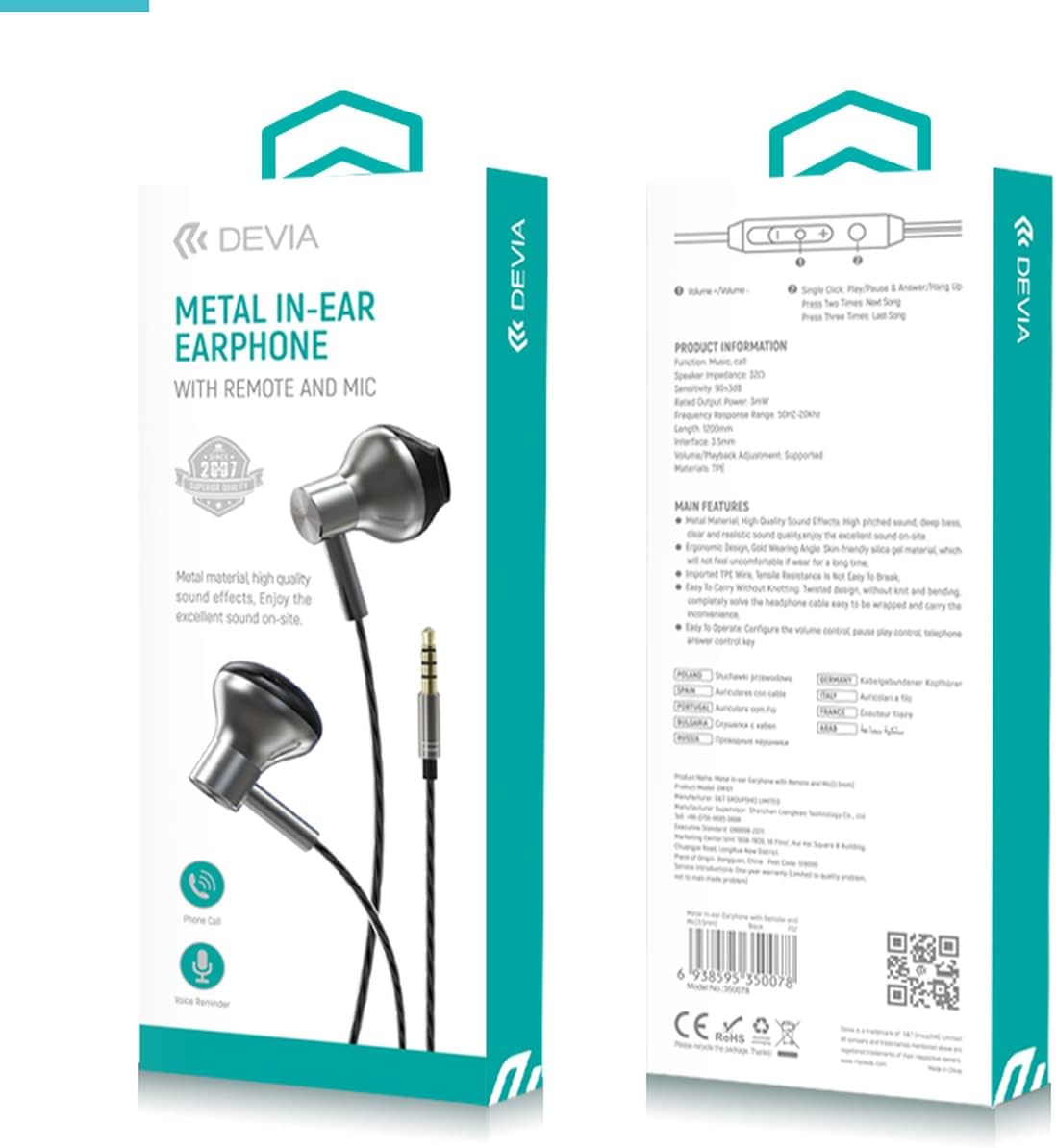
前面と背面 view of the Devia Metal In-ear Earphone packaging, displaying product features, specifications, and control functions, including remote control layout.
5. メンテナンスとケア
イヤホンの寿命を延ばし、最適なパフォーマンスを確保するには、次のお手入れガイドラインに従ってください。
- クリーニング: Gently wipe the ear tips and earphone body with a soft, dry cloth. Do not use harsh chemicals or abrasive materials.
- ストレージ: 使用しない時は、イヤホンを清潔で乾燥した場所に保管し、極端な温度や直射日光を避けてください。ケーブルが絡まないようにしてください。
- 湿気を避ける: イヤホンは防水仕様ではないため、水や過度の湿気にさらさないでください。
- 取り扱いにはご注意ください: Avoid pulling the cable forcefully or bending the 3.5mm plug at sharp angles, as this can damage internal wiring.
6。 トラブルシューティング
イヤホンに問題が発生した場合は、次の一般的な問題と解決策を参照してください。
| 問題 | 考えられる原因 | 解決 |
|---|---|---|
| 音が出ない、または音が歪む | Loose connection, incorrect volume, damaged cable, incompatible device. | Ensure the 3.5mm plug is fully inserted. Increase device volume. Test with another device. Inspect cable for damage. |
| マイクが機能しない | Loose connection, device settings, incompatible device. | Ensure the plug is fully inserted. Check your device's audio input settings. Test with another device. |
| リモコンが反応しない | Loose connection, device compatibility, software issue. | Ensure the plug is fully inserted. Some remote functions may not be fully supported by all devices. Restart your device. |
| イヤホンが簡単に外れてしまう | イヤーチップのサイズが正しくない、挿入が不適切。 | Ensure ear tips are correctly positioned. Adjust the angle of insertion for a snug fit. |
7. 仕様
Detailed technical specifications for the Devia Metal In-ear Wired Earphones:
| 特徴 | 説明 |
|---|---|
| ブランド | デビア |
| モデル番号 | DV-307591 |
| 色 | 銀 |
| 接続技術 | 有線 |
| ヘッドフォンジャック | 3.5ミリジャック |
| 耳の位置 | 耳に装着 |
| フォームファクター | 耳に装着 |
| 材料 | 金属 |
| コントロールタイプ | ボリュームコントロール |
| 制御方法 | リモート |
| 特集 | Lightweight, Microphone Included, Universal, Volume Control |
| 騒音制御 | 遮音性 |
| アイテム重量 | 1.41オンス(約40g) |
| パッケージ寸法 | 8.5 x 2.95 x 0.75インチ |
| メーカー | S&T |
| 初回利用可能日 | 14年2018月XNUMX日 |
8. 保証情報
Devia products are manufactured to high-quality standards. This product is covered by a standard manufacturer's warranty against defects in materials and workmanship from the date of purchase. Please retain your proof of purchase for warranty claims. For specific warranty terms and conditions, refer to the documentation provided with your purchase or visit the official Devia webサイト。
9. サポートとお問い合わせ
For further assistance, technical support, or inquiries regarding your Devia Metal In-ear Wired Earphones, please visit the official Devia webサイト:
You may also refer to the retailer where you purchased the product for customer service.
Ask a question about this manual
Ask about setup, troubleshooting, compatibility, parts, safety, or missing instructions. Manuals+ will review the question and use this page’s manual context to help answer it.