
1. はじめに
Thank you for choosing the POWRUI AHR-081 Smart Power Strip. This device combines the functionality of a traditional power strip with smart home capabilities, allowing you to control connected appliances remotely and via voice commands. It features surge protection for your electronics and convenient USB charging ports.
This manual provides essential information for the safe and efficient operation of your smart power strip. Please read it thoroughly before use and retain it for future reference.
2. 安全情報
安全な操作を確保し、損傷を防ぐために、次の安全上の注意事項を守ってください。
- 最大負荷容量10A/1250Wを超えないでください。
- このデバイスは屋内使用のみを目的として設計されています。湿気や極端な温度にさらさないでください。
- 本装置を分解または改造しないでください。修理は必ず資格のある専門家にご依頼ください。
- お子様の手の届かない場所に保管してください。
- Ensure the power strip is fully plugged into a wall outlet before connecting devices.
- The power strip features 540 Joules of surge protection. While this protects against minor surges, it is not a substitute for proper grounding and professional electrical installation.
- The product is constructed with 750°C flame-retardant materials for enhanced safety.

Figure 2.1: Illustration of the power strip's heavy-duty cord and flame-retardant construction.
3. パッケージ内容
- 1 x POWRUI AHR-081 Smart Power Strip
- ユーザーマニュアル x 1
4.製品図
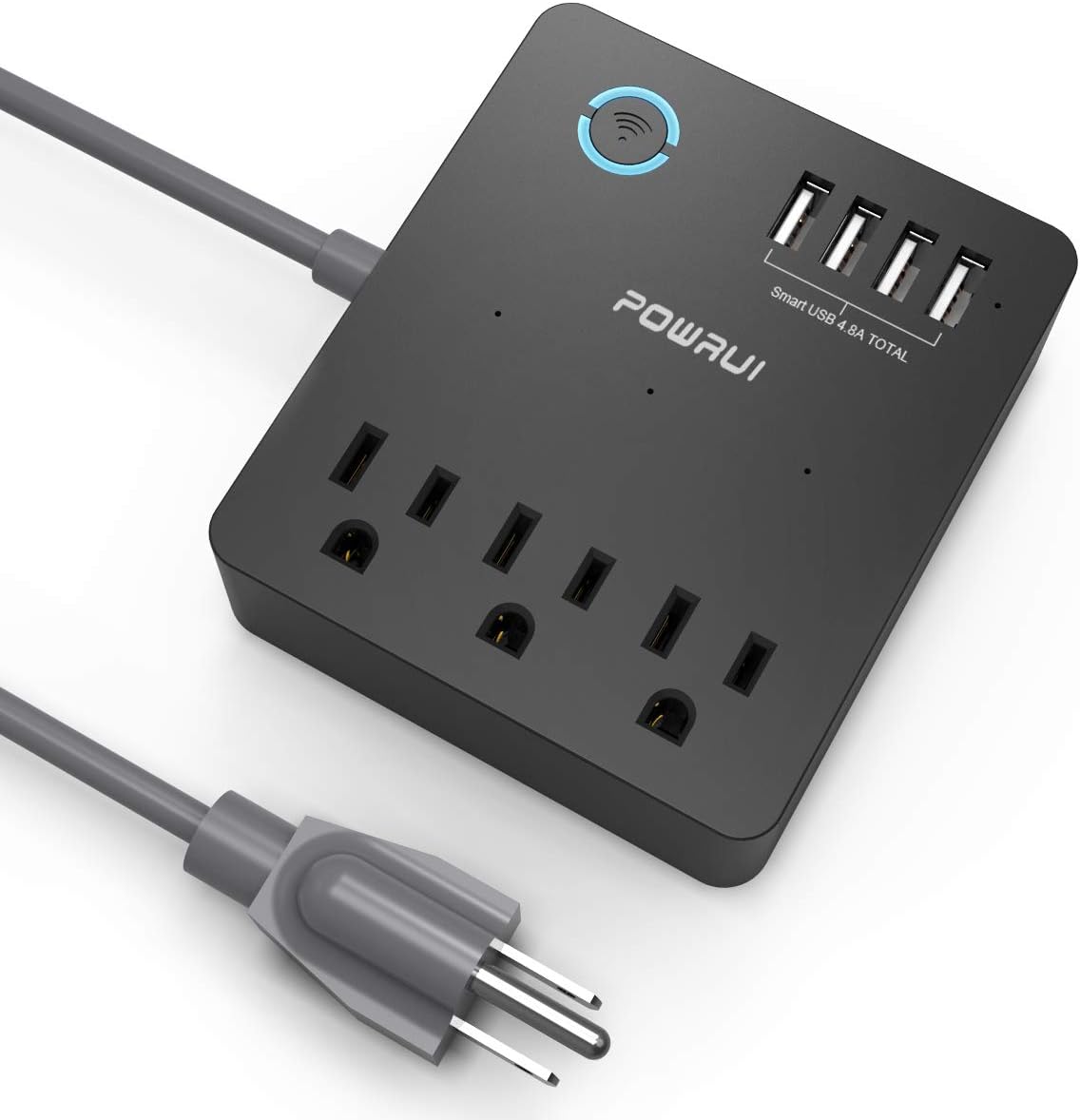
Figure 4.1: POWRUI AHR-081 Smart Power Strip Overview.
- Smart Wi-Fi Button/Indicator: Press to manually turn all smart outlets on/off. Blinks during pairing.
- Smart AC Outlets (x3): Individually controllable via app and voice.
- USB充電ポート(x4): Total 5V/4.8A 24W output. These ports are always on when the power strip is plugged in and are not controlled by the app.
- 電源コード: 電源タップを壁のコンセントに接続します。

Figure 4.2: Detail of the 4 USB charging ports.
5. セットアップ
5.1 アプリのダウンロードと登録
- App Store (iOS) または Google Play Store (Android) から「Smart Life」アプリをダウンロードしてください。
- アカウントを登録するか、すでにアカウントをお持ちの場合はログインします。
5.2デバイスの追加
- Plug the POWRUI AHR-081 Smart Power Strip into a wall outlet.
- Open the Smart Life app. Tap "+" in the top right corner to add a device.
- Select "Power Strip" or "Electrical Outlet" from the device list.
- Ensure the Wi-Fi indicator on the power strip is blinking rapidly. If not, press and hold the Wi-Fi button for 5-10 seconds until it blinks rapidly.
- Enter your 2.4GHz Wi-Fi network password (5GHz Wi-Fi is not supported).
- Follow the on-screen instructions to complete the pairing process. Once connected, the Wi-Fi indicator will turn solid blue.
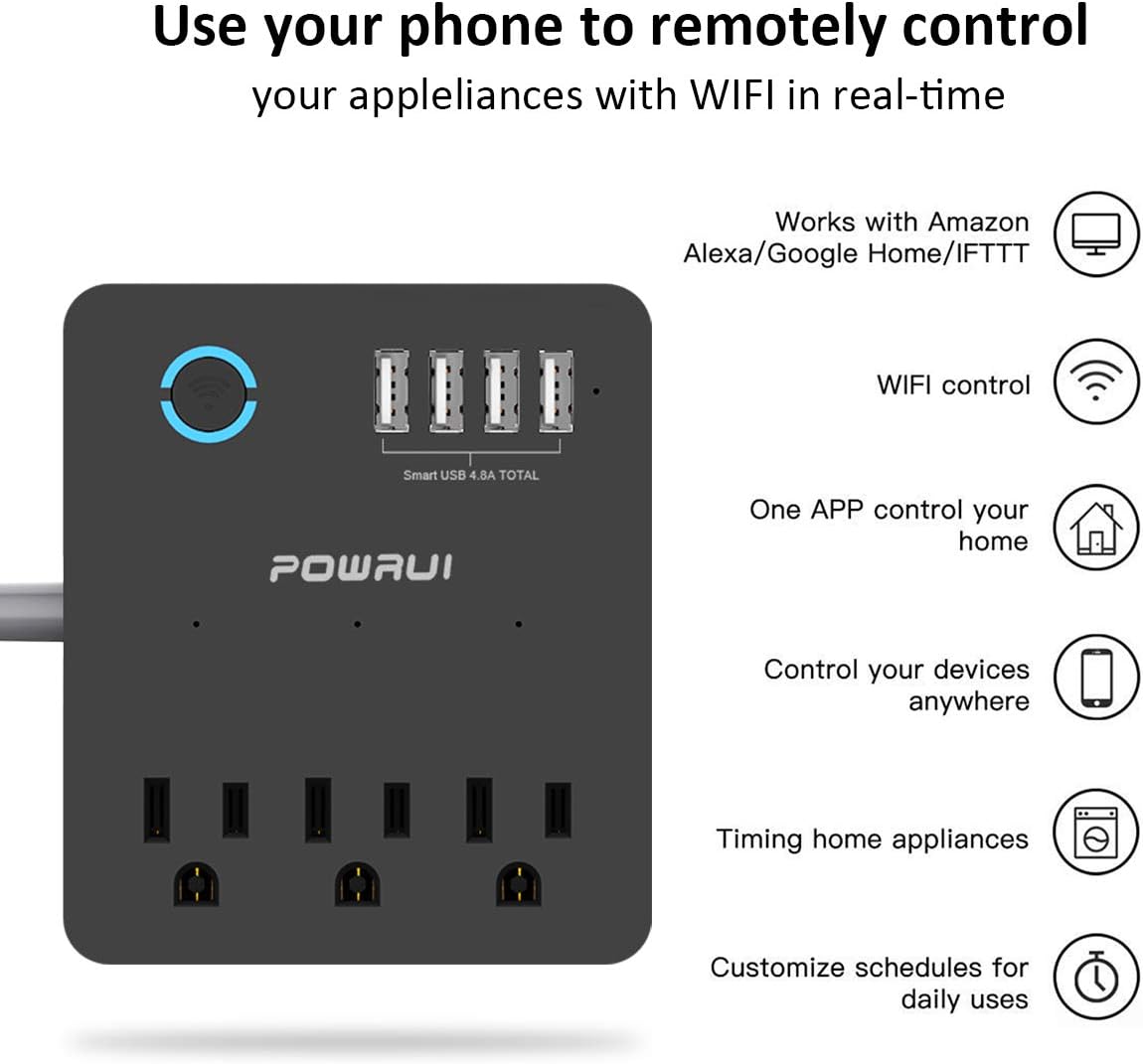
Figure 5.1: Remote control via the Smart Life app.
5.3 音声アシスタント統合(Alexa/Google Home)
- In the Smart Life app, navigate to the device settings for your power strip.
- Look for options to link with Amazon Alexa or Google Assistant.
- Follow the in-app instructions to enable the "Smart Life" skill/service in your Alexa or Google Home app and link your accounts.
- Once linked, you can discover devices and assign names to individual outlets for voice control.
6.運用
6.1 Controlling AC Outlets via App
After successful setup, you can control each of the 3 smart AC outlets individually from the Smart Life app. Tap on the respective outlet icon to turn it on or off.

Figure 6.1: Control your power strip from anywhere using the app.
6.2 USB充電ポートの使用
The 4 USB charging ports are designed to charge various USB-powered devices such as smartphones, tablets, e-readers, and Bluetooth headphones. These ports are always active when the power strip is plugged in and are not controlled by the Smart Life app or voice commands.
6.3 スケジュールとタイマーの設定
The Smart Life app allows you to create custom schedules and countdown timers for the smart AC outlets:
- スケジュール: Set specific times for outlets to turn on or off daily or on selected days of the week.
- タイマー: Set a countdown timer for an outlet to automatically turn off after a specified duration.
6.4 音声制御
Once integrated with Alexa or Google Home, you can use voice commands to control the smart AC outlets. Exampレ:
- 「アレクサ、リビングルームの電源を入れてamp."
- 「OK Google、ファンを消して」
- "Alexa, turn on all outlets on the power strip."

図 6.2: Alexa と Google Home による音声制御。
6.5手動制御
The large circular button on the power strip can be pressed to manually toggle the power for all smart AC outlets simultaneously. This button also serves as the Wi-Fi pairing button during setup.
6.6 No Wi-Fi Mode
If there is no Wi-Fi connection, the power strip functions as a standard multi-outlet extender. The individual smart AC outlets can still be controlled manually via the physical button on the device.

Figure 6.3: Functionality in No Wi-Fi Mode.
7. メンテナンス
To maintain the performance and longevity of your power strip:
- 清掃する前にデバイスのプラグを抜いてください。
- 外側は柔らかく乾いた布で拭いてください。刺激の強い化学薬品や研磨剤入りの洗剤は使用しないでください。
- コンセントにほこりやごみが入らないようにしてください。
8。 トラブルシューティング
| 問題 | 考えられる原因 | 解決 |
|---|---|---|
| デバイスは Wi-Fi に接続できません。 | Incorrect Wi-Fi password; 5GHz Wi-Fi network; device too far from router; Wi-Fi indicator not blinking rapidly. | Ensure correct 2.4GHz Wi-Fi password. Move device closer to router. Reset device by holding the Wi-Fi button until it blinks rapidly. |
| App cannot control outlets. | No internet connection; device offline; app glitch. | Check internet connection. Verify power strip is online in the app. Restart the app or power strip. |
| 音声制御が機能しません。 | Incorrect device name; voice assistant not linked; internet issue. | Verify device name in voice assistant app. Ensure Smart Life skill/service is enabled and linked. Check internet connection. |
| USB ポートが充電されません。 | Device not plugged in; faulty USB cable/device. | Ensure power strip is plugged in. Try a different USB cable or device to confirm functionality. |
9. 仕様
| 特徴 | 詳細 |
|---|---|
| モデル番号 | AHR-081 |
| ACアウトレット | 3つのスマートコンセント |
| USBポート | 4 (Total 5V/4.8A 24W) |
| サージ保護 | 540ジュール |
| 巻tage | 125V AC、60Hz |
| 最大荷重 | 10A/1250W |
| Wi-Fi規格 | 2.4GHzのみ |
| 寸法 | 6.3 x 5.1 x 1.5インチ |
| アイテム重量 | 13.6オンス |
| 色 | 黒 |
10. 保証とサポート
POWRUI provides a 30日間返金保証 そして 12ヶ月の交換保証 この製品について。
For customer support, please contact POWRUI directly. Our friendly and reliable customer service team aims to respond within 24 hours.