
1. はじめに
The Becker Centronic EasyControl EC141-II is a compact and user-friendly 1-channel handheld transmitter designed for convenient control of compatible Becker automation systems. This wireless remote operates on an 868 MHz radio frequency, ensuring reliable communication with your Becker O-tronic 6, BOM 650C, and BOM 850C garage door motors. Its clear design and simple handling provide enhanced comfort, allowing you to operate your systems effortlessly.
主な機能は次のとおりです。
- 1-channel operation with LED display for status indication.
- Ability to program two selectable intermediate positions for precise control.
- Supports simple, group, or central control functionalities.
- Equipped with a durable metal ring for easy attachment to a key chain.
- Fully compatible with Centronic 868.3 MHz systems.
2.製品オーバーview
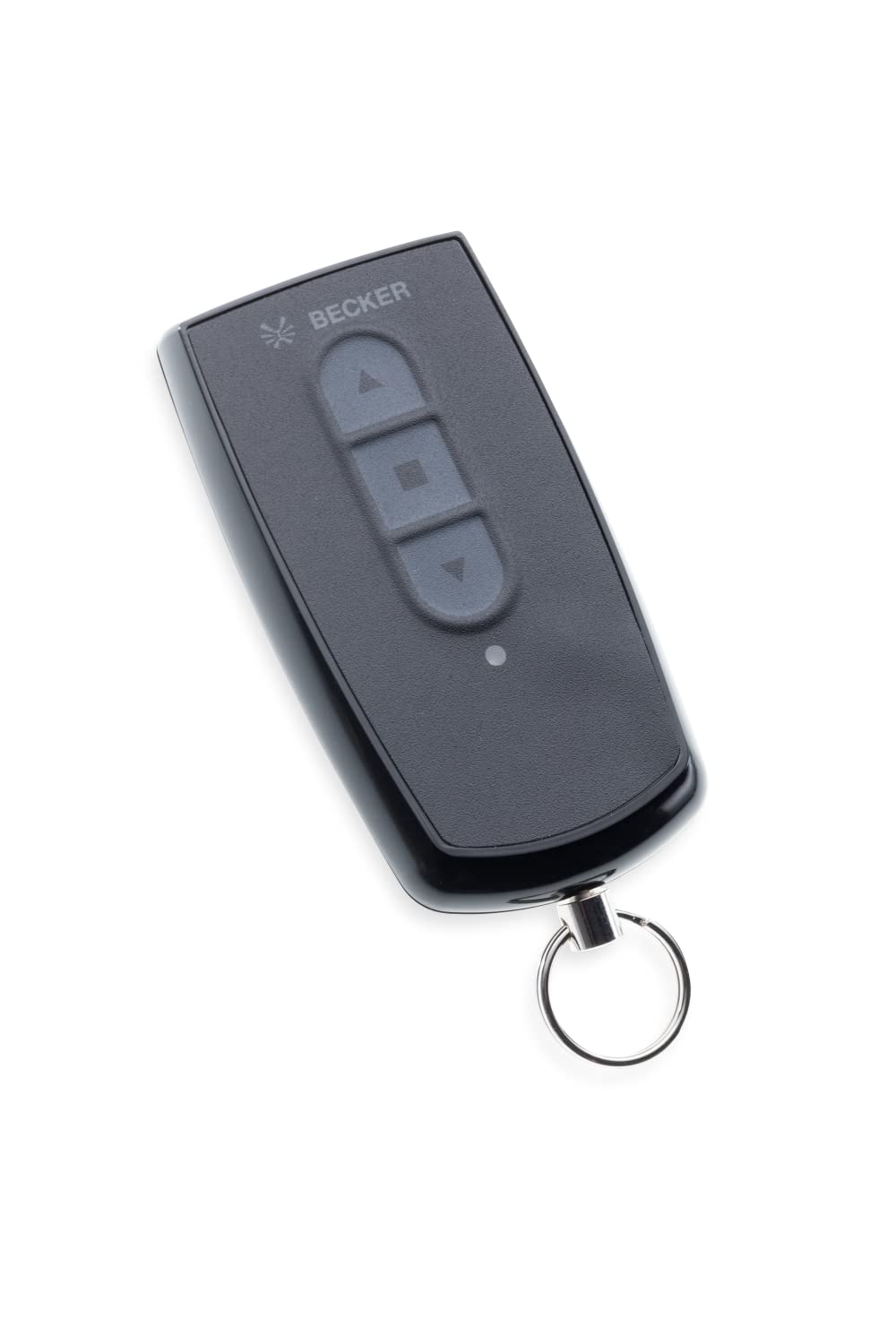
図1: The Becker Centronic EasyControl EC141-II wireless remote control. This image shows the compact design of the remote, featuring a single control button and an LED indicator, with a metal ring for key attachment.
The EC141-II remote control is designed for intuitive use. It typically features a single button for controlling one channel, allowing for sequential operation (e.g., open, stop, close). The integrated LED provides visual feedback on command transmission and battery status. Its robust construction and compact size make it ideal for everyday use.
3. セットアップ
3.1 バッテリーの取り付け
The Becker EC141-II remote control requires a battery for operation (battery not included). To install or replace the battery:
- リモコンを慎重に開けるasing. Refer to the markings on the remote for the battery compartment access point, usually a small latch or screw.
- Insert the new battery, ensuring correct polarity (+/-) as indicated inside the compartment.
- cを閉じますasin安全に。
Test the remote by pressing a button; the LED should illuminate.
3.2リモコンのプログラミング
The EC141-II remote control must be paired with your Becker automation system (e.g., garage door motor BOM 650C, BOM 850C, or O-tronic 6) to function. The programming process typically involves steps performed on the receiver unit (motor) rather than the remote itself. Please refer to the instruction manual of your specific Becker motor or receiver for detailed pairing instructions. Generally, the process involves:
- Activating the programming mode on your Becker motor/receiver (often by pressing a 'P' or 'Learn' button).
- Pressing the desired button on your EC141-II remote control within a specified timeframe.
- ペアリングが成功したことを確認します。通常、受信機からのライトまたは音で示されます。
The EC141-II allows for ultra-easy programming once the receiver is in learning mode.
4. 操作手順
4.1 基本操作
Once programmed, the EC141-II remote control operates your connected Becker system with a single button press:
- 初回プレス: Initiates the movement (e.g., opens the garage door).
- Second Press (during movement): 動きを止めます。
- Third Press (after stop): Reverses the movement (e.g., closes the garage door).
The LED indicator will light up when a command is transmitted.
4.2 Programming Intermediate Positions
The EC141-II allows you to program up to two intermediate positions for your garage door or other connected systems. This feature enables you to stop the system at a preferred partial open/close position.
- Move the system (e.g., garage door) to the desired intermediate position using the remote.
- Refer to your motor's instruction manual for specific steps to save this intermediate position. This usually involves a combination of button presses on the remote and/or the motor unit.
- Once saved, a quick press of the remote button may activate this intermediate position, depending on your motor's configuration.
5. メンテナンス
5.1 クリーニング
To clean the remote control, use a soft, dry cloth. Do not use abrasive cleaners, solvents, or wet cloths, as these can damage the casing または内部コンポーネント。
5.2 電池の交換
When the LED indicator on your remote control becomes dim or fails to light up, or if the remote's range decreases significantly, it is likely time to replace the battery. Follow the battery installation steps outlined in Section 3.1. Always use the recommended battery type to ensure optimal performance and avoid damage.
6。 トラブルシューティング
- リモコンが応答しない:
- バッテリーを確認してください。必要であれば交換してください。
- リモコンが受信機の範囲内にあることを確認してください。
- Verify that the remote is correctly programmed to your Becker system. Refer to your motor's manual for re-pairing instructions.
- 限定範囲:
- バッテリーを交換してください。
- Check for sources of interference (e.g., other wireless devices, large metal objects) between the remote and the receiver.
- System not responding to commands:
- Confirm that your Becker motor (BOM 650C, BOM 850C, O-tronic 6) operates on the 868 MHz frequency. This remote is not compatible with other frequencies.
- Ensure the motor unit has power and is functioning correctly.
7. 仕様
| 特徴 | 詳細 |
|---|---|
| モデル | EC141-II |
| メーカー | Becker-Antriebe GmbH |
| 製品タイプ | Single-channel handheld transmitter |
| 頻度 | 868.3 MHz (Centronic compatible) |
| チャンネル | 1 |
| 必要なバッテリー | はい |
| バッテリー付属 | いいえ |
| 互換性 | Becker O-tronic 6, BOM 650C, BOM 850C garage door motors |
8. 保証とサポート
For information regarding warranty coverage, technical support, or spare parts availability for your Becker Centronic EasyControl EC141-II remote control, please contact Becker-Antriebe GmbH directly or refer to their official webサイトでご確認ください。保証請求の際は購入証明として領収書を保管してください。