
UDIRC U46
UDIRC U46 ミニドローン ユーザーマニュアル
モデル:U46
1. はじめに
The UDIRC U46 Mini Drone is a compact quadcopter designed for beginners and recreational flying. It features user-friendly controls and safety mechanisms to ensure an enjoyable experience. This manual provides essential information for operating and maintaining your drone.

Image 1.1: The UDIRC U46 Mini Drone, its remote controller, and three included batteries.
2. 安全ガイドライン
- 推奨年齢: この製品は14歳以上のユーザーに推奨されます。
- 屋内使用: The U46 drone is primarily designed for indoor use. Avoid flying in windy conditions outdoors, as this can lead to loss of control.
- クリアエリア: Operate the drone in an open area free from obstacles, people, and pets.
- プロペラの安全性: Keep fingers, hair, and loose clothing away from the spinning propellers. The drone features propeller guards for added safety.
- バッテリーの安全性: Do not overcharge batteries. Use only the provided USB charger. Discontinue use if batteries show signs of damage or swelling.
- 水への露出: 電子部品の損傷を防ぐため、水や湿気との接触を避けてください。
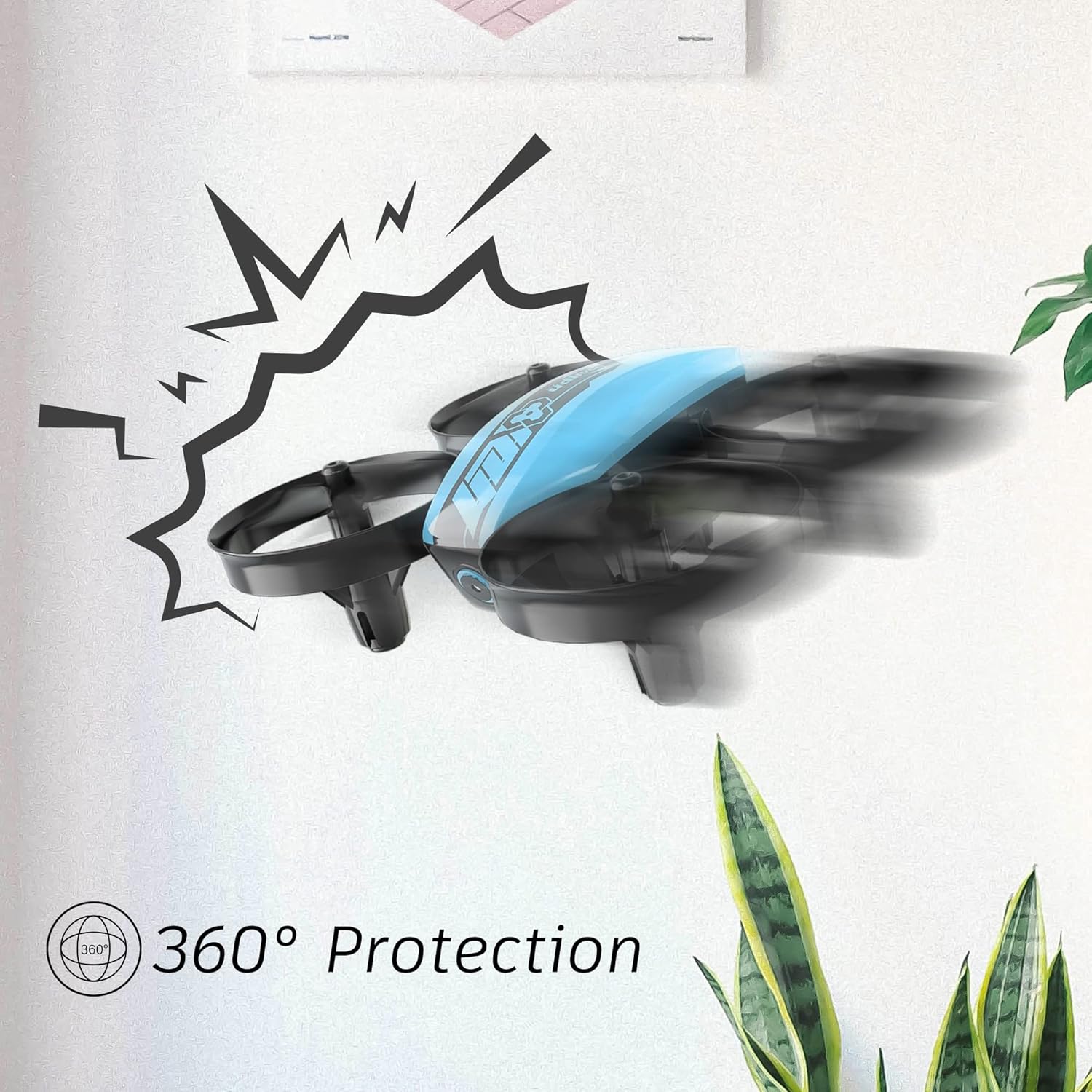
Image 2.1: The drone's 360-degree propeller protection guards help prevent damage during minor collisions.
3. パッケージ内容
パッケージにすべてのアイテムが揃っていることを確認します。
- 1 x U46 Mini Drone
- 1のxコントローラ
- ドローン用バッテリー3個
- USB充電器 x 1
- 予備プロペラ4個
- ユーザーマニュアル x 1

Image 3.1: All components included in the UDIRC U46 Mini Drone package.
4.コンポーネントオーバーview
Familiarize yourself with the drone and controller components.
4.1 ドローンのコンポーネント
- プロペラ: 持ち上げと移動のための 4 つの回転ブレード。
- プロペラガード: Integrated protective rings around each propeller.
- 本体: Houses the electronics and battery.
- インジケーターライト: Provide status information (e.g., pairing, low battery).
4.2 コントローラコンポーネント
- 左ジョイスティック(スロットル/ヨー): 高度と回転を制御します。
- 右ジョイスティック(ピッチ/ロール): 前進/後進および左右の動きを制御します。
- ワンキー離陸/着陸ボタン: 自動離陸または着陸を開始します。
- スピードモードボタン: さまざまな飛行速度を切り替えます。
- ヘッドレスモードボタン: ヘッドレス飛行を起動します。
- 電源スイッチ: コントローラーの電源をオン/オフにします。
- インジケーターライト: コントローラーのステータスを表示します。
5. セットアップ
5.1 ドローンのバッテリーの充電
- Connect the drone battery to the USB charger.
- Plug the USB charger into a USB power source (e.g., computer, USB wall adapter).
- The indicator light on the USB charger will illuminate during charging and turn off when fully charged.
- Charging time is approximately 30 minutes per battery.
5.2 コントローラのバッテリーの取り付け
- コントローラーの背面にある電池ケースを開きます。
- Insert 3 x 1.5V AA batteries (not included), ensuring correct polarity.
- 電池ケースをしっかりと閉めてください。
5.3 ドローンとコントローラーのペアリング
- ドローンを平らで水平な場所に置きます。
- ドローンの電源スイッチをオンにします。ドローンのインジケーターライトが点滅します。
- Turn on the controller's power switch. The controller's indicator light will flash.
- 左のジョイスティック (スロットル) を一番上まで押し上げ、次に一番下まで押し下げます。
- The drone and controller indicator lights will become solid, indicating successful pairing.
Video 5.1: This video demonstrates the simple frequency pairing process, one-key take-off/landing, headless mode, altitude hold, and low battery alarm features of the UDI U46 Mini Drone.
6. ドローンの操作
6.1 ワンキー離着陸
- After pairing, press the One Key Take-off/Landing button. The drone will automatically ascend to a stable hovering altitude.
- To land, press the One Key Take-off/Landing button again. The drone will slowly descend and land.
6.2 飛行制御
- 左ジョイスティック(スロットル): 上に押すと高度が上がり、下に引くと高度が下がります。
- 左ジョイスティック(ヨー): Push left or right to rotate the drone horizontally.
- 右ジョイスティック(ピッチ): Push up to fly forward, pull down to fly backward.
- 右ジョイスティック(ロール): Push left to fly left, push right to fly right.
6.3ヘッドレスモード
- Press the Headless Mode button to activate. In this mode, the drone's orientation is irrelevant; it will always move relative to the pilot's position.
- Press the button again to exit Headless Mode.
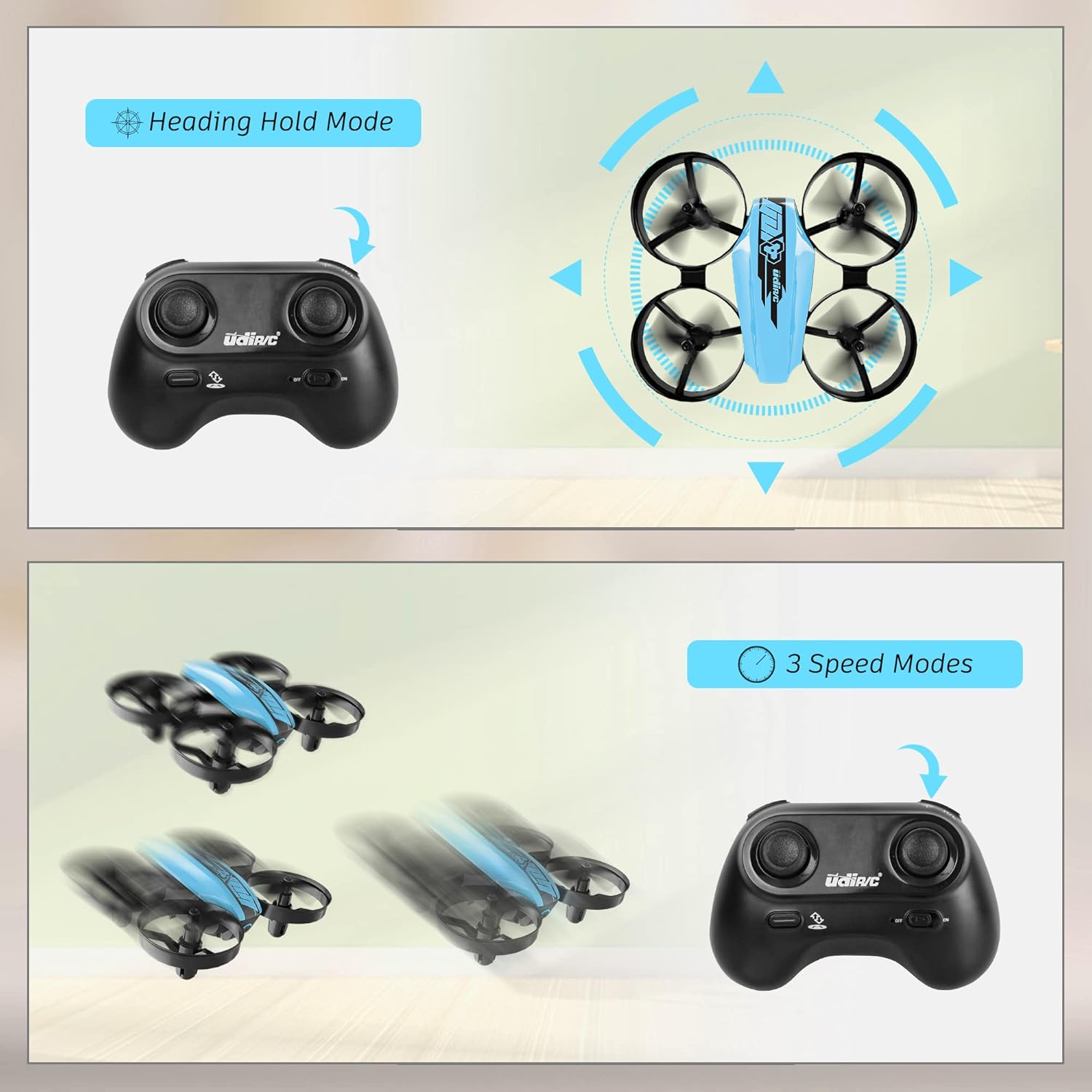
Image 6.1: Illustration of the Headless Mode feature and its activation on the controller.
6.4 高度保持機能
- The U46 drone features an altitude hold function, allowing it to maintain a stable height automatically. This simplifies control, especially for beginners.

Image 6.2: Visual representation of Altitude Hold Mode, One Button Take Off/Landing, and Emergency Stop features.
6.5つのスピードモード
- The drone has three speed modes (low, medium, high). Press the Speed Mode button to cycle through them.
- Start with low speed for learning and gradually increase as you gain proficiency.
6.6緊急停止
- In case of an emergency or loss of control, press and hold the One Key Take-off/Landing button for a few seconds to perform an emergency stop. The propellers will immediately cease rotation.
7. メンテナンス
7.1 プロペラの交換
- If a propeller is damaged, carefully remove it and replace it with a new one from the spare parts. Ensure the correct propeller (A or B) is installed on the corresponding motor.
7.2 清掃と保管
- Wipe the drone with a soft, dry cloth after use. Avoid using water or cleaning agents.
- Store the drone and controller in a cool, dry place, away from direct sunlight and extreme temperatures.
- Remove batteries from the controller if storing for extended periods.
8。 トラブルシューティング
- ドローンが応答しない: Ensure both drone and controller are powered on and successfully paired. Check controller batteries.
- 飛行中にドローンがドリフトする: Perform calibration on a flat surface. Use the trim buttons on the controller to adjust for minor drifts.
- 飛行時間が短い: Ensure batteries are fully charged. Flight time can vary based on flight style and environmental factors.
- プロペラが回転しない: Check for obstructions or damage to propellers. Ensure they are correctly installed.
- 低電池アラーム: The controller will emit an alarm sound when the drone's battery is low, indicating it's time to land and recharge.
9. 仕様
| ブランド | UDIRC |
| モデル名 | U46S |
| ドローンの重量 | 0.05ポンド(約22.68グラム) |
| ドローンの寸法 | 長さ3.54インチ x 幅3.54インチ x 高さ1.25インチ |
| 飛行時間 | 電池1個あたり6~7分(電池3個で最大21分) |
| コントローラ周波数 | 2.4GHz帯 |
| コントローラーバッテリー | 1.5V AA電池3本(別売) |
| バッテリー容量 | 180ミリamp 時間(Li-Po) |
| スキルレベル | 初心者 |
| 特集 | Altitude Hold, Headless Mode, One Key Take-off/Landing, 3 Speed Modes, 360° Protection |

Image 9.1: Flight time illustration, showing extended flight with multiple batteries.

Image 9.2: Dimensions of the UDIRC U46 Mini Drone, shown next to a smartphone for size comparison.
10. 保証とサポート
For warranty information or technical support, please refer to the contact details provided with your purchase or visit the official UDIRC webサイトでご確認ください。保証請求に備えて購入証明書を保管してください。
Ask a question about this manual
Ask about setup, troubleshooting, compatibility, parts, safety, or missing instructions. Manuals+ will review the question and use this page’s manual context to help answer it.