
ファイファイン K669B
FIFINE K669B USB Condenser Microphone
ユーザー取扱説明書
導入
Thank you for choosing the FIFINE K669B USB Condenser Microphone. This manual provides detailed instructions to help you set up, operate, and maintain your microphone for optimal performance. Designed for versatility, the K669B is ideal for recording vocals, voice-overs, streaming, online meetings, gaming, and YouTube videos on various platforms including PC, Mac, PS4, and PS5.
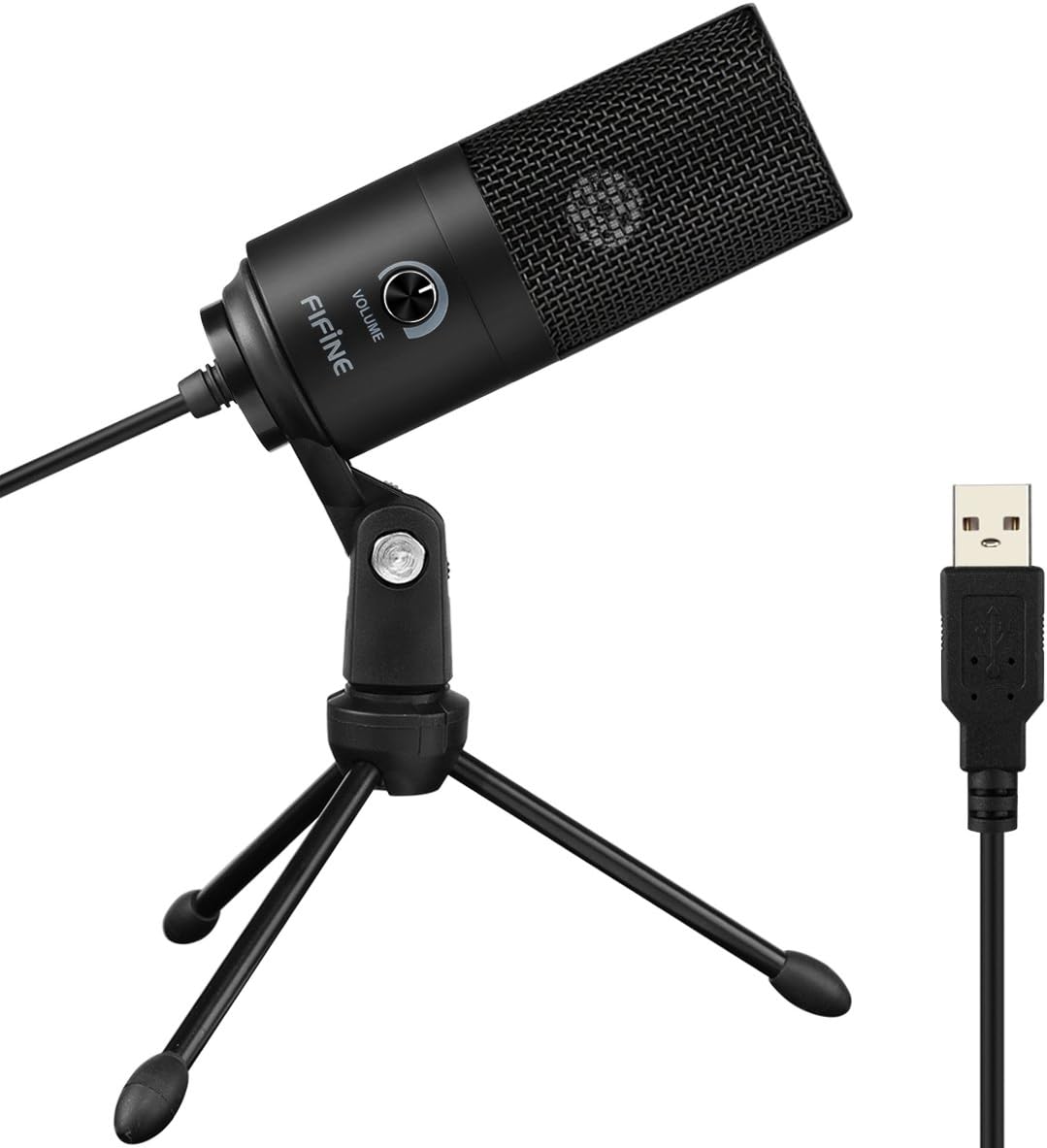
The FIFINE K669B USB Condenser Microphone, featuring a sleek black design, comes with a stable tripod stand and a USB cable for direct connection to your computer.
設定
The FIFINE K669B microphone offers a convenient plug-and-play setup, requiring no additional drivers or software installation for most operating systems. Simply connect it to a compatible USB-A port on your device.
箱の中身
- Condenser Microphone with USB Cable
- 三脚スタンド
- ユーザーズマニュアル
接続手順
- Unpack the microphone and its components.
- Attach the microphone to the included tripod stand. Ensure it is securely fastened.
- Connect the USB cable from the microphone directly to an available USB-A port on your computer (PC, Mac), PS4, or PS5.
- オペレーティングシステムは必要なドライバーを自動的に検出し、インストールします。マイクが検出されると、すぐに使用できるようになります。
注記: This microphone is not compatible with Xbox or mobile phones. If your MacBook only has USB-C ports, a USB-A to USB-C adapter (not included) will be required.

Instant setup: The FIFINE K669B connects directly via USB for immediate use with various devices and applications.
操作手順
The FIFINE K669B is designed for ease of use, providing clear audio capture for a variety of applications.
ボリュームコントロール
The microphone features a built-in volume knob for convenient audio level adjustment. Rotate the knob clockwise to increase volume and counter-clockwise to decrease it. You can also turn the knob completely counter-clockwise to mute the microphone, protecting your privacy during calls or recordings.

Easily fine-tune your audio levels with the integrated volume knob.
カーディオイドピックアップパターン
The K669B utilizes a cardioid pickup pattern, which means it primarily captures sound from the front of the microphone, while minimizing sound from the sides and rear. This design is effective in isolating your voice and reducing unwanted background noise, making it ideal for single-person recordings, streaming, and voice-overs.

The cardioid pickup pattern ensures clear vocal capture by focusing on the sound source directly in front of the microphone.
最適なマイクの配置
For the best sound quality, position the microphone approximately 7 inches (18 cm) from your mouth. Ensure you are speaking into the front of the microphone (the side with the volume knob) to fully utilize its cardioid pickup pattern and minimize ambient noise.

Always speak into the front of the microphone for optimal sound capture.
ソフトウェア設定
While the K669B is plug-and-play, you may need to select it as your default input device in your computer's sound settings or within specific applications (e.g., Discord, OBS, Zoom, Audacity). For applications like Zoom, it is recommended to disable features such as "Automatically adjust microphone volume" to prevent unexpected volume fluctuations during use.
メンテナンス
Proper care will extend the life and performance of your FIFINE K669B microphone.
- クリーニング: Use a soft, dry cloth to wipe down the microphone body and stand. Avoid using liquid cleaners or abrasive materials, as they can damage the finish or internal components.
- ストレージ: 使用していないときは、マイクを極端な温度や湿度を避け、清潔で乾燥した場所に保管してください。
- 取り扱い: Handle the microphone with care. Avoid dropping it or subjecting it to strong impacts, which can affect its internal condenser element.
トラブルシューティング
If you encounter issues with your FIFINE K669B microphone, please refer to the following common solutions:
| 問題 | 考えられる原因 | 解決 |
|---|---|---|
| 音が出ない、または音量が小さい | Incorrect input device selected; Microphone volume too low; Loose connection. | Check your computer's sound settings to ensure the FIFINE K669B is selected as the default input device. Adjust the microphone's volume knob. Ensure the USB cable is securely connected. |
| 過度の背景ノイズ | Microphone too far from source; High gain setting; Ambient noise. | Position the microphone closer to your mouth (approx. 7 inches). Lower the microphone's volume knob. Record in a quieter environment. Consider using software-based noise reduction if available. |
| Intermittent audio or driver issues | Software conflict; Temporary system glitch. | Try disconnecting and reconnecting the microphone. Restart your computer. Ensure your operating system is up to date. Disable any conflicting audio enhancement software. |
| Microphone not recognized | USB ポートに障害があります。デバイスに互換性がありません。 | Try a different USB port. Test the microphone on another compatible computer if possible. Confirm your device (e.g., Xbox, phone) is not listed as incompatible. |
仕様
| 特徴 | 仕様 |
|---|---|
| ブランド | フィフィン |
| モデル名 | K669B |
| 接続技術 | USB |
| コネクタタイプ | USB タイプA |
| 極性パターン | 一方向(カーディオイド) |
| マイクフォームファクター | デスクトップマイク |
| 材料 | 金属 |
| アイテム重量 | 5.6オンス |
| 周波数範囲 | 20Hz-20kHz |
| 信号対ノイズ比 | 78デシベル |
| 騒音レベル | 16デシベル |
| 対応デバイス | Laptop/Desktop, Personal Computer, PS4/PS5 |
| 電源 | コード式電気 |
保証とサポート
FIFINE products are manufactured to high-quality standards. For warranty information, technical support, or any inquiries regarding your FIFINE K669B microphone, please visit the official FIFINE store or contact their customer service directly.
Official FIFINE Store: AmazonのFIFINEストア
関連文書 - K669B
 |
FIFINE K669B USBマイク ユーザーマニュアル Mac および Windows での録音、ストリーミング、ボイスオーバー用に FIFINE K669B USB コンデンサー マイクを設定して使用するための包括的なガイド。 |
 |
Fifine A2 USBマイク ユーザーガイド Fifine A2 USB マイクに関する包括的なユーザー ガイド。PC、Mac、PS4、PS5 のセットアップ、使用方法、ソフトウェア設定、トラブルシューティング、仕様を網羅しています。 |
 |
FIFINE AM8 ダイナミック USB/XLR RGB ゲーミングマイク ユーザーマニュアル このユーザーマニュアルでは、FIFINE AM8 ダイナミック USB/XLR RGB ゲーミングマイクのセットアップ、RGB ライティングやミュート機能などの機能、PC、Mac、コンソールへの接続オプションなど、包括的な手順を説明しています。録音とストリーミングのためのオーディオ設定を最適化する方法も学べます。 |
 |
Fifine K683A ユーザーズガイド: セットアップと操作 Fifine K683A マイクに関する包括的なユーザー ガイド。Mac および Windows のセットアップ、製品の説明、使用ガイドライン、ヘッドフォン出力、録音ソフトウェアの設定、重要なお知らせ、仕様を網羅しています。 |
 |
Fifine K683A USBマイク ユーザーガイド Fifine K683A USB マイクに関する包括的なユーザー ガイド。セットアップ、使用方法、Mac および Windows のコンピューター構成、録音ソフトウェアの設定、重要な注意事項を網羅しています。 |
 |
フィフィン AmpliGame A6V USBマイク ユーザーガイド | セットアップと仕様 FIFINEの包括的なユーザーガイド AmpliGame A6V USBマイク。PCとPS5でA6Vマイクを設定する方法、使用方法、トラブルシューティング方法を学びましょう。仕様と機能も掲載しています。 |
Ask a question about this manual
Ask about setup, troubleshooting, compatibility, parts, safety, or missing instructions. Manuals+ will review the question and use this page’s manual context to help answer it.