
1. はじめに
This manual provides essential information for the proper use and maintenance of your Irix 11mm f/4.0 Firefly Lens with Built-in AE Chip for Canon EF. Please read this manual thoroughly before using the lens to ensure optimal performance and longevity.
The Irix 11mm f/4.0 Firefly is a manual focus, ultra-wide-angle lens designed for full-frame cameras with a Canon EF mount. It features a built-in AE chip for electronic communication with the camera, allowing for aperture control directly from the camera body and focus confirmation.
2. 安全情報
- レンズを極端な温度、湿度、または直射日光に長時間さらさないでください。
- レンズを落としたり、強い衝撃を与えたりしないでください。
- レンズを強い磁場から遠ざけてください。
- レンズを分解したり改造したりしないでください。修理は認定されたサービス担当者のみが行う必要があります。
- Use a soft, lint-free cloth for cleaning optical surfaces.
3. パッケージ内容
パッケージにすべてのアイテムが含まれていることを確認します。
- Irix 11mm f/4.0 Firefly Lens (Canon EF Mount)
- フロントレンズキャップ
- リアレンズキャップ
- ソフトレンズポーチ
- 取扱説明書

Image: Irix 11mm f/4.0 Firefly Lens and soft lens pouch.
4.製品オーバーview
The Irix 11mm f/4.0 Firefly lens is designed for precision and durability. Key features include:
- Focus Ring Locking: A dedicated ring allows you to lock the focus at a desired position.
- Hyperfocal Scale: Provides a visual guide for setting the hyperfocal distance, useful for landscape photography.
- Infinity Click: A tactile click at the infinity focus point for quick and accurate setting, especially in low light.
- 耐候性: Offers resistance against dust and moisture.
- Neutrino Coating: Reduces ghosting and lens flare.
- Built-in Petal Style Lens Hood: Provides protection and reduces stray light.

画像: 正面 view of the Irix 11mm f/4.0 Firefly Lens.
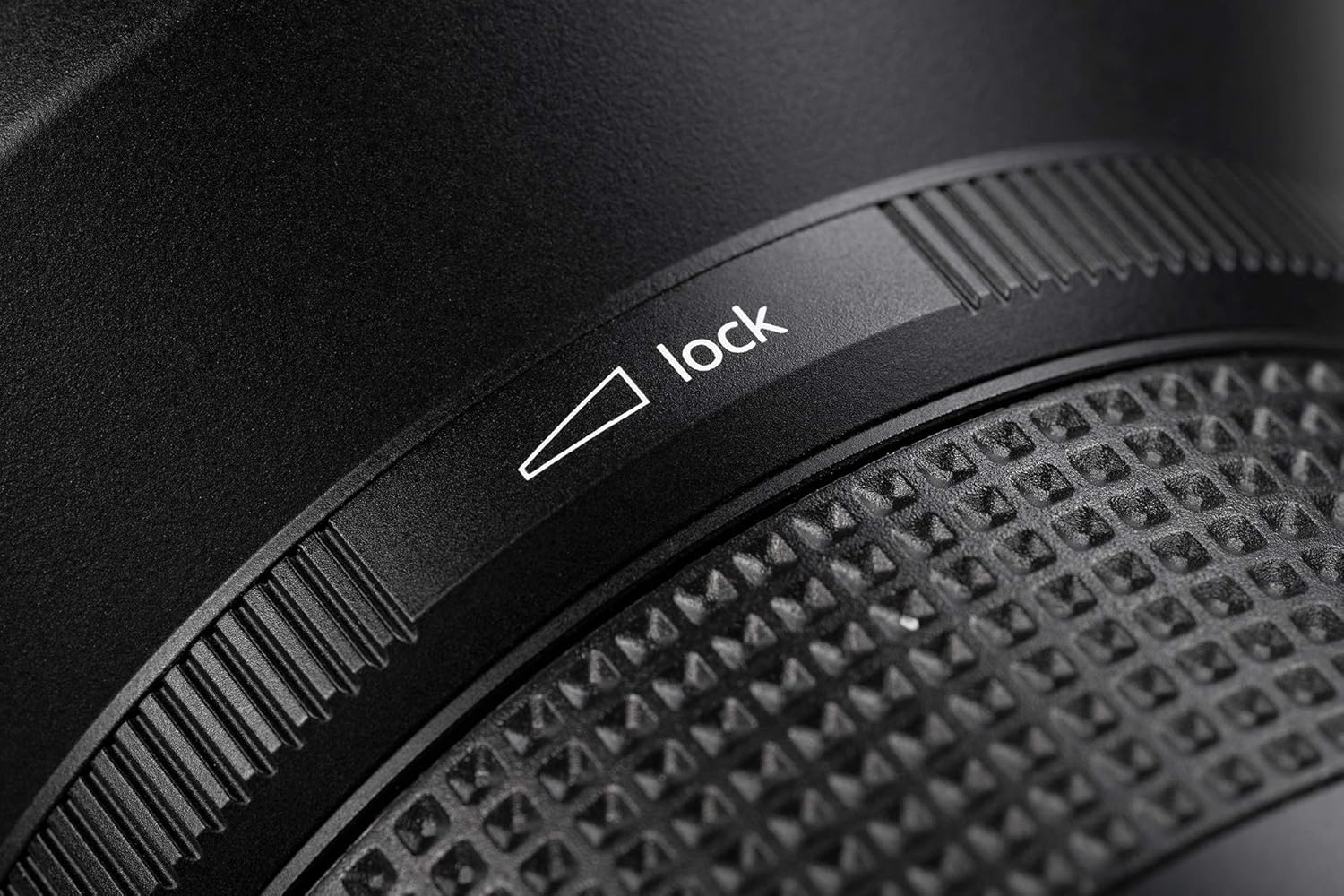
Image: Detail of the focus lock mechanism.

Image: Detail of the hyperfocal scale and infinity click.
5. セットアップ
5.1 レンズの取り付け
- カメラの電源がオフになっていることを確認してください。
- Remove the rear lens cap from the Irix lens and the body cap from your camera.
- レンズ鏡筒の赤い点をカメラのレンズマウントの赤い点に合わせます。
- レンズをカメラマウントに挿入し、カチッと音がするまで時計回りに回します。
- Turn on your camera. The built-in AE chip will communicate with the camera for aperture control and focus confirmation.
5.2 レンズの取り外し
- カメラの電源がオフになっていることを確認してください。
- カメラ本体のレンズリリースボタンを押し続けます。
- レンズをカメラ本体から外れるまで反時計回りに回します。
- レンズ要素を保護するために、前面と背面のレンズキャップを取り付けます。

画像: 背面 view of the lens, highlighting the Canon EF mount.
6. レンズの操作
6.1 マニュアルフォーカス
The Irix 11mm f/4.0 Firefly is a manual focus lens. Rotate the focus ring to adjust the focus. The built-in AE chip provides focus confirmation through your camera's viewファインダーまたはライブ view, indicating when your subject is in sharp focus.
6.2 Infinity Click
The lens features an audible and tactile 'infinity click' that helps you quickly set the focus to infinity without needing to look at the focus scale. This is particularly useful for astrophotography or landscape shots where distant subjects need to be sharp.
Video: Demonstration of the Irix lens infinity click feature. This video shows the feature on a 15mm lens, but the functionality is identical for the 11mm lens.
6.3 Hyperfocal Scale
Utilize the hyperfocal scale on the lens barrel to maximize depth of field. By setting the focus to the hyperfocal distance, you can achieve sharp focus from half that distance to infinity.
6.4 絞り制御
Thanks to the built-in AE chip, the aperture of the Irix 11mm f/4.0 Firefly lens can be controlled directly from your camera body, just like an autofocus lens. This allows for seamless integration with your camera's exposure modes.
7. メンテナンス
7.1 レンズのクリーニング
- ブロワーブラシを使用してレンズ表面のほこりを取り除きます。
- 汚れや指紋がついた場合は、マイクロファイバークロスに少量のレンズ洗浄液を含ませ、レンズを円を描くように優しく拭いてください。
- Never apply cleaning solution directly to the lens element.
- Clean the lens mount contacts with a dry, soft cloth if necessary.
7.2 ストレージ
- レンズを使用しないときは、必ずレンズの前面と背面のキャップを取り付けてください。
- レンズは直射日光や極端な温度を避け、涼しく乾燥した場所に保管してください。
- 長期間保管する場合は、カビの発生を防ぐために除湿剤の使用を検討してください。
8。 トラブルシューティング
| 問題 | 考えられる原因 | 解決 |
|---|---|---|
| Difficulty achieving sharp focus | Incorrect manual focus setting. | Utilize your camera's focus peaking or magnification features for precise manual focusing. Ensure the focus lock ring is disengaged. |
| Aperture not controllable from camera | Poor contact between lens and camera. | Ensure the lens is securely mounted. Clean the electronic contacts on both the lens and camera with a dry, soft cloth. |
| Purple fringing or color aberrations | Common with ultra-wide lenses, especially in high-contrast areas. | These can often be corrected in post-processing software (e.g., Lightroom, Photoshop) using chromatic aberration removal tools. |
| Lens feels loose on camera mount | Lens not fully engaged. | Re-mount the lens, ensuring it clicks securely into place. |
9. 仕様
| 特徴 | 詳細 |
|---|---|
| モデル番号 | IL-11FF-EF |
| 焦点距離 | 11mm |
| 最大絞り | 絞り値4.0 |
| 最小絞り | 絞り値22 |
| レンズタイプ | Ultra-Wide Angle, Rectilinear |
| 互換性のある取り付け | キヤノンEF |
| 光学構造 | 16 elements in 10 groups (includes 4 high refractive, 2 ED, and 3 aspherical lenses) |
| 分野 View | 126° |
| ダイヤフラムブレード | 9(四捨五入) |
| フォーカスタイプ | マニュアルフォーカス |
| 特集 | Focus Lock, Infinity Click, Hyperfocal Scale, Weather Sealed, Neutrino Coating, Built-in AE Chip |
| 製品寸法 | 3.94 x 5.51 x 3.94インチ |
| アイテム重量 | 1.32ポンド |
| 原産国 | Korea, Republic Of (South) |
10. 保証とサポート
Irix products are manufactured to high standards. For warranty information and technical support, please refer to the official Irix website or contact your local Irix distributor. Keep your proof of purchase for warranty claims.
追加のリソースと製品情報については、 Irix Store on Amazon.