
1. はじめに
This manual provides essential instructions for the proper setup, operation, and maintenance of your YI YAS.1616.INT 4K Action Camera Kit. Please read this manual thoroughly before using the product to ensure optimal performance and safety. Keep this manual for future reference.
2.製品オーバーview
2.1 キット内容
The YI YAS.1616.INT 4K Action Camera Kit includes the following components:
- YI 4K Action Camera
- YI Monopod
- Bluetoothリモート
- 充電式バッテリー
- USBケーブル
- 取扱説明書

Image 2.1: Contents of the YI 4K Action Camera Kit.
2.2 カメラの機能
The YI 4K Action Camera is designed for high-quality video and photo capture, featuring:
- 4K/30fps Video Recording: Captures video at 60mbps, offering 4 times the quality of standard 1080p.
- Advanced Imaging Hardware: Equipped with an Amarelle A9SE75 chip, Sony IMX377 image sensor, and 7-layer optical glass lenses with an F2.8 large aperture for enhanced light intake.
- 2.19" LCD Touchscreen: A 640 x 360 high-resolution display with Gorilla Glass Retina for easy previewing, shooting, and scratch resistance.
- 長いバッテリー寿命: A 1400mAh 4.4V lithium-ion battery provides up to 120 minutes of 4K/30fps video recording on a single charge.
- 効率的な冷却システム: Prevents overheating during extended recording sessions.
- 接続性: Built-in Wi-Fi for smartphone app control and Bluetooth for remote control.
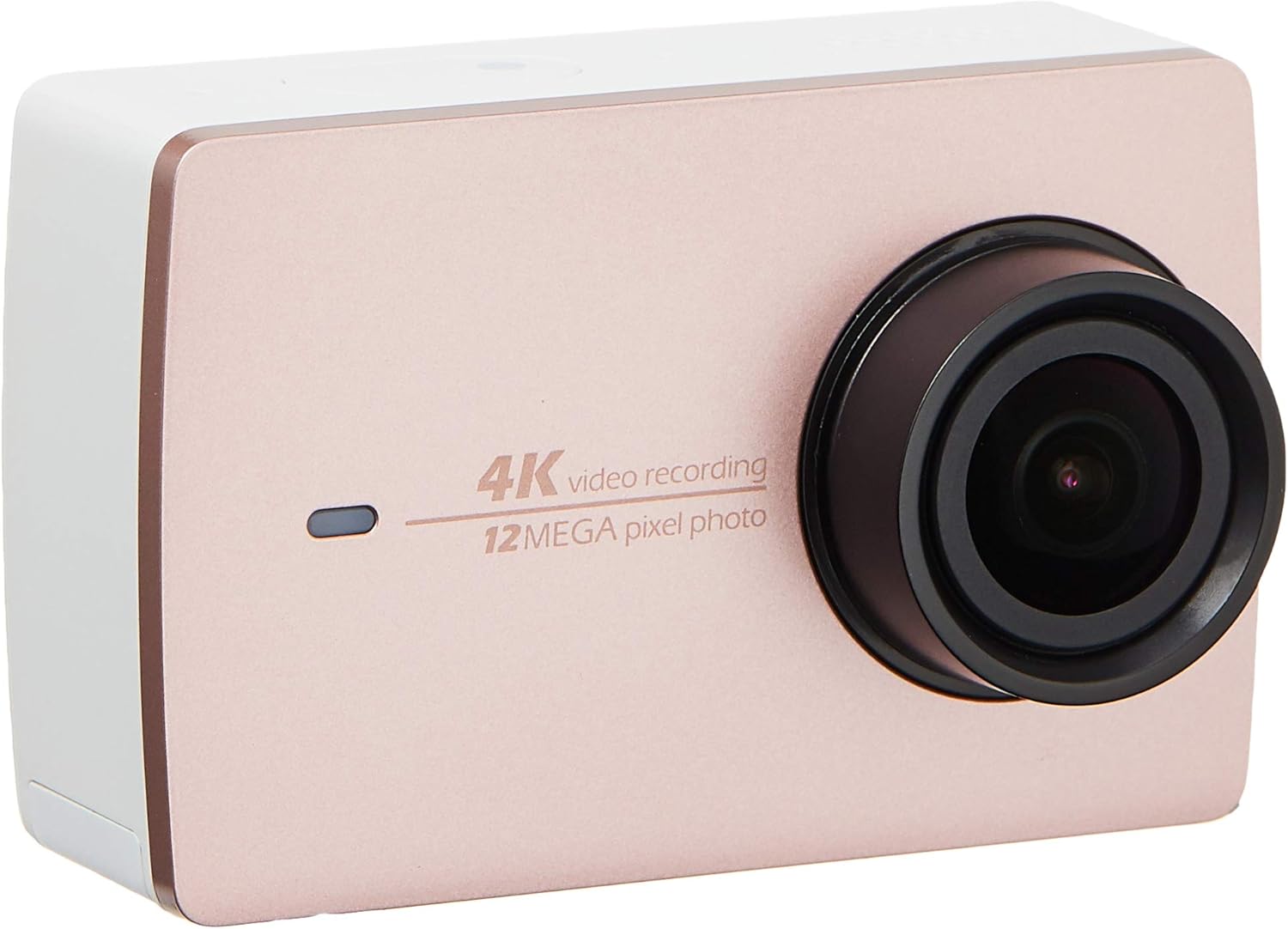
画像2.2:正面 view of the YI 4K Action Camera.
3. セットアップ
3.1 バッテリーの取り付けと充電
- カメラのバッテリー収納部を見つけます。
- 正しい極性を確認して、1400mAh リチウムイオン電池を挿入します。
- 電池ケースをしっかりと閉めてください。
- 付属のUSBケーブルを使用してカメラを電源に接続し、充電してください。充電インジケーターが点灯します。
3.2 メモリカードのインストール
The YI 4K Action Camera supports SDHC and SmartMedia flash memory types.
- メモリーカードスロットカバーを開けます。
- Insert a compatible memory card (not included) into the slot with the contacts facing the correct direction. Push until it clicks into place.
- メモリーカードスロットカバーを閉じます。
3.3 電源のオン/オフ
- 電源を入れるには: 画面が点灯するまで電源ボタンを押し続けます。
- 電源を切るには: カメラがシャットダウンするまで電源ボタンを押し続けます。
3.4 Connecting the Bluetooth Remote
The included Bluetooth remote allows for convenient control of the camera.
- カメラの電源がオンになっていることを確認します。
- Activate Bluetooth pairing mode on the camera via the settings menu.
- Follow the remote's instructions to enter pairing mode.
- Once paired, the remote can be used to switch between video and photo modes and trigger recording/capture.

Image 3.1: The YI Monopod, included in the kit.
4. カメラの操作
4.1 タッチスクリーンナビゲーション
The 2.19" LCD touchscreen provides intuitive control:
- スワイプ: Navigate through different modes (Video, Photo, Time-lapse, etc.) and settings.
- タップ: Select options, adjust settings, or start/stop recording.
- 前view: View あなたの捕獲されたフーtage and photos directly on the screen.
4.2 ビデオ録画
- Select the Video mode on the touchscreen.
- Adjust video resolution (e.g., 4K/30fps) and other settings as desired.
- Press the Shutter button or tap the record icon on the screen to start recording.
- Press the Shutter button or tap the record icon again to stop recording.
4.3 写真のキャプチャ
- Select the Photo mode on the touchscreen.
- Adjust photo settings such as resolution, exposure, and white balance.
- Press the Shutter button or tap the capture icon on the screen to take a photo.
4.4 Wi-Fi接続とアプリの使用
The camera's built-in Wi-Fi allows connection to a smartphone app for remote control, live preview、コンテンツ管理など。
- Download the official YI Action Camera app from your device's app store.
- 設定メニューからカメラの Wi-Fi を有効にします。
- Connect your smartphone to the camera's Wi-Fi network (SSID and password displayed on camera screen).
- Open the YI Action Camera app to control the camera, view フーtage、転送 files.
5. メンテナンス
5.1 クリーニング
- Use a soft, lint-free cloth to clean the camera body and touchscreen.
- レンズには専用のレンズクリーニングクロスと洗浄液をご使用ください。研磨剤は使用しないでください。
- すべてのポートにほこりやごみがないことを確認してください。
5.2 ストレージ
- カメラは直射日光や極端な温度を避け、涼しく乾燥した場所に保管してください。
- 長期間保管する場合は、液漏れを防ぐため電池を取り外してください。
5.3ファームウェアアップデート
Periodically check the official YI website or the YI Action Camera app for available firmware updates. Keeping your camera's firmware updated ensures optimal performance and access to new features.
6。 トラブルシューティング
6.1 一般的な問題と解決策
- カメラの電源が入らない: バッテリーが完全に充電され、正しく挿入されていることを確認してください。
- 録画が予期せず停止する: Check if the memory card has sufficient space or if it's a high-speed card suitable for 4K recording. Ensure the battery is not depleted.
- タッチスクリーンが反応しない: Try restarting the camera. If the issue persists, ensure the screen is clean and dry.
- Bluetoothリモコンが接続されない: Ensure both the camera and remote are in pairing mode and within range. Check the remote's battery.
- Wi-Fi接続の問題: Verify the camera's Wi-Fi is enabled and your smartphone is connected to the correct network. Try restarting both devices.
For further assistance, refer to the official YI support resources.
7. 仕様
| メーカー | YI |
| モデル番号 | 90010 |
| 製品寸法 | 6.6 x 3 x 4.3 cm |
| 重さ | 96.39グラム |
| フォトセンサー技術 | シーモス |
| ビデオキャプチャ解像度 | 4K |
| 最大焦点距離 | 1 |
| 最大絞り | 2.8ミリメートル |
| フラッシュメモリタイプ | SDHC, SmartMedia |
| ビデオキャプチャフォーマット | MP4 |
| サポートされているオーディオ形式 | MP3、AAC、MPXNUMX |
| 画面サイズ | 2.19インチ |
| 接続技術 | Wi-Fi |

Image 7.1: YI 4K Action Camera with monopod, illustrating approximate dimensions.
8. 保証とサポート
8.1 保証情報
この製品には、 1年間の現地(シンガポール)保証保証請求の際は、購入証明書を保管してください。保証は、通常の使用条件下での製造上の欠陥に適用されます。
8.2 カスタマーサポート
For technical support, service, or warranty inquiries, please visit the official YI Technology website or contact their authorized service centers in Singapore. Contact information can typically be found on the product packaging or the official webサイト。