
1. はじめに
This manual provides essential instructions for the installation, operation, maintenance, and troubleshooting of your Frigidaire Smart Window Air Conditioner, model FGRC0844S1. This 8,000 BTU, 115V unit is designed to cool rooms up to 350 square feet and features Wi-Fi connectivity for smart control via the Frigidaire app and compatibility with Alexa.
Please read this manual thoroughly before operating your air conditioner to ensure safe and efficient use.
2. セットアップ
2.1. 物理的な設置
The Frigidaire Smart Window Air Conditioner is designed for window installation and includes a window mounting kit. Ensure your window opening meets the required dimensions for proper fit and sealing. The unit weighs approximately 54 pounds. Follow the detailed instructions provided in the separate installation guide for secure placement.

Image: Frigidaire Smart Window Air Conditioner model FGRC0844S1 securely installed in a window, demonstrating its sleek profile.
2.2. Wi-Fi接続とアプリのセットアップ
To utilize the smart features of your air conditioner, connect it to your home Wi-Fi network using the Frigidaire app. The app is available on Apple's iTunes Store for iPhone, iPad, and iPad mini, and on Google Play for Android smart devices.
- アプリをダウンロード: Download and open the Frigidaire app on your smart device.
- アカウントを作成する: If you are a first-time user, create an account with a valid email address and password. You will need to validate your email to activate your account.
- サインイン: Return to the app's home screen and sign in with your newly created account.
- アプライアンスを追加: Tap the "Add Appliance" button and accept the terms and conditions.
- Activate Wi-Fi on AC: Press and hold the Connect button (often indicated by a Wi-Fi symbol) on the air conditioner unit until it beeps and the Wi-Fi LED light starts flashing.
- Connect Device to AC's Wi-Fi: On your smart device, go to your Wi-Fi settings. Select the network that includes "Air_Conditioner" in its name.
- アプリに戻る: Once connected to the AC's Wi-Fi, return to the Frigidaire app and tap "Next".
- Connect AC to Home Wi-Fi: Select your home Wi-Fi network from the list. If not listed, refresh or select "Other" to manually enter the network name and password.
- ネットワークに参加: Tap "Join" to connect your air conditioner to your home Wi-Fi.
- 登録: Register your appliance within the app.
Upon successful connection, the air conditioner will beep, and its Wi-Fi LED light will change from flashing to solid. You will then see the status of your smart appliance on the app, indicating it is ready for use.
Video: This video demonstrates the step-by-step process of connecting your Frigidaire Smart Window Air Conditioner to your smart device via the Frigidaire app, including account creation, appliance pairing, and Wi-Fi network selection.

Image: A hand holding a smartphone showing the Frigidaire app, which allows remote control and monitoring of the air conditioner.
3. 操作手順
Your Frigidaire Smart Window Air Conditioner offers multiple ways to control its functions: the integrated control panel, the remote control, and the Frigidaire smart app.
3.1. コントロールパネルとリモコン
The unit features a sleek control panel with touch-sensitive buttons and an illuminated temperature display. A remote control is also included for convenient operation.
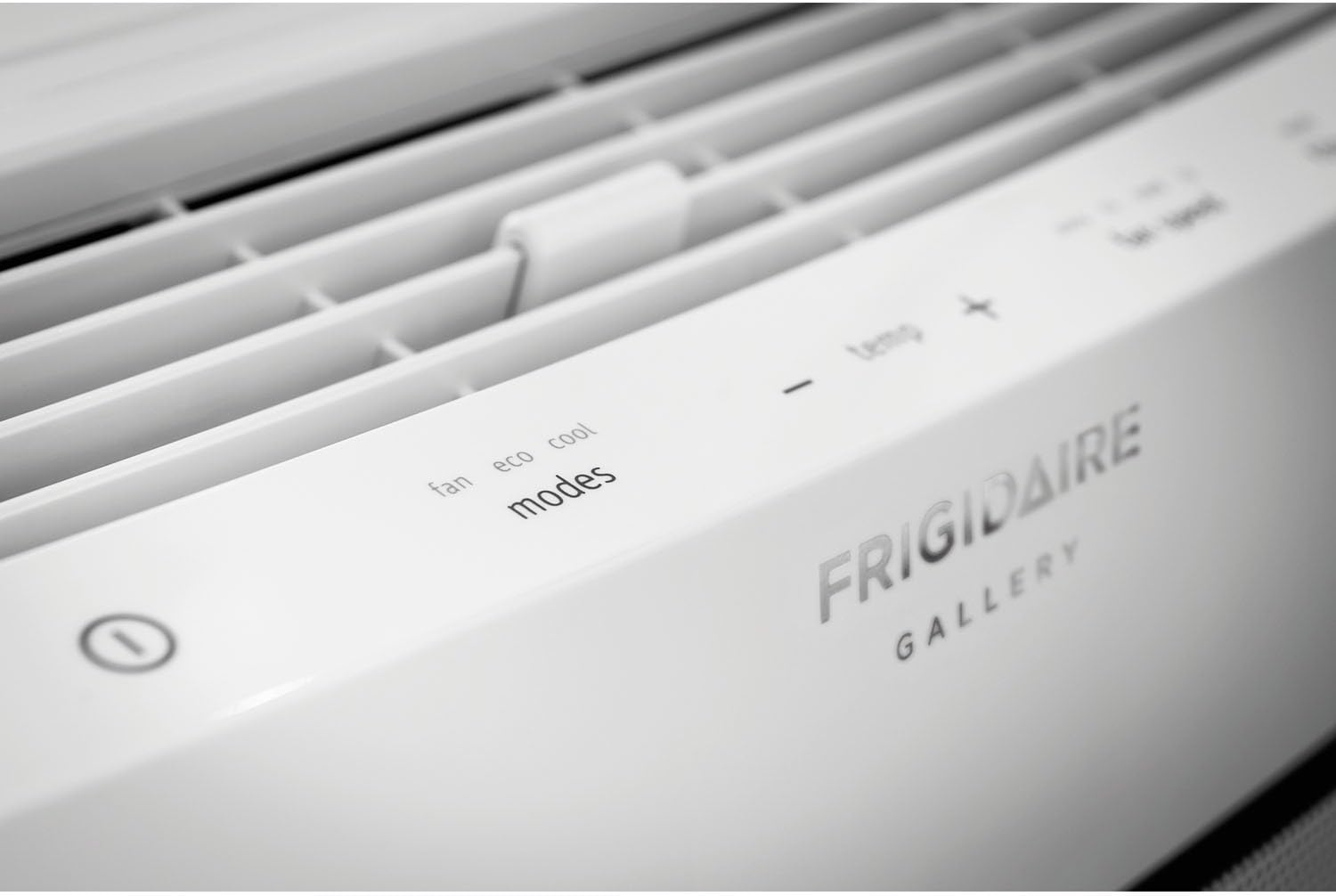
画像: クローズアップ view of the Frigidaire Smart Window Air Conditioner's top control panel, showing touch-sensitive buttons for fan, eco, cool modes, temperature adjustment, fan speed, filter reset, and scheduler.
3.2. モードと設定
- クールモード: Provides cooling to the room. Adjust the desired temperature using the +/- buttons.
- エコモード: 設定温度を維持するためにコンプレッサーとファンを循環させることでエネルギー消費を最適化します。
- ファンモード: Operates the fan without engaging the compressor, providing air circulation.
- 除湿: 室内の湿度を下げます。
- ファン速度: Select from Auto, Low, Medium, or High fan speeds.
3.3. スマートアプリコントロール
The Frigidaire app allows you to remotely control your air conditioner from anywhere with an internet connection. You can:
- ユニットの電源をオンまたはオフにします。
- 温度設定を変更します。
- Control operating modes and fan speeds.
- Set custom schedules for 24/7 operation.
- Receive alerts, such as clean filter indicators.
3.4. 空気の流れの方向
The unit features innovative top, 2-way slanted louvers that direct airflow in an upward, circular motion. This design promotes even cooling throughout the room without directly blowing cold air onto occupants.
4. メンテナンス
定期的なメンテナンスにより、エアコンの最適なパフォーマンスと寿命が確保されます。
4.1. フィルターの掃除
Your air conditioner is equipped with a higher quality micro mesh fabric filter. A red light will illuminate approximately once a month to remind you to clean the filter. To clean:
- Carefully remove the front grill and then the filter.
- フィルターを温かい石鹸水で洗います。
- 再度挿入する前に、十分にすすいで完全に自然乾燥させてください。
- Press the "Filter Reset" button on the control panel or in the app after cleaning.

Image: The Frigidaire Smart Window Air Conditioner with its front panel detached, revealing the internal filter and cooling coils for maintenance access.
4.2.一般的なクリーニング
- 本体の外側を柔らかい布で拭いてください。amp 布。
- 排水エリアにゴミがないことを確認してください。
- Periodically check the window seals for any gaps that could reduce efficiency.
5。 トラブルシューティング
If you encounter issues with your Frigidaire Smart Window Air Conditioner, refer to the following common problems and solutions:
| 問題 | 考えられる原因 | 解決 |
|---|---|---|
| ユニットが効果的に冷却されない | Incorrect mode/temperature setting, dirty air filter, room size exceeds capacity, poor window seal. | Ensure unit is in Cool mode with a low set temperature. Clean the air filter. Verify room size is within 350 sq ft. Check and improve window insulation. |
| Wi-Fi接続の問題 | Incorrect Wi-Fi password, weak signal, app malfunction, router issues. | Re-enter Wi-Fi password carefully. Ensure unit is within range of your router. Restart the Frigidaire app. Power cycle your home router. Repeat Wi-Fi setup process. |
| ユニットが異常な音を出す | Normal operating sounds (fan, compressor), loose parts, debris. | Some fan and compressor sounds are normal. Check for any loose components or foreign objects. If noise is excessive or unusual, contact customer support. |
| ユニットが予期せずオフになる | Eco mode activation, power interruption, internal sensor issue. | In Eco mode, the unit cycles on/off to maintain temperature. Check power supply. If not in Eco mode and power is stable, contact customer support. |
6. 仕様
| 特徴 | 詳細 |
|---|---|
| ブランド | フリジデール |
| モデル番号 | FGRC0844S1 |
| 冷却能力 | 8,000 BTU |
| 巻tage | 115ボルト |
| 電源 | コード式電気 |
| ワットtage | 673.5ワット |
| エネルギー効率比 (EER) | 12.0 |
| 除湿能力 | 1時間あたり1.7パイント |
| 床面積のカバー率 | 最大350平方フィート |
| アイテム重量 | 54 ポンド |
| Window Opening Max Height | 24インチ |
| 特集 | Wi-Fi, Amazon Alexa Compatible |
| 冷媒 | R410A |
| 含まれるコンポーネント | Air conditioner, window mounting kit, manual, warranty |

Image: U.S. Government Energy Guide label for the Frigidaire Room Air Conditioner, Model FGRC0844S1, highlighting its 8,000 BTUs capacity, estimated yearly energy cost, and 12.0 Energy Efficiency Ratio.
7.保証とサポート
7.1. 保証情報
Your Frigidaire Smart Window Air Conditioner comes with a Full 1-year parts & labor warranty. Additionally, there is an additional 4 years limited warranty on the sealed system保証請求のために購入証明書を保管してください。
7.2. カスタマーサポート
For further assistance, technical support, or warranty service, please visit the official Frigidaire web公式サイトをご覧いただくか、カスタマーサービス部門にお問い合わせください。また、以下のサイトでも詳細情報やリソースをご覧いただけます。 AmazonのFrigidaireストア.