
JETBeam MS-R28
JETBeam MS-R28 ミリタリーフラッシュライト ユーザーマニュアル
Model: MS-R28
1.製品オーバーview
The JETBeam MS-R28 is a robust military-grade flashlight designed for reliability and performance. It features advanced LED technology, durable construction, and user-friendly functionalities suitable for various demanding environments.
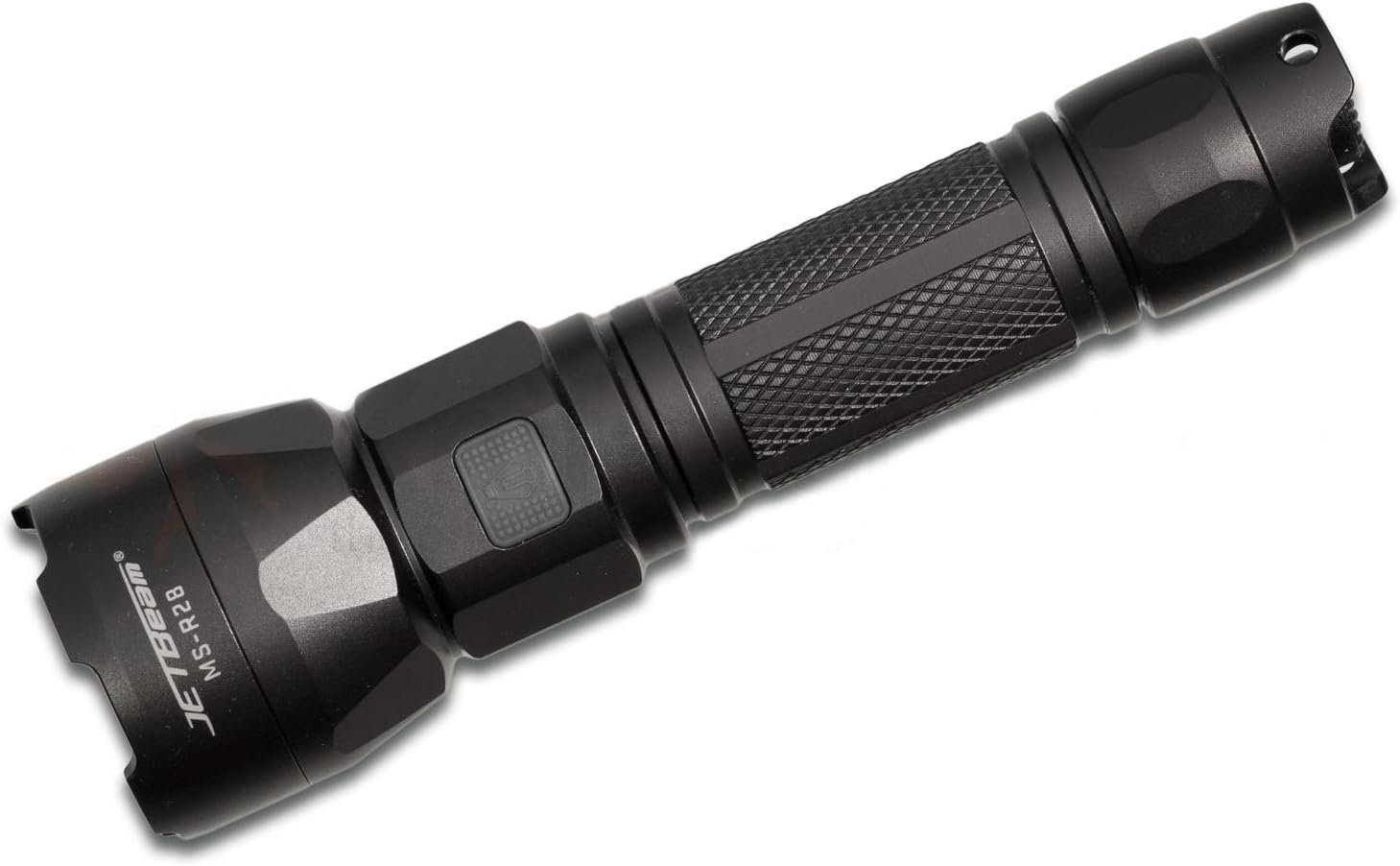
Figure 1: JETBeam MS-R28 Military Flashlight. This image displays the flashlight's full body, highlighting its black finish and textured grip. The JETBeam brand logo and MS-R28 model number are clearly visible on the side of the head.
2. 安全情報
- 光線を直視しないでください。高輝度の光は一時的な視力障害や永久的な眼の損傷を引き起こす可能性があります。
- お子様の手の届かない場所に保管してください。
- Do not disassemble the sealed head of the flashlight. Doing so may cause damage to the flashlight and will void the warranty.
- Use only recommended batteries. Incorrect battery types may cause damage or explosion.
- Ensure proper battery polarity during installation.
- 懐中電灯を落としたり、強い衝撃を与えたりしないでください。
- Do not expose the flashlight to extreme temperatures or open flames.
3. パッケージ内容
開封したらパッケージの内容を確認し、すべてのアイテムが揃っていて良好な状態であることを確認してください。
- JETBeam MS-R28 Military Flashlight (1 unit)
- ユーザーマニュアル(このドキュメント)
- Lanyard (if included in specific package variant)
- 予備Oリング(付属している場合)
- USB充電ケーブル(付属の場合)
4. セットアップ
4.1 バッテリーの取り付け
The JETBeam MS-R28 requires a compatible rechargeable battery (not included). Ensure the battery is fully charged before first use.
- 懐中電灯のテールキャップを反時計回りに回して外します。
- プラス(+)端子を懐中電灯の先端に向けて電池を挿入します。
- テールキャップを時計回りにしっかりと締め付けてください。防水性を維持するため、Oリングが正しく装着されていることを確認してください。
4.2 初期充電
If your MS-R28 model supports USB charging, it is recommended to fully charge the battery before initial use to ensure optimal performance and battery longevity.
- Locate the USB charging port, typically covered by a rubber seal near the head of the flashlight.
- Open the rubber seal and connect the provided USB charging cable to the port.
- USB ケーブルのもう一方の端を互換性のある USB 電源 (コンピューターの USB ポート、USB 壁アダプタなど) に接続します。
- インジケータ ライトに充電状態が表示されます (詳細についてはセクション 6 を参照してください)。
- Once charging is complete, disconnect the cable and securely close the rubber seal to maintain waterproofing.
5. 操作手順
5.1 電源オン/オフ
- 懐中電灯を点灯するには ON: Press the power button located on the side or tail cap (depending on model variant) until the light illuminates.
- 懐中電灯を点灯するには オフ: 電源ボタンをもう一度押します。
5.2 モード選択
The MS-R28 typically features multiple brightness levels and special modes. The method for cycling through modes may vary slightly by specific production batch, but generally involves the following:
- 懐中電灯で ON, press and hold the power button to cycle through brightness levels (e.g., Low, Medium, High, Turbo). Release the button to select the desired brightness.
- For special modes (e.g., Strobe, SOS): Double-press the power button rapidly to activate Strobe mode. Double-press again for SOS mode. Press once to return to the last used brightness level.
5.3 バッテリー残量インジケーター
The power button on the MS-R28 features a built-in flash indicator to denote battery life. The specific color or flash pattern will indicate the remaining power level:
- 緑/青の点灯: 十分な電力が残っています。
- Flashing Yellow/Orange: Medium power, consider recharging soon.
- 赤色点滅: Low power, immediate recharge required.
Note: Specific indicator colors may vary slightly. Refer to the quick start guide included with your specific product for exact details if different.
6. 充電
The JETBeam MS-R28 features USB-charger capabilities for convenient recharging of its internal battery.
- Ensure the flashlight is turned OFF before charging.
- Locate the USB charging port, typically protected by a rubber cover to maintain waterproofing.
- Carefully lift the rubber cover to expose the USB port.
- Insert the micro-USB end of the charging cable into the flashlight's port.
- Connect the standard USB-A end of the cable to a 5V USB power adapter or a computer's USB port.
- The power button indicator light will typically illuminate red or orange during charging and turn green or blue when charging is complete.
- Once fully charged, disconnect the USB cable and firmly press the rubber cover back into place to ensure the waterproofing seal is intact.
7. メンテナンス
7.1 クリーニング
- 懐中電灯本体を清潔な布で拭いてください。amp 布で拭いてください。研磨剤や溶剤は使用しないでください。
- Clean the threads of the tail cap and head regularly. Apply a thin layer of silicone grease to the O-rings to maintain waterproofing and smooth operation.
- Keep the lens clean. Use a lens cleaning cloth or cotton swab with a small amount of rubbing alcohol if necessary.
7.2 ストレージ
- 懐中電灯は直射日光や極端な温度を避け、涼しく乾燥した場所に保管してください。
- If storing for an extended period, remove the battery to prevent leakage and damage to the flashlight.
8。 トラブルシューティング
| 問題 | 考えられる原因 | 解決 |
|---|---|---|
| 懐中電灯が点灯しません。 |
|
|
| 光がちらついたり暗くなったりする。 |
|
|
| 露出後の水の浸入。 |
|
|
9. 仕様
| モデル番号 | MS-R28 |
| ブランド | ジェットビーム |
| 製品寸法 | 19 x 5 x 5 cm |
| アイテム重量 | 1 kg (2.2 ポンド) |
| 色 | 黒 |
| 電球タイプ | 導かれた |
| 防水加工 | IPX-6 (Resistant to high-pressure, heavy sprays of water) |
| 充電機能 | USB-charger capabilities |
| バッテリーインジケーター | Flash indicator on power button denotes battery life |
| 熱管理 | Optimized thermal heat fins |
| 含まれるコンポーネント | Jetbeam MS-R28 Military Flashlight Black (and potentially USB cable, lanyard, spare O-rings depending on package) |
10. 保証とサポート
JETBeam products are manufactured to high quality standards. For specific warranty terms and conditions, please refer to the warranty card included with your purchase or visit the official JETBeam webサイト。
For technical support, service, or inquiries regarding your JETBeam MS-R28 Military Flashlight, please contact your authorized dealer or the manufacturer's customer service department. Contact information can typically be found on the product packaging or the official brand webサイト。
- メーカー: スポーツマンサプライ株式会社
- ブランド Webサイト: www.jetbeam.com (Note: This is a general placeholder for a brand webサイト、実際の URL may vary or not exist.)