
1. はじめに
This manual provides instructions for the Amcrest ProHD 720P 4-Channel Video Security System (Model: AMDV7204M-2B2D-W). This system features a 4-channel 720p Tribrid DVR with a pre-installed 1 TB HDD, accompanied by four 720p (1.0MP) cameras. It offers easy smartphone and web-browser access, VGA and HDMI output, and backup to external storage via USB. The system utilizes HDCVI technology for reliable HD video transmission without loss or delay, supporting both analog and IP cameras. A monitor or television is recommended for the initial setup.
2. パッケージ内容
Verify that all components are present in your package. If any items are missing or damaged, please contact Amcrest support.
- 1 x 4-Channel 720p Tribrid DVR with 1TB HDD
- 2 x 720p (1.0MP) IP67 Bullet Cameras
- 2 x 720p (1.0MP) IP67 Dome Cameras
- DVRおよびカメラ用電源アダプター
- ビデオ/電源ケーブル
- USBマウス
- 取り付け金具
- クイックスタートガイド
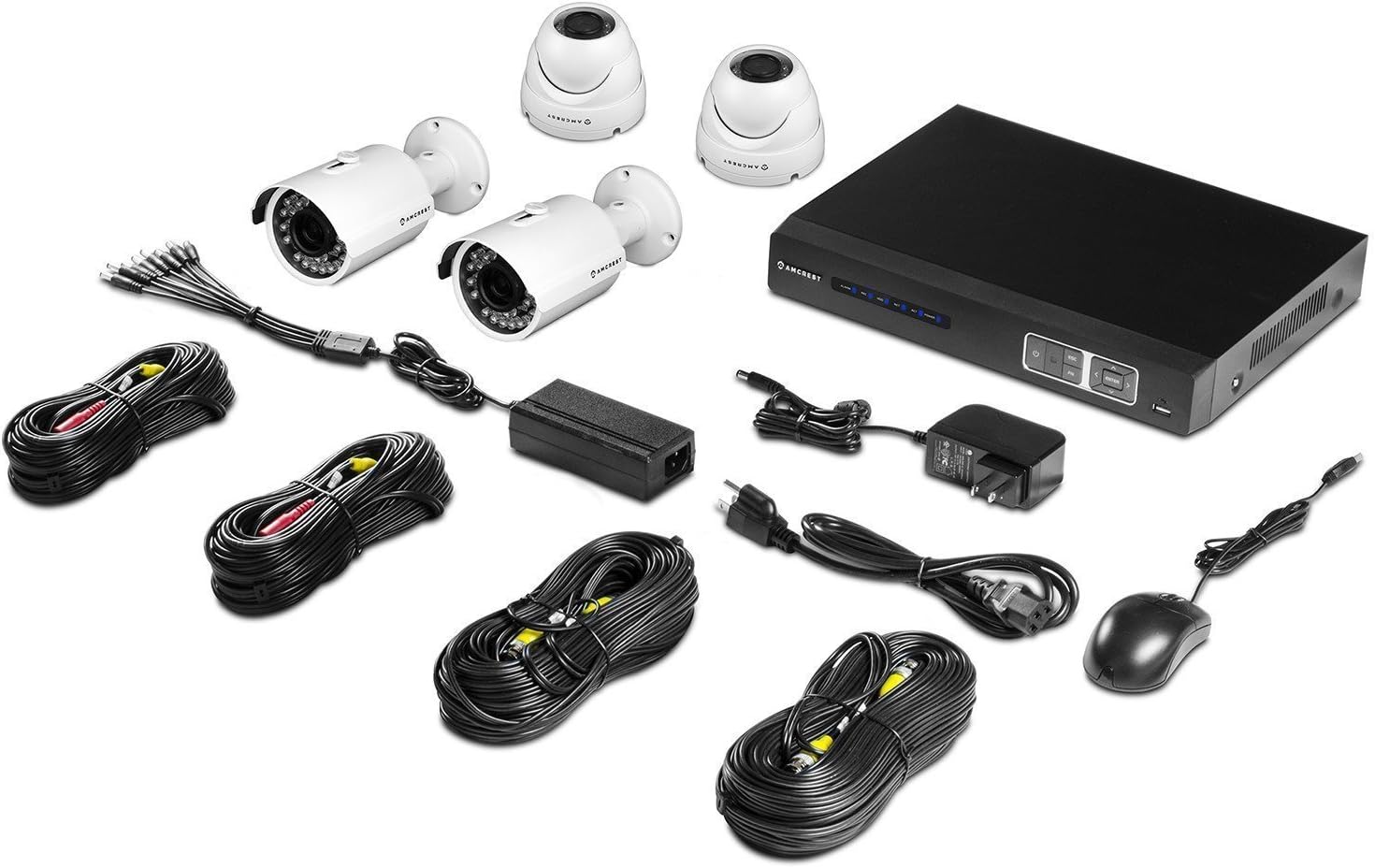
画像: 以上view of the Amcrest ProHD 720P 4-Channel Video Security System components, including the DVR, bullet cameras, dome cameras, cables, and accessories.
3 製品の特徴
- HD Over Analog (HDCVI) Technology: Delivers crisp 1280x720p (1280TVL) resolution over existing coaxial infrastructure.
- 高解像度カメラ: Includes 4 x HD 1.0MP IP67 heavy-duty metal bullet and dome cameras.
- 広い View角度: 3.6mm lens provides a 75-degree view角度。
- ナイトビジョン: Powerful IR-LEDs enable clear night vision capabilities.
- リモート Viewing: ライブアクセス viewing and playback on standard web browsers (PC/MAC) and iOS/Android devices via the "Amcrest View" アプリ。
- プラグアンドプレイセットアップ: Simplified installation and access.
- Secure Closed-Circuit System: The DVR acts as a single access point for all cameras, enhancing security.
- Pre-installed 1 TB HDD: Records approximately 360 hours on all 4 channels in 720p @ 30fps using motion detection or scheduled recording.
- USB バックアップ: Feature for convenient data transfer and storage.
- 耐候性設計: IP67 rated cameras suitable for indoor/outdoor use.


画像: Examples of the Amcrest ProHD 720P bullet camera (left) and dome camera (right) included in the system.
4. セットアップとインストール
4.1 Initial Setup Recommendations
For the initial setup and configuration of your DVR, it is recommended to connect it to a monitor or television using either the VGA or HDMI output. This allows for direct interaction with the DVR's interface.
4.2 DVR接続
The DVR unit features various ports for connecting cameras, a monitor, network, and power. Refer to the diagrams below for proper connection.

画像: フロントとリア views of the Amcrest ProHD DVR, showing control buttons and various connection ports.

画像: Detailed diagram illustrating the various ports on the back of the Amcrest ProHD DVR and their corresponding connections, including VGA, HDMI, Ethernet, USB, Audio In/Out, and Video Input for cameras.
- 電源アダプター: Connect the provided power adapter to the DC12V input.
- Video Input (Cameras): Connect the BNC connectors from your cameras to the Video In ports (1-4).
- モニター接続: Connect a monitor via the VGA port (PC Monitor) or HDMI port (HD TV).
- ネットワーク接続: Connect an Ethernet cable from your router to the Ethernet port for network access.
- USBマウス: Connect the USB mouse to one of the USB ports for navigation.
- オーディオ入力/出力: If using external audio devices, connect them to the Audio In/Out ports.
4.3カメラの設置
Mount the IP67 weatherproof bullet and dome cameras in desired indoor or outdoor locations. Ensure the cameras are positioned to cover the intended surveillance areas. Connect the camera's video and power cables to the corresponding inputs on the DVR.
5. 操作手順
5.1 Remote Access via Amcrest View アプリ
アムクレスト View app allows you to access live viewスマートフォンやタブレットからダウンロード・再生できます。
- 「Amcrest」をダウンロード View「」アプリをApp Store(iOS)またはGoogle Playストア(Android)からダウンロードしてください。
- Open the app and follow the on-screen instructions to add your DVR system.
- Scan the QR Code displayed on your DVR to instantly access live viewing と再生。

画像: Screenshots of the Amcrest View app interface on various mobile devices, demonstrating remote live viewing of security camera feeds.
5.2 録音と再生
The DVR comes with a pre-installed 1 TB hard drive capable of recording 360 hours of footage across all 4 channels at 720p @ 30fps.
- 記録モード: Configure the DVR for continuous recording, scheduled recording, or motion detection recording through the DVR's on-screen menu.
- 再生: 記録された foo にアクセスするtage directly from the DVR interface or remotely via the Amcrest View アプリまたは web ブラウザ。
- USB バックアップ: Use the USB backup feature to transfer recorded video file外部ストレージデバイスに保存します。
6. メンテナンス
セキュリティ システムの最適なパフォーマンスと寿命を確保するには、次のメンテナンスのヒントを考慮してください。
- カメラレンズ: カメラのレンズは定期的に柔らかくてきれいな布で拭いてください。amp 布で埃や汚れ、水滴などを取り除き、 view.
- ケーブル接続: Ensure all cable connections to the DVR and cameras are secure and free from corrosion.
- DVR換気: Keep the DVR unit in a well-ventilated area to prevent overheating. Avoid blocking ventilation openings.
- ソフトウェアアップデート: アムクレストをチェック website periodically for firmware updates for your DVR to ensure the latest features and security enhancements.
7。 トラブルシューティング
If you encounter issues with your Amcrest security system, refer to the following common troubleshooting steps:
- ビデオ信号なし:
- Check all camera and DVR power connections.
- Ensure video cables are securely connected to the correct input ports on the DVR.
- Verify the monitor is correctly connected and set to the correct input source (VGA/HDMI).
- リモート アクセスの問題:
- Ensure the DVR is connected to your network via an Ethernet cable and has internet access.
- スマートフォンまたはタブレットのインターネット接続が安定していることを確認してください。
- Confirm the "Amcrest View「アプリが最新バージョンにアップデートされました。」
- Check DVR network settings and port forwarding if necessary (refer to advanced network setup in the full manual or Amcrest support).
- 録音の問題:
- Check the DVR's hard drive status to ensure it is functioning correctly and has available space.
- Verify recording schedules and motion detection settings are configured as desired.
- 画質が悪い:
- カメラのレンズをきれいにします。
- Ensure cameras are properly focused (if adjustable).
- ケーブルの整合性をチェックして、損傷や干渉がないか確認してください。
For more detailed troubleshooting or persistent issues, please contact Amcrest Customer Support.
8. 仕様
Detailed technical specifications for the Amcrest ProHD 720P 4-Channel Video Security System.

画像: Technical specifications sheet for the Amcrest ProHD 720P 4-Channel Video Security System, detailing DVR, bullet camera, and dome camera specifications.
8.1 DVR Specifications (Model: AMDV7204M-2B2D-W)
- ビデオ入力: 4チャンネルBNC
- ビデオ出力: 1 HDMI、1 VGA
- 音声入出力: 1チャンネルRCA
- ディスプレイ解像度: 最大1920x1080
- 記録解像度: 720P (1280x720) @ 30fps per channel
- ハードドライブ: 1TB SATA (Pre-installed)
- ネットワークインターフェース: RJ45 (10/100M)
- USBインターフェース: USB 2 x 2.0
- 電源: DC12V
- 寸法: 16 x 10 x 16 inches (Product Dimensions, likely package size)
- 重さ: 0.01 ounces (Item Weight, likely incorrect or package weight)
- 動作温度: 14°F ~ 131°F (-10°C ~ 55°C)
8.2 Camera Specifications (Bullet & Dome)
- イメージセンサー: 1/2.9" Megapixel CMOS
- 解決: 1.0メガピクセル(720P)
- レンズ: 3.6mm固定レンズ
- View角度: 75度
- ナイトビジョン: IR LEDs, up to 65ft (20m)
- 耐候性評価: IP67
- 電源: DC12V
- 動作温度: -22°C〜140°C(-30°F〜60°F)
9. 保証とサポート
アムクレストは 1年間の米国保証 for this product. For technical support, warranty claims, or additional information, please visit the official Amcrest webサイトにアクセスするか、カスタマーサービスにお問い合わせください。
アムクレスト Webサイト: www.amcrest.com
Amcrest Technologies LLC
3692 Westchase Drive, Houston TX 77042