
1. はじめに
This manual provides detailed instructions for the setup, operation, maintenance, and troubleshooting of your Ducky Shine 3 Mechanical Keyboard. Please read this manual thoroughly before using the product to ensure proper function and longevity.
The Ducky Shine 3 Mechanical Keyboard features Cherry-MX Red switches for a smooth linear feel and Green LED backlighting. It is designed for use with Windows PC systems.
2. パッケージ内容
- Ducky Shine 3 Mechanical Keyboard
- USBケーブル
- ユーザーマニュアル(このドキュメント)
3. セットアップ
3.1 キーボードの接続
- Unpack the Ducky Shine 3 Mechanical Keyboard and its accessories from the packaging.
- Windows PC で使用可能な USB ポートを見つけます。
- Connect the USB cable to the keyboard and then to the USB port on your computer.
- オペレーティングシステムは必要なドライバーを自動的に検出し、インストールします。通常、追加のソフトウェアのインストールは必要ありません。
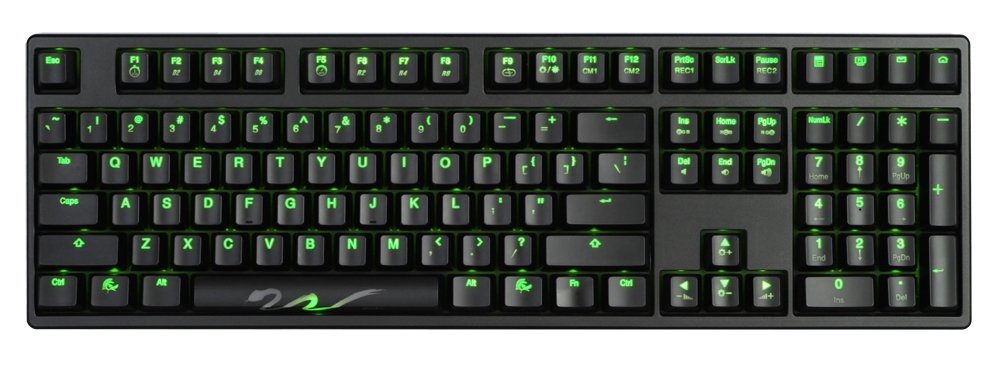
Figure 1: Ducky Shine 3 Mechanical Keyboard. This image shows the full keyboard with its green LED backlighting active, illustrating its layout and design.
4. キーボードの操作
4.1 基本機能
The Ducky Shine 3 functions as a standard 108-key mechanical keyboard. All keys perform their labeled functions upon connection.
4.2 LED Backlighting Modes
The keyboard features 7 distinct LED backlighting modes. These modes can be cycled through and adjusted using specific key combinations. Refer to the keycap legends for specific function keys related to LED control.
- モードサイクリング: Typically activated by pressing Fn+F10 キー (or similar function key indicated on the keyboard).
- 明るさ調整: 使用 Fn+F11 キー (減少)そして Fn+F12 キー (increase) to adjust LED brightness.
- カスタマイズ: Some modes allow for individual key lighting customization. Consult the keyboard's specific keycap legends for advanced programming instructions.
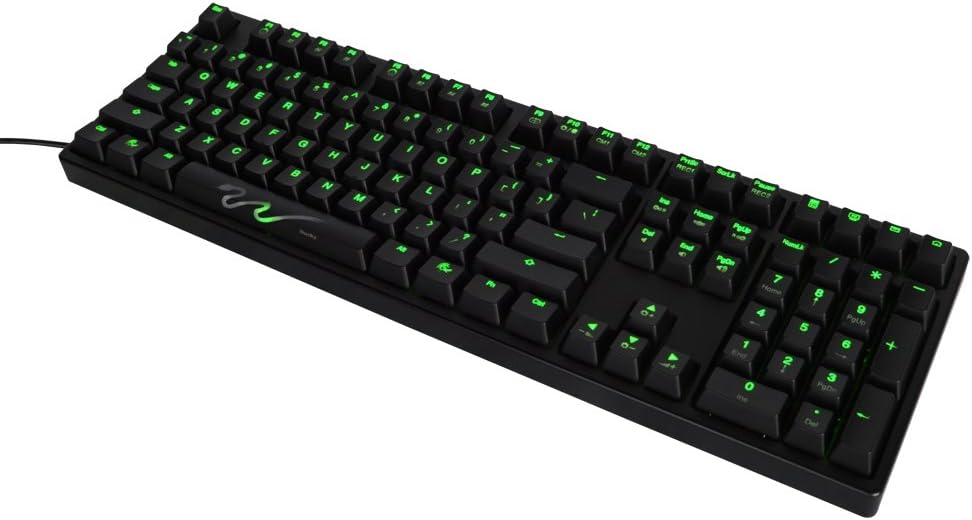
図 2: 拡大図 view of the Ducky Shine 3 keyboard. This image highlights the individual keycaps and the green LED illumination, demonstrating the clarity of the legends.
5. メンテナンス
5.1 キーボードのクリーニング
- 清掃する前に、キーボードをコンピューターから取り外してください。
- 柔らかく糸くずの出ない布で軽く拭き取ってください。ampキーキャップとシャーシを水または中性洗浄液で拭いてください。
- キーボードに液体を直接吹きかけないでください。
- キー間のほこりやゴミを取り除くには、圧縮空気を使用してください。
5.2 ストレージ
キーボードを長期間使用しない場合は、直射日光や極端な温度を避け、涼しく乾燥した場所に保管してください。
6。 トラブルシューティング
| 問題 | 考えられる原因 | 解決 |
|---|---|---|
| キーボードが反応しない | USB 接続が緩んでいる、USB ポートに障害がある、ドライバーに問題がある。 |
|
| LEDが点灯しない | LED brightness set to minimum, LED mode off. |
|
| 特定のキーが機能しない | キーキャップの下にゴミがあり、スイッチに不具合があります。 |
|
7. 仕様
- モデル名: シャイン3
- モデル番号: DK9008S3-RUSALAAG1
- スイッチタイプ: Cherry-MX Red Mechanical Switches
- LEDカラー: 緑
- レイアウト: Full size 108-key
- 接続性: USB
- 対応デバイス: Windowsパソコン
- 工事: Dual layer PCB
- 重さ: 約3ポンド(1.36 kg)
8. 保証とサポート
Ducky products are manufactured to high quality standards. For warranty information and technical support, please refer to the official Ducky webサイトをご覧いただくか、お近くの販売店にお問い合わせください。
For further assistance, visit the official Ducky webサイト: www.duckychannel.com.tw