
導入
The GoPro HERO3: White Edition is a compact and versatile action camera designed for capturing high-quality video and photos in various environments, including underwater. It features built-in Wi-Fi, a redesigned user interface, and is significantly smaller and lighter than its predecessor. This manual provides essential information for setting up, operating, and maintaining your camera.
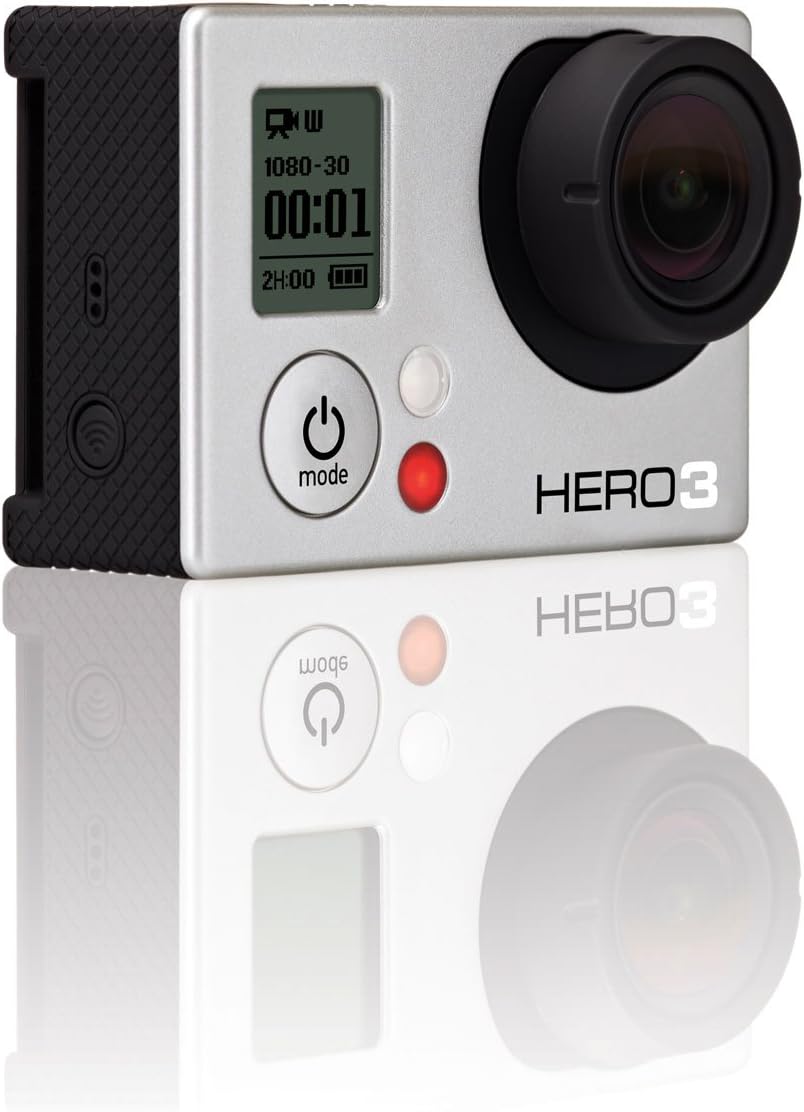
フロント view of the GoPro HERO3: White Edition camera, highlighting its compact design and primary controls.
設定
箱の中身
- HERO3: White Edition Camera
- 197'/ 60m Waterproof Housing
- 充電式リチウムイオン電池
- QR Buckle
- 1 Curved Adhesive Mount
- 1 Flat Adhesive Mount
- Assorted Mounts and Hardware
- USB充電ケーブル
初期設定手順
- バッテリーを充電する: Insert the included rechargeable Li-ion battery into the camera. Connect the camera to a USB power source using the provided USB Charging Cable. The camera's indicator light will show charging status.
- Micro-SD カードを挿入します。 A micro-SD card (not included) is required for operation. Open the side door and gently insert the micro-SD card into the designated slot until it clicks into place. Ensure the card is formatted correctly (refer to the Operating section for formatting instructions).
- Attach Waterproof Housing: For protection against water and impacts, place the camera inside the 197'/ 60m Waterproof Housing. Ensure the housing is securely latched before use, especially near water.

後方 view of the GoPro HERO3: White Edition, showing the battery compartment and a note regarding sound performance with different backdoors.
操作手順
基本操作
- 電源/モードボタン: Located on the front of the camera. Press and hold to power on/off. Press briefly to cycle through camera modes (Video, Photo, Burst, Time Lapse, Settings).
- シャッター/選択ボタン: Located on the top of the camera. Press to start/stop recording video, take a photo, or confirm a selection in the settings menu.
ビデオ録画
The HERO3: White Edition supports professional quality video capture at various resolutions and frame rates:
- 1080p at 30 frames per second (fps)
- 960p 30fps
- 720p 60fps
- WVGA at 60 fps
To record video, select video mode using the Mode button, then press the Shutter button to start recording. Press again to stop.
写真のキャプチャ
Capture high-resolution 5 MP photos with the following modes:
- 一枚の写真: Capture one photo at a time.
- バーストモード: Capture 3 photos per second.
- タイムラプス: Automatically capture photos at intervals of 0.5, 2, 5, 10, 30, or 60 seconds.
To take photos, cycle to photo mode using the Mode button, then press the Shutter button.
Wi-Fi接続
The camera features built-in Wi-Fi, compatible with the GoPro App for smartphones/tablets and the Wi-Fi remote (sold separately). This allows for remote control and content preview.
オーディオパフォーマンス
The HERO3 features a redesigned audio system for improved capture of subtle sounds like voice or music, as well as sports sounds. A port for a 3.5mm Stereo Mic Adapter (sold separately) is included for external microphone use.
メンテナンス
カメラケア
- クリーニング: カメラのレンズと本体の汚れは、柔らかく糸くずの出ない布で拭いてください。頑固な汚れには、軽く拭き取ってください。amp布を水で濡らしてください。刺激の強い化学薬品は避けてください。
- バッテリーのケア: Store batteries in a cool, dry place. Do not expose to extreme temperatures. Fully charge batteries before extended storage.
- ストレージ: 使用していないときは、傷や損傷を防ぐためにカメラを保護ケースに保管してください。
Waterproof Housing Care
- After use in saltwater, rinse the housing with fresh water and allow it to air dry.
- Inspect the rubber seal (gasket) around the housing door regularly for dirt, sand, or damage. Clean the seal with a soft cloth and ensure it is free of debris to maintain its waterproof integrity.
- Do not use sharp objects to clean the housing or its seal.

側 view of the GoPro HERO3: White Edition, illustrating the battery door and textured grip for secure handling.
トラブルシューティング
よくある問題と解決策
- カメラがオンにならない:
- Ensure the battery is fully charged. Connect the camera to a power source.
- Remove and reinsert the battery.
- If using an external power source, ensure it provides sufficient power. - 録画の問題(途切れ/フリーズ):
- Ensure you are using a compatible and high-speed micro-SD card (Class 10 or higher recommended).
- Format the micro-SD card within the camera's settings.
- Check if the card is full and transfer filesコンピュータに。 - Wi-Fi 接続の問題:
- Ensure Wi-Fi is enabled on the camera.
- Restart both the camera and your smartphone/tablet.
- Ensure your device is within range of the camera's Wi-Fi signal.
- Update the GoPro App to the latest version. - 音質が悪い:
- Ensure the microphone port is clear of debris.
- If using the waterproof housing, note that audio capture will be muffled. Consider using a skeleton backdoor (if available and appropriate for your environment) for better audio in non-waterproof situations.
仕様
| 特徴 | 詳細 |
|---|---|
| ブランド | ゴープロ |
| モデル番号 | CHDHE-301 |
| アイテム重量 | 1.2ポンド |
| 製品寸法 | 3.94 x 3.94 x 9.65インチ |
| バッテリー | 1 リチウムイオン電池が必要 (付属) |
| 色 | マルチ |
| 特集 | Waterproof (with housing) |
| フォトセンサー技術 | シーモス |
| ビデオキャプチャ解像度 | 1080p |
| フラッシュメモリタイプ | マイクロSD |
| ビデオキャプチャフォーマット | 264 形式 |
| サポートされているオーディオ形式 | MP3、AAC、MPXNUMX |
| 画面サイズ | 2インチ(画面の対角線) |
| 接続技術 | USB、Wi-Fi |
| 防水深さ | 197' (60m) with included housing |
重要な情報
免責事項
This product may be sold in open box condition but is in its original packaging. Please verify product condition upon receipt.
保証とサポート
For detailed warranty information, please refer to the official GoPro website or the warranty card included with your product. GoPro provides customer support and resources for product assistance.
公式GoProサポート: For the most up-to-date support, FAQs, and software downloads, please visit the official GoPro support website. You can typically find this by searching for "GoPro Support" online.


