
1. Product Overview
The V380 MAX BP9 4G Solar Security Camera is designed for outdoor surveillance in locations without Wi-Fi or consistent power access. It utilizes 4G LTE connectivity and solar power, making it suitable for remote areas such as farms, construction sites, warehouses, and rural homes. Key features include dual lenses for comprehensive coverage, Pan-Tilt-Zoom (PTZ) functionality, PIR human detection, color night vision, two-way audio, and local storage via SD card.
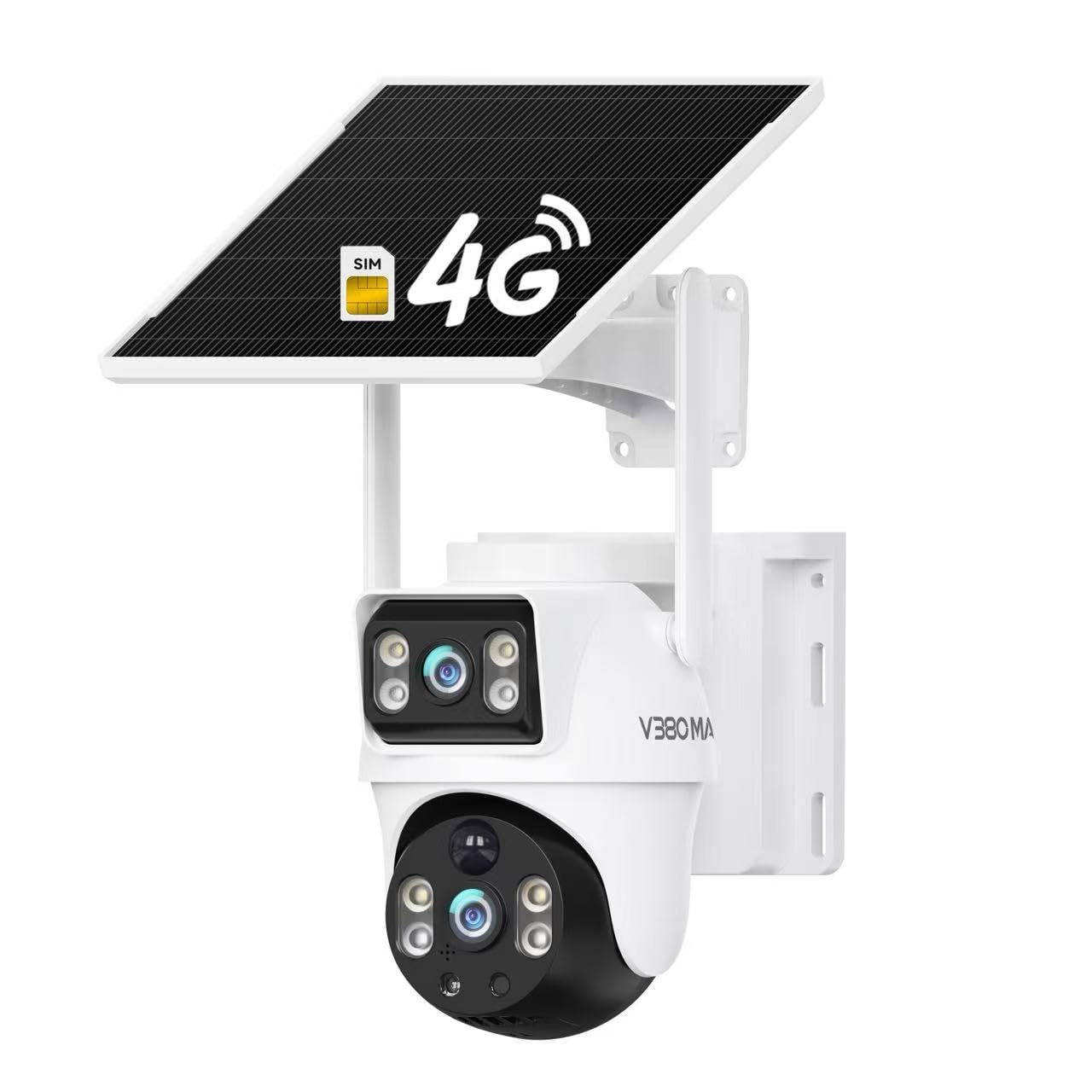
Image: The V380 MAX BP9 4G Solar Security Camera mounted outdoors, showcasing its integrated solar panel and dual antenna design. A 4G SIM card icon is visible, indicating its cellular connectivity.
2. What's in the Box
Upon unboxing, please verify that all components are present:
- Camera unit
- Solar Panel
- Instruction Manual
- Mounting Screws
- Charging Cable
- Note: A SIM card is typically included or pre-installed for 4G functionality.
Video: An unboxing video demonstrating the contents of the V380 MAX Solar Camera package, including the camera unit and its accessories.
3. Key Features
- 4G LTE Connectivity: Operates independently without Wi-Fi, requiring only a 4G SIM card for remote access and monitoring.
- Solar Powered: Equipped with a solar panel for continuous charging, ensuring uninterrupted operation in remote locations.
- Dual Lenses: Features two 2MP lenses for enhanced coverage and detailed views.
- PTZ Functionality: Pan 355 degrees and Tilt 90 degrees for a wide viewing angle and remote control over camera direction.
- PIR Human Detection: Advanced motion detection focuses on human shapes, reducing false alarms from animals or environmental factors.
- Color Night Vision: Provides clear, full-color video even in low-light conditions, up to 30 meters.
- Two-Way Audio: Built-in microphone and speaker allow for real-time communication.
- IP65 Weather Resistant: Durable housing protects against dust and water, suitable for various outdoor environments.
- Local Storage: Supports Micro SD card recording up to 128GB.
- Mobile App Access: Control and monitor the camera remotely via a dedicated mobile application.

Image: An infographic detailing the six key features of the V380 MAX BP9 camera, including Wi-Fi/4G options, dual lenses, audio-light alarm, AI human detection, dual gimbal rotation, and IP65 weather resistance.
4. Setup Guide
4.1 Initial Charging
Before installation, fully charge the camera's internal battery using the provided charging cable. Connect the cable to the camera's charging port and a standard USB power adapter (not included). The charging indicator light will show the charging status.
4.2 SIM Card and SD Card Installation
- Locate the SIM card slot and Micro SD card slot on the camera. These are typically protected by a rubber cover.
- Insert the provided 4G SIM card into the SIM slot with the gold contacts facing down and the notched corner correctly oriented. Ensure it clicks into place.
- Insert a Micro SD card (up to 128GB, Class 10 or higher recommended) into the SD card slot with the gold contacts facing down. Push until it clicks.
- Securely close the rubber cover to maintain weather resistance.
4.3 App Download and Account Creation
- Download the "V380 Pro" app from your smartphone's app store (iOS App Store or Google Play Store).
- Open the app and register for a new account using your email address or phone number. Follow the on-screen prompts to complete registration and log in.
4.4 Camera Pairing with App
- Power on the camera. Wait for the camera to initialize. You may hear a voice prompt indicating it's ready for connection.
- In the V380 Pro app, tap the "+" icon to add a new device.
- Select "4G Camera" or "Add Device by Scanning QR Code". If scanning, locate the QR code on the camera body or packaging.
- Follow the app's instructions to complete the pairing process. Ensure your phone has a stable internet connection during this step.
4.5 Mounting the Camera
Choose a location that receives ample direct sunlight for the solar panel and has good 4G cellular signal strength. Ensure the camera has a clear view of the area you wish to monitor.
- Use the mounting template (if provided) or the camera base to mark drill holes on the desired surface (wall, pole, etc.).
- Drill pilot holes and insert wall anchors if mounting on masonry or drywall.
- Attach the camera bracket using the provided mounting screws.
- Secure the camera to the bracket. Adjust the solar panel angle to maximize sun exposure throughout the day.

Image: The V380 MAX BP9 4G Solar Security Camera mounted on a tree trunk in a field, demonstrating its suitability for remote outdoor installation.
5. Operating Instructions
5.1 Live View and PTZ Control
- Open the V380 Pro app and select your camera from the device list.
- The live video feed will appear. Use the on-screen joystick or swipe gestures to control the camera's pan (horizontal) and tilt (vertical) movements.
- Pinch to zoom in or out on the live feed.
5.2 Motion Detection and Alerts
- Navigate to the camera settings within the app.
- Enable "PIR Human Detection" and adjust sensitivity levels as needed.
- Configure alert notifications (push notifications, email alerts) to receive instant warnings when motion is detected.
- The camera can automatically track detected human movement.

Image: A visual representation of the camera's AI Human Detection and Auto Rotate & Track features, showing the camera identifying and following a person in a yard.
5.3 Two-Way Audio
- During live view, tap the microphone icon to speak through the camera's speaker.
- Tap the speaker icon to listen to audio from the camera's microphone.
5.4 Recording and Playback
- Recordings are automatically saved to the installed Micro SD card upon motion detection or continuous recording (if configured).
- Access recorded footage via the "Playback" section in the V380 Pro app. Select the date and time to review events.
- You can also manually record video or capture screenshots during live view.
5.5 Audio-Light Alarm
- In the app settings, enable the audio-light alarm feature.
- When human intrusion is detected, the camera can activate a siren and flashing lights to deter intruders.
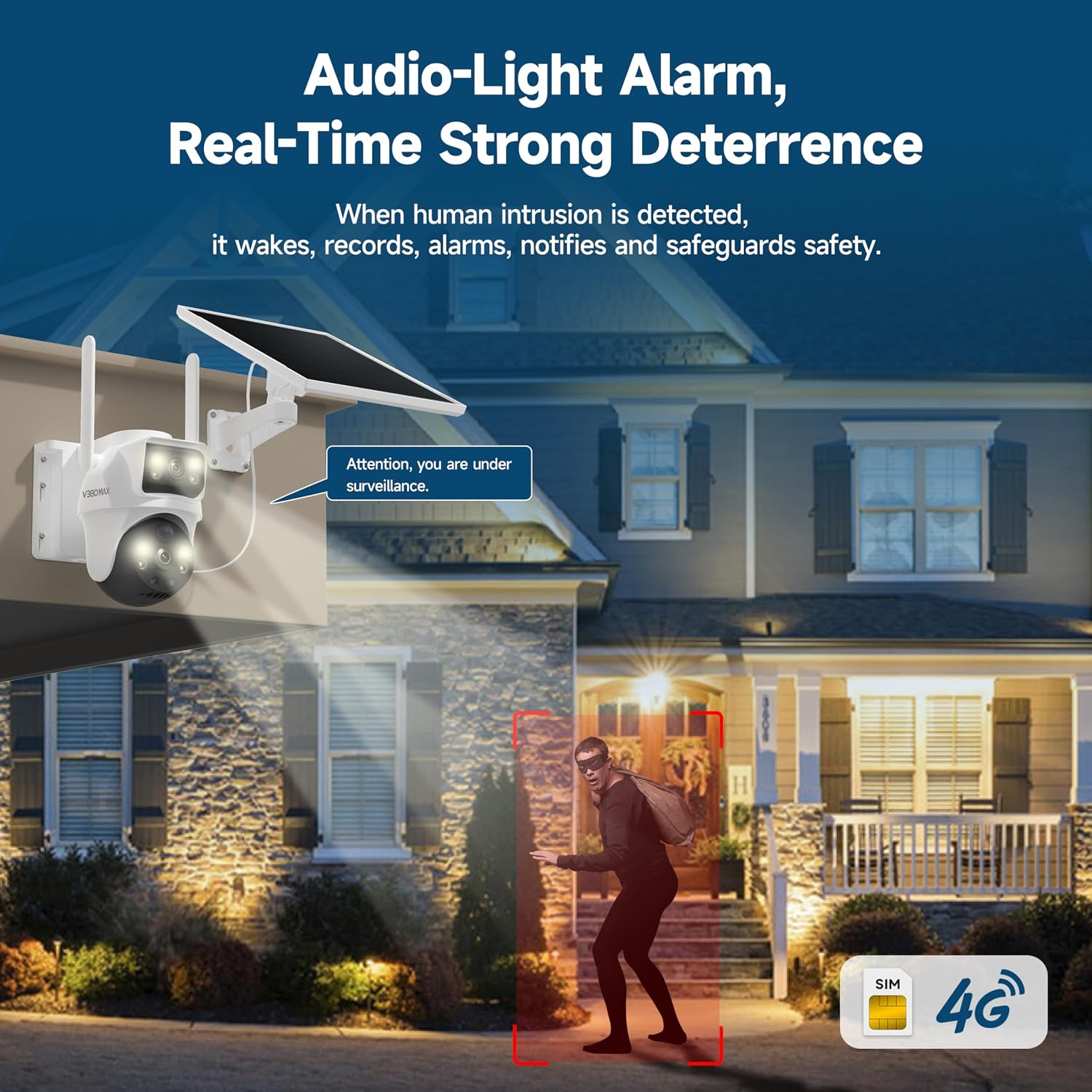
Image: The V380 MAX BP9 camera activating its audio-light alarm to deter an intruder, with a speech bubble indicating "Attention, you are under surveillance."
6. Maintenance
- Solar Panel Cleaning: Regularly wipe the solar panel with a soft, damp cloth to remove dust, dirt, and debris. A clean panel ensures optimal charging efficiency.
- Lens Cleaning: Gently clean the camera lenses with a microfiber cloth to ensure clear image quality. Avoid abrasive materials.
- Firmware Updates: Check the V380 Pro app periodically for available firmware updates. Keeping the firmware updated ensures optimal performance and security.
- Battery Health: Monitor the battery level via the app. Ensure the camera receives sufficient sunlight to maintain charge, especially during prolonged cloudy periods.
- SD Card Management: If using an SD card for local storage, periodically review and back up important footage. The camera will typically overwrite the oldest footage when the card is full.
7. Troubleshooting
| Problem | Possible Cause | Solution |
|---|---|---|
| Camera not connecting to 4G network. | No 4G signal, incorrect SIM card installation, inactive SIM card, data plan issues. | Check 4G signal strength at installation location. Reinsert SIM card correctly. Verify SIM card is activated and has an active data plan. Contact your cellular provider if necessary. |
| Camera battery not charging. | Insufficient sunlight, dirty solar panel, faulty charging cable/port. | Ensure solar panel is in direct sunlight and free of obstructions. Clean the solar panel. Test with a different charging cable or power source. |
| Poor image quality. | Dirty lens, low light conditions, network bandwidth issues. | Clean the camera lenses. Ensure adequate lighting for optimal image quality. Check 4G signal strength for stable streaming. |
| Motion detection not working or too many false alarms. | Incorrect sensitivity settings, obstructions, environmental factors. | Adjust PIR human detection sensitivity in the app. Ensure the camera's view is clear of moving branches or objects that could trigger false alarms. |
| Cannot access camera via app. | Camera offline, app issues, network problems. | Check if the camera is powered on and has 4G signal. Restart the app. Restart your smartphone. Ensure your phone has internet access. |
8. Product Specifications
- Model Name: V380 Max BP9 4G solar security camera
- Connectivity Technology: 4G, Wireless
- Special Features: Built-In Light, Motion Sensor, Night Vision, PTZ Technology, Weather Proof
- Indoor/Outdoor Usage: Outdoor
- Compatible Devices: Smartphone
- Controller Type: Mobile App
- Mount Type: Wall Mount
- Color: White
- Form Factor: Bullet
- Connectivity Protocol: 4G
- Wireless Technology: 4G LTE, Cellular
- Video Capture Resolution: 1080p
- Viewing Angle: 355 degrees (Pan), 90 degrees (Tilt)
- Night Vision Range: 30 meters
- Power Source: Solar Powered
- Number of Channels: 2 (Dual Lenses)
- Video Capture Format: MP4
- Item Dimensions: 7.1 x 4.7 x 5.9 inches
- Storage: Micro SD card up to 128GB
- Weather Resistance: IP65
9. Warranty and Support
9.1 Warranty Information
This product is covered by a standard manufacturer's warranty against defects in materials and workmanship. Please refer to the specific warranty card included in your package or contact the manufacturer for detailed warranty terms and conditions. Keep your purchase receipt as proof of purchase.
Optional protection plans may be available for purchase separately to extend coverage beyond the standard warranty period. These plans are offered by third parties and are not directly provided by V380 MAX.
9.2 Customer Support
For technical assistance, troubleshooting, or any questions regarding your V380 MAX BP9 4G Solar Security Camera, please contact V380 MAX customer support. Refer to the contact information provided in your product packaging or visit the official V380 MAX website for support resources.
Manufacturer: V380 Max