
1. המוצר נגמרview
The Philips 55MLED610/94 is a 55-inch 4K Ultra HD QLED Smart QD-Mini LED Google TV. It features advanced display technology, smart connectivity, and integrated audio solutions for an enhanced viewניסיון.

חֲזִית view of the Philips 55MLED610/94 55-inch 4K QD-Mini LED Google TV.
תכונות עיקריות:
- לְהַצִיג: 4K QD-Mini LED Panel, Philips Halo Control Technology, Dolby Vision, Local Dimming, 120 Hz Motion Clarity HSR, HDR 10+, 178 Degree Wide Viewing Angle, MEMC, ALLM.
- טלוויזיה חכמה: Google TV operating system, 2GB RAM, 32GB ROM, Quad Core Processor, Dual band WIFI 5, Hands-Free Voice Control, Screen Mirroring, Google Assistant compatibility.
- שֶׁמַע: 36 Watts Output, Dolby Atmos, Dolby Audio.
- קישוריות: 3 HDMI Ports (including HDMI 2.1), 2 USB Ports, 1 LAN Port, 1 Antenna Input, 1 Satellite Input, 1 Digital Audio Out (Optical), 1 AV-IN, 1 Earphone port.
2. התקנה והתקנה
2.1 פירוק ותכולה
Carefully unpack the television and ensure all components are present.
- 1N TV Unit
- 2N Stand Bases
- מדריך התחלה מהירה של 1N
- כרטיס אחריות 1N
- שלט רחוק 1N
- סוללות 2N AAA (לשלט רחוק)
- 1N Power Cord
- 4N Screws (for stand/mount)
- 1N AV Converting Cable

Illustration showing the TV unit and its included accessories for setup.
2.2 התקנת מעמד או תלייה על הקיר
The television supports both table-top stand installation and wall mounting.
- מתקן לשולחן: Attach the provided stand bases to the bottom of the TV unit using the included screws. Ensure the stand is stable on a flat surface.
- קיר קיר: For wall mounting, use a compatible VESA wall mount (not included) and follow the instructions provided with the wall mount. Refer to the TV's back panel for mounting points.

אֲחוֹרִי view of the television, highlighting the mounting points and various input/output ports.
2.3 חיבור ציוד היקפי
Connect your external devices such as set-top boxes, gaming consoles, and audio systems to the TV using the appropriate ports.
- HDMI: Use HDMI ports for high-definition video and audio from devices like Blu-ray players or gaming consoles. HDMI 2.1 supports advanced features.
- USB: חבר כונני USB להפעלת מדיה או אחסון חיצוני.
- LAN: עבור חיבור אינטרנט קווי יציב.
- אנטנה/לוויין: חבר את האנטנה או צלחת הלוויין שלך לשידור טלוויזיה.
- יציאת שמע דיגיטלית (אופטי): לחיבור למערכות שמע חיצוניות.
- AV-IN: עבור מכשירים ישנים יותר המשתמשים בווידאו מרוכב ואודיו סטריאו.
- אֹזְנִיָה: להאזנה פרטית.

מְפוֹרָט view of the television's input and output ports, including HDMI, USB, LAN, and audio connections.
3. הוראות הפעלה
3.1 הפעלה ראשונית והגדרת Google TV
After connecting the power cord, press the power button on the remote control or TV. Follow the on-screen instructions to complete the initial setup, including language selection, network connection (Wi-Fi or LAN), and Google account sign-in.

ממשק Google TV, המציג מגוון אפליקציות סטרימינג והמלצות תוכן.
3.2 פונקציות שלט רחוק
The provided remote control uses both IR and Bluetooth technology. Insert the two AAA batteries as indicated.

The remote control for the Philips 55MLED610/94 TV, featuring dedicated buttons for streaming services and Google Assistant.
- לחצן הפעלה: מפעיל או מכבה את הטלוויזיה.
- משטח ניווט: לניווט ובחירה בתפריטים.
- כפתור העוזר של גוגל: מפעיל שליטה קולית עבור פקודות וחיפושים.
- כפתורי עוצמת קול/ערוץ: מכוונן את עוצמת הקול והחלף ערוצים.
- כפתורי קיצור דרך לאפליקציה: Direct access to popular streaming services like Netflix and Prime Video.
3.3 Smart TV Features and Applications
The Google TV platform provides access to a wide range of applications and services.
- אפליקציות מותקנות מראש: Access popular streaming services such as Prime Video, Netflix, Hotstar, Zee5, YouTube, Eros Now, Hungama, JioCinema, and SonyLiv.
- Google Assistant: Use hands-free voice control to search for content, control smart home devices, and get information.
- שיקוף מסך (Miracast): הפעל תוכן ממכשירים ניידים תואמים למסך הטלוויזיה.
- Web דפדפן: גלישה באינטרנט ישירות דרך הטלוויזיה שלך.
3.4 הגדרות תצוגה ושמע
התאם את הגדרות התמונה והקול כדי לייעל את viewחווית האזנה והקשבה.
- מצבי תמונה: Select from various picture modes (e.g., Standard, Vivid, Movie, Game) or customize settings like brightness, contrast, color, and sharpness.
- דולבי ויז'ן ו-HDR10+: The TV automatically detects and optimizes content for Dolby Vision and HDR10+ for enhanced dynamic range and color.
- מצבי סאונד: Choose sound modes (e.g., Standard, Music, Movie) or adjust equalizer settings. Dolby Atmos provides immersive audio.
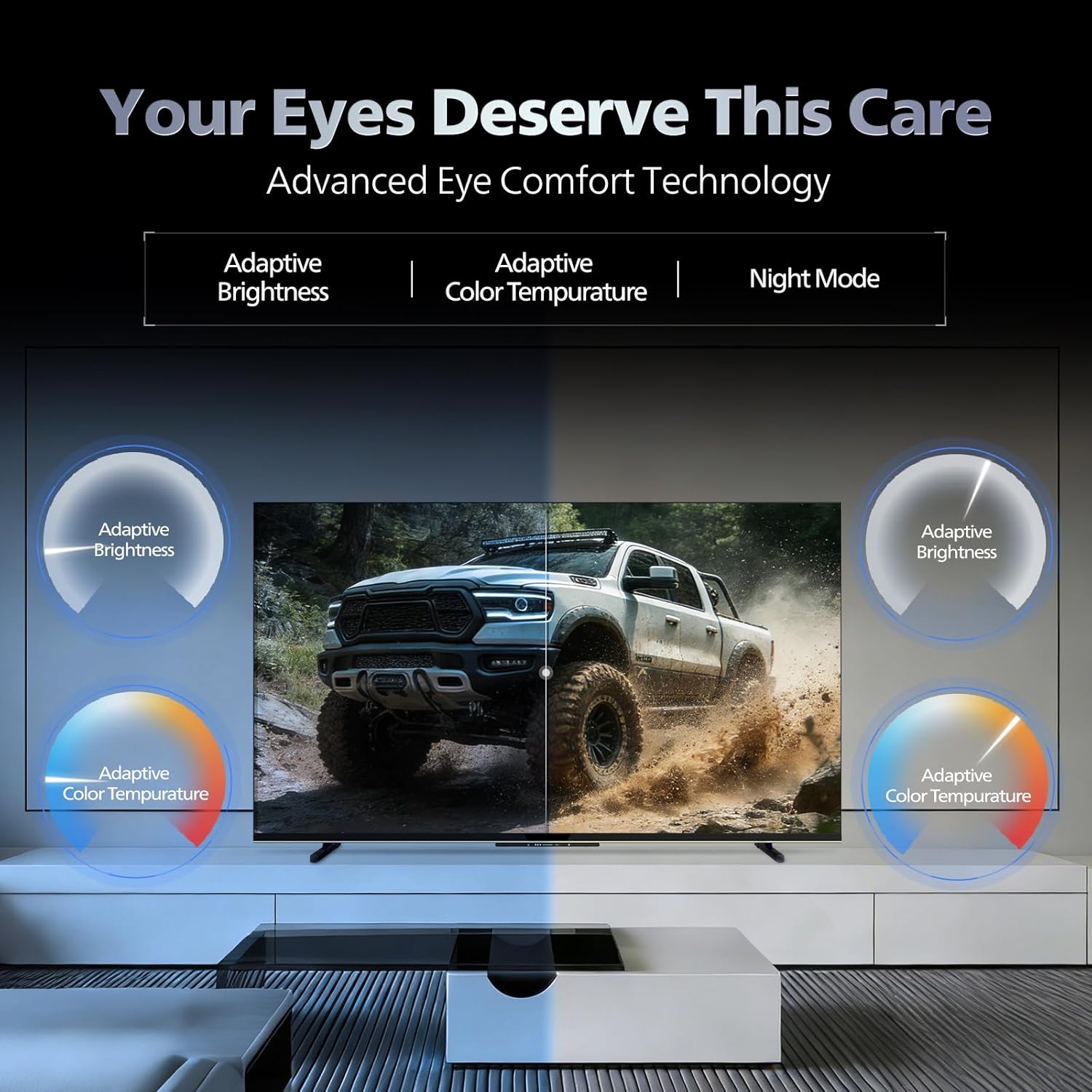
- טכנולוגיית נוחות עיניים: Features like Adaptive Brightness, Adaptive Color Temperature, and Night Mode are available to reduce eye strain.

Visual representation of the TV's advanced eye comfort technology, including adaptive brightness and color temperature.

A visual demonstrating the immersive multi-dimensional audio experience provided by Dolby Atmos on the television.
4. תחזוקה
4.1 ניקוי הטלוויזיה
To clean the screen and cabinet, first unplug the power cord. Use a soft, lint-free cloth. For stubborn marks, lightly dampשטפו את המטלית במים או בחומר ניקוי מסך עדין ולא שוחק. לעולם אל תרסס את חומר הניקוי ישירות על המסך.
חָשׁוּב: The television is לא עמיד במים. Avoid exposing it to liquids.
4.2 עדכוני תוכנה
Ensure your TV's software is up to date for optimal performance and security. The TV will typically prompt you for available updates. You can also manually check for updates in the settings menu.
5. פתרון תקלות
If you encounter issues with your television, try the following basic troubleshooting steps before contacting support.
- אין כוח: ודא שכבל החשמל מחובר היטב הן לטלוויזיה והן לשקע חשמל תקין. נסה שקע אחר.
- אין תמונה/קול: בדוק את כל חיבורי הכבלים (HDMI, AV, אנטנה). ודא שמקור הקלט הנכון נבחר בטלוויזיה.
- שלט לא עובד: החלף את הסוללות בשלט הרחוק. ודא שאין חסימות בין השלט לחיישן ה-IR של הטלוויזיה.
- בעיות קישוריות לאינטרנט: Restart your Wi-Fi router. Check the TV's network settings and ensure it's connected to the correct network. Try a wired LAN connection if possible.
- בעיות איכות תמונה: כוונן את הגדרות התמונה (בהירות, ניגודיות, חדות). ודא שמקור התוכן הוא באיכות גבוהה.
The television displaying a fast-paced gaming scene, highlighting its 120Hz refresh rate and gaming optimization features.
6. מפרטים
| תכונה | פְּרָט |
|---|---|
| מספר דגם | 55MLED610/94 |
| גודל מסך | 55 אינץ '(138 ס"מ) |
| טכנולוגיית תצוגה | QD-Mini LED |
| הַחְלָטָה | 4K Ultra HD (3840 x 2160) |
| קצב רענון | 120 Hz HSR |
| פורמט HDR נתמך | HDR10+, דולבי ויז'ן |
| Viewזווית | 178 מעלות |
| פלט סאונד | 36 וואט |
| קידוד אודיו | Dolby Atmos, Dolby Audio |
| מַעֲרֶכֶת הַפעָלָה | Google TV |
| אַיִל | 2GB |
| ROM | 32GB |
| קישוריות | Wi-Fi (Dual band WIFI 5), Bluetooth 5.1, 3 HDMI (1x HDMI 2.1 eARC), 2 USB, 1 LAN, 1 Antenna, 1 Satellite, 1 Digital Audio Out (Optical), 1 AV-IN, 1 Earphone |
| מידות המוצר (D x W x H) | 8D x 144.5W x 84H סנטימטרים |
| Item Weight Without Stand | 9.4 קילוגרם |
| צריכת חשמל | 130 וואט |
| דירוג אנרגיה | 3 כוכבים |
| צריכת אנרגיה שנתית | 182 קוט"ש לשנה |
| רכיבים כלולים | TV Unit, Stand Bases, Quick Start Guide, Warranty Card, Remote, Batteries, Power cord, Screws, AV Converting Cable |

Dimensional drawing of the Philips 55MLED610/94 TV, showing height, width, and depth measurements.
7. אחריות ותמיכה
7.1 מידע אחריות
A 1-year warranty is provided by the manufacturer from the date of purchase. Warranty claims can be processed using your Amazon e-invoice.
The warranty covers manufacturing defects but does not cover spares.
7.2 תמיכת לקוחות
For assistance, contact the brand's toll-free number: 18004256396. Please provide the product's model name (55MLED610/94) and seller's details from your invoice. The service center will schedule a convenient service slot.
יַצרָן: Radiant Appliances And Electronics Private Limited
Survey No. 111, 112, S-2 A 1, Ecity, Fabcity, Maheshwaram Mandal Raviryala Village, Ranga Reddy, Telangana- 501141
יְבוּאָן: TPV Technology India Private Limited
Unit No. 307-308 3rd Floor, SEWA Corporate Park MG Road Gurugram Haryana 122002