
1. הקדמה
This manual provides essential information for setting up, operating, and maintaining your Csasan Smart Watch T70. Please read it thoroughly to ensure proper use and to maximize the device's features.
מה כלול
- שעון חכם (יחידה אחת)
- מטען מגנטי (יחידה אחת)
- מדריך למשתמש (יחידה אחת)

Image: Contents of the Csasan Smart Watch T70 package.
2. תחילת העבודה (הגדרה)
2.1 טעינת המכשיר
Before first use, fully charge your smartwatch. Connect the magnetic charger to the charging contacts on the back of the watch and plug the USB end into a power adapter (not included) or a computer's USB port. A full charge typically takes approximately 2 hours.

Image: Smartwatch connected to its magnetic charger.
2.2 הורדת האפליקציה
כדי לגשת לכל התכונות ולסנכרן נתונים, הורידו את גלוריפיט הורידו את האפליקציה מחנות האפליקציות של הסמארטפון שלכם (חנות Google Play עבור אנדרואיד או חנות האפליקציות של אפל עבור iOS).
2.3 צימוד השעון החכם
- ודא שה-Bluetooth של הטלפון החכם שלך מופעל.
- Open the Gloryfit app and follow the on-screen instructions to create an account or log in.
- באפליקציה, נווטו למקטע המכשירים וחפשו את השעון החכם שלכם.
- Select 'T70' from the list of available devices to pair. Confirm the pairing request on both your phone and the watch if prompted.
2.4 ענידת השעון החכם
Wear the smartwatch snugly on your wrist, about one finger's width from your wrist bone. This ensures accurate heart rate and other health monitoring data.
3. הפעלת השעון החכם שלך
3.1 ניווט בסיסי
- מסך מגע: החלק שמאלה/ימינה, למעלה/למטה כדי לנווט בין תפריטים ותכונות. הקש כדי לבחור.
- כפתור צד: Typically used to return to the home screen or wake the display.
- הרם כדי להתעורר: המסך יידלק אוטומטית כשתרימו את פרק כף היד.
3.2 ביצוע מענה לשיחות
Once paired via Bluetooth, you can manage calls directly from your watch.
- מענה לשיחות: כאשר מתקבלת שיחה, הקישו על הסמל הירוק במסך השעון.
- ביצוע שיחות: Access the dial pad or your synced contacts on the watch to initiate a call.

Image: Smartwatch interface for making and answering calls.
3.3 קבלת התראות
The smartwatch can display notifications from various apps on your phone (e.g., Instagram, YouTube, Messenger, Gmail, Snapchat, Facebook, Twitter, WhatsApp). Ensure notification permissions are granted in the Gloryfit app and your phone settings.

תמונה: שעון חכם המציג הודעת הודעה.
3.4 ניטור בריאות
The T70 Smart Watch includes sensors for continuous health tracking.
- מד דופק: Monitors your heart rate 24/7. Data is for reference and not for medical diagnosis.
- מעקב שינה: Automatically records sleep patterns (awake, light, deep sleep) to help you understand and improve sleep quality.
- Steps Monitor: עוקב אחר הצעדים, המרחק והקלוריות שנשרפו מדי יום.
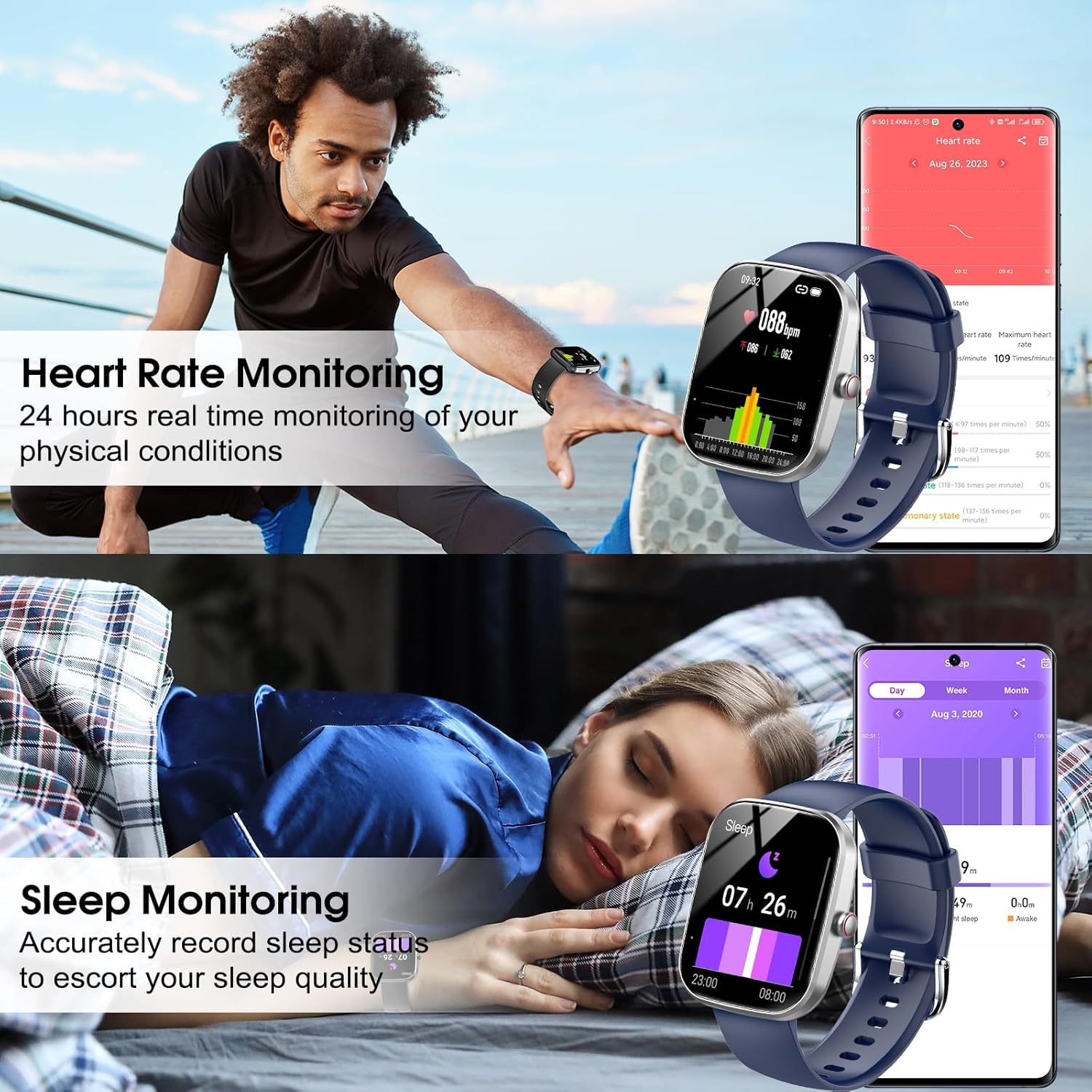
Image: Heart rate and sleep monitoring features.
3.5 מצבי ספורט
The watch supports over 110 sports modes, including running, cycling, swimming, and fitness activities. Select your desired mode before starting an activity to track relevant metrics.

Image: Smartwatch showcasing various sports modes and IP68 waterproof rating.
3.6 התאמה אישית של לוחות השעון
The 1.91-inch HD display allows for extensive customization. You can choose from over 100 watch faces available in the Gloryfit app or upload your own photos to personalize the watch face.

Image: Customizable watch faces and app interface.
3.7 בקרת מוזיקה
Control music playback on your smartphone directly from your smartwatch. You can play, pause, skip tracks, and adjust volume.
3.8 תכונות אחרות
שעון חכם כולל פונקציות שימושיות נוספות:
- תחזית מזג האוויר
- תזכורת בישיבה
- סטוֹפֶּר
- שָׁעוֹן מְעוֹרֵר
- שָׁעוֹן עֶצֶר
- מעקב אחר מחזור נשים
- מצא טלפון
- שלט רחוק למצלמה
4. תחזוקה
עמידות למים 4.1 (IP68)
The Csasan Smart Watch T70 is IP68 waterproof, meaning it is resistant to dust and can withstand immersion in water up to 1.5 meters for 30 minutes. It is suitable for daily activities like washing hands or exercising in the rain. פֶּתֶק: Do not use the watch in hot water, saunas, or for prolonged immersion, as this may affect its waterproof integrity.
4.2 ניקוי
נקו באופן קבוע את השעון החכם והרצועה שלכם בעזרת מטלית רכה ויבשה. במידת הצורך, השתמשו במטלית מעט דחוסה.amp מטלית וסבון עדין, לאחר מכן שטפו וייבשו היטב. הימנעו מכימיקלים חזקים או מחומרים שוחקים.
4.3 טיפול בסוללה
כדי להאריך את חיי הסוללה, הימנעו מפריקה מלאה של השעון לעתים קרובות. טען אותו כאשר רמת הסוללה נמוכה. אחסנו את השעון במקום קריר ויבש כאשר אינו בשימוש למשך תקופות ממושכות.
5. פתרון תקלות
- שעון לא נדלק: ודא שהשעון טעון במלואו. חבר אותו למטען למשך 10 דקות לפחות.
- לא ניתן להתאים לטלפון:
- ודא שה-Bluetooth מופעל בטלפון שלך.
- ודא שהשעון נמצא בטווח קליטה של הטלפון שלך.
- הפעילו מחדש את הטלפון ואת השעון.
- Check if the Gloryfit app has necessary permissions.
- נתוני דופק/שינה לא מדויקים: ודא שהשעון צמוד לפרק כף היד, לא רופף מדי או הדוק מדי. נקה את החיישן בגב השעון.
- התראות שלא התקבלו:
- Verify that notifications are enabled in the Gloryfit app.
- Check your phone's system settings to ensure the Gloryfit app has permission to send notifications.
- ודא שהשעון מחובר לטלפון שלך באמצעות Bluetooth.
- חיי סוללה קצרים: הפחת את בהירות המסך, השבת תכונות מיותרות וודא שהשעון טעון במלואו.
6. מפרטים
| תכונה | פְּרָט |
|---|---|
| שם הדגם | T70 |
| מותג | קסאן |
| גודל מסך | 1.91 אינץ' |
| סוג תצוגה | מסך מגע מלא באיכות HD |
| צוּרָה | מַלבֵּנִי |
| קישוריות | בלוטות' |
| עמידות במים | IP68 |
| מצבי ספורט | 110+ |
| ניטור בריאות | Heart Rate, Sleep, Steps |
| סוג סוללה | Lithium Polymer (12V included) |
| Average Usage Battery Life | 5-7 ימים |
| זמן המתנה | עד 30 יום |
| זמן טעינה | כ. 2 שעות |
| תְאִימוּת | אנדרואיד 5.0+ / iOS 9.0+ |
| משקל פריט | 3.2 אונקיות |
| GPS | אין GPS |
7. אחריות ותמיכה
Csasan is committed to providing quality products and customer satisfaction.
- תמיכה לכל החיים: We offer lifetime support and solutions for our products.
- שירות 24 שעות ביממה: Quick service is available via email for any inquiries.
- מדיניות החזרה של 30 יום: תיהנו ממדיניות החזרה ללא סיבה תוך 30 יום.
- 2-Year Replacement: A 2-year free replacement policy is provided for eligible issues.
For further assistance, please contact Csasan customer support through the contact information provided with your purchase or on the official Csasan webאֲתַר.