1. הקדמה
תודה על הרכישהasing the Panasonic KX-TF400EXB 4G Feature Phone. This manual provides essential information for setting up, operating, and maintaining your device. Please read it carefully to ensure proper use and to maximize the phone's capabilities.
2. תכולת החבילה
ודא שכל הפריטים הבאים כלולים בחבילת המוצר שלך:
- Panasonic KX-TF400EXB 4G Feature Phone
- סוֹלְלָה
- כבל טעינה USB-C
- מדריך מהיר (מדריך זה)
- אוזניות

מעלview of the items included in the product package: the Panasonic KX-TF400EXB phone, battery, USB-C charging cable, quick guide, and headphones.
3. התקנה
3.1. הכנסת כרטיס ה-SIM והסוללה
- הסר בזהירות את הכיסוי האחורי של הטלפון.
- הכנס את שלך כרטיס סים סטנדרטי into the designated slot. Ensure it is correctly oriented.
- הכנס את הסוללה, תוך יישור המגעים עם אלה שבטלפון.
- החזירו את הכיסוי האחורי עד שיינעל במקומו בנקישה.
3.2. טעינת הסוללה
לפני השימוש הראשון, טען את סוללת הטלפון במלואה.
- חבר את כבל טעינה USB-C to the phone's USB-C port.
- חבר את הקצה השני של הכבל לספק כוח USB תואם (לא כלול) או ליציאת USB של מחשב.
- The charging indicator on the screen will show the charging status. A full charge takes approximately 5 hours.

Details of the phone's integrated LED flashlight at the top and the USB-C charging port at the bottom for convenient power.
4. פעולה בסיסית
4.1. הפעלה/כיבוי
- להפעלה: לחצו והחזיקו את Power/End Call button עד שהמסך נדלק.
- לכיבוי: לחצו והחזיקו את Power/End Call button, then select 'Power off' from the options.
4.2. ביצוע וקבלת שיחות
- To make a call: Enter the phone number using the keypad and press the כפתור שיחה (יָרוֹק).
- To answer a call: Press the כפתור שיחה (green) when the phone rings.
- כדי לסיים שיחה: לחצו על Power/End Call button (אָדוֹם).
The phone supports 4G VoLTE technology for clear voice calls, even in noisy environments.

The Panasonic KX-TF400EXB phone in use, highlighting its clear call quality with 4G VoLTE technology.
4.3. Using the Display
The phone features a מסך TFT צבעוני בגודל 2.4 אינץ' for easy navigation and clear display of numbers and text.

The phone's 2.4-inch color display, showing the date, time, and menu options for easy navigation.
4.4. פונקציות לוח המקשים
The large, easy-to-use keypad allows for simple dialing and menu navigation.
- מקשי ניווט: Use the directional keys to move through menus and options.
- OK/Select Key: מאשר בחירות.
- מקש תפריט: ניגש לתפריט הראשי.
- Contacts Key: Opens your phonebook.
4.5. פנס
To activate the integrated LED flashlight, refer to the quick guide or phone settings for the specific shortcut. It provides convenient illumination when needed.
4.6. מצלמה
The phone includes a basic camera function. To take a photo:
- Navigate to the Camera application from the main menu.
- מסגר את התמונה שלך באמצעות הצג.
- Press the designated button (usually the center navigation key) to capture the image.
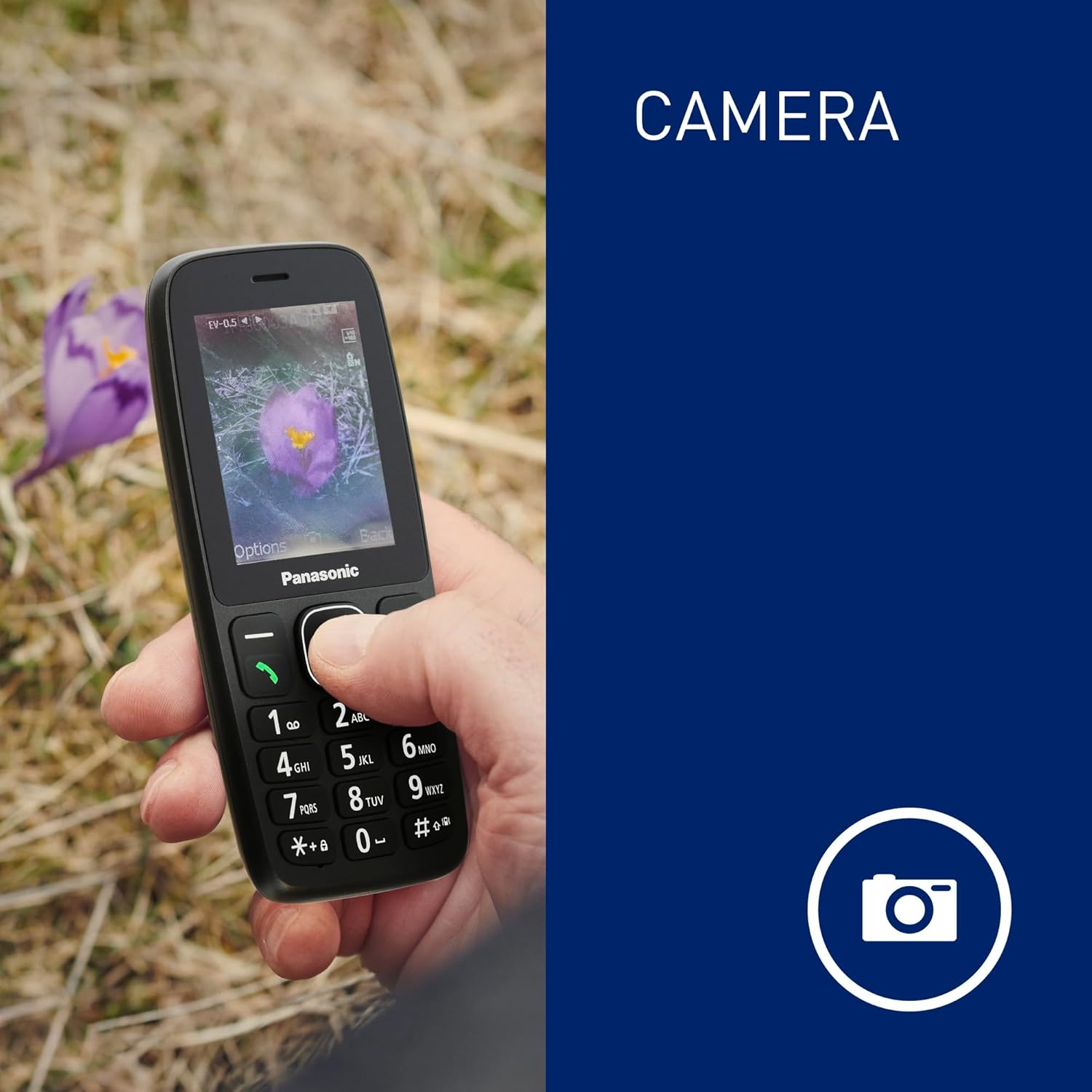
The phone's screen displaying an image captured by its integrated camera function.
4.7. אזעקה
Set customizable alarms through the phone's menu to help you stay on schedule.
5. תחזוקה
5.1. עמידות בפני אבק ומים (IP44)
The Panasonic KX-TF400EXB is rated IP44, meaning it is protected against solid objects larger than 1mm and splashing water from any direction. This makes it suitable for outdoor activities and light exposure to moisture.
- Avoid submerging the phone in water.
- ודא שכל הפתחים והמכסים סגורים היטב כדי לשמור על עמידות למים.
- אם הטלפון נרטב, נגבו אותו מיד ולייבש אותו בעזרת מטלית נקייה.

The phone demonstrating its IP44 dust and water resistance, suitable for various environments.
5.2. טיפול בסוללה
- Use only the original or approved charging cable.
- הימנע מחשיפת הסוללה לטמפרטורות קיצוניות.
- For optimal battery life, avoid frequently draining the battery completely.
The phone offers a reliable battery life of up to המתנה של 200 שעות ו 5 hours talk time.
6. פתרון תקלות
6.1. בעיות נפוצות ופתרונות
| לְהַנפִּיק | פתרון אפשרי |
|---|---|
| הטלפון לא נדלק | ודא שהסוללה הוכנסה כהלכה וטעונה. נסה לטעון את הטלפון במשך 30 דקות לפחות. |
| לא ניתן לבצע/לקבל שיחות | Check if the SIM card is properly inserted and activated. Verify network signal strength. |
| איכות שיחה ירודה | Move to an area with better network coverage. Ensure the speaker/microphone is not obstructed. |
| הסוללה מתרוקנת במהירות | הפחת את בהירות המסך. סגור יישומים שאינם בשימוש. הגבל את השימוש בנתוני רקע. |
| Phone is unresponsive | הסר והכנס מחדש את הסוללה כדי לבצע איפוס רך. |
אם הבעיה נמשכת לאחר ניסיון פתרונות אלה, אנא צור קשר עם תמיכת הלקוחות.
7. מפרטים
| תכונה | פְּרָט |
|---|---|
| מספר דגם | KX-TF400EXB |
| מידות (L x W x H) | 1.46 x 5.62 x 13.17 ס"מ |
| מִשׁקָל | 84.1 grams (with battery) |
| גודל תצוגה | 2.4 אינץ' |
| רזולוציית תצוגה | 320 x 240 פיקסלים |
| טכנולוגיה סלולרית | 4G LTE (VoLTE) |
| סוג כרטיס SIM | Standard SIM (Single SIM slot) |
| מַעֲרֶכֶת הַפעָלָה | ThreadX Mocor20A |
| דגם מעבד | מדיהטק הליו |
| אחסון פנימי | 32 GB (maximum flash memory supported) |
| קיבולת סוללה | 1000 מיליאמפר/שעה (ליתיום-יון) |
| זמן דיבור | עד 5.5 שעות |
| זמן המתנה | עד 280 שעות |
| יציאת טעינה | USB Type-C |
| שקע אוזניות | 3.5 מ"מ |
| עמידות במים | IP44 (עמיד בפני אבק והתזות) |
| תכונות מיוחדות | LED Flashlight, Camera, Alarm |

A diagram illustrating the physical dimensions (length, width, thickness) and weight of the Panasonic KX-TF400EXB phone.
8. אחריות ותמיכה
8.1. מידע על אחריות
This Panasonic KX-TF400EXB phone comes with a אחריות יצרן לשנה ממועד הרכישה. אחריות זו מכסה פגמים בחומרים ובביצוע בשימוש רגיל. היא אינה מכסה נזק שנגרם כתוצאה משימוש לרעה, תאונות, שינויים לא מורשים או בלאי רגיל.
8.2. תמיכת לקוחות
For technical assistance, warranty claims, or further inquiries, please refer to the contact information provided in your purchase documentation or visit the official Panasonic webאתר עבור האזור שלך.