1. הקדמה
The Kratos K13 is an AI-powered auto face tracking tripod designed for mobile phones. It features 360-degree rotation, gesture control, and operates without the need for a dedicated application. This device is suitable for hands-free video calls, live streaming, vlogging, and video recording, providing stable and dynamic camera movement.
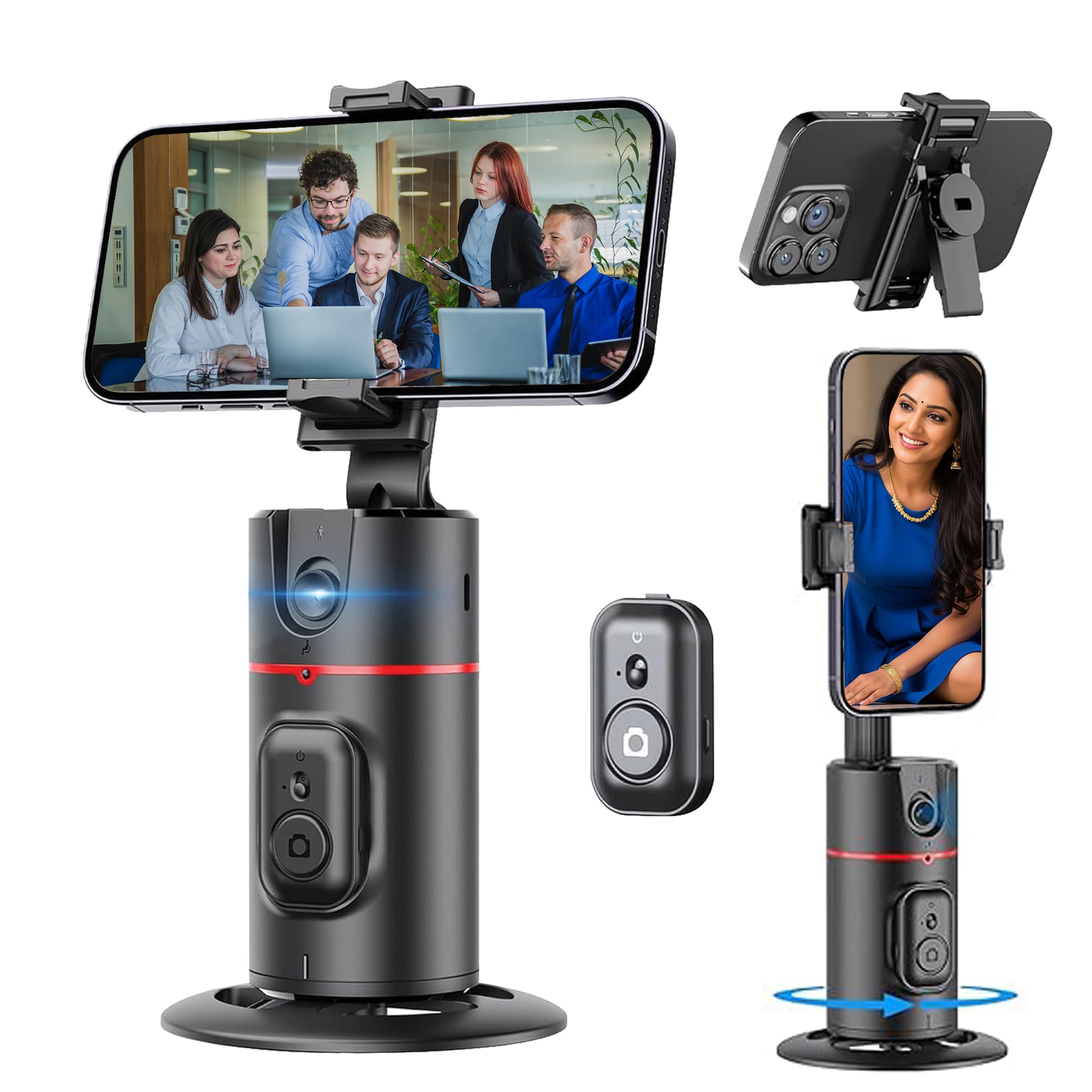
Figure 1: Kratos K13 in use, demonstrating app-free operation.
2. מה בקופסה
- Kratos K13 AI Powered Auto Face Tracking Tripod
- שְׁלַט רָחוֹק
- תעודת אחריות
3. המוצר נגמרview
תכונות עיקריות:
- מעקב פנים של בינה מלאכותית: Automatically tracks your face or body with 360-degree rotation.
- No App Required: Operates independently without the need for Bluetooth pairing or a mobile application.
- 360° Rotatable Phone Holder: Allows for versatile camera mode selection, supporting both portrait and landscape orientations.
- Standard 1/4" Interface: Equipped with a 1/4-inch screw thread at the bottom for mounting on external tripods.
- תאימות רחבה לטלפונים: The phone holder securely fits mobile phones ranging from 7 cm to 10.5 cm in width.
- סוללה נטענת מובנית: Features a 2200 mAh battery with a Type-C charging port, providing 8-9 hours of operation on a full charge.
- בקרת מחוות חכמה: Use specific hand gestures to initiate and pause tracking.
- Detachable Remote: כולל שלט רחוק לתפעול נוח.

Figure 2: Kratos K13 product components.
4. התקנה
4.1 Attaching Your Mobile Phone
- Gently expand the phone holder clamps.
- Insert your mobile phone into the holder, ensuring it is securely gripped. The holder accommodates phones between 7 cm and 10.5 cm wide.
- Adjust the phone's position for optimal balance and camera alignment.

Figure 3: Phone attachment and tripod compatibility.
4.2 Mounting on an External Tripod (Optional)
The Kratos K13 features a standard 1/4-inch screw thread at its base. To mount it on an external tripod:
- Align the 1/4-inch screw of your external tripod with the thread on the Kratos K13 base.
- Rotate the Kratos K13 clockwise until it is securely fastened to the tripod.
- Adjust the angle and height as needed using your external tripod's controls.
4.3 הגדרת שלט רחוק
The Kratos K13 includes a detachable remote control. To use the remote:
- Ensure the remote control has a working CR1632 battery installed.
- Press and hold the button on the remote to power it on.
- The remote connects automatically to the Kratos K13.

Figure 4: Detachable remote control for the Kratos K13.
5. הוראות הפעלה
5.1 הפעלה/כיבוי
Press and hold the power button on the Kratos K13 unit for a few seconds to turn it on or off. An indicator light will confirm the power status.
5.2 Activating Auto Face Tracking
Once powered on, the Kratos K13 automatically enters tracking mode. Position yourself in front of the device, and it will begin to track your face or body, rotating 360 degrees to keep you in frame.

Figure 5: Auto tracking mode in action.
5.3 סיבוב של 360 מעלות
The Kratos K13 offers continuous 360-degree horizontal rotation. The phone holder can also be flipped 180 degrees to achieve various perspectives, including portrait and landscape orientations.
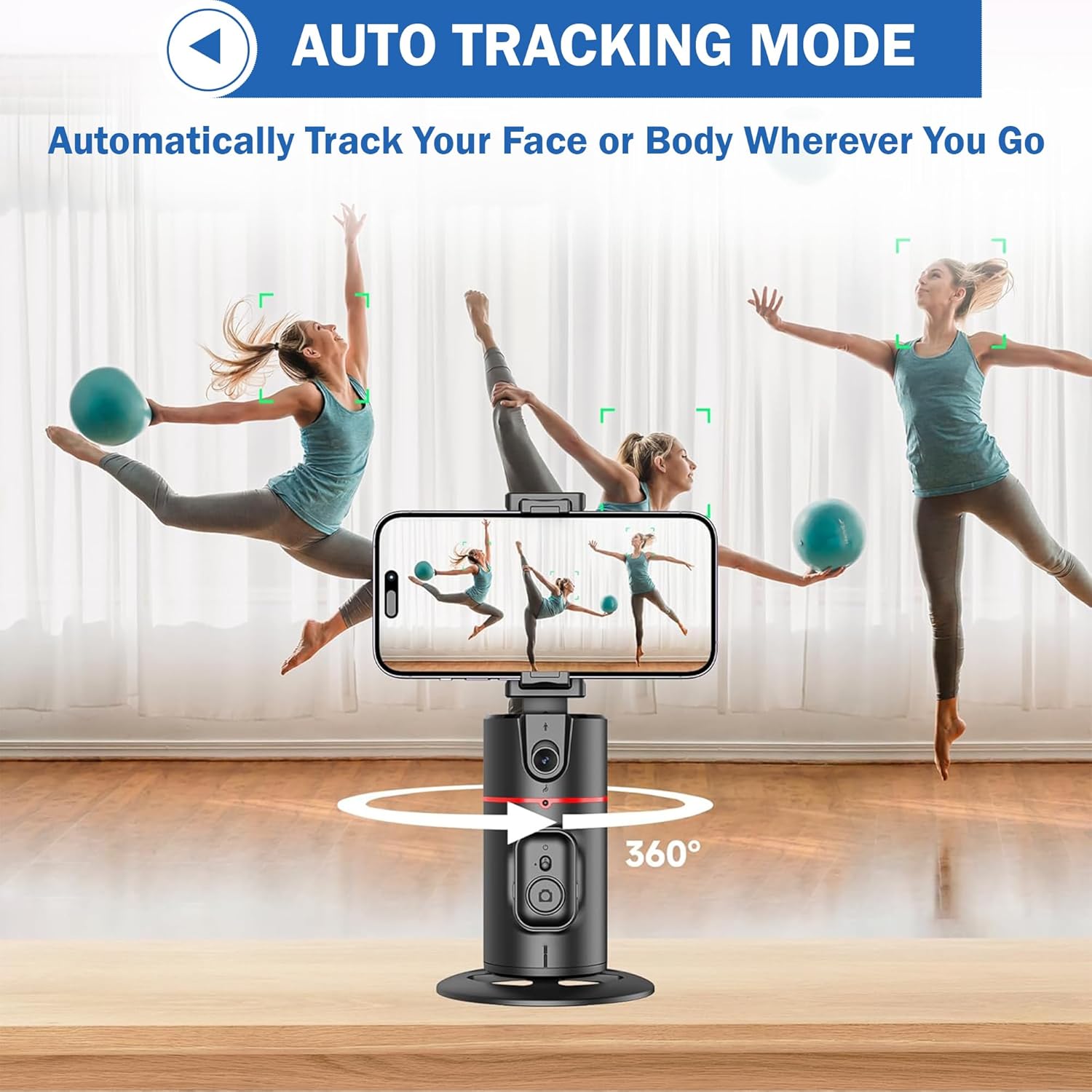
Figure 6: 360-degree rotation and holder adjustment.
5.4 Detachable Clip Functionality
The phone clip can be detached from the main unit, allowing for flexible use cases or easier storage.

Figure 7: Detachable phone clip.
6. בקרת מחוות
The Kratos K13 supports smart gesture control for convenient operation:
- תנועת "אישור": Make an "OK" hand gesture in front of the camera to initiate tracking or recording.
- Open Palm Gesture: Present an open palm hand gesture to the camera to pause tracking or recording.

Figure 8: Gesture control for starting and stopping tracking.
7. טעינה
The Kratos K13 is equipped with a built-in 2200 mAh rechargeable battery. To charge the device:
- Connect the provided Type-C charging cable to the charging port on the Kratos K13.
- חבר את הקצה השני של הכבל למתאם חשמל USB מתאים (לא כלול).
- The charging indicator light will illuminate during charging and turn off once the battery is fully charged.
A full charge typically provides 8-9 hours of continuous operation.
8. תחזוקה
To ensure the longevity and optimal performance of your Kratos K13:
- ניקוי: נגבו את המכשיר במטלית רכה ויבשה. הימנעו משימוש בחומרי ניקוי שוחקים או ממסים.
- אִחסוּן: אחסנו את החצובה במקום קריר ויבש, הרחק מאור שמש ישיר וטמפרטורות קיצוניות.
- טיפול בסוללה: לאחסון ממושך, טען את הסוללה לכ-50% כל שלושה חודשים כדי לשמור על תקינותה.
- הימנע ממים: המכשיר אינו עמיד למים. יש להרחיק אותו ממים ולחות גבוהה.
9. פתרון תקלות
If you encounter issues with your Kratos K13, refer to the following common solutions:
- המכשיר לא מופעל: ודא שהסוללה טעונה. חבר את המכשיר למקור חשמל באמצעות כבל Type-C.
- Tracking Not Working: Ensure you are within the optimal tracking range and lighting conditions. Make sure no obstructions are blocking the sensor. Re-attempt the gesture control.
- שלט רחוק לא מגיב: Check if the remote control battery (CR1632) needs replacement. Ensure the remote is powered on.
- הטלפון לא מתאים בצורה בטוחה: Verify that your phone's width is between 7 cm and 10.5 cm. Adjust the phone carefully within the clamps.
אם הבעיות נמשכות, אנא פנו לתמיכת הלקוחות.
10. מפרטים
| מותג | קרייטוס |
| דֶגֶם | K13 |
| מידות המוצר | 30 x 5.5 x 5 ס"מ |
| משקל פריט | 200 גרם |
| חוֹמֶר | אֲלוּמִינְיוּם |
| מכשירים תואמים | Cellphone, iPhone (7 cm to 10.5 cm width) |
| תכונה מיוחדת | Auto Face Tracking, Gesture Control, 360° Rotation, No App Needed |
| קיבולת סוללה | 2200 מיליאמפר/שעה |
| חיי סוללה | 8-9 שעות (בערך) |
| יציאת טעינה | סוג-C |
| מחבר חצובה | Standard 1/4 inch screw thread |
11. אחריות ותמיכה
11.1 מידע אחריות
The Kratos K13 AI Powered Auto Face Tracking Tripod comes with a אחריות לשנה from the date of purchase. This warranty covers manufacturing defects and malfunctions under normal use. Please retain your purchase receipt for warranty claims.
11.2 תמיכת לקוחות
For technical assistance, warranty claims, or any other inquiries, please contact Kratos customer support:
- טֵלֵפוֹן: 81482 73270
- אֶלֶקטרוֹנִי: help@gokratos.com
Please provide your model number (K13) and a detailed description of the issue when contacting support.