
1. הקדמה
The FIREBAT X3 Wired RGB Gaming Mouse is designed for precision and comfort, suitable for various computing tasks including gaming, office work, and general use. This manual provides detailed instructions for setting up, operating, and maintaining your mouse.

מֵעַלview of the FIREBAT X3 Wired RGB Gaming Mouse highlighting its main features.
2. התקנה
2.1 חיבור העכבר
The FIREBAT X3 Gaming Mouse features a simple plug-and-play design for easy setup.
- Locate an available USB-A port on your computer or laptop.
- Insert the USB connector of the mouse into the USB-A port.
- Your operating system will automatically detect and install the necessary drivers. No additional software installation is required for basic functionality.

The FIREBAT X3 mouse connects via a standard USB-A port for immediate use.
3. תפעול
3.1 פונקציות כפתורים
The FIREBAT X3 Gaming Mouse is equipped with 6 programmable buttons for enhanced control.
- כפתור שמאל: פונקציית קליק סטנדרטית.
- כפתור ימין: פונקציית לחיצה ימנית סטנדרטית.
- גלגל גלילה: Scrolls up and down. Can also be pressed for a middle-click function.
- מפתח כוונון DPI: משנה את רגישות העכבר (DPI).
- לחצן קדימה: מנווט קדימה ב web דפדפנים או file חוקרים.
- כפתור חזרה: מנווט אחורה ב web דפדפנים או file חוקרים.

Illustration of the 6-button layout on the FIREBAT X3 Gaming Mouse.
3.2 כוונון DPI (רגישות)
The mouse features 4 adjustable DPI levels to suit different tasks and preferences.
- הקש על DPI Adjustment Key (located behind the scroll wheel) to cycle through the preset DPI settings.
- The default DPI levels are 1200, 1800, 2400, and 3600.
- Each press will switch to the next DPI level, allowing you to find the optimal sensitivity for your current activity.

The DPI adjustment key allows for quick changes in mouse sensitivity.
3.3 מצבי תאורת RGB
The FIREBAT X3 mouse features 7 dynamic RGB backlit modes to enhance your setup.
- The RGB lighting automatically cycles through its 7 distinct modes.
- There is no manual button to change the RGB mode; the mouse will continuously display various lighting effects.
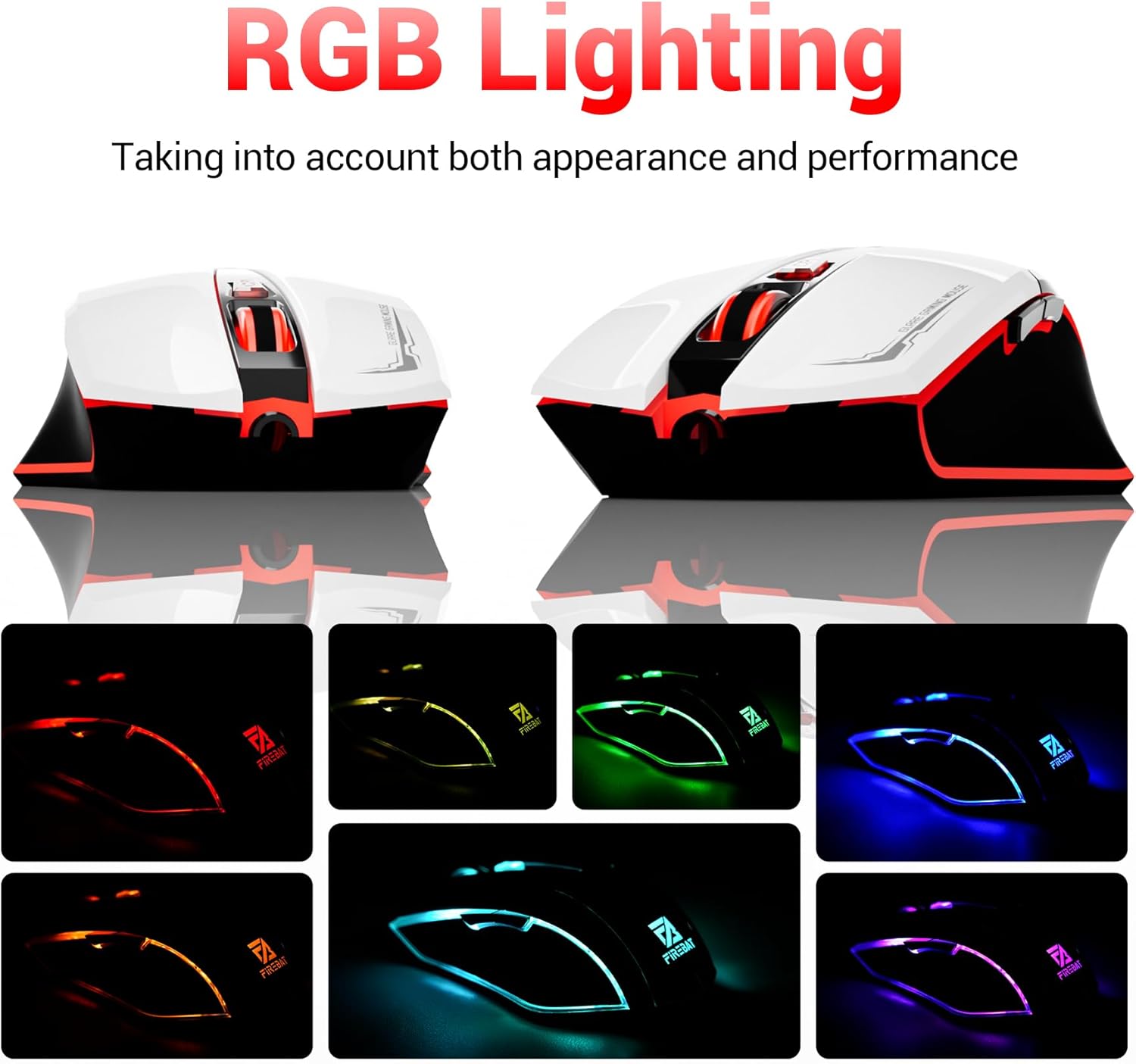
The mouse features vibrant RGB lighting with multiple dynamic modes.
3.4 Ergonomic Design and Comfort
The mouse is designed with an ergonomic shape to provide a comfortable grip and reduce hand fatigue during extended use, suitable for both right and left-hand users.

The ergonomic design ensures comfort during prolonged use.
3.5 Quiet Click Feature
The mouse incorporates a 'Heavy Bass Design' for its key sounds, ensuring soft clicks without excessive noise, which is beneficial in quiet environments.

The mouse features quiet clicks, minimizing noise during use.
4. תחזוקה
4.1 ניקוי
To ensure optimal performance and longevity, keep your mouse clean.
- נתק את העכבר מהמחשב לפני ניקויו.
- השתמש קלות במטלית רכה נטולת מוך דampנגב את פני העכבר במים או בתמיסת ניקוי עדינה.
- הימנעו משימוש בכימיקלים חזקים, חומרי ניקוי שוחקים או לחות מוגזמת, מכיוון שאלה עלולים לפגוע בעכבר.
- For the optical sensor, use a cotton swab to gently remove any dust or debris.
4.2 אחסון
כאשר אינו בשימוש, יש לאחסן את העכבר בסביבה נקייה ויבשה הרחק מטמפרטורות קיצוניות ואור שמש ישיר.
5. פתרון תקלות
5.1 עכבר לא מגיב
- בדיקת חיבור USB: ודא שכבל ה-USB מחובר היטב ליציאת USB תקינה במחשב שלך. נסה יציאת USB אחרת.
- אתחל מחשב: לפעמים הפעלה מחדש פשוטה יכולה לפתור בעיות קישוריות.
- בדיקה במחשב אחר: If possible, test the mouse on another computer to determine if the issue is with the mouse or your computer's setup.
5.2 תנועת הסמן אינה יציבה או קופצנית
- חיישן אופטי נקי: Dust or debris on the optical sensor can cause erratic movement. Refer to the cleaning instructions in the Maintenance section.
- Use a Mouse Pad: Ensure you are using the mouse on a suitable surface. Reflective, transparent, or uneven surfaces can interfere with the optical sensor.
5.3 תאורת RGB לא עובדת
- בדיקת מתח USB: Ensure the mouse is receiving sufficient power through the USB connection.
- אין שליטה ידנית: Remember that the RGB lighting cycles automatically and does not have a manual control button. If the mouse is functioning otherwise, the lighting should be active.
6. מפרטים
| תכונה | פְּרָט |
|---|---|
| מספר דגם | X3 Gaming Mouse |
| מותג | FIREBAT |
| טכנולוגיית קישוריות | USB חוטי |
| איתור תנועה | אוֹפּטִי |
| רמות DPI | 1200/1800/2400/3600 |
| מספר כפתורים | 6 (ניתן לתכנות) |
| תאורה אחורית | 7 מצבי RGB |
| מידות המוצר | 5 x 3 x 0.1 אינץ' (12.7 x 7.6 x 0.25 ס"מ) |
| משקל פריט | 5.1 אונקיות (144.6 גרם) |
| ארגונומיה | Right or Left Hand Use |
| יַצרָן | FIREBAT |
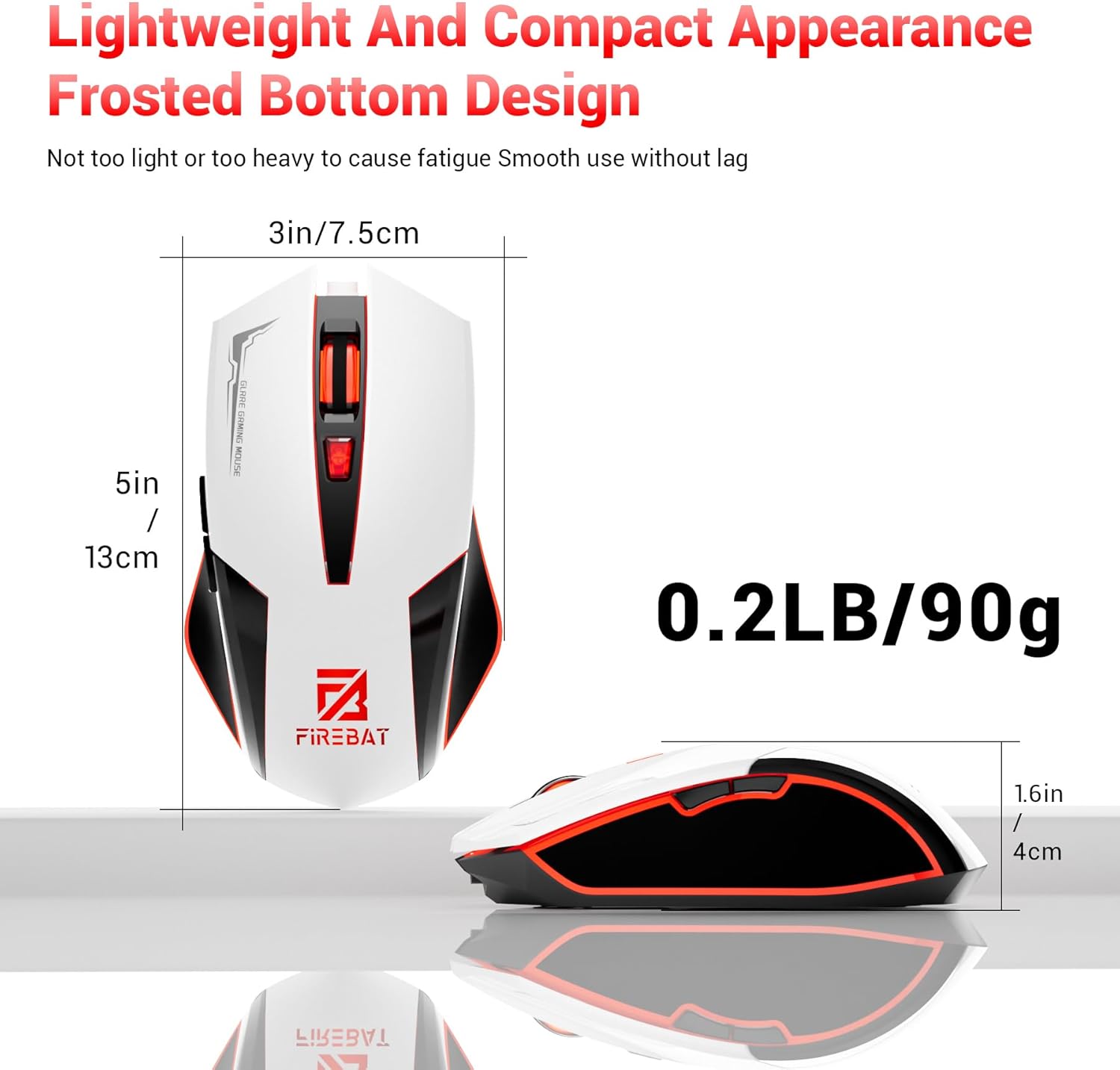
Physical dimensions and weight of the FIREBAT X3 Gaming Mouse.
7. אחריות ותמיכה
7.1 מידע אחריות
FIREBAT products are manufactured to high-quality standards. For specific warranty details, please refer to the warranty card included with your product or visit the official FIREBAT website. Typically, products come with a limited warranty covering manufacturing defects.
7.2 תמיכת לקוחות
If you encounter any issues or have questions regarding your FIREBAT X3 Gaming Mouse, please contact our customer support team:
- אֶלֶקטרוֹנִי: support@firebatpc.com
- Webאֲתַר: www.firebatpc.com
Please provide your product model number (X3 Gaming Mouse) and a detailed description of your issue when contacting support for faster assistance.