
מָבוֹא
Thank you for choosing the Micool DY20PLUS Bluetooth 5.4 Headset. This single-ear wireless headset is designed for clear communication and extended use, featuring advanced noise cancellation and long battery life. This manual provides detailed instructions to help you get the most out of your device.

Image: The Micool DY20PLUS Bluetooth 5.4 Headset, showcasing its sleek black and gold design with an ear hook and LED battery indicators.
מה יש בקופסה
Upon opening your Micool DY20PLUS package, you should find the following items:
- Micool DY20PLUS Bluetooth Headset
- כבל טעינה USB-C
- מדריך למשתמש
- אוזניות נוספות (בגדלים שונים)
סרטון: פתיחת קופסאות ומעבר לכךview of the Micool DY20PLUS headset and its included accessories, such as the charging cable and various eartips.
הגדרה
1. טעינת האוזניות
Before first use, fully charge your headset. The Micool DY20PLUS features a Type-C charging port for convenience.
- Connect the provided USB-C charging cable to the headset's charging port.
- חבר את הקצה השני של הכבל למקור מתח USB תואם (למשל, מתאם קיר, יציאת USB של מחשב).
- טעינה מלאה אורכת בערך שעה וחצי עד שעתיים.
- The LED Power Display Light on the headset indicates the remaining battery level. There are four levels, with each grid representing 25% of the battery. Double-click the Volume+ button to check the remaining power.

Image: Visual representation of the headset's quick charge capability, showing that 10 minutes of charging provides 4 hours of continuous use.
2. צימוד עם המכשיר שלך
The DY20PLUS uses Bluetooth 5.4 for a stable and efficient connection.
- ודא שהאוזניות טעונות וכבויות.
- Press and hold the Multi-Function Button (MFB) on the headset for more than 3 seconds until the indicator light flashes, indicating it's in pairing mode.
- במכשיר שלך (סמארטפון, טאבלט, מחשב), הפעל את Bluetooth וחפש מכשירים זמינים.
- Select "DY20PLUS" from the list of found devices to connect.
- Once successfully paired, the indicator light will stop flashing.
The headset offers a wireless connection distance of up to 50 meters (150 feet) in a straight line and can be connected to two devices simultaneously, allowing you to seamlessly switch between music and calls.
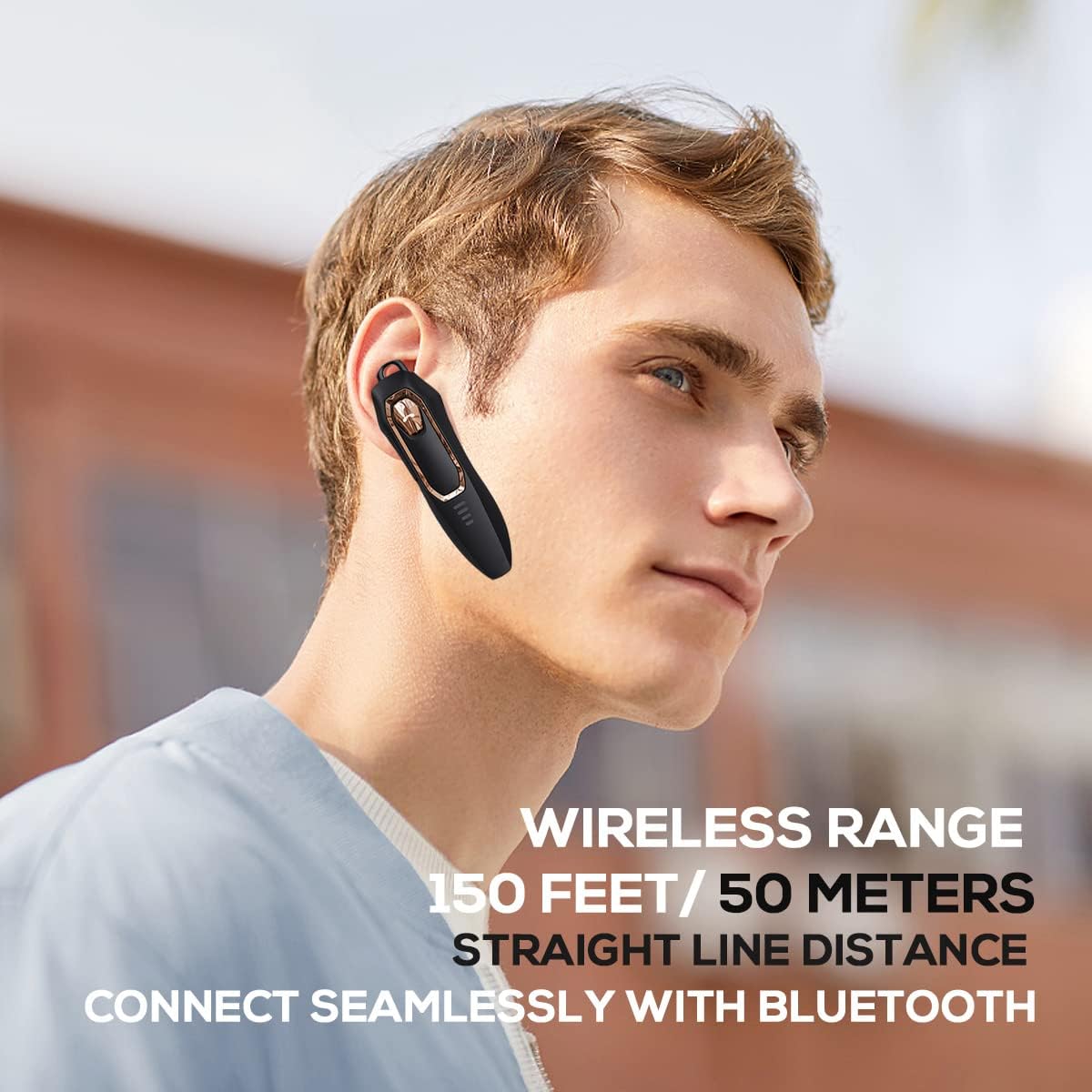
Image: A person wearing the headset, illustrating the 150 feet / 50 meters wireless range and seamless Bluetooth connectivity.
הוראות הפעלה
הכירו את בקרות האוזניות לשימוש אופטימלי.
פונקציות כפתור:

Image: A detailed diagram showing the location and function of each button on the Micool DY20PLUS headset, including the Multi-Function Button (MFB), volume controls, and mute button.
- הפעלה/כיבוי: Press and hold the MFB for >3 seconds.
- הפעל/השהה מוזיקה: One-tap the MFB.
- מענה/סיום שיחה: One-tap the MFB.
- דחה שיחה: Press and hold the MFB for >2 seconds.
- הפעלת העוזר הקולי (Siri/Google Assistant): Double-tap the MFB.
- החלפת שירים: Press Volume+ for 2 seconds for next song, Volume- for 2 seconds for previous song.
- בקרת עוצמת הקול: Short press Volume+ to increase volume, short press Volume- to decrease volume.
- פונקציית השתקה: Press the dedicated mute button for >2 seconds to mute/unmute your microphone during a call.
- שנה שפה: Three-tap the MFB.
- חיוג חוזר לשיחה יוצאת אחרונה: Three-tap the call button (MFB).
תכונות מפתח
ביטול רעשים מתקדם
The DY20PLUS headset is equipped with two microphones for noise reduction and omnidirectional silicon microphone technology. It filters out approximately 80% of external noise. An updated Bluetooth 5.4 version with an integrated digital noise reduction algorithm further enhances noise reduction by 30%, ensuring clearer calls even in noisy environments.

Image: An illustration demonstrating how the two noise-cancelling microphones work to block background noise and maintain clear call quality.
Video: A demonstration highlighting the noise-cancelling capabilities of the Micool DY20PLUS Bluetooth Headset, particularly useful for truck drivers and noisy environments.
חיי סוללה ארוכים
The headset provides up to 36 hours of talk time and 45 hours of music playback on a single charge. With a standby time of 20 days, it's designed for long-lasting performance, suitable for extended meetings or travel.

Image: An illustration emphasizing the headset's 36+ hour talk time and 45 hours of music playback, designed to power through work calls and daily activities.
Comfortable and Lightweight Design
Weighing only 12 grams, the DY20PLUS is ultra-small and light. Its ergonomic design ensures a secure and comfortable fit for all-day wear without causing ear fatigue. The ear canal-mouth canal design is airtight and optimized for bass.

Image: A person wearing the headset, highlighting its 12g ultra-lightweight design and compatibility with various devices like laptops, computers, pads, and phones.
תאימות רחבה
The Micool DY20PLUS is compatible with a wide range of devices, including telephones, smart speakers, and cellphones, making it versatile for various communication needs.
תַחזוּקָה
- ניקוי: השתמשו במטלית רכה ויבשה לניקוי האוזניות. הימנעו משימוש בכימיקלים חזקים או בחומרים שוחקים.
- אִחסוּן: יש לאחסן את האוזניות במקום קריר ויבש, הרחק מטמפרטורות קיצוניות ואור שמש ישיר.
- עמידות במים: The headset is water-resistant. However, avoid submerging it in water or exposing it to heavy rain for prolonged periods.
- טְעִינָה: Always use the provided USB-C cable or a certified equivalent for charging to prevent damage.
פתרון בעיות
| בְּעָיָה | פתרון אפשרי |
|---|---|
| האוזניות לא נדלקות. | Ensure the headset is fully charged. Press and hold the MFB for more than 3 seconds. |
| לא ניתן לבצע התאמה עם המכשיר. |
|
| אין צליל או עוצמת קול נמוכה. |
|
| איכות השיחה ירודה. |
|
מפרטים
| תכונה | פְּרָט |
|---|---|
| שם הדגם | DY20PLUS |
| מותג | Micool |
| טכנולוגיית קישוריות | אלחוטי (Bluetooth) |
| גרסת בלוטות' | 5.4 |
| חיי סוללה (זמן דיבור) | עד 36 שעות |
| חיי סוללה (נגינת מוזיקה) | עד 45 שעות |
| זמן טעינה | 1.5 - 2 שעות |
| יציאת טעינה | USB-C |
| טווח אלחוטי | עד 50 מטר (150 רגל) |
| ביטול רעשים | Dual-Mic Noise Reduction (80% filtered, 30% enhanced by algorithm) |
| מִשׁקָל | 12 גרם |
| צורת אפרכסת | אין אוזן |
| רמת עמידות במים | עמיד במים |
| מכשירים תואמים | Telephones, Smart Speaker, Cellphones |
אחריות ותמיכה
For warranty information and customer support, please refer to the documentation included with your purchase or contact Micool customer service directly. Details can typically be found on the manufacturer's official webבאתר או דרך נקודת הרכישה שלך.