
מָבוֹא
This manual provides detailed instructions for the Micool Bluetooth Headset V5.4 (Model DY20PLUS). Please read this manual carefully before using the product to ensure proper operation and to maximize its features and lifespan. This headset is designed for clear communication and comfortable wear, featuring advanced noise cancellation and long battery life.
מידע בטיחות
To ensure safe and proper use of your headset, please observe the following guidelines:
- Do not expose the headset to extreme temperatures, direct sunlight, or high humidity.
- Avoid dropping or subjecting the headset to strong impacts, which may damage internal components.
- Do not attempt to disassemble, repair, or modify the headset. This will void the warranty and may cause harm.
- הרחיקו את האוזניות והאביזרים שלהן מהישג ידם של ילדים וחיות מחמד.
- Use only the provided USB-C charging cable or a certified equivalent to prevent damage to the battery.
- הימנע מהאזנה ברמות ווליום גבוהות לתקופות ממושכות כדי למנוע נזקי שמיעה.
תוכן החבילה
אנא ודא שכל הפריטים נמצאים בחבילה שלך:
- Micool Bluetooth Headset (DY20PLUS)
- כבל טעינה USB-C
- מדריך למשתמש
- Additional Eartips (Sizes L, M, S)
- וו אוזן

Image: Micool Bluetooth Headset and its accessories, including different sized eartips and a charging cable.
המוצר נגמרview
Familiarize yourself with the various components and controls of your Micool Bluetooth Headset:

תמונה: חזית view of the Micool Bluetooth Headset, highlighting the main call button, volume controls, and the LED battery indicator lights.
- כפתור רב תכליתי: Used for power on/off, answering/ending calls, and playing/pausing music.
- כפתורי עוצמת קול +/-: Adjust volume, skip tracks, and check battery level.
- תצוגת כוח LED: Indicates the remaining battery level with four segments.
- מִיקרוֹפוֹן: Equipped with dual-mic noise reduction for clear voice input during calls.
- יציאת טעינה USB-C: For connecting the charging cable to power the headset.
הגדרה
1. טעינת האוזניות
Before initial use, fully charge your headset to ensure optimal battery performance.
- חברו את כבל הטעינה USB-C ליציאת הטעינה של האוזניות.
- חבר את הקצה השני של הכבל למקור מתח USB (לדוגמה, מחשב, מתאם קיר).
- The LED power display will illuminate to indicate charging. A full charge typically takes approximately 1.5-2 hours.
2. התאמה עם מכשיר
The headset utilizes Bluetooth 5.4 for a stable and efficient wireless connection up to 50 meters.
- Ensure the headset is powered off and fully charged.
- Press and hold the Multi-function Button for approximately 3-5 seconds until the LED indicator flashes blue and red alternately. This indicates the headset is in pairing mode.
- On your desired device (smartphone, tablet, laptop), enable Bluetooth and search for available devices.
- Select "DY20PLUS" from the list of found devices.
- Once successfully connected, the LED indicator will flash blue slowly.
3. Connecting to Two Devices Simultaneously (Multi-point Connection)
The DY20PLUS supports connecting to two Bluetooth devices concurrently, allowing seamless switching between them.
- Pair the headset with the first device following the steps above.
- Disable Bluetooth on the first device. The headset will re-enter pairing mode (flashing blue and red).
- התאם את האוזניות למכשיר השני.
- Re-enable Bluetooth on the first device. The headset should automatically connect to both devices. You can now receive calls or play audio from either device.
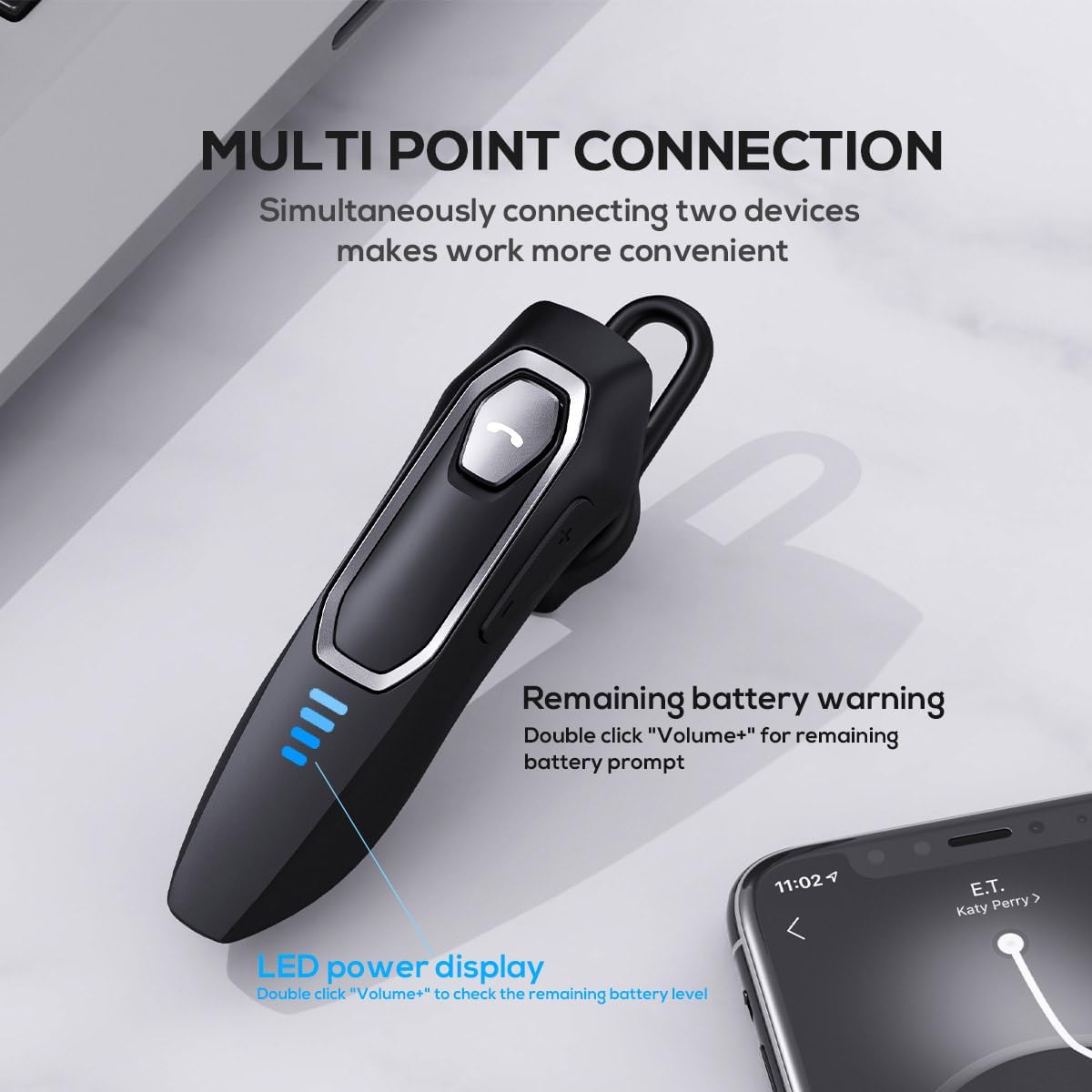
Image: The Micool headset demonstrating its multi-point connection capability, allowing simultaneous connection to two devices.
הוראות הפעלה
הפעלה/כיבוי
- הפעלה: לחץ והחזק את לחצן הרב-פונקציות למשך 3 שניות.
- כיבוי: לחץ והחזק את לחצן הרב-פונקציות למשך 5 שניות.
ניהול שיחות
- מענה/סיום שיחה: לחץ לחיצה קצרה על הלחצן הרב-פונקציונלי.
- דחה שיחה: לחץ והחזק את לחצן הרב-פונקציות למשך 2 שניות.
- השתקה/ביטול השתקה של מיקרופון: During a call, press and hold the Volume "-" button for approximately 2 seconds.
- חיוג חוזר לשיחה יוצאת אחרונה: Triple-tap the Multi-function Button.

Image: Illustration of the mute function, activated by holding the Volume '-' button.
השמעת מוסיקה
- הפעל/השהה: לחץ לחיצה קצרה על הלחצן הרב-פונקציונלי.
- הרצועה הבאה: Press and hold the Volume "+" button for 2 seconds.
- רצועה קודמת: Press and hold the Volume "-" button for 2 seconds.
בקרת עוצמת הקול
- הגדל את עוצמת הקול: Short press the Volume "+" button.
- הפחת עוצמת הקול: Short press the Volume "-" button.
עוזר קולי
- הפעלת העוזר הקולי (Siri, Google Assistant וכו'): Double-click the Multi-function Button.
צג כוח LED
- The four LED lights indicate the remaining battery level, with each light representing approximately 25% charge.
- To check the remaining power, double-click the Volume "+" button.
Image: The LED power display on the headset, indicating battery level.
תַחזוּקָה
Proper maintenance will help extend the life of your Micool Bluetooth Headset:
- Clean the headset regularly with a soft, dry, lint-free cloth.
- אין להשתמש בחומרי ניקוי שוחקים, ממסים או כימיקלים חזקים, מכיוון שאלה עלולים לפגוע במשטח או ברכיבים הפנימיים.
- יש לאחסן את האוזניות במקום קריר ויבש, הרחק מאור שמש ישיר וטמפרטורות קיצוניות.
- Ensure the USB-C charging port is free of dust and debris to maintain proper charging connection.
- If the headset gets wet, wipe it dry immediately. Do not charge it until it is completely dry.
פתרון בעיות
אם נתקלת בבעיות כלשהן עם האוזניות שלך, אנא עיין בבעיות הנפוצות ובפתרונות הבאים:
| בְּעָיָה | סיבה אפשרית | פִּתָרוֹן |
|---|---|---|
| האוזניות לא נדלקות. | סוללה חלשה או ריקה. | טען את האוזניות במלואן באמצעות כבל ה-USB-C המצורף. |
| לא ניתן לבצע התאמה עם המכשיר. | Headset not in pairing mode; Bluetooth disabled on device; device too far. | Ensure headset is in pairing mode (flashing red/blue); enable Bluetooth on your device; move device closer (within 50m). Clear previous Bluetooth connections if necessary. |
| אין צליל או איכות צליל ירודה. | Volume too low; headset not connected; audio source issue; interference. | Adjust headset and device volume; re-pair headset; check audio source; move away from other wireless devices. |
| המיקרופון לא עובד. | Mute function active; microphone blocked; device settings. | Deactivate mute function (hold Volume "-" for 2s); ensure microphone is clear; check microphone settings on your device. |
| חיי סוללה קצרים. | Headset not fully charged; high volume usage; aging battery. | Ensure full charge before use; reduce volume; if issue persists after full charge, contact support. |
מפרטים
- שם הדגם: DY20PLUS
- טכנולוגיית קישוריות: אלחוטי (Bluetooth)
- גרסת בלוטות': 5.4
- טווח Bluetooth: עד 50 מטר
- חיי סוללה (זמן דיבור): עד 36 שעות
- חיי סוללה (נגינת מוזיקה): עד 45 שעות
- זמן טעינה: בערך 1.5-2 שעות
- יציאת טעינה: USB-C
- בקרת רעש: ביטול רעשים אקטיבי (מיקרופון כפול)
- מכשירים תואמים: סמארטפונים, טאבלטים, רמקולים חכמים
- מִשׁקָל: 2.08 אונקיות (כ-59 גרם)
- חוֹמֶר: אקרילוניטריל בוטאדיאן סטירן (ABS)
- רמת עמידות במים: עמיד במים
- טווח תדרים: 20 הרץ - 20,000 הרץ
אחריות ותמיכה
Micool products are designed for reliability and performance. For detailed warranty information, including coverage and terms, please refer to the warranty card included with your product or visit the official Micool webאֲתַר.
For technical support, troubleshooting assistance, or any inquiries regarding your Micool Bluetooth Headset, please contact our customer service team through the contact information provided on your product packaging or via the Micool Amazon Store:
Micool Amazon Store: בקר בחנות
Our support team is available to assist you with any questions or concerns you may have.