
UUTouIoI RM
UUTouIoI Car Radio Stereo User Manual
Model: RM | Brand: UUTouIoI
1. הקדמה
This manual provides detailed instructions for the installation, operation, and maintenance of your UUTouIoI Car Radio Stereo. This advanced head unit features Android 13, a 10-inch touchscreen, Wireless CarPlay, Android Auto, GPS navigation, Bluetooth, Wi-Fi, AM/FM radio, and includes a rear view camera. It is designed for compatibility with various Jeep and Dodge models, including Jeep Wrangler/Unlimited (2007-2018), Jeep Compass (2009-2016), Jeep Patriot (2009-2016), Jeep Grand Cherokee (2005-2011), Jeep Liberty (2008-2011), Jeep Commander (2008-2011), Chrysler Sebring (2007-2010), Town & Country (2007-2010), Dodge Grand Caravan (2011-2014), Dodge Charger (2008-2010), and Dodge Ram Pickup 1500/2500/3500 (2009-2012).
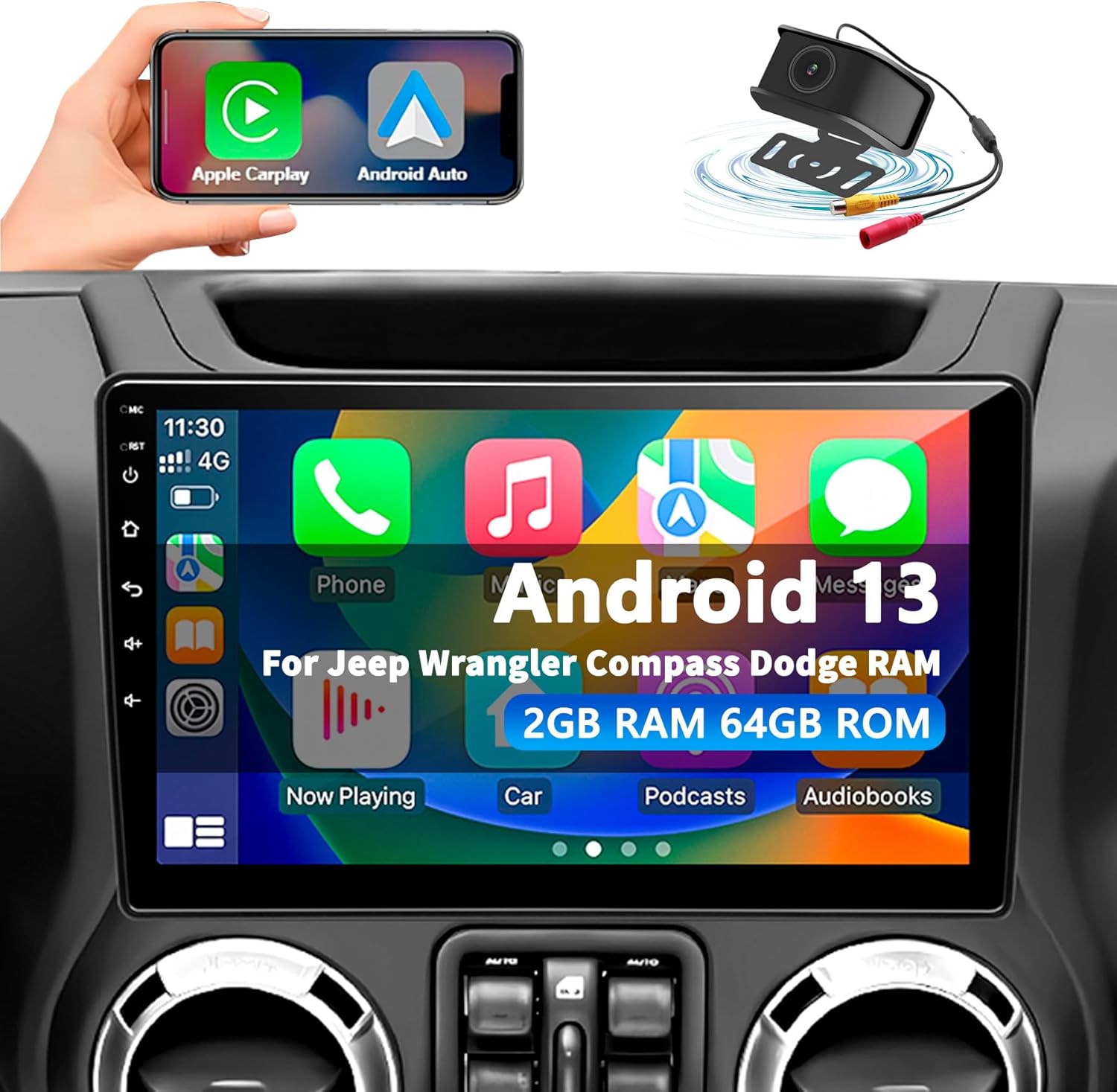
Image: The UUTouIoI 10-inch Car Radio Stereo displaying its main Android 13 interface with various application icons, along with small insets showing a hand holding a smartphone with Apple CarPlay and Android Auto logos, and a backup camera with signal waves.
2. תכונות עיקריות
- תאימות רחבה: Designed for a broad range of Jeep, Dodge, and Chrysler models from 2005-2018.
- CarPlay אלחוטי ואנדרואיד אוטו: Seamless smartphone integration for navigation, calls, messages, and music via voice assistant or touchscreen.
- ניווט GPS וקישוריות WiFi: Features built-in offline North America maps and supports online maps via Wi-Fi, allowing app installation from the Application Store.
- 1080P Backup Camera: Includes a waterproof 170-degree wide-angle backup camera with automatic reverse guidelines.
- עיבוד אודיו מתקדם: AM/FM Radio with 48-EQ Professional DSP for customizable sound profiles (Normal, Jazz, Pop, Classical, Heavy Metal, Vocal, Soft) and bass boost options.
- תמיכה בבקרת הגה: Retains original steering wheel control functionality for convenience.
3. מדריך התקנה
3.1. בדיקות טרום התקנה
Before beginning installation, ensure your vehicle is compatible with the UUTouIoI Car Radio Stereo. Verify all included components are present as listed in the 'What's in the Box' section. Disconnect the vehicle's battery to prevent electrical shorts during installation.
3.2. שלבי התקנה
- Carefully remove your vehicle's existing car stereo unit and trim panels. Refer to your vehicle's specific service manual for detailed removal instructions.
- Connect the provided power cables, RCA cables, and other necessary wiring harnesses to the new UUTouIoI head unit. Ensure all connections are secure.
- התקן את אנטנת ה-GPS במקום עם ראייה נקייה view של השמיים, בדרך כלל על לוח המחוונים או מתחת לשמשה הקדמית.
- Connect the backup camera cable. Route the cable from the rear of the vehicle to the head unit, ensuring it is properly secured and protected from damage. Connect the camera's power to the vehicle's reverse light circuit for automatic activation.
- Mount the UUTouIoI head unit into the dashboard opening. Secure it using the appropriate mounting brackets and screws.
- חבר מחדש את מצבר הרכב ובדוק את תפקוד היחידה לפני הרכבה מחדש של כל לוחות החיפוי.
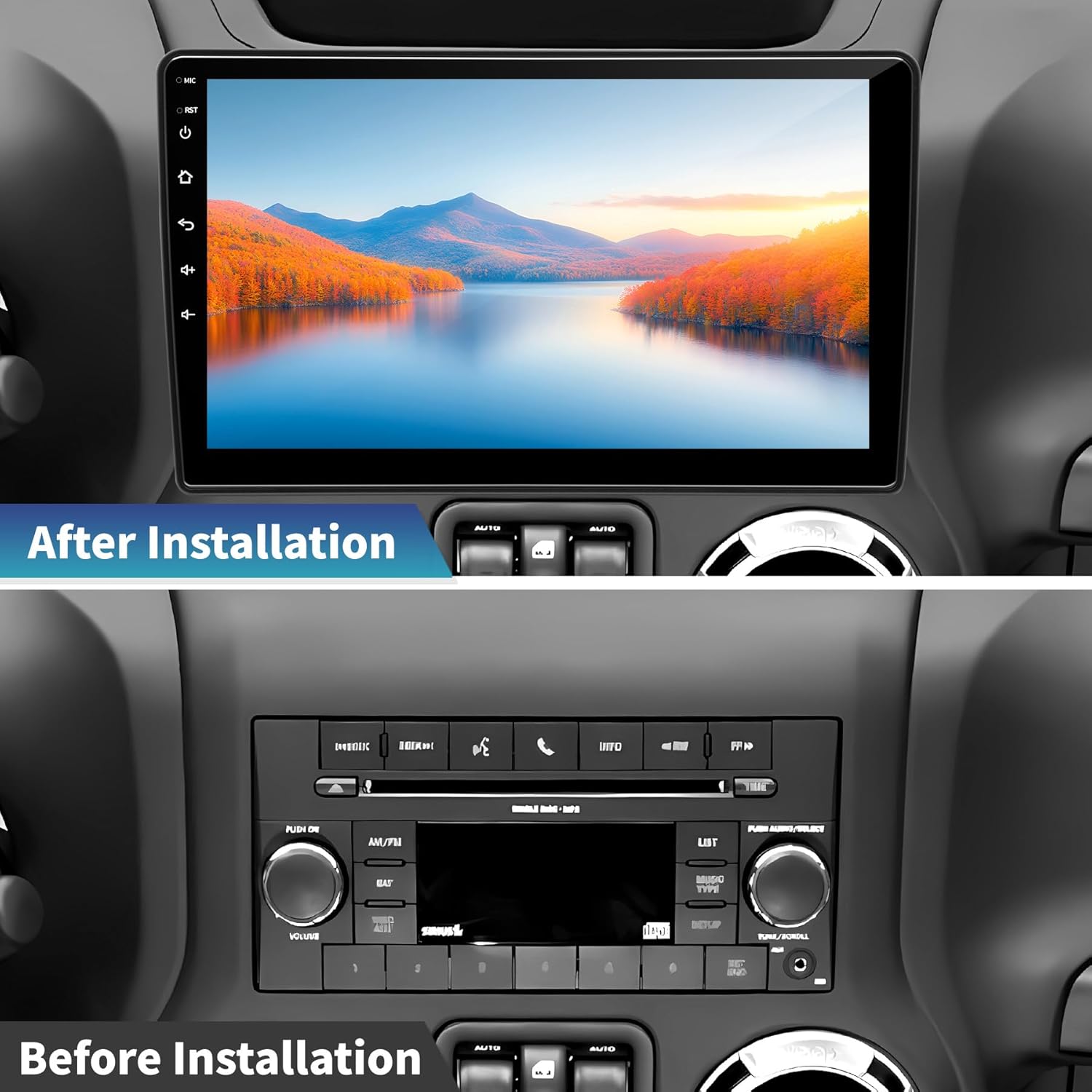
Image: A visual comparison of a car's dashboard before and after the installation of the UUTouIoI car radio stereo, highlighting the integrated 10-inch display.

Image: A detailed diagram illustrating the dimensions of the 10-inch car radio and a comprehensive display of all included accessories, such as power cables, RCA cables, backup camera, GPS antenna, and installation tools.
4. הוראות הפעלה
4.1. תפעול כללי
The UUTouIoI Car Radio Stereo operates primarily through its responsive 10-inch touchscreen. Navigate through menus, select applications, and control settings by tapping, swiping, and pinching gestures. Physical buttons on the side of the unit provide quick access to essential functions like power, reset, home, and volume.
4.2. CarPlay אלחוטי ואנדרואיד אוטו
Connect your iPhone or Android smartphone wirelessly via Bluetooth or using a USB cable to activate CarPlay or Android Auto. This feature mirrors your phone's essential apps (navigation, music, calls, messages) onto the car's display, allowing for safe and convenient access while driving. Use voice commands (Siri or Google Assistant) or the touchscreen to interact.

Image: Demonstrates the user interface for Wireless CarPlay and Android Auto on the car stereo, showing how smartphone applications are integrated and accessible.
4.3. ניווט GPS ו-Wi-Fi
The unit comes with a built-in offline map of North America. For real-time traffic updates and access to other online mapping services (e.g., Google Maps, Waze), connect the unit to a Wi-Fi hotspot (e.g., from your smartphone). Wi-Fi connectivity also enables downloading and installing other Android applications from the Application Store.

Image: The car radio displaying GPS navigation, with icons for various supported mapping applications.
4.4. AM/FM Radio & DSP Settings
Access the AM/FM radio tuner to listen to local broadcasts. The unit features a 48-EQ Professional DSP (Digital Signal Processor) allowing extensive audio customization. Adjust equalizer settings, select from preset sound profiles (Jazz, Pop, Classical, etc.), and fine-tune surround sound and subwoofer levels for optimal audio quality.
4.5. שליטה קולית
Utilize the integrated voice control feature (compatible with Siri/Google Assistant) to manage navigation, make calls, send messages, and control music playback hands-free. Simply activate the voice assistant and speak your commands.
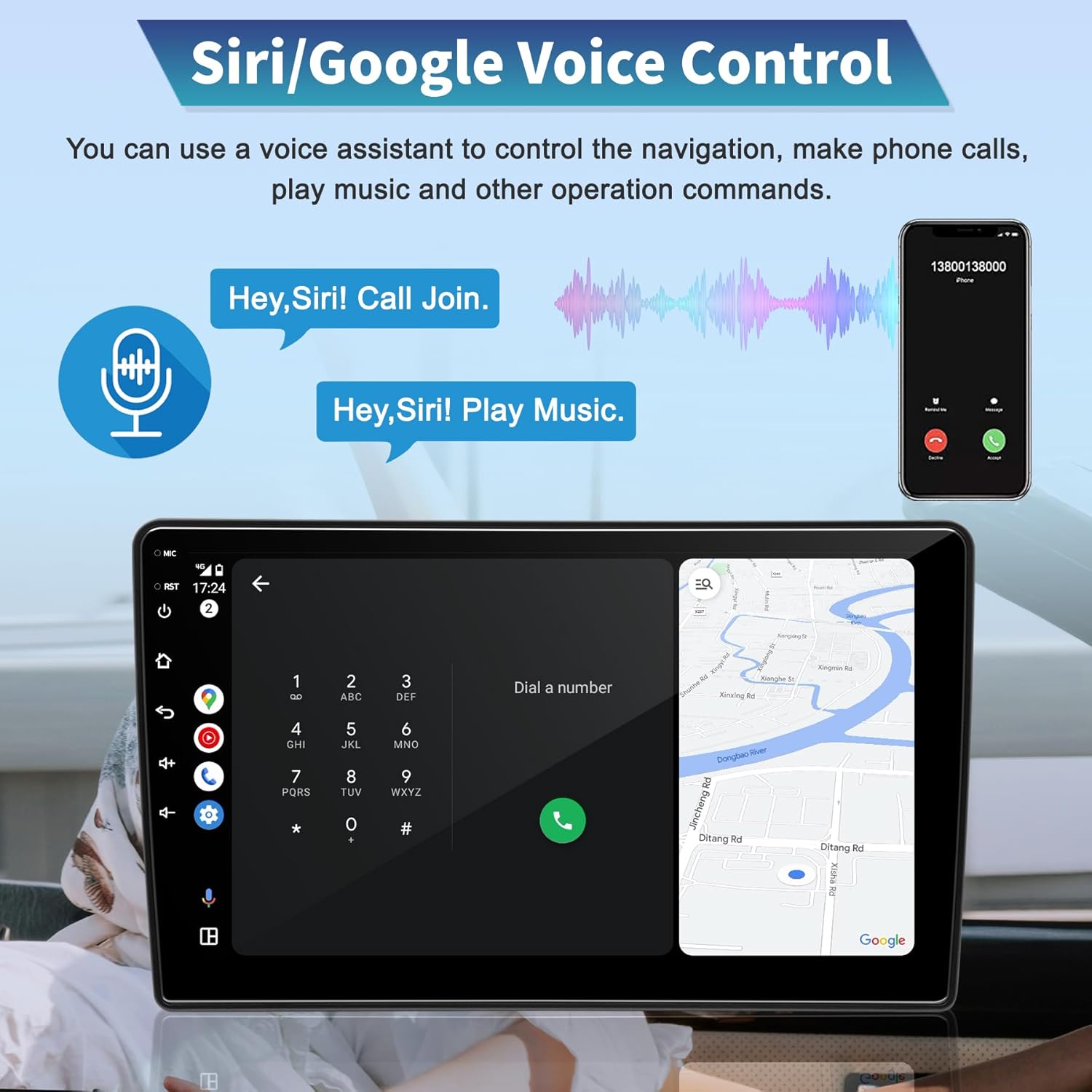
Image: Illustrates the voice control functionality, showing how users can interact with the system for calls and navigation using voice commands.
4.6. מצלמת רוורס
When the vehicle is shifted into reverse, the 1080P waterproof backup camera automatically displays a wide-angle view of the area behind your vehicle on the main screen. Dynamic guidelines assist with parking and maneuvering.

Image: The car radio screen showing the real-time feed from the backup camera with parking guidelines.
4.7. בקרת הגה
The unit supports your vehicle's original steering wheel controls. This allows you to manage audio playback, answer calls, and navigate menus without taking your hands off the steering wheel. Configuration may be required in the unit's settings menu.
4.8. המוצר נגמרview וִידֵאוֹ
Watch this official product video for a visual demonstration of the UUTouIoI Car Radio Stereo's features and functionalities, including its Android 13 interface, CarPlay/Android Auto, Bluetooth music connection, DSP settings, Mirrorlink, Backup Camera, and Driving Record capabilities.
סרטון: מוצר רשמי נגמרview מופעasing the UUTouIoI Car Radio Stereo's key features and user interface.
5. תחזוקה
- ניקוי מסך: השתמש במטלית רכה ונטולת סיבים המיועדת במיוחד למוצרי אלקטרוניקה לניקוי מסך המגע. אין להשתמש במסכי ניקוי שוחקים או ממסים.
- עדכוני תוכנה: Periodically check for software updates via the unit's settings menu to ensure optimal performance and access to new features.
- טיפול סביבתי: הימנעו מחשיפת היחידה לטמפרטורות קיצוניות, לאור שמש ישיר למשך תקופות ממושכות או לחות מוגזמת.
- חיבורי כבלים: Ensure all cables remain securely connected. Periodically check for any loose connections, especially after driving on rough terrain.
6. פתרון תקלות
| בְּעָיָה | סיבה אפשרית | פִּתָרוֹן |
|---|---|---|
| היחידה לא נדלקת. | חיבור חשמל רופף, נתיך שרוף, בעיה במצבר של הרכב. | בדוק את כבלי החשמל והחיבורים. בדוק את נתיכי הרכב. ודא שסוללת הרכב טעונה. |
| אין קול מהרמקולים. | עוצמת קול נמוכה מדי, הגדרות שמע שגויות, חוטי רמקול רופפים. | Increase volume. Check DSP/audio settings. Verify speaker wire connections. |
| CarPlay/אנדרואיד אוטו לא מתחברים. | Bluetooth not paired, USB cable faulty, phone settings. | ודא שה-Bluetooth פועל ומקושר. נסה כבל USB אחר. בדוק את הגדרות CarPlay/Android Auto של הטלפון. |
| מצלמת רוורס לא מציגה. | Incorrect wiring, camera malfunction, vehicle not in reverse. | Verify camera power and video signal connections. Ensure vehicle is in reverse. |
| אות GPS חלש. | אנטנת ה-GPS חסומה או לא מותקנת כראוי. | ודא שאנטנת ה-GPS פנויה view של השמיים ומחובר היטב. |
7. מפרטים
- שם הדגם: RM
- מותג: UUTouIoI
- מַעֲרֶכֶת הַפעָלָה: אנדרואיד 13
- זֵכֶר: 2GB RAM + 64GB ROM
- גודל תצוגה: 10 אינץ'
- קישוריות: Bluetooth, Wi-Fi, USB
- מאפיינים מיוחדים: Touchscreen, Android Auto, Bluetooth, CarPlay, GPS Navigation, AM/FM Radio, DSP
- רכיבים כלולים: 10 inch Car Radio, Accessories, Backup Camera, User's Manual
- משקל פריט: 4.11 פאונד
- מידות חבילה: 11.46 x 7.83 x 5.08 אינץ'
- ארץ מוצא: סִין
8. אחריות ותמיכה
The UUTouIoI Car Radio Stereo comes with a אחריות לשנה from the date of purchase. This warranty covers manufacturing defects and malfunctions under normal use. It does not cover damage caused by improper installation, misuse, accidents, or unauthorized repairs.
For technical support, troubleshooting assistance, or warranty claims, please contact UUTouIoI customer service through the retailer where the product was purchased or visit the official UUTouIoI store page on Amazon: UUTouIoI Store.
Ask a question about this manual
Ask about setup, troubleshooting, compatibility, parts, safety, or missing instructions. Manuals+ will review the question and use this page’s manual context to help answer it.