1. הקדמה
Thank you for choosing the DEVAISE Electric Standing Desk. This manual provides essential information for the safe assembly, operation, and maintenance of your new desk. This 40x24 inch electric standing desk features a one-piece desktop, adjustable height functionality, and memory presets for personalized comfort. Please read this manual thoroughly before use and retain it for future reference.
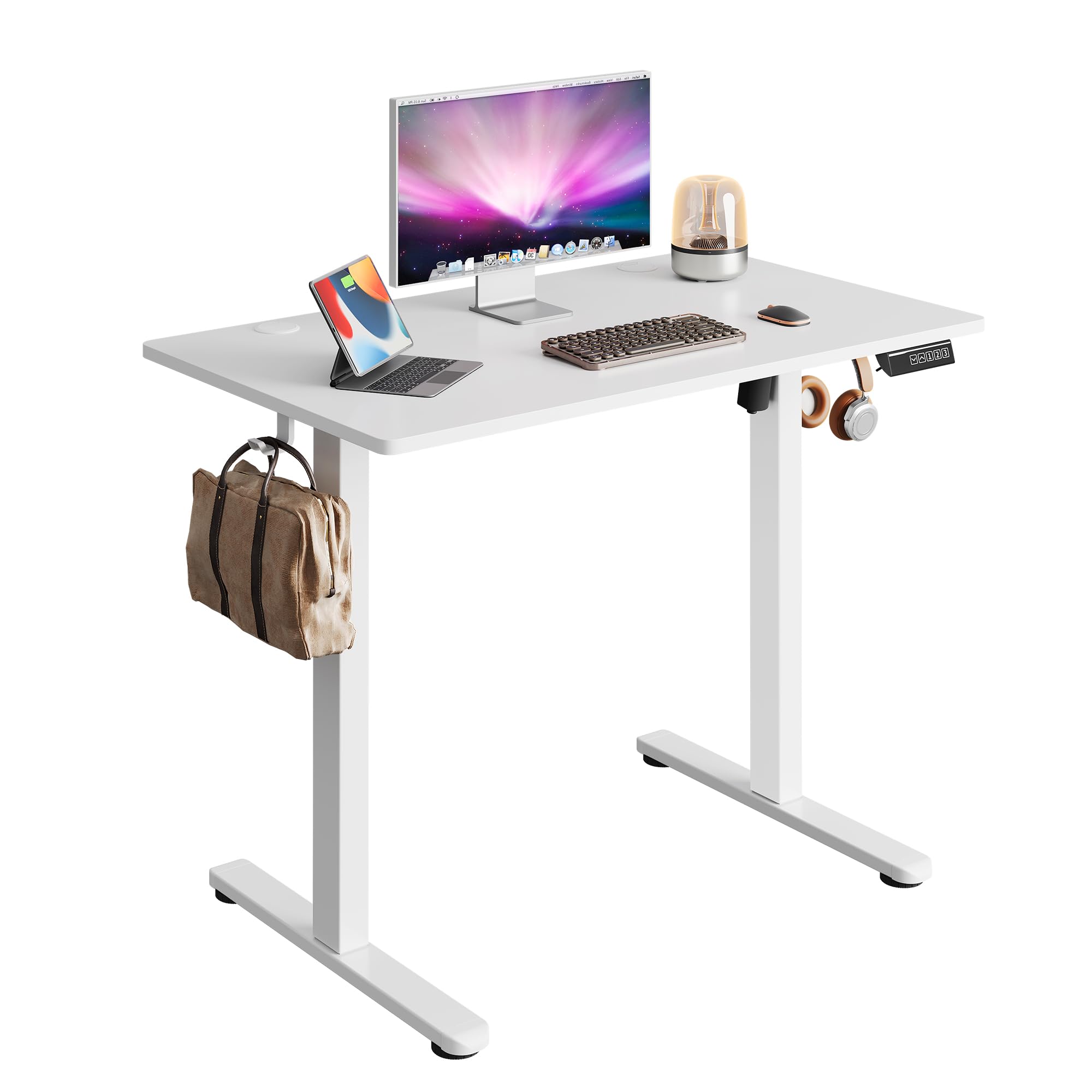
Image 1.1: The DEVAISE 40x24 Inch Electric Standing Desk in a typical home office environment.
2. מידע בטיחות
- Do not exceed the weight limit of 180 lbs (81.6 kg).
- ודא שהשולחן ממוקם על משטח ישר.
- הרחק ילדים וחיות מחמד מהשולחן במהלך הפעולה.
- הימנעו מהנחת נוזלים ישירות על לוח הבקרה או בקרבת רכיבים חשמליים.
- Do not attempt to disassemble or repair the motor or control system yourself. Contact customer service for assistance.
- Ensure there are no obstructions in the desk's path during height adjustment to prevent damage or injury. The desk is equipped with anti-collision sensors.

Image 2.1: Key safety and convenience features including the anti-collision system, cable holes, and storage hooks.
3. תכולת החבילה
לפני ההרכבה, יש לוודא שכל הרכיבים קיימים ולא ניזוקו. אם חסרים או ניזוקו חלקים כלשהם, אנא צרו קשר עם שירות הלקוחות.
- Desktop (One-piece)
- רגליים (2)
- רגליים (2)
- Crossbar/Support Beam
- תיבת בקרה
- לוח בקרה דיגיטלי
- מתאם חשמל וכבל
- וו אוזניות
- קליפים לניהול כבלים
- חומרת הרכבה (ברגים, מפתח אלן)
- מדריך למשתמש

Image 3.1: All components included in the package, pre-drilled and labeled for quick installation.
4. הוראות הרכבה
Assembly typically takes approximately 15 minutes. All holes are pre-drilled, and accessories are clearly labeled for ease of installation. It is recommended to assemble the desk with two people.
- פרק רכיבים: Carefully remove all parts from the packaging and lay them out on a clean, soft surface to prevent scratches. Refer to the 'Package Contents' section to ensure all parts are present.
- חבר כפות רגליים לרגליים: Secure the feet to the bottom of each leg using the provided screws and Allen wrench.
- Connect Legs to Crossbar: Attach the two legs to the central crossbar. Ensure the motor and drive shaft are correctly aligned.
- הר תיבת בקרה: Secure the control box to the designated area under the desktop.
- צרף שולחן עבודה: Carefully place the desktop upside down on a soft surface. Align the assembled leg frame with the pre-drilled holes on the desktop and secure it with screws.
- התקנת לוח בקרה: Mount the digital control panel to the front edge of the desktop using the provided screws.
- חבר כבלים: Connect the motor cable, control panel cable, and power adapter cable to the control box. Ensure all connections are secure.
- חיבור וו לאוזניות: Install the headphone hook to the side of the desk as desired.
- ניהול כבלים: Use the provided cable clips to organize and secure cables under the desk.
- הפעלה: Flip the desk upright, connect the power adapter to a wall outlet, and power on the desk.

Image 4.1: Visual guide to the quick installation process, highlighting pre-drilled holes and labeled parts.
5. הוראות הפעלה
5.1 התאמת גובה
The desk's height can be adjusted electrically from 28.35 inches (72 cm) to 46.46 inches (118 cm).
- כפתור למעלה (▲): לחץ והחזק כדי להרים את השולחן.
- כפתור למטה (▼): לחץ והחזק כדי להוריד את שולחן העבודה.
- שחררו את הכפתור בגובה הרצוי. צג ה-LED יציג את הגובה הנוכחי.

Image 5.1: Illustration of the desk's adjustable height range from 28.35 inches to 46.45 inches.
5.2 הגדרות זיכרון קבועות מראש
The control panel allows you to save up to three preferred height settings for quick adjustments.
- Set a Memory Position:
- כוונן את שולחן העבודה לגובה הרצוי באמצעות כפתורי למעלה/למטה.
- Press the 'S' button (Set). The display will flash.
- Press one of the number buttons (1, 2, or 3) within 5 seconds to save the current height to that preset. The display will show 'S-' followed by the number to confirm.
- Recall a Memory Position:
- Simply press the corresponding number button (1, 2, or 3). The desk will automatically move to the saved height.

Image 5.2: The digital control panel featuring an LED display, up/down controls, and three memory preset buttons.
5.3 הדגמת וידאו
Watch this video for a visual guide on operating the DEVAISE Electric Standing Desk, including height adjustments and memory preset functions.
Video 5.3: Official product video demonstrating the operation of the DEVAISE Electric Standing Desk.
6. תחזוקה
- ניקוי: Wipe the desktop and legs with a soft, damp מטלית. הימנעו מכימיקלים חזקים או חומרי ניקוי שוחקים.
- בְּדִיקָה: בדקו מעת לעת את כל הברגים והחיבורים כדי לוודא שהם מהודקים היטב. הדקו מחדש במידת הצורך.
- ניהול כבלים: Ensure cables are neatly organized and not pinched or tangled, especially during height adjustments.
7. פתרון תקלות
| בְּעָיָה | סיבה אפשרית | פִּתָרוֹן |
|---|---|---|
| שולחן הכתיבה לא זז. | Power cable disconnected, control box cable loose, motor error. | Check all cable connections. Unplug and replug the power cable. If the issue persists, contact customer service. |
| השולחן זז לא אחיד או משמיע רעש חריג. | Overload, obstruction, loose components. | Reduce weight on the desk. Check for obstructions. Ensure all assembly screws are tight. |
| קוד שגיאה מוצג (לדוגמה, E01, E02). | תקלה במערכת, בעיית חיישן. | Unplug the desk for 10 minutes, then plug it back in. If the error persists, contact customer service. |
| הגדרות זיכרון קבועות מראש אינן פועלות. | הגדרות קבועות מראש לא נשמרו כהלכה. | Re-save the memory positions following the instructions in Section 5.2. |
8. מפרטים
| תכונה | פְּרָט |
|---|---|
| מספר דגם | ASJZ029 |
| Desktop Dimensions (D x W) | 60 ס"מ x 100 ס"מ (23.62 אינץ' x 39.35 אינץ') |
| טווח גובה מתכוונן | 72 ס"מ - 118 ס"מ (28.35 אינץ' - 46.46 אינץ') |
| קיבולת משקל מקסימלית | 180 פאונד (81.6 ק"ג) |
| חומר שולחן עבודה | עץ מהונדס |
| חומר מסגרת | בַּרזֶל |
| סוג מנוע | Dual-motor drive |
| רמת רעש | <45 dB |
| הגדרות זיכרון מוגדרות מראש | 3 |
| תכונות מיוחדות | Anti-collision system, Cable holes, Headphone hook, One-piece desktop |
| צֶבַע | לָבָן |
| משקל פריט | 36.85 פאונד (16.7 ק"ג) |

Image 8.1: Detailed product dimensions and maximum weight capacity of 180 lbs.

Image 8.2: Visual comparison highlighting the enhanced stability of the one-piece desktop design.
9. אחריות ותמיכה
The DEVAISE Electric Standing Desk comes with a 1-year frame warranty. For any questions, concerns, or assistance with your product, please contact our 24/7 US-based customer service team. Please have your model number (ASJZ029) and purchase information ready when contacting support.
For further information or to explore other DEVAISE products, visit the official DEVAISE Store on Amazon.