
ZOMFOM POCKETCAM
מדריך למשתמש של מצלמת גוף כיס 4K ZOMFOM
Model: POCKETCAM
1. הקדמה
Thank you for choosing the ZOMFOM 4K Pocket Body Camera. This compact and versatile device is designed for capturing high-quality video and audio in various environments, from outdoor sports and travel to law enforcement and personal documentation. Featuring 4K resolution, image stabilization, a 270-degree rotating lens, and an external microphone, it offers a comprehensive recording solution. This manual provides detailed instructions to help you get started and make the most of your camera.

Image: ZOMFOM 4K Pocket Cam banner, highlighting the product name and its purpose as a handheld vlog camera.
2. מה בקופסה
אנא בדקו את תוכן החבילה כדי לוודא שכל הפריטים נמצאים:
- ZOMFOM Mini 4K Pocket Body Camera
- מיקרופון חיצוני
- Clip and Adapter Mounts
- שְׁרוֹך
- כרטיס זיכרון 64GB
- כבל חשמל מסוג C
- מדריך למשתמש (מסמך זה)

Image: The ZOMFOM 4K Pocket Body Camera shown with its included accessories: an external microphone and a 64GB memory card.
3. המוצר נגמרview
3.1 תכונות עיקריות
- רזולוציית וידאו 4K: Supports real 4K/60fps, 4K/30fps, and 2.7K/30fps video recording.
- ייצוב תמונה: Built-in electronic anti-shake function for clear, stable footage.
- מיקרופון חיצוני: Lavalier microphone included for crystal clear audio recording.
- 270-Degree Rotating Lens: Manually rotate the lens horizontally to quickly switch shooting perspectives.
- קישוריות Wi-Fi: Wireless transfer and download videos to your phone via the "XDV PRO" app.
- קומפקטי ונייד: Mini size with comfortable hand grip, ideal for on-the-go use.
- חיי סוללה ארוכים: Rechargeable battery provides approximately 1.5-2 hours of recording.

Image: An infographic detailing the key features of the ZOMFOM 4K Mini Pocket Camera, including 4K resolution, SONY sensor, 1.33" display, image stabilization, Wi-Fi, external microphone, Max 256GB support, and 270-degree rotation.
3.2 רכיבי המצלמה
הכירו את הרכיבים הפיזיים של המצלמה:
- עֲדָשָׁה: The primary camera lens, capable of 270-degree rotation.
- מסך תצוגה: 1.33-inch HD display for live view והפעלה.
- לחצן הפעלה: מדליק/מכבה את המצלמה.
- לחצן הקלטה: Starts and stops video recording or takes photos.
- לחצן מצב: מעבר בין מצבי וידאו, צילום וצילום אחרים.
- כניסת מיקרופון: Port for connecting the external lavalier microphone.
- סוג C נמל: לטעינה והעברת נתונים.
- חריץ כרטיס MicroSD: Insert the 64GB memory card here.
- קליפ אחורי: For attaching the camera to clothing or gear.
4. התקנה
4.1 טעינת הסוללה
Before first use, fully charge the camera's built-in battery.
- Connect the provided Type-C power cable to the camera's Type-C port.
- חבר את הקצה השני של הכבל לספק כוח USB (לא כלול) או ליציאת USB של מחשב.
- נורית חיווי הטעינה תידלק. היא תכבה או תשנה צבע לאחר טעינה מלאה.
- A full charge typically takes 1.5-2 hours. The camera supports recording while charging.
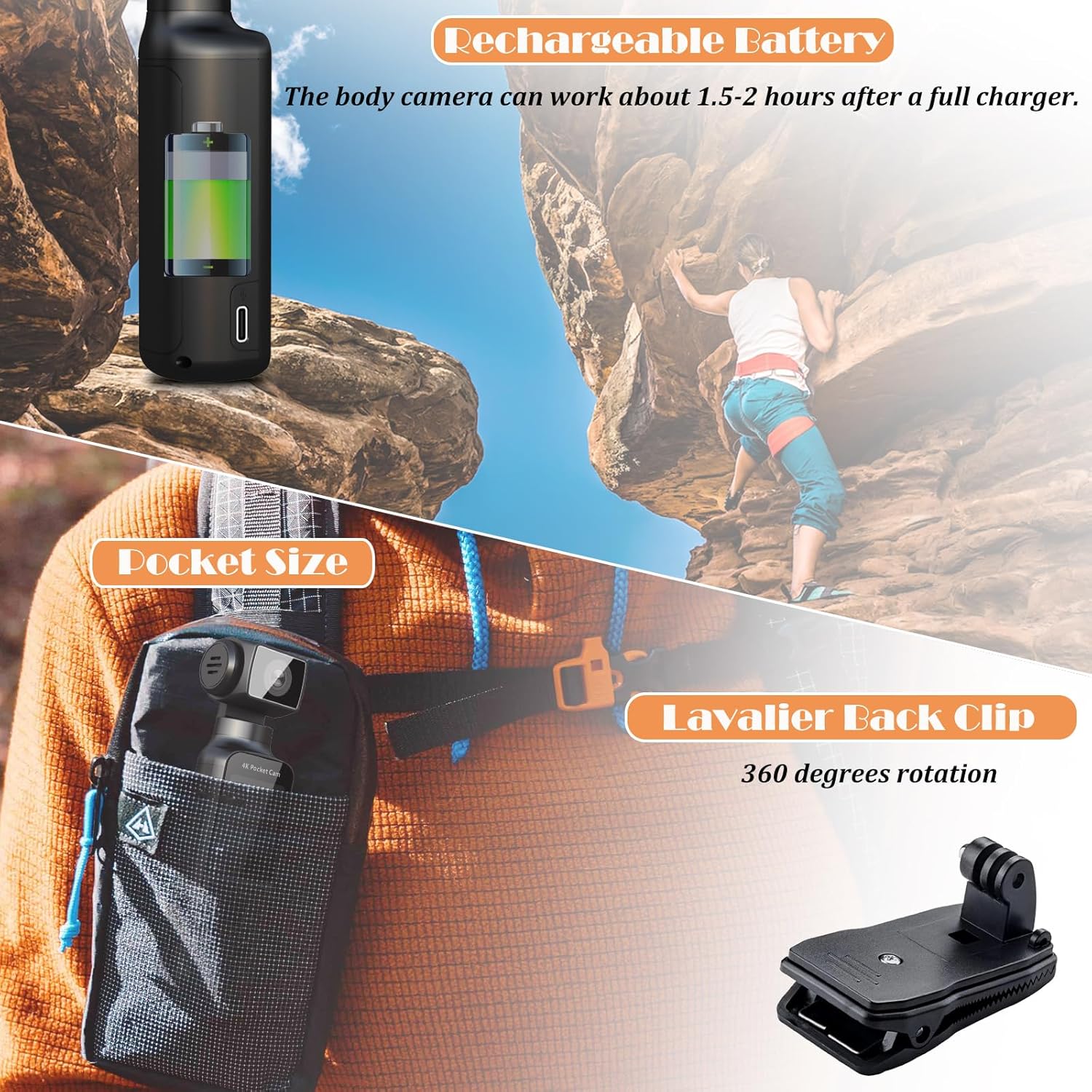
Image: Illustrates the rechargeable battery feature of the body camera, indicating it can work for 1.5-2 hours after a full charge. Also shows the pocket size and a lavalier back clip with 360-degree rotation.
4.2 הכנסת כרטיס הזיכרון
The camera requires a MicroSD card for storing recordings. A 64GB card is included.
- אתר את חריץ כרטיס ה-MicroSD במצלמה.
- Insert the 64GB memory card into the slot with the gold contacts facing the correct direction (refer to the diagram on the camera or in the quick start guide).
- Gently push the card until it clicks into place. To remove, push again until it springs out.
- It is recommended to format the memory card via the camera's settings menu before first use to ensure compatibility and optimal performance.
4.3 Attaching the External Microphone
For enhanced audio quality, connect the external lavalier microphone.
- Locate the microphone input port on the camera.
- Plug the external lavalier microphone's connector firmly into the microphone input port.
- Clip the microphone to your clothing, close to your mouth, for optimal sound capture.

Image: The ZOMFOM 4K Pocket Body Camera is shown alongside its lavalier external microphone, emphasizing its ability to record crystal clear sound for various occasions like outdoor riding, vlogging, and interviews.
5. הוראות הפעלה
5.1 הפעלה/כיבוי
- כדי להפעיל: לחץ והחזק את לחצן ההפעלה עד שהמסך יידלק.
- כדי לכבות: לחץ והחזק את לחצן ההפעלה עד שהמסך יכבה.
5.2 ניווט בתפריטים
Use the physical buttons (e.g., Mode, Up/Down, OK) to navigate through the camera's menu options on the 1.33-inch display. Refer to the on-screen prompts for specific button functions in different modes.
5.3 הקלטת וידאו
The camera supports various video resolutions and frame rates.
- Turn on the camera. Ensure it is in video recording mode (indicated by an icon on the screen). If not, press the Mode button to switch.
- To start recording: Press the Record button once. A red indicator or timer on the screen will show that recording is in progress.
- To stop recording: Press the Record button again. The indicator will disappear, and the file יישמר.
- To change resolution: Access the video settings menu to select desired resolution (e.g., 4K/60fps, 4K/30fps, 2.7K/30fps, 1080P/60fps, 1080P/30fps, 720P/120fps).
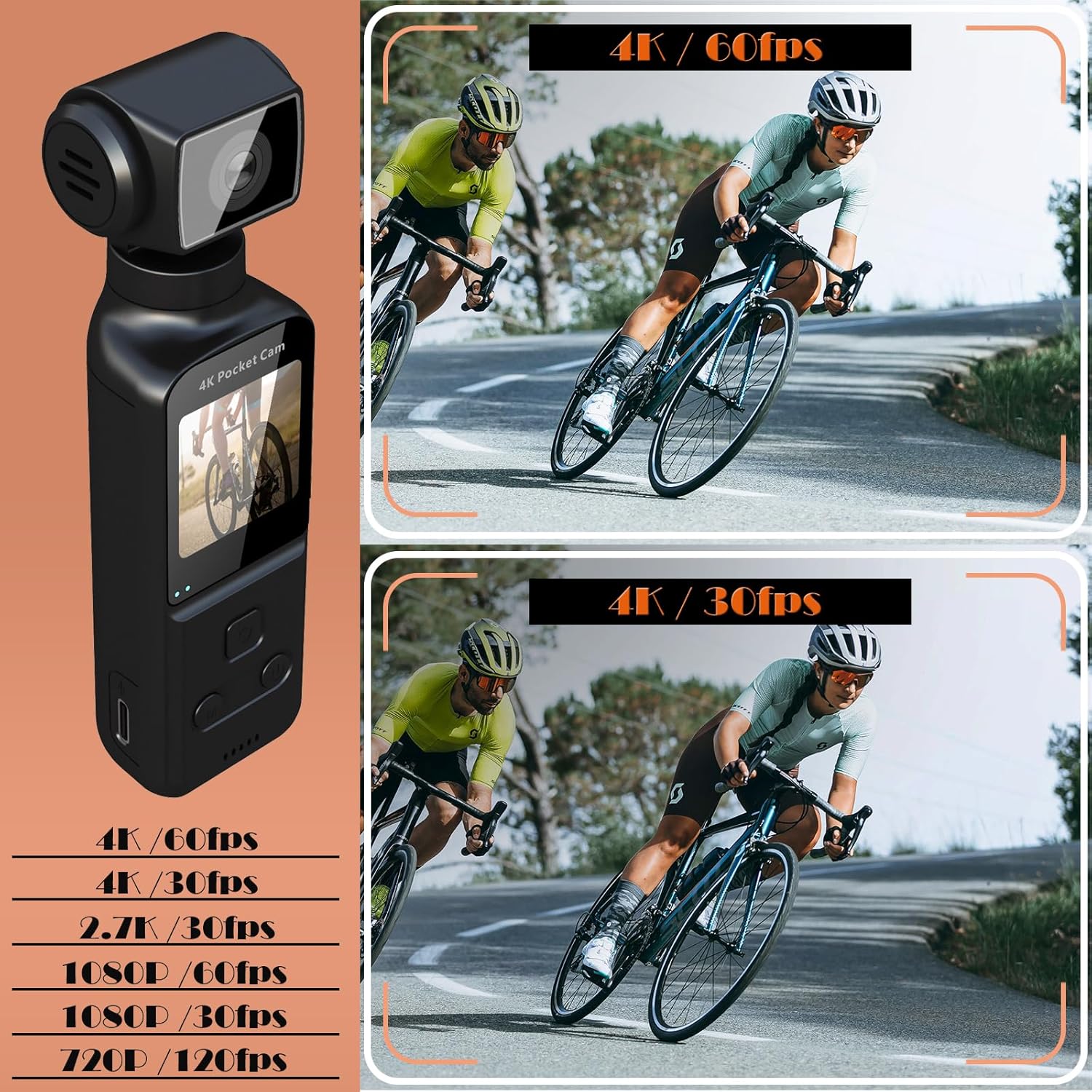
Image: Displays the ZOMFOM 4K Pocket Body Camera and lists available video resolutions: 4K/60fps, 4K/30fps, 2.7K/30fps, 1080P/60fps, 1080P/30fps, and 720P/120fps.
5.4 לכידת תמונות
Capture high-resolution still images.
- Turn on the camera and switch to photo mode using the Mode button.
- To take a photo: Press the Record button once. The screen may briefly flash, indicating a photo has been taken.
- The camera supports continuous photo taking and timed photo taking, configurable in the settings.
5.5 ייצוב תמונה
The camera features electronic image stabilization (EIS) to reduce blur and shakiness in your footage.
- To enable/disable EIS: Navigate to the camera settings menu and locate the "Image Stabilization" option. Toggle it On or Off as desired.
- EIS is particularly useful when recording during movement, such as cycling or walking.

Image: A side-by-side comparison demonstrating the effect of image stabilization, showing a clear, stable image with stabilization enabled versus a blurry image without it, featuring a cyclist.
5.6 270-Degree Lens Rotation
The unique rotating lens allows for flexible shooting angles.
- To rotate the lens: Manually grasp the lens housing and gently rotate it horizontally up to 270 degrees to adjust your field of view.
- This feature is useful for quickly changing perspectives without repositioning the entire camera.

Image: Illustrates the Wi-Fi connectivity feature, allowing wireless video transfer to a phone, and the 270-degree lens rotation for switching viewנקודות.
5.7 קישוריות Wi-Fi ושימוש באפליקציות
Connect your camera to a smartphone for easy file transfer and sharing.
- Download the "XDV PRO" app from your smartphone's app store (available for iOS and Android).
- On the camera, enable Wi-Fi (usually found in the settings menu or via a dedicated Wi-Fi button/icon). The camera will broadcast a Wi-Fi hotspot.
- On your smartphone, go to Wi-Fi settings and connect to the camera's Wi-Fi network (SSID and password will be displayed on the camera screen).
- Open the "XDV PRO" app. You can now view פו חיtage, browse recorded videos/photos, download them to your phone, and share them on social media.
5.8 Advanced Recording Modes
The camera offers several specialized recording functions:
- הקלטת לולאה: Automatically overwrites the oldest video when the memory card is full, ensuring continuous recording.
- הַקרָנָה אִיטִית: Captures video at a higher frame rate for smooth slow-motion playback, ideal for detailed action analysis.
- זמן-lapse: Records images at set intervals and combines them into a sped-up video, perfect for capturing long-term events like weather changes or plant growth.

Image: Illustrates the camera's loop recording, slow motion, and time-lapse features with corresponding visual examples.
6. תחזוקה
- ניקוי: השתמשו במטלית רכה ויבשה לניקוי גוף המצלמה. עבור העדשה, השתמשו במטלית ובתמיסה ייעודיים לניקוי עדשות. הימנעו מחומרים שוחקים או כימיקלים חזקים.
- אִחסוּן: אחסן את המצלמה במקום קריר ויבש, הרחק מאור שמש ישיר וטמפרטורות קיצוניות.
- טיפול בסוללה: For long-term storage, charge the battery to about 50% to prolong its lifespan. Avoid fully discharging the battery frequently.
- עדכוני קושחה: Check the ZOMFOM official webבקר באתר מעת לעת כדי לאתר עדכוני קושחה זמינים כדי להבטיח ביצועים אופטימליים ותכונות חדשות.
7. פתרון תקלות
| בְּעָיָה | סיבה אפשרית | פִּתָרוֹן |
|---|---|---|
| המצלמה לא נדלקת. | סוללה חלשה; סוללה פגומה; בעיה בכפתור ההפעלה. | Charge the battery fully. If issue persists, contact support. |
| לא ניתן להקליט וידאו/לצלם תמונות. | אין כרטיס זיכרון; כרטיס הזיכרון מלא; שגיאת כרטיס זיכרון. | הכנס כרטיס זיכרון. מחק קוד ישן. files or replace card. Format the card. |
| איכות וידאו/אודיו ירודה. | Lens dirty; low light; EIS off; external mic not connected/faulty. | Clean the lens. Ensure adequate lighting. Enable EIS. Check external microphone connection. |
| בעיות חיבור Wi-Fi. | Incorrect password; app issue; camera Wi-Fi off. | Verify Wi-Fi password. Restart app/phone/camera. Ensure camera Wi-Fi is enabled. |
| המצלמה קופאת או מאבדת את התגובות. | תקלת תוכנה; בעיה בכרטיס זיכרון. | Press and hold the Power button to force a restart. Remove and reinsert memory card. |
8. מפרטים
| תכונה | פְּרָט |
|---|---|
| מותג | ZOMFOM |
| מספר דגם | POCKETCAM |
| רזולוציית לכידת וידאו | 4K, 2.7K (4K/60fps, 4K/30fps, 2.7K/30fps, 1080P/60fps, 1080P/30fps, 720P/120fps) |
| טכנולוגיית חיישן צילום | CMOS (SONY IMX Starlight Lens) |
| צמצם מקסימלי | 1.8 פ |
| גודל מסך | 1.33 אינץ' |
| סוג זיכרון פלאש | Micro SDXC (up to 256GB supported, 64GB included) |
| טכנולוגיית קישוריות | Wi-Fi |
| חיי סוללה | Approx. 1.5-2 hours (recording) |
| משקל פריט | 8.4 אונקיות |
| מידות | 6.93 x 4.45 x 2.24 ס"מ (חבילה) |
| תכונות מיוחדות | Lightweight, Microphone Input, Anti-Shake (EIS), 270° Rotation |
9. אחריות ותמיכה
For warranty information, technical support, or service inquiries, please refer to the warranty card included in your product packaging or visit the official ZOMFOM webאתר. שמור את קבלת הרכישה כהוכחת קנייה לתביעות אחריות.
משאבים מקוונים:
- ZOMFOM Official Store: https://www.amazon.com/stores/ZOMFOM/page/47207B98-37CD-445D-A056-1B3CAE9A57C9