מָבוֹא
This manual provides detailed instructions for the XGVIEGZ Z2PLUS Smart Watch. Please read this guide thoroughly to understand the device's functions, setup procedures, and maintenance recommendations. Proper use ensures optimal performance and longevity of your smartwatch.
תוכן החבילה
- 1 * Smartwatch
- 1 * Smartwatch silicone strap/stainless steel strap (depending on model)
- 1 * Smart Watch User Manual
- 1 * Smart watch magnetic charging cable
המוצר נגמרview
The XGVIEGZ Z2PLUS Smart Watch features a 1.3-inch high-definition circular screen. It is designed for daily wear and offers various health and fitness tracking capabilities, along with Bluetooth calling functionality.
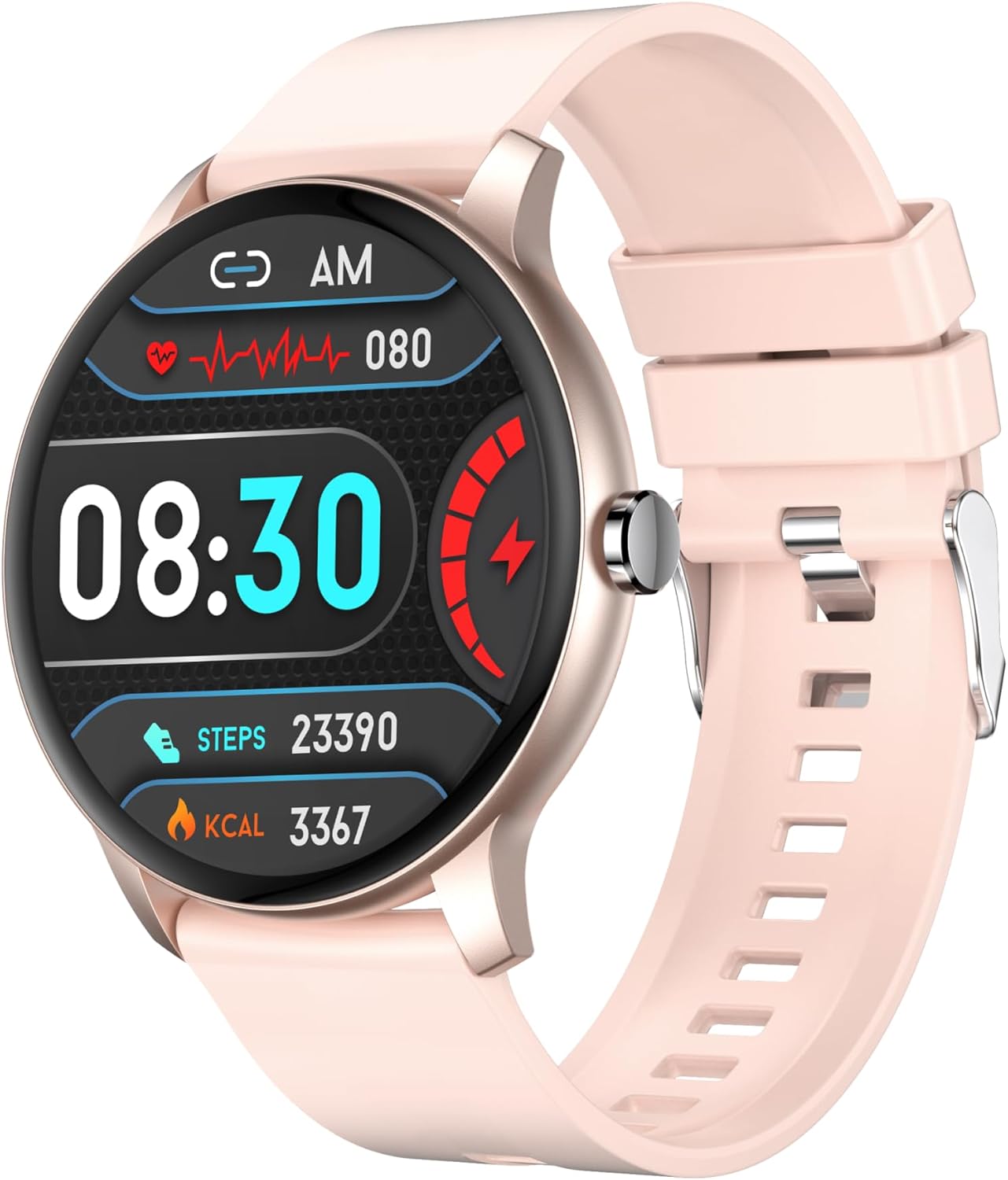
תמונה: חזית view of the XGVIEGZ Z2PLUS Smart Watch in Rose Gold with a silicone strap, displaying time, heart rate, steps, and calories.

Image: Three XGVIEGZ Z2PLUS Smart Watches in various colors (rose gold, black, pink), highlighting the 1.3-inch HD round screen.
מרכיבי מפתח:
- לְהַצִיג: 1.3-inch Full Touch Screen (320x320 resolution)
- כפתור צד: Used for power on/off, screen wake/sleep, and menu navigation.
- חיישנים: Located on the back for heart rate and blood pressure monitoring.
- יציאות טעינה: מגעי טעינה מגנטיים בגב.
מדריך התקנה
1. טעינת השעון החכם
Before initial use, fully charge the smartwatch. Connect the magnetic charging cable to the charging contacts on the back of the watch and plug the USB end into a power adapter (not included) or a computer's USB port.

תמונה: שעון חכם מחובר לכבל טעינה מגנטי שלו.
A full charge typically takes approximately 2 hours. The battery provides up to 10 days of normal use, 5 days of heavy usage, and 20 days of standby time.

Image: Diagram illustrating the battery life: 230mAh capacity, 10 days normal use, 5 days heavy use, 20 days standby.
2. התקנה וצימוד של אפליקציה
- הורד את האפליקציה: Scan the QR code in the manual or on the watch screen, or search for the companion app in your smartphone's app store (Apple App Store for iOS, Google Play Store for Android).
- אפשר Bluetooth: ודא שה-Bluetooth מופעל בטלפון החכם שלך.
- פתח את האפליקציה: Launch the installed app and follow the on-screen instructions to create an account or log in.
- הוסף מכשיר: Within the app, navigate to the "Add Device" or "Bind Device" section. The app will search for available smartwatches.
- בחר את השעון שלך: Select "Z2PLUS" or the corresponding device name from the list. Confirm the pairing request on both your phone and the smartwatch.
- התקנה מלאה: פעל לפי כל ההנחיות הנותרות באפליקציה כדי להגדיר את ה-Pro שלך.file, preferences, and grant necessary permissions for notifications and health data synchronization.
השעון החכם תואם למכשירי אנדרואיד 5.0+ ו-iOS 10.0+.
הוראות הפעלה
ניווט בסיסי
- מסך מגע: החלק שמאלה/ימינה, למעלה/למטה כדי לנווט בין תפריטים ופונקציות. הקש כדי לבחור.
- כפתור צד: Press to wake/sleep the screen, return to the home screen, or access the main menu.

תמונה: דוגמהamples of the smartwatch's menu interaction designs, including a Ferris wheel dynamic rotating menu and a honeycomb circular menu.
שיחות והודעות Bluetooth
Once paired with your smartphone, the smartwatch supports Bluetooth calling and message notifications.
- ביצוע שיחות: Access the dial pad on the watch to make calls directly.
- מענה לשיחות: כאשר שיחה נכנסת, השעון יציג את מזהה המתקשר. הקש על הסמל הירוק כדי לענות או על הסמל האדום כדי לדחות.
- התראות: The watch will vibrate and display notifications for incoming calls, messages, and app alerts (e.g., SMS, WhatsApp, social media) once configured in the companion app.

Image: The smartwatch displaying a call interface with a dial pad, alongside a smartphone showing an incoming call.
ניטור בריאות
השעון החכם עוקב באופן רציף אחר מדדי בריאות שונים.
- מד דופק: Provides 24/7 heart rate tracking. View נתונים בזמן אמת בשעון או מגמות מפורטות באפליקציה.
- מוניטור לחץ דם: Measures blood pressure. For accurate readings, ensure the watch is worn correctly and remain still during measurement.
- צג שינה: Automatically tracks your sleep patterns, differentiating between deep and light sleep. Access detailed sleep reports in the companion app to analyze sleep quality and develop personalized sleep strategies.

Image: The smartwatch displaying sleep data, showing total sleep time, deep sleep, light sleep, and wake time, with a user sleeping in the background.
פֶּתֶק: The health data provided by this device is for reference only and should not be used for medical diagnosis or treatment.
מעקב אחר כושר
The smartwatch supports over 100 sport modes to track your physical activity.
- מצבי ספורט: Select your desired sport mode (e.g., running, walking, cycling) from the watch menu to record exercise data such as steps, distance, calories burned, and active time.
- מעקב אחר פעילות: Automatically tracks daily steps, distance, and calories.
- סנכרון נתונים: All exercise data is synced to the companion app for detailed analysis and progress tracking.
תכונות אחרות
- בקרת מוזיקה: שלטו בהשמעת מוזיקה בטלפון החכם שלכם (הפעלה, השהיה, דילוג על רצועות) ישירות מהשעון.
- פנים שעונים מותאמים אישית: Choose from over 200 online watch faces or customize your own using photos via the app.
- שליטה מרחוק במצלמה: Use the watch as a remote shutter button for your smartphone camera.
- תרגילי נשימה: תרגילי נשימה מודרכים שיעזרו לך להירגע.
- תזכורת בישיבה: מתריע בפניך על תנועה לאחר תקופות של חוסר פעילות.
- מזג אוויר בזמן אמת: Displays current weather conditions and forecasts (requires app synchronization).
- Alarm Clock/Calendar: הגדר אזעקות ו view אירועי לוח שנה.
- שעון עצר/טיימר: כלים מובנים לתזמון פעילויות.
תַחזוּקָה
ניקוי
Regularly clean your smartwatch and strap to prevent skin irritation and maintain device functionality. Use a soft, lint-free cloth. If necessary, slightly dampשטפו את המטלית במים. הימנעו מכימיקלים חזקים או מחומרים שוחקים.
עמידות למים (IP67)
The XGVIEGZ Z2PLUS Smart Watch is IP67 water-resistant. This means it is protected against dust and can withstand immersion in water up to 1 meter for up to 30 minutes. It is suitable for daily activities such as hand washing or showering.
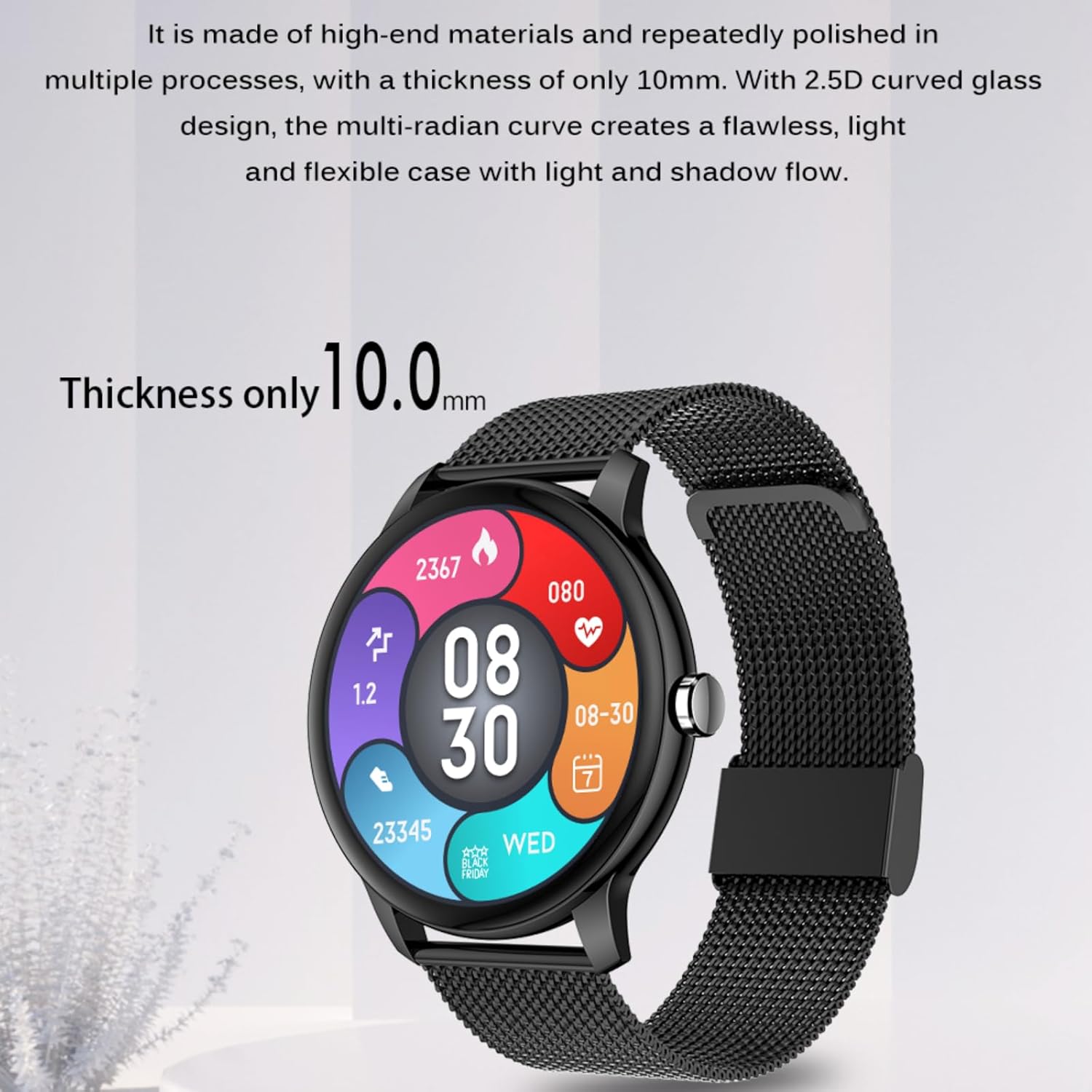
Image: A person washing hands while wearing the smartwatch, illustrating its IP67 waterproof capability.
חָשׁוּב: IP67 rating does not guarantee protection against hot water, steam, or prolonged submersion. Avoid wearing the watch in saunas, hot tubs, or during diving. Water resistance may decrease over time with normal wear and tear.
טיפול בסוללה
- הימנעו מפריקת הסוללה באופן מלא לעתים קרובות.
- אין לחשוף את השעון לטמפרטורות קיצוניות.
- השתמש רק בכבל הטעינה המצורף.
פתרון בעיות
| בְּעָיָה | פתרון אפשרי |
|---|---|
| השעון לא נדלק. | ודא שהשעון טעון במלואו. חבר אותו למטען למשך 30 דקות לפחות. |
| לא ניתן להתאים לסמארטפון. |
|
| הודעות לא מתקבלות. |
|
| נתוני בריאות לא מדויקים. | ודאו שהשעון צמוד לפרק כף היד, לא צמוד מדי או רפוי מדי. נקו את החיישנים בגב השעון. הימנעו מתנועה מוגזמת במהלך המדידות. |
| המסך לא מגיב. | Restart the watch by pressing and holding the side button. If the issue persists, ensure the battery is charged. |
מפרטים
| תכונה | פְּרָט |
|---|---|
| מספר דגם | Z2PLUS |
| גודל מסך | 1.3 אינץ' |
| הַחְלָטָה | 320 x 320 פיקסלים |
| דירוג עמיד למים | IP67 |
| קיבולת סוללה | פולימר ליתיום 230 mAh |
| זמן טעינה | כ. 2 שעות |
| חיי סוללה לשימוש רגיל | עד 10 ימים |
| Heavy Use Battery Life | עד 5 ימים |
| זמן המתנה | עד 20 ימים |
| קישוריות | בלוטות' |
| תְאִימוּת | אנדרואיד 5.0+ / iOS 10.0+ |
| משקל פריט | 3.17 אונקיות (כ-90 גרם) |
| מַעֲרֶכֶת הַפעָלָה | Native smart watch system |
| יַצרָן | XINHEFENG |

Image: Diagram showing the dimensions of the smartwatch: 42.0mm diameter, 10.0mm thickness, and 260mm strap length.
אחריות ותמיכה
For warranty information and technical support, please refer to the contact details provided with your purchase documentation or visit the official XGVIEGZ webאתר. שמור את קבלת הרכישה כהוכחת קנייה לתביעות אחריות.