
1. הקדמה
Thank you for choosing the goobay Digital Timer. This device is designed to help you manage power consumption and enhance home security by automatically switching electrical appliances on and off. It features up to 16 programmable settings (8 ON/OFF pairs), a random mode for anti-burglary protection, and an integrated backup battery to retain settings during power outages.
אנא קרא מדריך זה בעיון לפני השימוש כדי להבטיח פעולה תקינה ובטיחות.
2. הוראות בטיחות
- לשימוש פנימי בלבד. אין לחשוף ללחות או לטמפרטורות קיצוניות.
- Do not exceed the maximum load of 3680 W (230 V AC, 16 A).
- אין לפרק או לנסות לתקן את המכשיר. יש לפנות לכל טיפול וטיפול באנשי מקצוע מוסמכים.
- ודא שהטיימר מחובר היטב לשקע מוארק.
- הרחק מהישג ידם של ילדים.
- נתקו את הטיימר משקע הקיר לפני הניקוי. יש לנקות אותו רק בעזרת מטלית יבשה.
- Do not connect appliances that generate a lot of heat, such as heaters, without supervision.
3. המוצר נגמרview
The goobay Digital Timer is a compact and efficient device for controlling your electrical appliances.
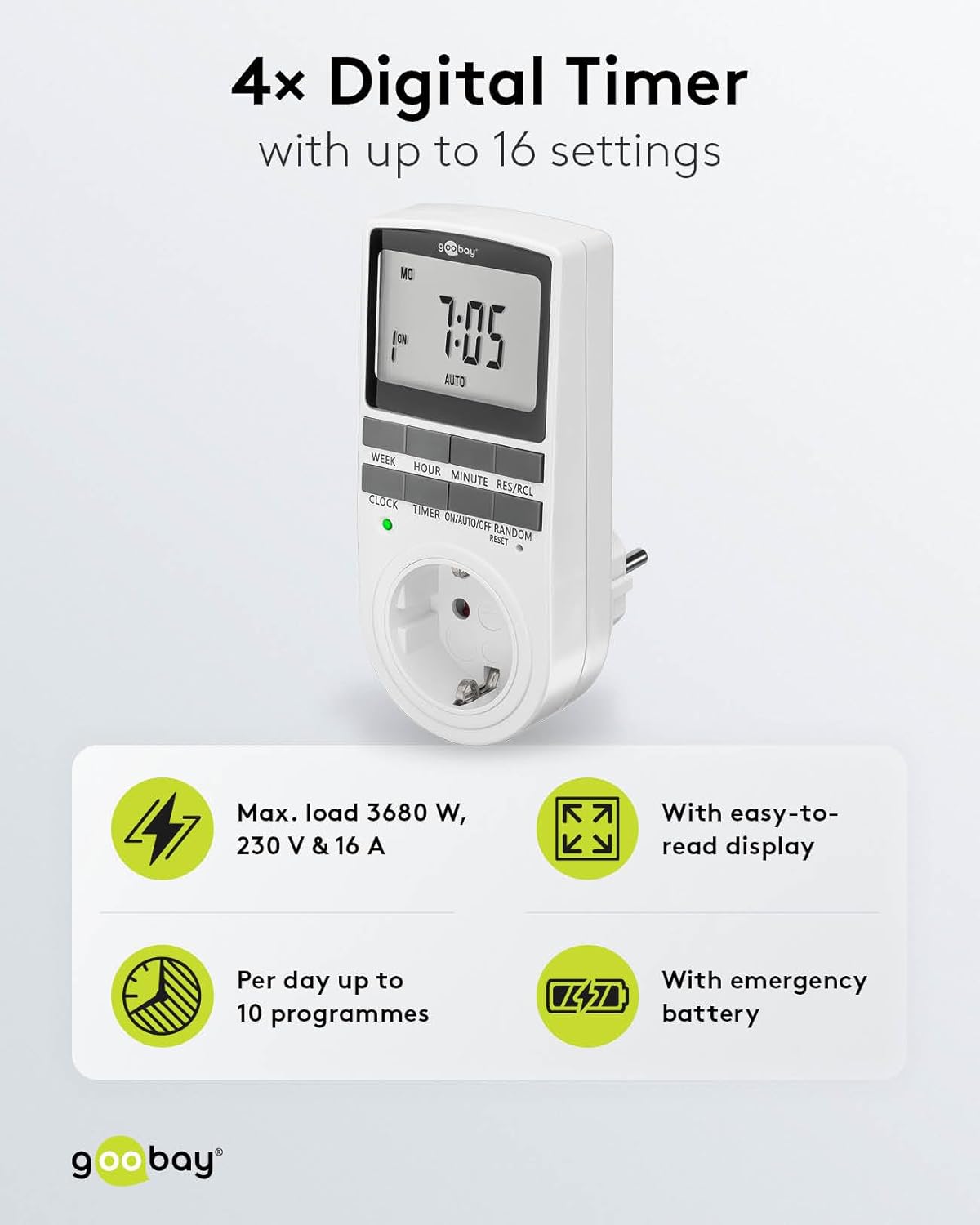
Image: goobay Digital Timer highlighting its features: Max. load 3680 W, 230 V & 16 A; Easy-to-read display; Up to 10 programs per day; Emergency backup battery.
תכונות מפתח כוללות:
- מקסימום לִטעוֹן: 3680 W, 230 V & 16 A
- הגדרות הניתנות לתכנות: Up to 8 ON/OFF program pairs (16 individual settings).
- מצב אקראי: Simulates presence for enhanced security.
- סוללת גיבוי: Retains settings for over 100 days during power outages.
- חיסכון באנרגיה: Interrupts standby mode of connected devices.
- עיצוב קומפקטי: Space-saving installation.

תמונה: צד view of the goobay Digital Timer showing its compact dimensions: 135 mm height, 60 mm width, 38 mm depth, and 155g weight.
4. התקנה
4.1 טעינה ראשונית
Before first use, plug the timer into a wall outlet for approximately 5-10 minutes to charge the internal backup battery. This ensures the display functions and settings can be retained even when unplugged.
4.2 איפוס המכשיר
If the display is blank or unresponsive, or if you wish to clear all previous settings, press the אִתחוּל button using a small, non-metallic pointed object (e.g., a toothpick or the included reset tool). This will clear all programs and reset the clock.

Image: The goobay Digital Timer showing the LED status display, Reset function (with reset tool), Safety plug (Type F, CEE 7/4, 230V, 16A, 3680W), and Safety socket (Type F, CEE 7/3, 6A, 250V output).
4.3 הגדרת השעה הנוכחית
- הקש על שָׁעוֹן לַחְצָן.
- הקש על שָׁבוּעַ button to select the current day of the week (MO, TU, WE, TH, FR, SA, SU).
- הקש על שָׁעָה button to set the current hour (0-23).
- הקש על דַקָה button to set the current minute (0-59).
- הקש על שָׁעוֹן לחץ שוב על הכפתור כדי לאשר ולצאת ממצב הגדרת זמן.

Image: Close-up of the goobay Digital Timer's display, indicating Weekday, Selected time setting (1-10), Time of day, and Operating mode (On/Auto/Off).
5. הוראות הפעלה
5.1 תכנות זמני הפעלה/כיבוי
The timer allows for up to 8 ON/OFF program pairs (16 individual settings).
- הקש על שָׁעוֹן עֶצֶר כדי להיכנס למצב תכנות. הצג יציג "1 ON".
- לִלְחוֹץ שָׁבוּעַ to select the day(s) for this program. Options include:
- ימים בודדים (שני, שלישי, רביעי, חמישי, שישי, שבת, ראשון)
- Groups of days (MO TU WE TH FR SA SU, MO TU WE TH FR, SA SU, MO TU WE TH FR SA, MO WE FR, TU TH SA, MO TU WE, TH FR SA)
- לִלְחוֹץ שָׁעָה כדי להגדיר את שעת ההפעלה הרצויה.
- לִלְחוֹץ דַקָה כדי להגדיר את דקת ההפעלה הרצויה.
- לִלְחוֹץ שָׁעוֹן עֶצֶר שוב. התצוגה תציג "1 OFF".
- Repeat steps 2-4 to set the desired OFF time for the same program.
- המשך ללחוץ שָׁעוֹן עֶצֶר to cycle through program settings 2 ON, 2 OFF, up to 8 ON, 8 OFF, setting each as needed.
- לאחר הגדרת כל התוכניות הרצויות, לחצו על הלחצן שָׁעוֹן לחצו על הלחצן כדי לצאת ממצב תכנות ולחזור לתצוגת הזמן הנוכחית.

Image: Diagram illustrating the functions of the goobay Digital Timer's buttons: WEEK (Set weekday), HOUR (Set hours), MINUTE (Set minutes), RES/RCL (Delete or restore setting), CLOCK (Set different times of day), TIMER (Switch set times), ON/AUTO/OFF (Manual or automatic mode), RANDOM (Random mode).
5.2 Operating Modes (ON/AUTO/OFF)
הקש על ON/AUTO/OFF כפתור כדי לעבור בין מצבי ההפעלה:
- עַל: The connected appliance will remain continuously ON, overriding all programmed settings.
- אוטומטי: The connected appliance will operate according to the programmed ON/OFF times. This is the standard operating mode for scheduled tasks.
- OFF The connected appliance will remain continuously OFF, overriding all programmed settings.
5.3 מצב אקראי
The random mode is designed to simulate presence for security purposes. When activated, the timer will switch ON and OFF at random intervals between 6:00 PM and 5:30 AM.
- ודא שהטיימר פועל AUTO מצב.
- הקש על אַקרַאִי button to activate or deactivate this mode. An "R" will appear on the display when random mode is active.
5.4 שעון קיץ (DST)
To adjust for Daylight Saving Time, press the שָׁעָה ו דַקָה buttons simultaneously while in שָׁעוֹן mode. The time will advance or rewind by one hour. Repeat to revert.
6. תחזוקה
- ניקוי: Unplug the timer from the wall outlet before cleaning. Wipe the exterior with a soft, dry cloth. Do not use liquid cleaners or sprays.
- אִחסוּן: If storing the timer for an extended period, ensure the backup battery is charged periodically to maintain its functionality.
- סוללת גיבוי: The integrated backup battery is designed to retain settings for over 100 days. No user maintenance is required for the battery.
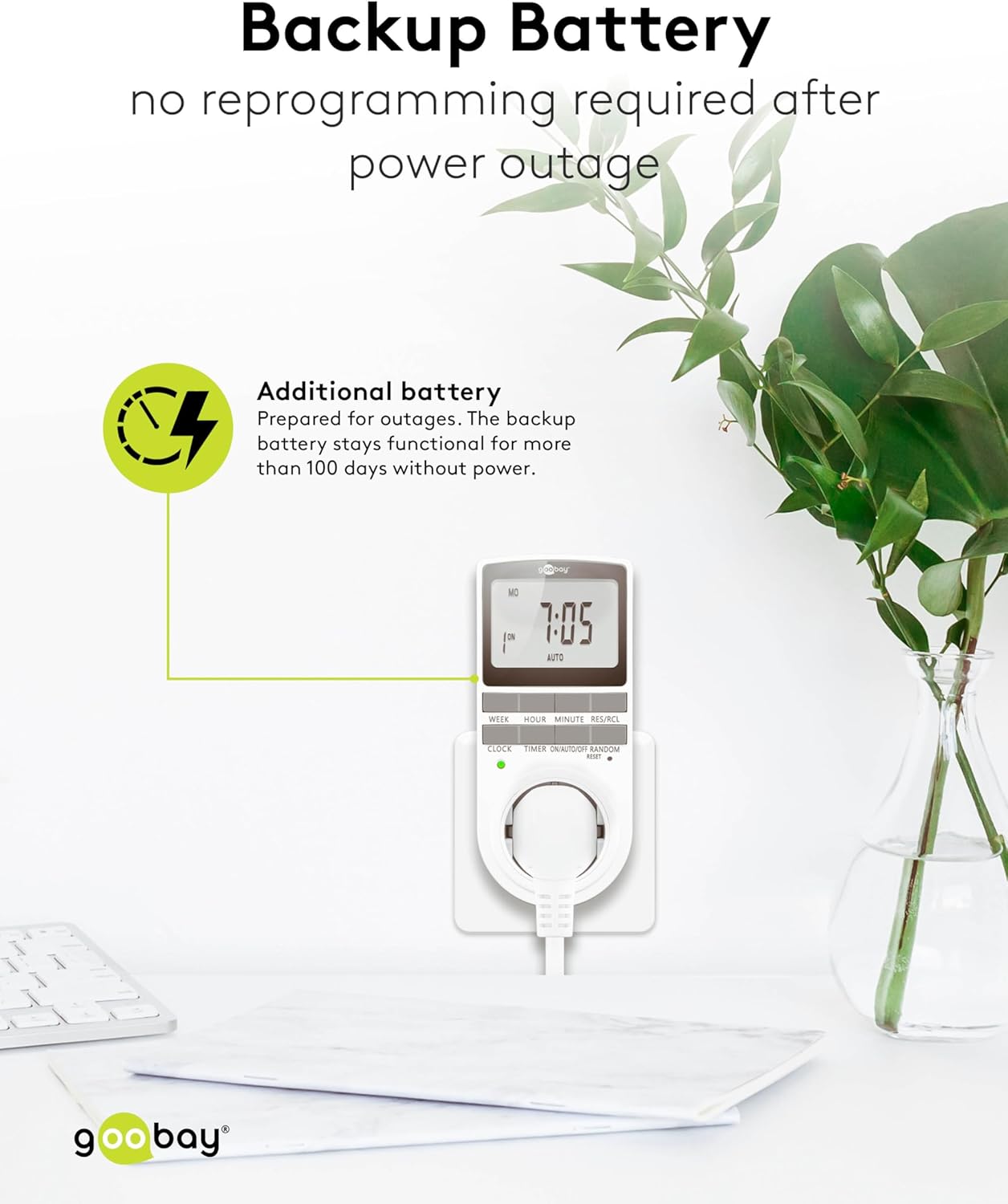
Image: The goobay Digital Timer plugged into an outlet, illustrating the backup battery feature which prevents reprogramming after a power outage.
7. פתרון תקלות
| בְּעָיָה | סיבה אפשרית | פִּתָרוֹן |
|---|---|---|
| התצוגה ריקה או לא מגיבה. | Backup battery is depleted or device needs reset. | Plug the timer into a live outlet for 5-10 minutes to charge the battery. If still unresponsive, press the אִתחוּל לַחְצָן. |
| המכשיר אינו נדלק/כבה בזמנים מתוכנתים. | הטיימר לא פעיל AUTO mode, programs are incorrect, or appliance is faulty. | ודא שהטיימר מוגדר על AUTO mode. Verify programmed ON/OFF times. Check if the connected appliance works when plugged directly into the wall outlet. |
| Random mode is not working. | הטיימר לא פעיל AUTO mode or random mode is not activated. | ודא שהטיימר פועל AUTO מצב. הקש על אַקרַאִי button to activate it (an "R" should appear on the display). |
| השעה שגויה לאחר הפסקת חשמלtage. | Backup battery is depleted or was not charged sufficiently. | Plug the timer into a live outlet for at least 10 minutes to fully charge the backup battery. Reset and reprogram if necessary. |
8. מפרטים
| מותג: | גוביי |
| מספר דגם: | 74217 |
| צֶבַע: | לָבָן |
| חוֹמֶר: | Acrylonitrile Butadiene Styrene Plastic |
| מידות המוצר (L x W x H): | 7.6 x 6 x 13.5 ס"מ |
| משקל פריט: | 155 גרם |
| אספקה כרךtage: | 230 וולט (AC) |
| מקסימום כוח מיתוג: | 3680 W |
| מקסימום נוֹכְחִי: | 16.0 א |
| מספר הגדרות: | 16 (8 ON/OFF program pairs) |
| דירוג הגנה: | IP20 |
| דרגת הגנה: | I |
| ארץ מוצא: | סִין |
9. אחריות ותמיכה
Specific warranty information is not provided within this manual. For details regarding warranty coverage, technical support, or service, please refer to the official goobay webבאתר או צור קשר עם הקמעונאי שלך.
לעיתים קרובות ניתן למצוא משאבים נוספים ופרטי קשר באתר היצרן webאֲתַר: www.goobay.com