
1. הקדמה
Welcome to the AMAZTIM T3 Ultra GPS Smart Watch user manual. This guide provides detailed instructions to help you get the most out of your new smartwatch. The T3 Ultra is designed for durability and performance, featuring advanced GPS, comprehensive health monitoring, and robust construction.
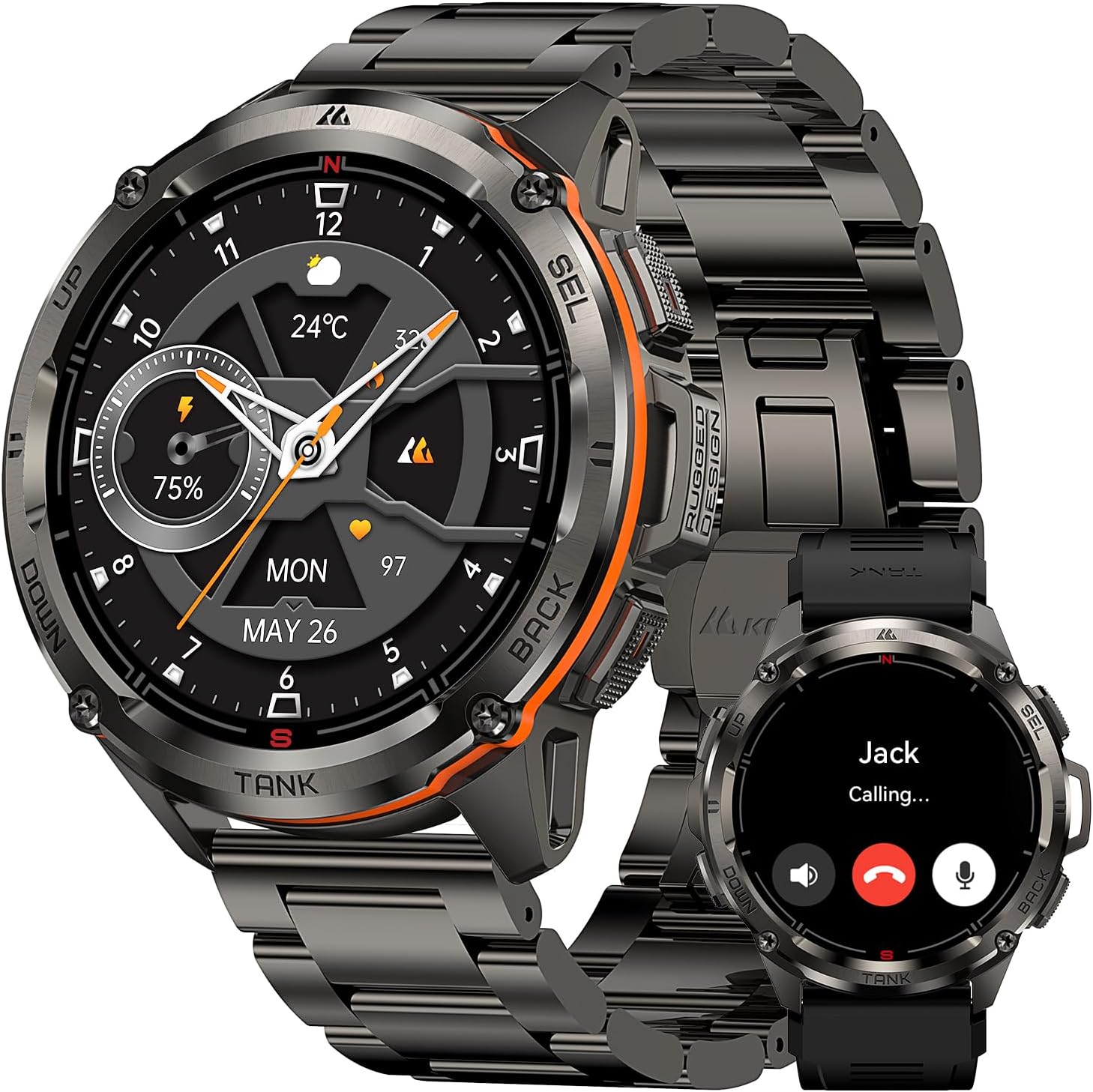
Image: The AMAZTIM T3 Ultra GPS Smart Watch, showcasing its design and a call notification feature.
2. תכולת החבילה
Upon opening your AMAZTIM T3 Ultra package, you should find the following items:
- 1 x AMAZTIM T3 Ultra Smart Watch
- 1 x בסיס טעינה מגנטי
- 1 x Stainless Steel Watchband
- 1 x Silicone Watchband
- 1 x מדריך למשתמש
- Tools for watchband adjustment (for metal band)

Image: Contents of the AMAZTIM T3 Ultra package.
3. התקנה
3.1 טעינת השעון החכם
Before initial use, fully charge your AMAZTIM T3 Ultra. Connect the magnetic charging base to a USB power source and align the watch with the charging pins until it snaps into place. The watch display will indicate charging status.
3.2 התקנת אפליקציה
כדי לנצל את מלוא הפוטנציאל של השעון החכם שלך, הורד את KOSPET FIT אפליקציה בטלפון החכם שלך.
- Scan the QR code displayed on the watch screen or in the user manual.
- Alternatively, search for "KOSPET FIT" in the Google Play Store (for Android) or Apple App Store (for iOS).
- התקן את האפליקציה בסמארטפון שלך.

Image: Instructions for connecting the smartwatch to your phone via the KOSPET FIT app.
3.3 צימוד מכשירים
Follow these steps to pair your smartwatch with the KOSPET FIT app:
- ודא שה-Bluetooth מופעל בטלפון החכם שלך.
- Open the KOSPET FIT app and create an account or log in.
- נווטו אל הקטע "מכשיר" בתוך האפליקציה.
- Tap "Add a new device" and select "T3 Ultra" from the list of available devices.
- אשר את בקשת הצימוד גם בשעון וגם בטלפון החכם.
- אפשר הרשאות נחוצות עבור התראות וסנכרון נתונים.
4. הוראות הפעלה
4.1 ניווט בסיסי
The AMAZTIM T3 Ultra features a 1.43" AMOLED touchscreen and physical buttons for navigation:
- מסך מגע: Swipe up, down, left, or right to access different menus and features. Tap to select.
- כפתורים פיזיים: The watch has multiple buttons (Power, Back, Sport, Select) for quick access to functions and navigation, especially useful when wearing gloves or in wet conditions.
4.2 Answering/Making Calls
With its built-in microphone and speaker, the T3 Ultra allows you to answer and make calls directly from your wrist when connected via Bluetooth to your smartphone.
4.3 הודעות
Receive social media notifications, text messages, and app alerts directly on your watch. Ensure notification permissions are granted in the KOSPET FIT app and your phone settings.

Image: Steps to enable message and app notifications for iOS.

Image: Steps to enable message and app notifications for Android.
4.4 ניטור בריאות
The T3 Ultra provides comprehensive health data:
- דופק: ניטור קצב לב רציף 24 שעות ביממה.
- חמצן בדם: מדידת רמת חמצן בדם בזמן אמת.
- מעקב שינה: צגי שינהtages (deep, light, REM) and daytime naps.
- מד צעדים: עוקב אחר הצעדים שנלקחו והקלוריות שנשרפו לאורך היום.

Image: Personal Health Monitoring Partner features.
4.5 מצבי ספורט ו-GPS
The smartwatch supports over 170 sports modes and 6 intelligent sports recognition features. Its built-in dual-band, 6-satellite GPS system ensures fast and accurate positioning for tracking outdoor activities.

Image: Over 170 sports modes supported by the smartwatch.

Image: Trackable Adventures Await with built-in GPS.
4.6 עוזר קולי מבוסס בינה מלאכותית
Utilize the AI Voice Assistant for hands-free control. Give voice commands to check weather, play music, set alarms, or make calls.

תמונה: פונקציונליות של עוזר קולי של בינה מלאכותית.
4.7 Compass, Altimeter & Barometric Pressure
For outdoor enthusiasts, the T3 Ultra includes an internal compass, altimeter, and barometric pressure sensors to provide real-time environmental data.

Image: Compass, Altitude, and Air Pressure features.
5. התאמה אישית
5.1 פרצופי שעון
Personalize your smartwatch with over 500 dazzling watch faces available for download via the KOSPET FIT app, including options for "Always On Display" mode.

Image: Watch face customization options.
5.2 Changing Watchbands
The AMAZTIM T3 Ultra comes with both a stainless steel and a silicone watchband. Use the provided tools to easily swap between bands to suit your activity or style.
וידאו: סרטון מוצר רשמיasing the AMAZTIM T3 Ultra with its stainless steel watchband, highlighting its design and ease of adjustment.
6. תחזוקה
6.1 איטום
The T3 Ultra is 5ATM waterproof and IP69K rated, allowing immersion in up to 50 meters of water. It is suitable for swimming and diving. פֶּתֶק: Do not wear the smartwatch in a sauna to protect its sealing effectiveness from water vapor.

Image: The smartwatch's 5ATM and IP69K waterproof capabilities during swimming.
6.2 ניקוי
נקו באופן קבוע את שעון החכם והרצועים שלכם בעזרת מטלית רכהamp בַּד. הימנע מכימיקלים קשים שעלולים לפגוע בחומרים.
7. פתרון תקלות
- שעון לא נדלק: ודא שהשעון טעון במלואו.
- לא ניתן להתאים לטלפון: Check if Bluetooth is enabled on your phone and the watch is within range. Restart both devices and try pairing again.
- התראות שלא התקבלו: Verify app permissions in KOSPET FIT and your phone's settings. Ensure the app is running in the background.
- נתוני בריאות לא מדויקים: Ensure the watch is worn snugly on your wrist. Avoid excessive movement during measurements.
8. מפרטים
- דֶגֶם: T3 אולטרה
- לְהַצִיג: 1.43 Inches AMOLED, 1000NIT brightness
- חומר גוף: Stainless Steel (MIL-STD-810H certified)
- חומר מסך: Corning Gorilla Glass, Mohs hardness up to 9H
- קיבולת סוללה: 470mAh פולימר ליתיום
- חיי סוללה: Up to 2 weeks (normal use), 40+ days (power saving mode)
- עמידות במים: 5ATM (50M), IP69K
- מיקום: Built-in GPS, Dual-band & 6 Satellite Positioning Systems
- חיישנים: Compass, Altimeter, Barometric Pressure, Heart Rate, Blood Oxygen
- קישוריות: בלוטות'
- תְאִימוּת: אנדרואיד 5.1+ / iOS 10.0+
- מצבי ספורט: 170+
9. אחריות ותמיכה
For warranty information and customer support, please refer to the official AMAZTIM website or contact their customer service directly. The user manual included in your package may also contain specific warranty details.