
1. הקדמה
The VILTROX AF 28mm F4.5 FE lens is an ultra-compact and lightweight wide-angle lens designed for Sony E-mount full-frame and APS-C cameras. It features a classic 28mm focal length, ideal for street photography, and a constant F4.5 aperture for consistent exposure. High-performance optics include aspherical and ED elements to minimize aberrations and ensure sharp, clear images. This lens supports seamless autofocus and EXIF data transfer.
2. המוצר נגמרview

Figure 2.1: The VILTROX AF 28mm F4.5 FE lens, showcasing its compact pancake design and E-mount compatibility.

Figure 2.2: Key features of the VILTROX AF 28mm F4.5 FE lens, including autofocus, firmware upgrade via app, portability, 28mm wide angle, ultra-light and thin design, and high image quality.

Figure 2.3: The VILTROX AF 28mm F4.5 FE lens mounted on a Sony Alpha camera, highlighting its compact profile.

איור 2.4: אחורי view of the VILTROX AF 28mm F4.5 FE lens, showing the E-mount contacts and USB-C port for firmware updates.
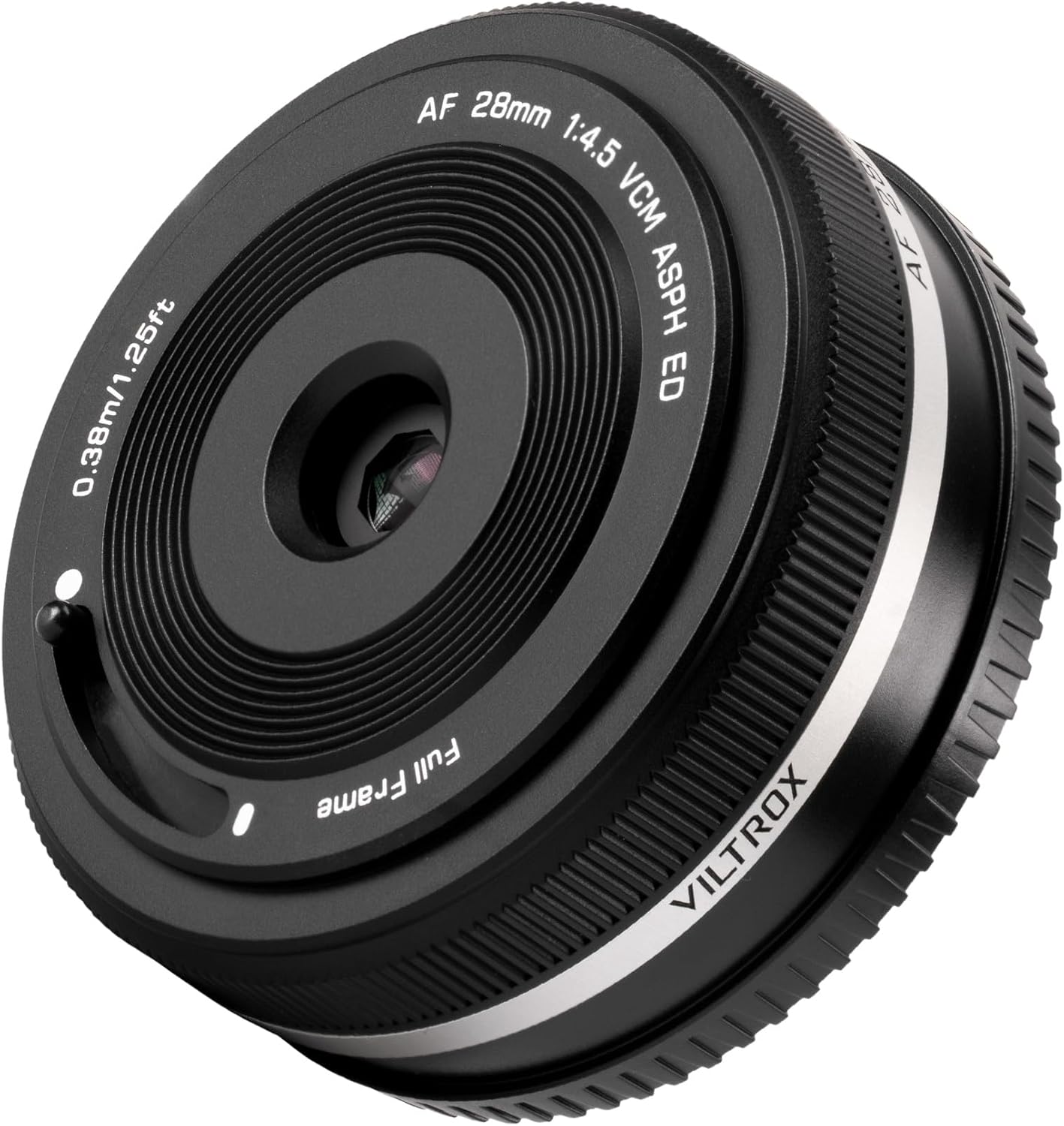
איור 2.5: חזית view of the VILTROX AF 28mm F4.5 FE lens, displaying its retractable lens cover mechanism.
3. התקנה
To attach the VILTROX AF 28mm F4.5 FE lens to your Sony E-mount camera, align the white dot on the lens barrel with the corresponding white dot on your camera's lens mount. Rotate the lens clockwise until it clicks securely into place. Ensure the camera is powered off before attaching or detaching the lens.
4. הוראות הפעלה
4.1 פוקוס אוטומטי
The lens features an autofocus system for quick and accurate focusing. Refer to your camera's manual for specific autofocus settings and modes.
4.2 צמצם
The lens has a constant maximum aperture of F4.5. This aperture provides consistent exposure settings and is suitable for various lighting conditions.
4.3 Retractable Lens Cover
The integrated lens cover can be opened or closed using the small toggle switch located on the side of the lens barrel. This mechanism protects the front element from dust and scratches without the need for a separate lens cap.
4.4 עדכוני קושחה
The lens includes a USB-C port on the rear mount for firmware updates. To update the firmware:
- Connect the lens to a computer using a USB-C cable.
- Visit the official VILTROX webאתר (www.viltrox.com) to download the latest firmware and detailed instructions.
- Follow the on-screen prompts and instructions provided by VILTROX to complete the update process.
4.5 תאימות מצלמה
This lens is fully compatible with Sony E-mount full-frame and APS-C cameras, including models like the A7, A9, and A6000 series. It provides seamless autofocus and supports EXIF data transfer.
5. תחזוקה
To ensure the longevity and optimal performance of your lens, follow these maintenance guidelines:
- ניקוי אלמנטים של עדשה: Regularly wipe the front and rear glass elements with a clean, soft microfiber cloth specifically designed for optics. Use a lens blower to remove any loose dust particles before wiping to prevent scratches. Avoid touching the glass surfaces directly with your fingers.
- ניקוי גוף: Clean the lens barrel and mount with a soft, dry cloth. Do not use organic solvents or strong cleaning agents.
- אמצעי זהירות סביבתיים: The lens is not weather-sealed. Avoid using it in environments with high humidity, heavy rain, or extreme temperatures to prevent internal damage.
- אִחסוּן: When not in use, store the lens with both front and rear caps attached in a dry, cool place away from direct sunlight and moisture.
6. פתרון תקלות
If you encounter any issues with your VILTROX AF 28mm F4.5 FE lens, please refer to the following common troubleshooting steps:
- בעיות מיקוד אוטומטי: If the autofocus is slow, inconsistent, or fails to lock onto subjects, ensure the lens firmware is up to date. Check your camera's autofocus mode and area settings. In low-light conditions, autofocus performance may be reduced.
- חששות באיכות התמונה: If images appear soft, blurry, or exhibit unusual artifacts, verify that the lens elements are clean and free from smudges or dust. Ensure the lens is securely mounted to the camera body. Check your camera's ISO, shutter speed, and aperture settings for appropriate exposure.
- עדשה לא מזוהה על ידי המצלמה: If the camera does not detect the lens, power off the camera, detach the lens, and then re-attach it, ensuring it clicks firmly into place. Clean the electronic contacts on both the lens mount and the camera body with a clean, dry cloth to ensure proper communication.
- רעשים חריגים: If the lens produces unusual noises during operation, power off the camera and remove the lens. Inspect for any visible obstructions or damage. If the issue persists, contact VILTROX customer support.
7. מפרטים
| תכונה | עֵרֶך |
|---|---|
| מידות המוצר | 0.6 x 2.37 x 2.37 אינץ' |
| משקל פריט | 7 אונקיות |
| ASIN | B0DRXVT23Z |
| מותג | VILTROX |
| תיאור אורך מוקד | 28mm F4.5 FE |
| סוג עדשה | זווית רחבה |
| תואמים תואמים | סוני אי |
| יַצרָן | VILTROX |
| תאריך ראשון זמין | 30 בדצמבר 2024 |
8. סרטוני מוצר רשמיים
סרטון 8.1: הצגת סרטון מוצר רשמיasing the VILTROX 28mm F4.5 Full-Frame Ultra-Wide-Angle Lens for Sony, highlighting its features and performance.
Video 8.2: Official product video demonstrating the VILTROX AF 28mm F4.5 FE Lens for Sony E-Mount, focusing on its design and compatibility.
סרטון 8.3: הקדמה קצרהview video from VILTROX Official Store showcasing the VILTROX 28mm f4.5 FE Lens.
9. אחריות ותמיכה
A warranty card is included with your VILTROX AF 28mm F4.5 FE lens. Please refer to the card for specific warranty terms and conditions.
For further support, product information, or to download the latest firmware updates, please visit the official VILTROX webאֲתַר: www.viltrox.com