
מָבוֹא
Thank you for choosing Micool T35 Open Ear Headphones. These headphones are designed to provide a comfortable and safe listening experience, allowing you to enjoy high-quality audio while remaining aware of your surroundings. Featuring Bluetooth 5.3 connectivity, IPX6 waterproofing, and a long-lasting battery, they are ideal for sports and daily use.
תוכן החבילה
אנא בדקו את החבילה עבור הפריטים הבאים:
- Micool T35 Open Ear Headphones
- נרתיק טעינה אלחוטי
- כבל טעינה מסוג USB מסוג C
- מדריך למשתמש
המוצר נגמרview
The Micool T35 headphones feature an open-ear design with earhooks for secure and comfortable wear. The charging case protects and recharges your headphones.

Image: Micool T35 Open Ear Headphones and Charging Case. The image displays the charging case with one earbud inside and the other earbud placed next to it, showcasing the open-ear design and earhook.
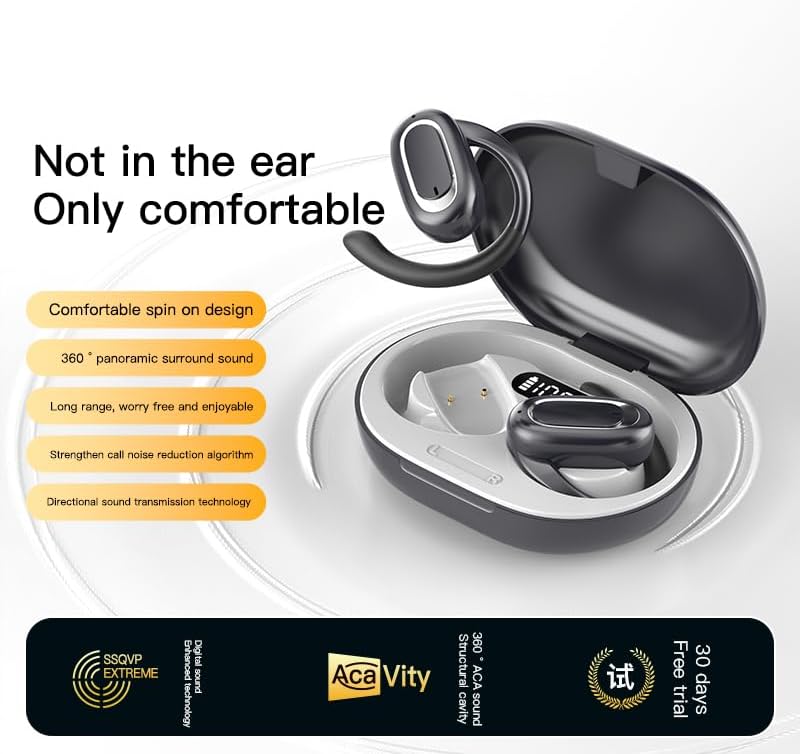
Image: Micool T35 Open Ear Headphones. This image shows both left and right earbuds with their earhooks, highlighting their ergonomic shape.
תכונות עיקריות:
- עיצוב אוזן פתוחה: Rests gently on the ear without blocking the ear canal, reducing ear fatigue and maintaining environmental awareness.
- Bluetooth 5.3: מבטיח קישוריות אלחוטית יציבה ויעילה.
- Ergonomic Earhooks: Provides a secure and comfortable fit, even during extended use or physical activity.
- IPX6 Waterproof: עמיד בפני זיעה והתזות, מתאים לספורט.
- חיי סוללה ארוכים: Up to 12 hours of playback on a single charge, extended to 34 hours with the charging case.
- העברת קול כיוונית: Minimizes sound leakage while delivering clear audio.
הגדרה
1. טעינת האוזניות והמארז
לפני השימוש הראשון, טען את האוזניות ואת נרתיק הטעינה במלואם.
- הנח את האוזניות במארז הטעינה.
- חבר את כבל ה-USB Type-C לשקע הטעינה במארז ולמקור חשמל.
- The charging case takes approximately 1-2 hours to fully charge.
- A full charge provides up to 12 hours of listening time for the headphones, with the charging case extending total playback to 34 hours.
2. זיווג Bluetooth
To connect your Micool T35 headphones to a device:
- ודאו שהאוזניות טעונות ונמצאות בתוך מארז הטעינה.
- Open the charging case. The headphones will automatically enter pairing mode, indicated by a flashing LED light on the earbuds.
- במכשיר שלך (סמארטפון, טאבלט וכו'), עבור אל הגדרות ה-Bluetooth.
- חפש available devices and select "Micool T35" from the list.
- Once connected, the LED indicator on the headphones will stop flashing.
- האוזניות יתחברו מחדש אוטומטית למכשיר האחרון שצומד לאחר הוצאתן מהמארז, אם Bluetooth מופעל במכשיר.
הוראות הפעלה
1. חבשת האוזניות
The Micool T35 headphones are designed for an open-ear fit with rotatable earhooks.
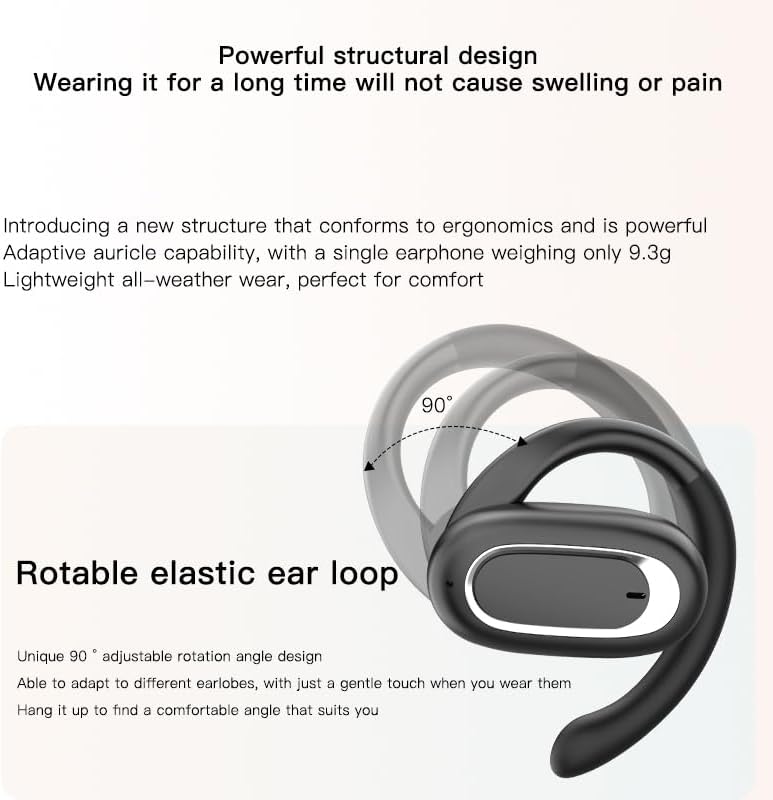
Image: Micool T35 Headphones: Rotatable Earhook Adjustment. The image illustrates the 90-degree rotation capability of the earhook for a customized fit.
- Gently place the earbud on your ear, ensuring the earhook wraps securely around the back of your ear.
- Adjust the rotatable earhook to find the most comfortable and stable position for your earlobe.
- The open-ear design ensures comfort and allows you to hear your surroundings.

Image: Micool T35 Headphones: Usage Scenarios. This image shows individuals using the headphones in various settings: during fitness activities, in an office environment, outdoors while running, and during leisure time.
2. גע בפקדים
The Micool T35 headphones feature intuitive touch controls on each earbud.
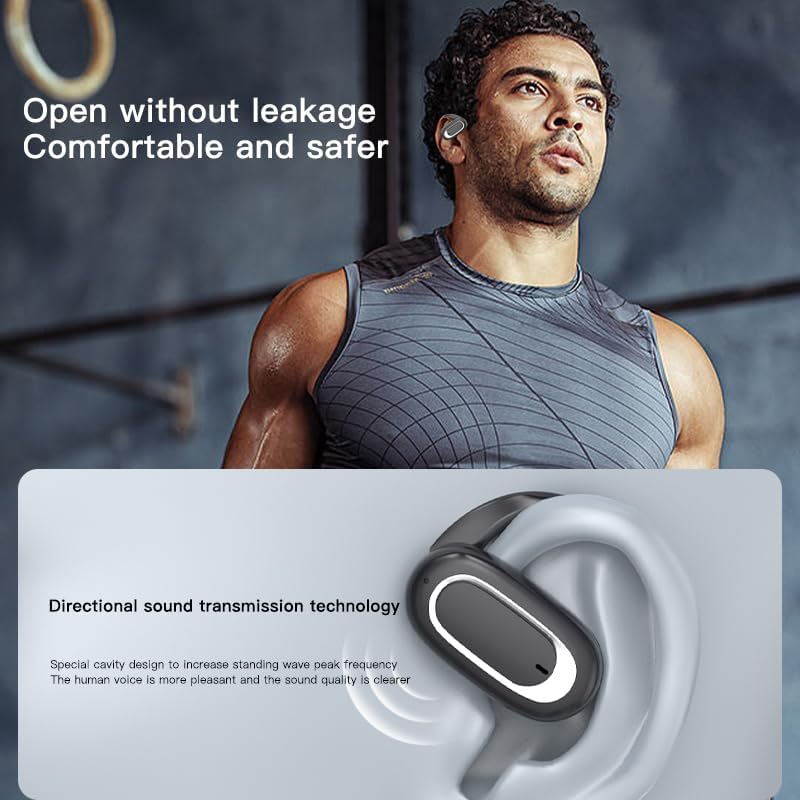
Image: Micool T35 Headphones: Touch Controls Diagram. This diagram illustrates the touch-sensitive area on the earbud and lists the corresponding functions for single tap, double tap, triple tap, and long press.
- השמעה/השהיה של מוזיקה: Tap the function key once.
- מענה/סיום שיחה: Click the function key.
- זימון עוזר קולי: Long press the function key for 2 seconds.
- דחיית שיחה: Long press the function key for 2 seconds during an incoming call.
- Switching Up/Down Tracks: Triple click the left/right ear function keys.
- הגדלת/הקטנת עוצמת הקול: Double click the right/left ear function keys.
3. מצב משחק
The Micool T35 headphones support a low-latency game mode for improved audio-video synchronization.

Image: Micool T35 Headphones: Low Latency Game Mode. The image shows a smartphone displaying a mobile game, indicating the headphones' capability for synchronized audio and video during gaming.
To activate game mode, refer to the specific instructions provided in the quick start guide or product packaging, as this feature often requires a specific touch gesture or setting within the connected device.
תַחזוּקָה
תחזוקה נכונה מבטיחה את אורך החיים והביצועים של האוזניות שלכם.
- ניקוי: השתמשו במטלית רכה, יבשה ונטולת סיבים לניקוי האוזניות ומארז הטעינה. אין להשתמש בחומרי ניקוי שוחקים או ממסים.
- עמידות במים: The headphones are IPX6 waterproof, meaning they are resistant to strong jets of water. They are suitable for use during workouts and in light rain, but should not be submerged in water. Dry them thoroughly before placing them back in the charging case.
- אִחסוּן: כאשר אינן בשימוש, יש לאחסן את האוזניות בנרתיק הטעינה שלהן כדי להגן עליהן מפני אבק ונזק. יש לאחסן במקום קריר ויבש הרחק מטמפרטורות קיצוניות.
- טיפול בסוללה: To preserve battery life, charge the headphones regularly, even if not used for extended periods. Avoid fully discharging the battery frequently.
פתרון בעיות
If you encounter issues with your Micool T35 headphones, try the following solutions:
- אין צליל:
- ודא שהאוזניות טעונות.
- בדוק אם האוזניות מותאמות כראוי למכשיר שלך.
- כוונן את עוצמת הקול גם באוזניות וגם במכשיר שלך.
- נסה להשמיע אודיו מאפליקציה או מקור אחר.
- כשל בהתאמה:
- כבה את ה-Bluetooth במכשיר שלך והפעל אותו מחדש.
- Forget "Micool T35" from your device's Bluetooth list and attempt to pair again.
- ודא שהאוזניות נמצאות במצב צימוד (נורית הלד מהבהבת).
- קרב את האוזניות למכשיר שלך.
- בעיות טעינה:
- ודא שכבל הטעינה מחובר היטב הן למארז והן למקור החשמל.
- נסה כבל USB Type-C או מתאם חשמל אחר.
- Clean the charging contacts on the headphones and inside the case with a dry cotton swab.
- איכות שיחה ירודה:
- ודא שהמיקרופון אינו חסום.
- עברו לאזור עם פחות רעש סביבתי.
- בדוק את אות הרשת של המכשיר שלך.
מפרטים
| מותג | Micool |
| שם הדגם | T35 |
| טכנולוגיית קישוריות | אלחוטי (בלוטות' 5.3) |
| מיקום אוזניים | אוזן פתוחה |
| גורם צורה | On Ear (with earhooks) |
| דירוג עמיד למים | IPX6 |
| זמן השמעה | עד 12 שעות (טעינה אחת), 34 שעות (עם מארז טעינה) |
| יציאת טעינה | USB Type-C |
| סוג בקרה | בקרת מדיה (מגע) |
| חוֹמֶר | פּלָסטִי |
| מכשירים תואמים | טלפונים סלולריים |
אחריות ותמיכה
Micool T35 Open Ear Headphones come with a 1-year limited warranty from the date of purchase. This warranty covers manufacturing defects and workmanship under normal use.
For technical support, warranty claims, or any questions regarding your product, please contact Micool customer service through the retailer where you purchased the product or visit the official Micool brand store:
Please have your purchase receipt and product model number (T35) ready when contacting support.