
1. המוצר נגמרview
The TP-Link Deco X1500 is a Wi-Fi 6 Mesh System designed to provide seamless, whole-home Wi-Fi coverage. This 3-pack system utilizes advanced Wi-Fi 6 technologies to deliver faster speeds, connect more devices, and reduce latency for a superior network experience. It creates a unified network that automatically selects the best connection as you move throughout your home.

Image: A single TP-Link Deco X1500 Mesh WiFi 6 unit, showcasing its compact white cylindrical design.
תכונות עיקריות:
- Faster Connections: Wi-Fi 6 achieves speeds up to 1,500 Mbps: 1,201 Mbps on 5 GHz and 300 Mbps on 2.4 GHz.
- חבר יותר מכשירים: OFDMA and MU-MIMO technologies quadruple capacity for simultaneous transmission to multiple devices.
- Enhanced Seamless Coverage: Achieve perfect whole-home coverage with a clearer and stronger Wi-Fi signal generated by Wi-Fi 6.
- חביון נמוך במיוחד: Reduced latency enables more responsive gaming and video chats.
- רשת מאוחדת: Multiple units form a whole-home network that automatically selects the best connection as you move around your home.
- בקרת הורים חזקה: הגבל את הזמן המקוון וחסום לא הולם websites based on unique profileנוצר עבור כל אחד מבני המשפחה.
- הגדרה פשוטה: The Deco app guides you step-by-step through the setup process.
2. תכולת החבילה
ודא שכל הפריטים נמצאים בחבילה שלך:
- 3 יחידות דקו X1500
- 1 x כבל Ethernet RJ45
- 3 x מתאמי מתח
- 1 x מדריך התקנה מהירה
3. הוראות התקנה
Setting up your Deco X1500 Mesh System is straightforward using the TP-Link Deco app. Follow these steps for initial installation:
- הורידו את אפליקציית דקו: חפש 'TP-Link Deco' in the App Store (iOS) or Google Play Store (Android) and download the application.
- Sign Up or Log In: Open the Deco app and sign up for a TP-Link ID. If you already have one, log in.
- חבר את יחידת הדקו הראשית:
- כבה את המודם שלך.
- חבר יחידת Deco אחת למודם שלך באמצעות כבל ה-Ethernet המצורף.
- הפעל את המודם שלך, לאחר מכן הפעל את יחידת ה-Deco.
- פעל לפי ההוראות בתוך האפליקציה: The Deco app will automatically detect your Deco unit and guide you through the process of creating your Wi-Fi network name and password.
- הוסף יחידות דקו נוספות: Once the main Deco is set up, the app will prompt you to add the remaining Deco units. Place them strategically throughout your home for optimal coverage. The app will provide guidance on ideal placement.
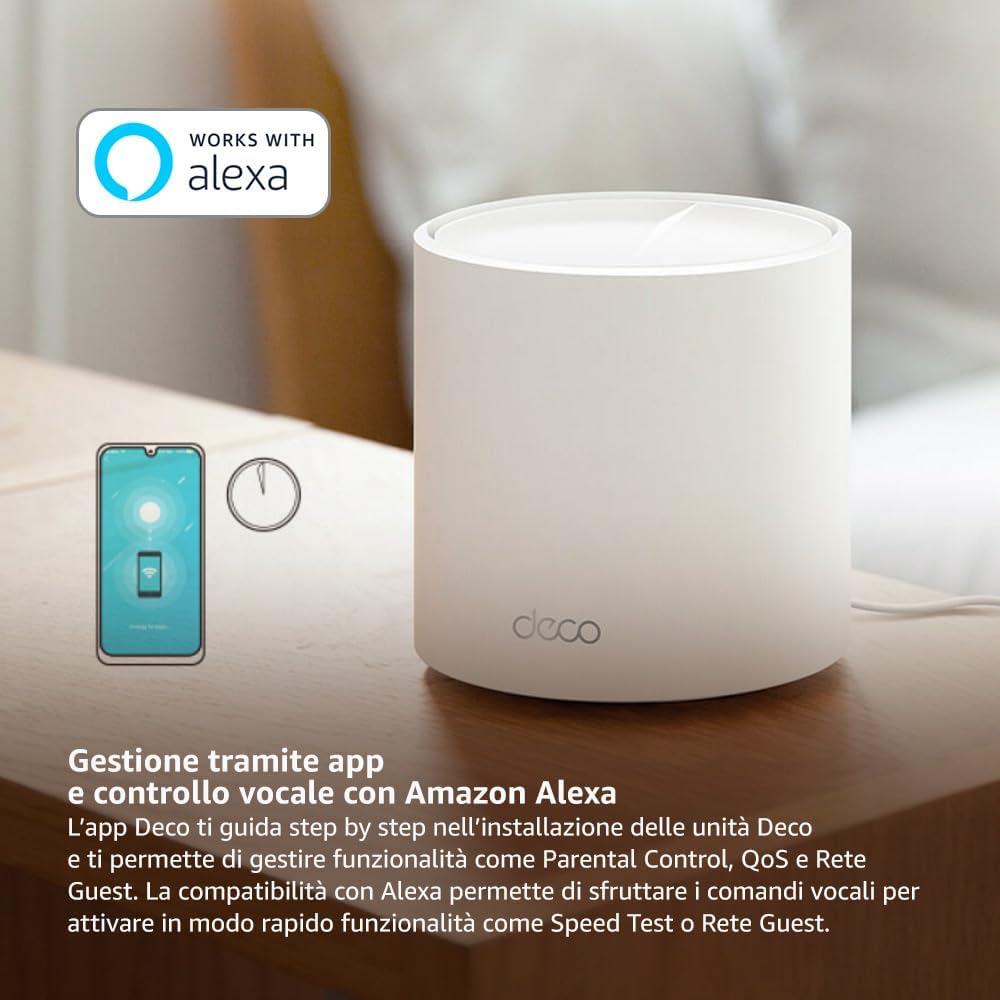
Image: A smartphone screen displaying the TP-Link Deco app, illustrating the step-by-step setup process for the mesh system.
4. הוראות הפעלה
The Deco X1500 system is managed primarily through the TP-Link Deco app, offering various features to control and optimize your home network.
שימוש באפליקציית דקו:
- ניהול רשת: View connected devices, monitor network status, and manage Wi-Fi settings.
- בקרת הורים: צור מקצועןfiles for family members, set time limits, and block inappropriate content.
- איכות השירות (QoS): תעדפו מכשירים או פעילויות לקבלת ביצועים מיטביים.
- רשת אורחים: צרו רשת Wi-Fi נפרדת לאורחים, תוך שמירה על אבטחת הרשת הראשית שלכם.
- אנטי-וירוס: Utilize built-in HomeShield features for network protection.
Voice Control with Amazon Alexa:
The Deco X1500 is compatible with Amazon Alexa. Link your TP-Link Deco account to your Alexa account to use voice commands for network functions, such as:
- Enabling or disabling the Guest Network.
- Running a speed test.
- Pausing Wi-Fi for specific profiles.

תמונה: החלק האחורי view of a Deco X1500 unit, showing two Gigabit LAN/WAN auto-sensing Ethernet ports and the power input.
5. תחזוקה
Regular maintenance ensures optimal performance and longevity of your Deco X1500 system.
עדכוני קושחה:
- The Deco app will notify you of available firmware updates. It is recommended to keep your Deco units updated to the latest firmware for improved performance, security, and new features.
- Follow the in-app instructions to perform firmware updates. Do not power off the units during an update.
ניקוי ומיקום:
- Clean the Deco units with a soft, dry cloth. Do not use liquid cleaners or aerosols.
- Place Deco units in open areas, away from obstructions like large metal objects, thick walls, or other electronic devices that may cause interference.
- Ensure adequate ventilation around each unit to prevent overheating.
6. פתרון תקלות
If you encounter issues with your Deco X1500 system, refer to the following common troubleshooting steps.
אין חיבור אינטרנט:
- בדיקת מודם: ודא שהמודם שלך דולק ויש לו חיבור אינטרנט פעיל.
- חיבורי כבלים: ודא שכבל ה-Ethernet המחבר את יחידת ה-Deco הראשית למודם מחובר היטב.
- הפעל מחדש מכשירים: Power cycle your modem and all Deco units. Wait a few minutes for them to restart and re-establish connections.
- סטטוס אפליקציית דקו: Check the Deco app for network status and any error messages.
אות Wi-Fi חלש או אזורים מתים:
- מיקום יחידה: Adjust the placement of your Deco units. Try to place them equidistant from each other and the main Deco, avoiding physical obstructions.
- הַפרָעָה: Move Deco units away from other electronics (microwaves, cordless phones, Bluetooth devices) that might cause wireless interference.
- הוסף יחידות נוספות: For very large homes or those with multiple floors, consider adding more Deco units to expand coverage.
Device Cannot Connect to Wi-Fi:
- סיסמה נכונה: ודא שאתה מזין את סיסמת ה-Wi-Fi הנכונה.
- תאימות מכשיר: Verify that your device supports the Wi-Fi standards used by the Deco system (802.11ax/ac/n/a/g/b).
- הפעל מחדש את המכשיר: הפעל מחדש את המכשיר בעת ניסיון להתחבר.
- Check Blacklist: Ensure the device has not been accidentally blacklisted in the Deco app.
7. מפרטים
| תכונה | מִפרָט |
|---|---|
| מותג | TP-Link |
| שם הדגם | דקו X1500 |
| תכונה מיוחדת | Wi-Fi 6 |
| מחלקה להקת תדרים | Dual-Band |
| תקן תקשורת אלחוטית | 802.11ax |
| מכשירים תואמים | מחשב, סמארטפון, טאבלט |
| שימוש מומלץ | בַּיִת |
| טכנולוגיית קישוריות | RJ45 |
| צֶבַע | לָבָן |
| פרוטוקול אבטחה | WPA3 |
| Number of Ports (per unit) | 2 x Gigabit LAN/WAN (auto-sensing) |
| שיטת בקרה | אפליקציה |
| קצב העברת נתונים | 1500 מגה-ביט לשנייה |
| רוחב פס של יציאת LAN | 1000 Mbps |
| כרך ידtage | 110.0V |
| Max Upstream Data Transfer Rate | 1201 מגה-ביט לשנייה |
| מספר אנטנות | פְּנִימִי |
| תאימות לבית חכם | כֵּן |
| דור Wi-Fi | Wi-Fi 6 |
| כיסוי (חבילה של 3) | עד 520 מ"ר |
| משקל פריט | 1.8 קילוגרם |
8. מידע על אחריות
The TP-Link Deco X1500 Mesh System comes with a 3 שנות אחריות למוצר. This warranty covers defects in materials and workmanship under normal use. For specific terms and conditions, please refer to the warranty card included in your package or visit the official TP-Link webאֲתַר.
9. תמיכה
For further assistance, technical support, or to access additional resources, please visit the official TP-Link support webאֲתַר:
You can also find FAQs, updated manuals, and community forums on the support page.