
1. הקדמה
This manual provides essential information for the safe and efficient use of your Aiwa A65QUHDX3-GTV 65-inch QLED 4K Ultra HD Google Smart TV. Please read these instructions thoroughly before operating the television and retain them for future reference.
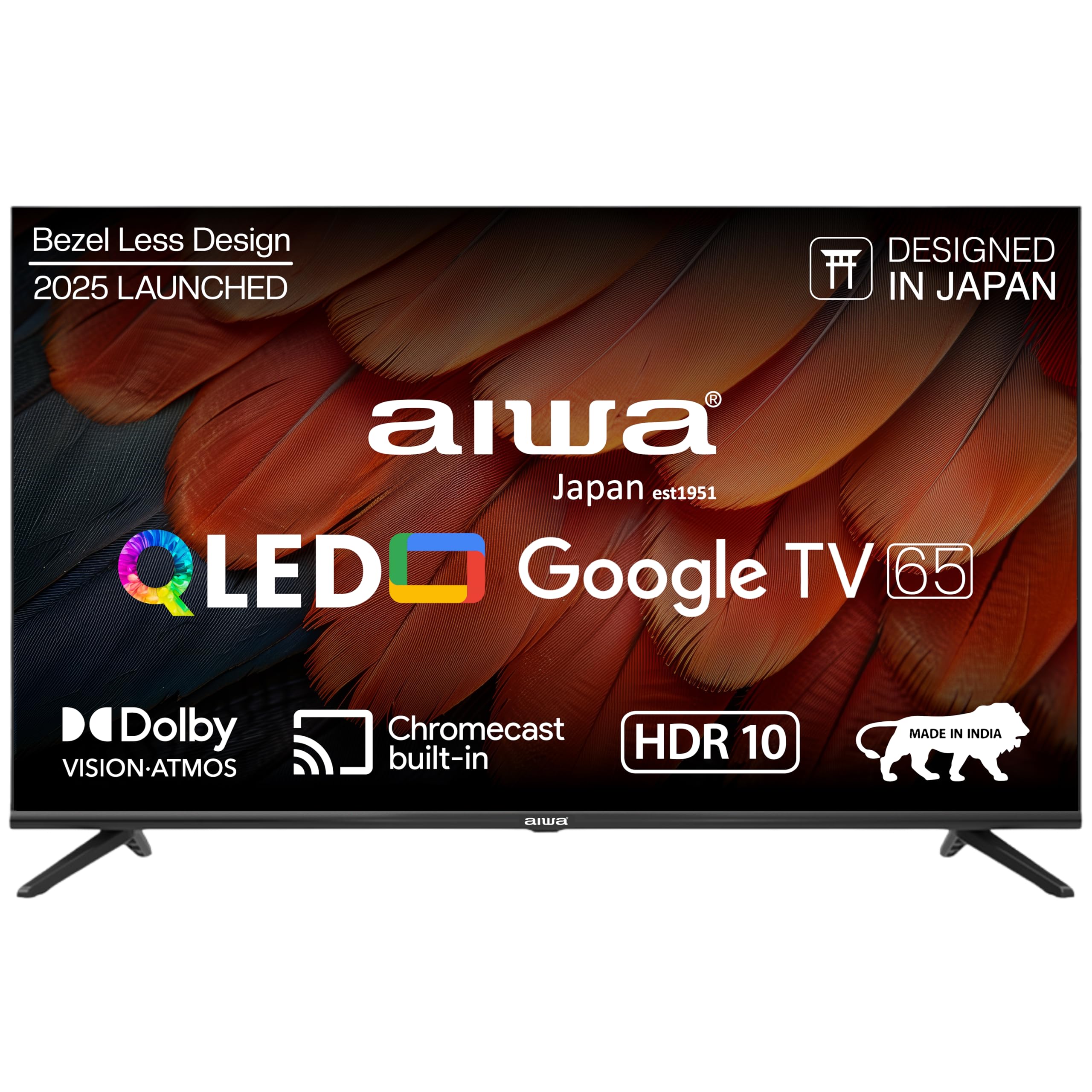
איור 1.1: חזית view of the Aiwa A65QUHDX3-GTV 65-inch QLED Smart TV.

Figure 1.2: Aiwa A65QUHDX3-GTV showcasing its ultra sleek design.
2. מידע בטיחות
יש להקפיד תמיד על אמצעי הזהירות הבאים כדי למנוע התחשמלות, שריפה או נזק לטלוויזיה:
- אין לחשוף את הטלוויזיה לגשם או לחות.
- אל תפתחו את הטלוויזיהasinז. הפנה את כל הטיפולים לצוות מוסמך.
- יש לוודא אוורור נאות. אין לחסום פתחי אוורור.
- הימנעו מהצבת הטלוויזיה בקרבת מקורות חום או באור שמש ישיר.
- השתמשו רק בכבל החשמל המצורף לטלוויזיה.
- הרחק סוללות מהישג ידם של ילדים.
3. מה בקופסה
ודא שכל הרכיבים נמצאים בעת פתיחת הקופסה:
- טלוויזיה LED 1N
- 4N Screws for stand/wall mount
- שלט רחוק 1N
- סוללות 2N AAA (לשלט רחוק)
- 1N User Manual with Warranty Card
- 1N Set Table Stand
- 1N Wallmount bracket
4. התקנה
4.1 התקנה פיזית
Your Aiwa TV supports both table-top and wall-mount installations. Choose the method suitable for your environment.
התקנת מעמד שולחן
- הנח בזהירות את הטלוויזיה כשמסך הטלוויזיה כלפי מטה על משטח רך ושטוח כדי למנוע נזק.
- Attach the provided table stands to the designated slots at the bottom of the TV using the included screws.
- ודאו שהמעמדים מחוברים היטב.
- הרם בזהירות את הטלוויזיה למיקומה הזקוף על משטח יציב.
התקנה על קיר
If using the wall mount, follow the instructions provided with the wall mount kit. Professional installation is recommended for wall mounting.

Figure 4.1: Dimensions of the Aiwa A65QUHDX3-GTV 65-inch QLED Smart TV.
4.2 חיבור ציוד היקפי
The TV features an array of ports for various devices. Refer to the back panel image for port locations.

איור 4.2: אחורי view of the TV displaying connectivity ports.

איור 4.3: מפורט view of the TV's connectivity ports including LAN, HDMI, USB, Antenna In, and AV In.
- יציאות HDMI (x3): חבר נגני Blu-ray, קונסולות משחקים, ממירים או מכשירים אחרים התומכים ב-HDMI.
- יציאות USB (x2): חבר התקני אחסון USB להפעלת מדיה או לעדכוני תוכנה.
- יציאת LAN: חבר כבל Ethernet לחיבור אינטרנט קווי.
- כניסת אנטנה: חבר אנטנה או אות טלוויזיה בכבלים.
- כניסת AV: חבר מכשירים ישנים יותר באמצעות כבלי וידאו מרוכבים ואודיו סטריאו.
- בלוטות': התאם אוזניות אלחוטיות, סאונדברים או התקני Bluetooth אחרים.
- Wi-Fi: התחבר לרשת האלחוטית הביתית שלך כדי לגשת לאינטרנט.
4.3 אשף הפעלה והגדרה ראשוניים
- חבר את כבל החשמל לטלוויזיה ולאחר מכן לשקע חשמל.
- לחץ על כפתור ההפעלה בשלט רחוק או על הטלוויזיה עצמה.
- פעל לפי ההוראות שעל המסך כדי להשלים את ההגדרה הראשונית, כולל בחירת שפה, חיבור רשת וכניסה לחשבון Google.
5. הוראות הפעלה
שלט רחוק 5.1
The included smart remote control allows for easy navigation and voice commands.

Figure 5.1: Smart Remote Control with dedicated quick access buttons for streaming services and voice control functionality.
- לחצן הפעלה: מפעיל או מכבה את הטלוויזיה.
- משטח ניווט: Use the directional buttons to move through menus and the center button to select.
- כפתור חזרה: חוזר למסך הקודם.
- כפתור בית: גישה למסך הבית של גוגל TV.
- עוצמת הקול מעלה/הנמכת: מכוונן את עוצמת השמע.
- כפתור השתק: השתקה או ביטול השתקת הצליל.
- כפתור עוזר קולי: מפעיל את Google Assistant עבור פקודות קוליות.
- כפתורי גישה מהירה: Dedicated buttons for Netflix, Prime Video, YouTube, and Disney+Hotstar.
5.2 ממשק גוגל טי וי
Your Aiwa Smart TV runs on Google TV, offering a personalized content experience.

Figure 5.2: Google TV home screen displaying a wide range of applications and content.

Figure 5.3: Google TV interface with personalized content suggestions.
- המלצות תוכן: The TV provides personalized suggestions based on your viewהיסטוריה והעדפות.
- רשימת מעקב: הוסף סרטים ותוכניות לרשימת הצפייה שלך לשימוש מאוחר יותר viewing.
- מקצוען אישיfile: צור מקצוען אישיfiles for each user to receive tailored content.
- ילדים פרוfile: Set up a dedicated profile for children with age-appropriate content and parental controls.
- Google Assistant: השתמשו בפקודות קוליות כדי לחפש תוכן, לשלוט במכשירי בית חכם ולקבל מידע.
- Chromecast מובנה: העבירו תוכן ישירות מהסמארטפון או הטאבלט שלכם לטלוויזיה.
5.3 הגדרות תמונה וקול
התאם את הגדרות התמונה והקול כדי לייעל את viewניסיון.
מצבי תמונה
Access picture settings through the TV menu to select from various modes:
- בָּהִיר: Enhances colors and brightness for a dynamic picture.
- תֶקֶן: הגדרת ברירת מחדל מתאימה לרוב התוכן.
- ספּוֹרט: Optimizes motion and color for sports broadcasts.
- סֶרֶט: Provides a cinematic experience with accurate colors.
- מִשׁתַמֵשׁ: Allows custom adjustment of brightness, contrast, color, and sharpness.
- חיסכון באנרגיה: Reduces power consumption by adjusting brightness.
The QLED display supports Dolby Vision and HDR10 for enhanced contrast and color depth.

Figure 5.4: Explanation of Quantum Dot nanocrystals technology for vibrant picture quality.

Figure 5.5: Crysta Tech Vision for enhanced detail and Black Reflect anti-glare technology.
מצבי סאונד
Select sound modes to match your content:
- תֶקֶן: הגדרת שמע כללית.
- ספּוֹרט: Enhances dialogue and crowd noise for sports.
- סֶרֶט: Provides a rich, immersive audio experience.
- מוּסִיקָה: אופטימיזציה של אודיו להשמעת מוזיקה.
The TV features Aiwa Signature Sound and Dolby Atmos for high-fidelity audio.

Figure 5.6: Aiwa Signature Sound, crafted to perfection in Japan, for high fidelity audio.
6. תחזוקה
6.1 ניקוי הטלוויזיה
- תמיד נתקו את הטלוויזיה מהחשמל לפני ניקוי.
- השתמש במטלית רכה ויבשה כדי לנגב את המסך והארון.
- עבור סימנים עקשניים, ליטוש קלותampנקו את המטלית במים או בחומר ניקוי מסך עדין ולא שוחק.
- אין להשתמש באלכוהול, בנזן, מדללים או חומרים נדיפים אחרים.
6.2 עדכוני תוכנה
ייתכן ש-Google TV שלך יקבל עדכוני תוכנה אוטומטיים. ודא שהטלוויזיה שלך מחוברת לאינטרנט כדי לקבל את התכונות ותיקוני האבטחה העדכניים ביותר. תוכל גם לבדוק ידנית אם יש עדכונים בתפריט ההגדרות של הטלוויזיה.
7. פתרון תקלות
אם נתקלת בבעיות עם הטלוויזיה שלך, עיין בפתרונות הנפוצים הבאים:
| בְּעָיָה | פתרון אפשרי |
|---|---|
| אין חשמל / הטלוויזיה לא נדלקת | Ensure the power cord is securely connected to both the TV and the power outlet. Check if the power outlet is working. Try pressing the power button on the TV itself. |
| אין תמונה / איכות תמונה ירודה | Check cable connections (HDMI, Antenna). Ensure the correct input source is selected. Adjust picture settings (brightness, contrast, mode). For antenna, rescan channels. |
| No sound / Low sound | Check volume level and ensure TV is not muted. Verify audio cable connections if using external speakers. Check sound settings and sound mode. |
| השלט רחוק לא עובד | Replace batteries in the remote control. Ensure there are no obstructions between the remote and the TV's IR sensor. Re-pair the Bluetooth remote if applicable. |
| Smart TV features not working / Slow performance | Check internet connection (Wi-Fi or LAN). Restart the TV by unplugging it for a few minutes. Clear app cache or reinstall problematic apps. Ensure software is up to date. |
| Casting issues (Chromecast) | Ensure your casting device and TV are on the same Wi-Fi network. Restart both the TV and the casting device. |
8. מפרטים
Detailed technical specifications for the Aiwa A65QUHDX3-GTV:
| תכונה | פְּרָט |
|---|---|
| מותג | אייווה |
| דֶגֶם | A65QUHDX3 |
| גודל מסך | 65 אינץ' |
| טכנולוגיית תצוגה | QLED |
| הַחְלָטָה | רזולוציית אולטרה HD 4K (3840 x 2160 פיקסלים) |
| קצב רענון | 60 הרץ |
| Viewזווית | 178 מעלות |
| מַעֲרֶכֶת הַפעָלָה | Google TV |
| זיכרון RAM | 2 ג'יגה-בייט |
| קיבולת אחסון | 16 ג'יגה-בייט |
| מעבד גרפי | Mali-450 GPU |
| קישוריות | Wi-Fi (Dual band), Bluetooth (2-way), HDMI 2.0 (x3), USB 2.0 (x2), LAN (x1) |
| כוח פלט שמע | 24 וואט |
| תכונות אודיו | Aiwa Signature Sound, Dolby Atmos, Stereo Audio |
| תכונות מיוחדות | 4K Ultra HD, Built-in Apps, Voice Control, HDR10, Google OS, Flat Screen, Miracast, Smart Features, Dolby Vision, Crysta Tech Vision, Black Reflect |
| מידות מוצר (עם מעמד) | 10 x 9.8 x 83 cm (approx. 145.2 cm width, 89.6 cm height) |
| משקל פריט | 18.6 ק"ג |
| מקור כוח | מתח זרם חילופין 220 וולט |
| מהtage | 150 וואט |
9. אחריות ותמיכה
9.1 מידע אחריות
Your Aiwa A65QUHDX3-GTV television comes with a manufacturer's warranty. Please refer to the included Warranty Card for detailed terms, conditions, and duration of the warranty period.
9.2 תמיכת לקוחות
For technical assistance, installation services, or any product-related inquiries, please contact Aiwa customer support:
- קו סיוע של שירות לקוחות: 1800-120-5619
- Service is available across 19000+ pincodes in India.

Figure 9.1: Aiwa provides installation and service support across India.