
HiFuture Flybuds3-W
מדריך למשתמש לאוזניות HiFuture FlyBuds3 TWS
Model: Flybuds3-W
1. הקדמה
Welcome to the user manual for your new HiFuture FlyBuds3 True Wireless Stereo (TWS) Earbuds. This guide provides detailed instructions on how to set up, operate, maintain, and troubleshoot your earbuds to ensure optimal performance and longevity. Please read this manual carefully before using your device.
תכולת החבילה:
- HiFuture FlyBuds3 TWS Earbuds (Left and Right)
- נרתיק טעינה
- כבל טעינה USB
- מדריך למשתמש
2. התקנה
2.1 טעינת האוזניות והנרתיק
Before first use, fully charge the FlyBuds3 and their charging case. The charging case acts as a portable power bank for your earbuds.
- טעינת המארז: Connect the provided USB charging cable to the charging port on the case and the other end to a USB power adapter (not included) or a computer USB port. The LED indicator on the case will show charging status.
- טעינת האוזניות: Place the earbuds into their respective slots in the charging case. Ensure they are correctly seated. The earbuds will automatically begin charging. The LED indicators on the earbuds (if present) or case will confirm charging.
A full charge typically takes approximately 1.5 to 2 hours for both the case and earbuds.

Image: HiFuture FlyBuds3 earbuds in their charging case, ready for charging or use.
2.2 צימוד עם המכשיר שלך
The FlyBuds3 use Bluetooth 5.3 for a stable and efficient connection.
- התאמה ראשונה:
- פתחו את מארז הטעינה. האוזניות יידלקו אוטומטית ויכנסו למצב צימוד.
- במכשיר שלך (סמארטפון, טאבלט, מחשב), הפעל את Bluetooth.
- חפש new Bluetooth devices and select "HiFuture FlyBuds3" from the list.
- Once connected, you will hear a confirmation tone, and the earbuds' LED indicators will change (e.g., turn off or solid blue).
- התאמה מחדש: האוזניות יתחברו אוטומטית למכשיר האחרון שצומד לאחר הוצאתן מהמארז, אם Bluetooth מופעל במכשיר.
- שימוש באוזניות בודדות: Either earbud can be used independently. Simply take one earbud out of the case, and it will connect to your device. The other earbud can remain in the case or be used later.
3. הפעלת האוזניות
The FlyBuds3 feature intuitive touch controls for easy management of calls and music.
3.1 הפעלה/כיבוי
- הפעלה: פתח את נרתיק הטעינה והאוזניות יופעלו אוטומטית.
- כיבוי: החזירו את האוזניות למארז הטעינה וסגרו את המכסה. הן יכבו אוטומטית ויתחילו להיטען.
3.2 פקדי מגע
The touch-sensitive areas are located on the outer surface of each earbud. Specific functions may vary slightly, but common controls include:
- הפעל/השהה: הקשה אחת על אחת האוזניות.
- הרצועה הבאה: הקש פעמיים על האוזניה הימנית.
- רצועה קודמת: הקש פעמיים על האוזניה השמאלית.
- מענה/סיום שיחה: נגיעה אחת על כל אחת מהאוזניות במהלך שיחה נכנסת.
- דחה שיחה: לחץ והחזק את כל אחת מהאוזניות למשך 2 שניות במהלך שיחה נכנסת.
- הפעל את Assistant Voice: הקש שלוש פעמים על כל אחת מהאוזניות (למשל, סירי, גוגל אסיסטנט).
- Toggle Gaming Mode (Ultra-Low Latency): Specific gesture (e.g., long press on a specific earbud or multiple taps) to switch between standard and low-latency modes for gaming or video. Refer to quick start guide for exact gesture.
3.3 ביטול רעשי סביבה (ENC)
The FlyBuds3 feature AI ENC microphones designed to block background noise during calls, ensuring clear communication even in noisy environments.

Image: HiFuture FlyBuds3 earbud highlighting its ENC (Environmental Noise Cancellation) feature for clear calls.
4. תחזוקה
Proper care will extend the life and performance of your FlyBuds3.
4.1 ניקוי
- השתמשו במטלית רכה, יבשה ונטולת סיבים כדי לנקות את האוזניות ואת מארז הטעינה.
- אין להשתמש בחומרי ניקוי שוחקים, אלכוהול או ממסים כימיים.
- נקו בעדינות את מגעי הטעינה הן באוזניות והן במארז בעזרת מקלון צמר גפן יבש במידת הצורך.
4.2 אחסון
- יש לאחסן תמיד את האוזניות בנרתיק הטעינה שלהן כאשר אינן בשימוש כדי להגן עליהן ולשמור עליהן טעונות.
- יש לאחסן את המכשיר במקום קריר ויבש, הרחק מטמפרטורות קיצוניות ואור שמש ישיר.
4.3 טיפול בסוללה
- הימנעו מפריקת הסוללה באופן מלא לעתים קרובות.
- טען את האוזניות באופן קבוע, גם אם אינן בשימוש למשך תקופות ממושכות, כדי לשמור על תקינות הסוללה.
- The FlyBuds3 are IPX4 splashproof, meaning they are resistant to sweat and light splashes. Do not submerge them in water.

Image: HiFuture FlyBuds3 earbuds demonstrating water resistance. The product is rated IPX4 splashproof.
5. פתרון תקלות
If you encounter issues with your FlyBuds3, try the following solutions:
- אין צליל מהאוזניות:
- ודאו שהאוזניות טעונות.
- בדוק אם Bluetooth מופעל במכשיר שלך והאוזניות מחוברות.
- כוונן את עוצמת הקול גם במכשיר וגם באוזניות.
- נסה לזווג מחדש את האוזניות.
- אוזניות לא מותאמות:
- Ensure earbuds are in pairing mode (out of case, open lid).
- כבה והפעל את ה-Bluetooth במכשיר שלך.
- Forget/delete "HiFuture FlyBuds3" from your device's Bluetooth list and try pairing again.
- ודא שאין מכשירים אחרים המחוברים לאוזניות.
- רק אוזניה אחת עובדת:
- החזירו את שתי האוזניות למארז הטעינה, סגרו את המכסה, המתינו מספר שניות ולאחר מכן הוציאו אותן שוב.
- ודא ששתי האוזניות טעונות.
- Perform a factory reset (if applicable, refer to manufacturer's webאתר עבור שלבים ספציפיים).
- בעיות טעינה:
- בדוק את כבל הטעינה והמתאם.
- ודאו שמגעי הטעינה באוזניות ובמארז נקיים וללא לכלוך.
- Verify the charging case has power.
6. מפרטים
| תכונה | מִפרָט |
|---|---|
| מספר דגם | Flybuds3-W |
| גרסת בלוטות' | 5.3 |
| זמן משחק | עד 60 שעות (עם מארז טעינה) |
| מִיקרוֹפוֹן | AI ENC Enabled |
| עמידות במים | IPX4 עמיד בפני התזה |
| חֶבִיוֹן | חביון נמוך במיוחד |
| מיקום אוזניים | אין אוזן |
| מידות המוצר | 6.5 x 3 x 5 ס"מ |
| מִשׁקָל | 80 גרם |
| סוֹלְלָה | סוללת ליתיום פולימר אחת (כלול) |
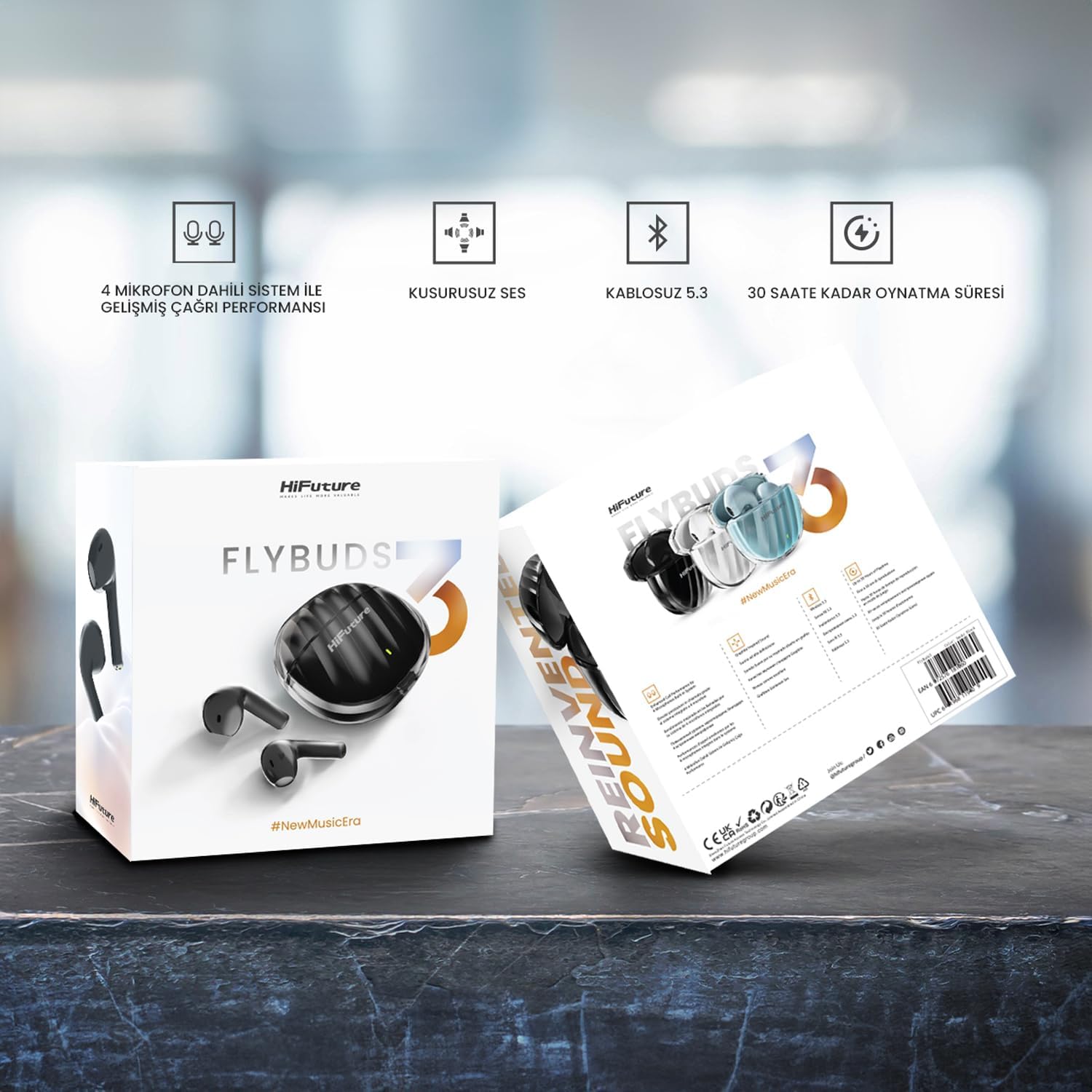
Image: HiFuture FlyBuds3 product packaging highlighting key features and specifications.
7. אחריות ותמיכה
HiFuture products are designed for durability and performance. For warranty information, technical support, or any inquiries not covered in this manual, please visit the official HiFuture webאתר או צרו קשר ישירות עם שירות הלקוחות שלהם. שמרו את קבלת הרכישה כהוכחת קנייה לתביעות אחריות.
למידע נוסף, בקר: HiFuture Store on Amazon