
מָבוֹא
This manual provides detailed instructions for the assembly, operation, and maintenance of your AX WABER Single Monitor Desk Stand, model AX05TB01. Please read this manual thoroughly before installation and use to ensure proper function and safety. Keep this manual for future reference.
מידע בטיחות
- Ensure the desk surface is stable and capable of supporting the combined weight of the stand and your monitor (up to 77 lbs).
- אין לחרוג מקיבולת המשקל המרבית של 77 ק"ג (35 ליברות).
- Verify that your monitor has VESA mounting holes (75x75mm or 100x100mm) before installation.
- הרחיקו ילדים וחיות מחמד במהלך ההרכבה. חלקים קטנים עלולים להוות סכנת חנק.
- Tighten all screws securely, but do not overtighten to avoid stripping threads.
- בדקו באופן קבוע את כל החיבורים כדי לוודא שהם נשארים מאובטחים.
- השתמשו רק בחומרה המצורפת. אם חסרים או פגומים חלקים כלשהם, צרו קשר עם תמיכת הלקוחות.
תוכן החבילה
Please verify that all components are present and undamaged before proceeding with assembly.
- פלטת בסיס (זכוכית מחוסמת)
- קוטב תמיכה
- VESA Monitor Plate
- קליפים לניהול כבלים
- רפידות כף רגל נגד החלקה
- Assembly Hardware Kit (Screws, Washers, Allen Keys)
- מדריך הוראות
הוראות התקנה
Follow these steps carefully to assemble your monitor stand.
Step 1: Attach Non-slip Foot Pads to the Base
Carefully place the non-slip foot pads onto the bottom corners of the tempered glass base plate. This prevents scratching and provides stability.

Image: Close-up of the non-slip foot mat attached to the bottom of the stand's base.
Step 2: Assemble the Support Pole to the Base
Secure the support pole to the center of the base plate using the provided screws and tools. Ensure it is firmly attached and upright.

Image: Diagram illustrating the reinforcing screw connecting the support pole to the base plate.
Step 3: Attach VESA Plate to Your Monitor
Align the VESA monitor plate with the mounting holes on the back of your monitor. Use the appropriate screws from the hardware kit (M4, M5, or M6 depending on your monitor) and tighten them securely. Do not overtighten.

Image: The AX WABER Single Monitor Desk Stand with a monitor attached, showing the VESA plate connection.
Step 4: Mount Monitor to the Support Pole
Carefully slide the VESA plate (with the monitor attached) onto the support pole's mounting bracket. Ensure it slots in correctly. Secure it with the safety screw provided to prevent accidental dislodgement.

תמונה: תקריב view of the safety screw mechanism on the monitor stand, ensuring the monitor is securely mounted.
שלב 5: ניהול כבלים
Route your monitor cables through the integrated cable management clips on the support pole to maintain a tidy workspace.
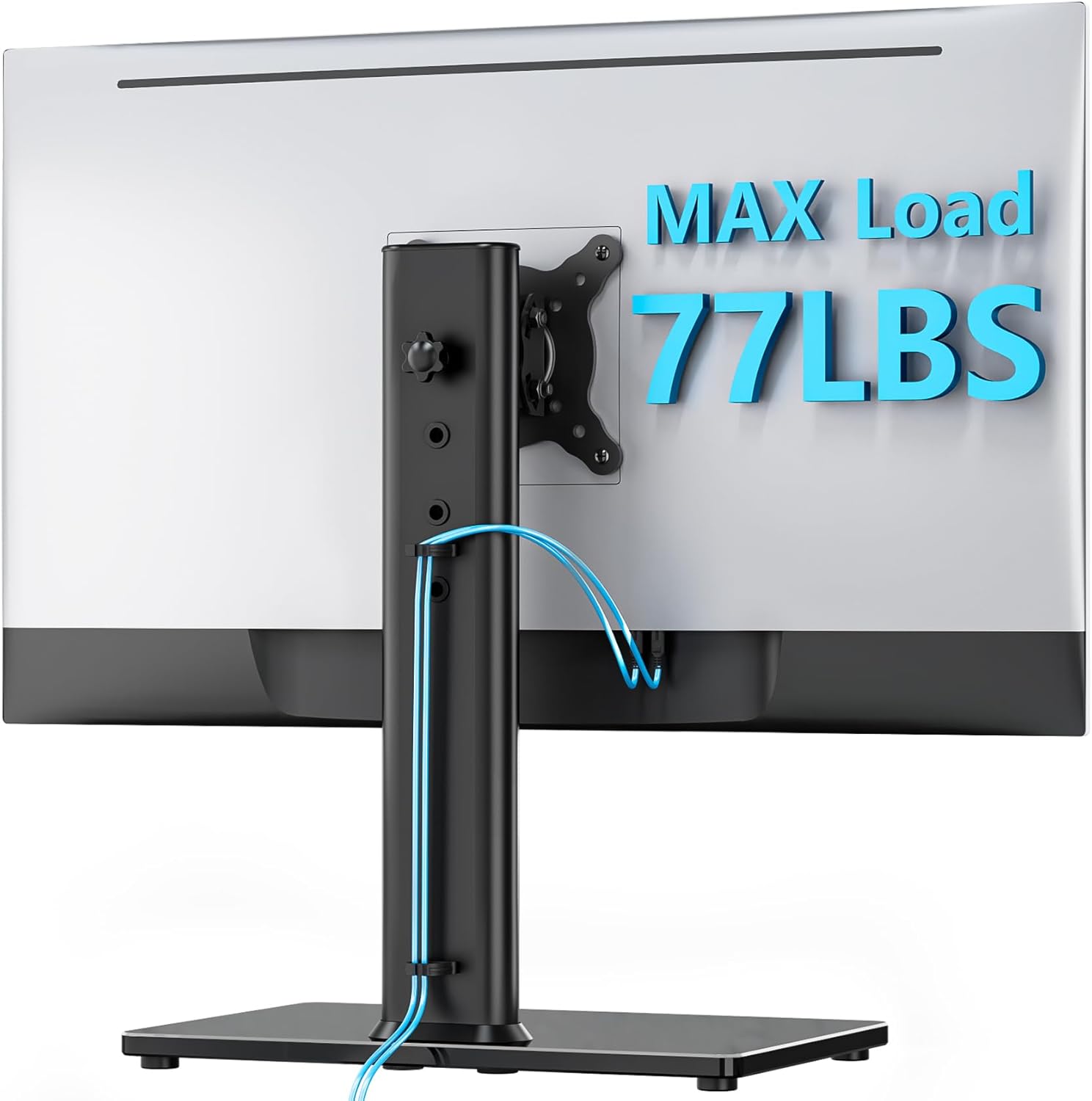
תמונה: אחורי view of the monitor stand showing cables neatly routed through the cable management system on the support pole.
הוראות הפעלה
The AX WABER Single Monitor Desk Stand offers multiple adjustment options for optimal viewנוחות.
התאמת גובה
The monitor can be adjusted to various heights along the support pole. Loosen the height adjustment knob on the back of the pole, slide the monitor to your desired height (between 11.2" and 16"), and then re-tighten the knob to secure it. There are 4 distinct levels for height adjustment.

Image: Illustration demonstrating the four distinct height adjustment levels of the monitor stand, ranging from 11.2 inches to 16 inches.
התאמת הטיה
Adjust the monitor's vertical angle by tilting it forward or backward. The stand allows for a tilt range of +15° to -15°. Loosen the tilt mechanism, adjust the angle, and then tighten to fix the position.
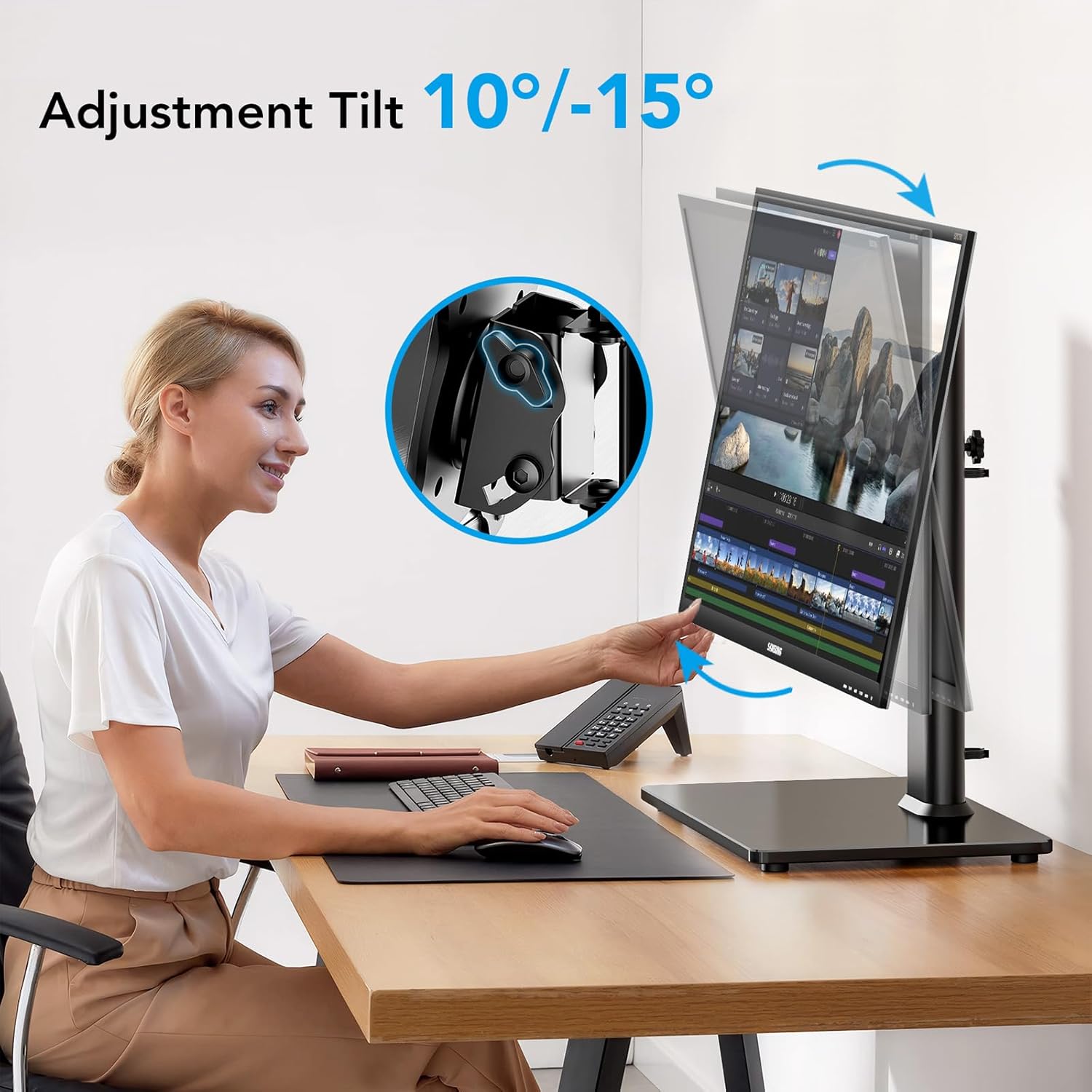
Image: A user adjusting the monitor's tilt angle, illustrating the +10° to -15° tilt range.
כוונון מסתובב
The monitor can swivel up to 90° (45° left and 45° right) to share your screen or adjust your viewing angle without moving the base. Gently rotate the monitor to the desired position.
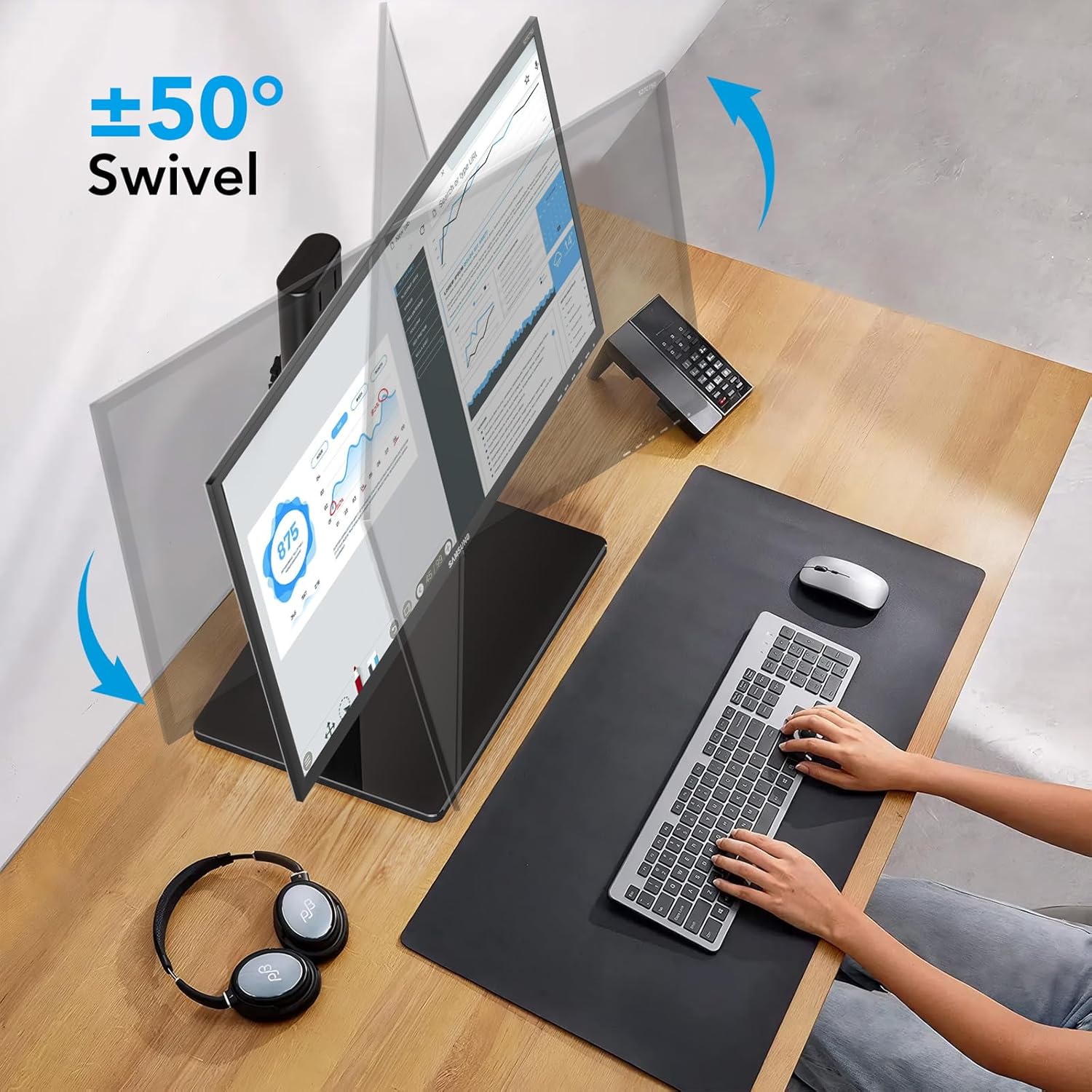
Image: A monitor swiveling left and right, demonstrating the ±50° swivel capability of the stand.
התאמת סיבוב
Rotate your monitor 360° to switch between landscape and portrait orientations. This is useful for various tasks such as coding or document viewing. Simply rotate the monitor until it clicks into the desired orientation.
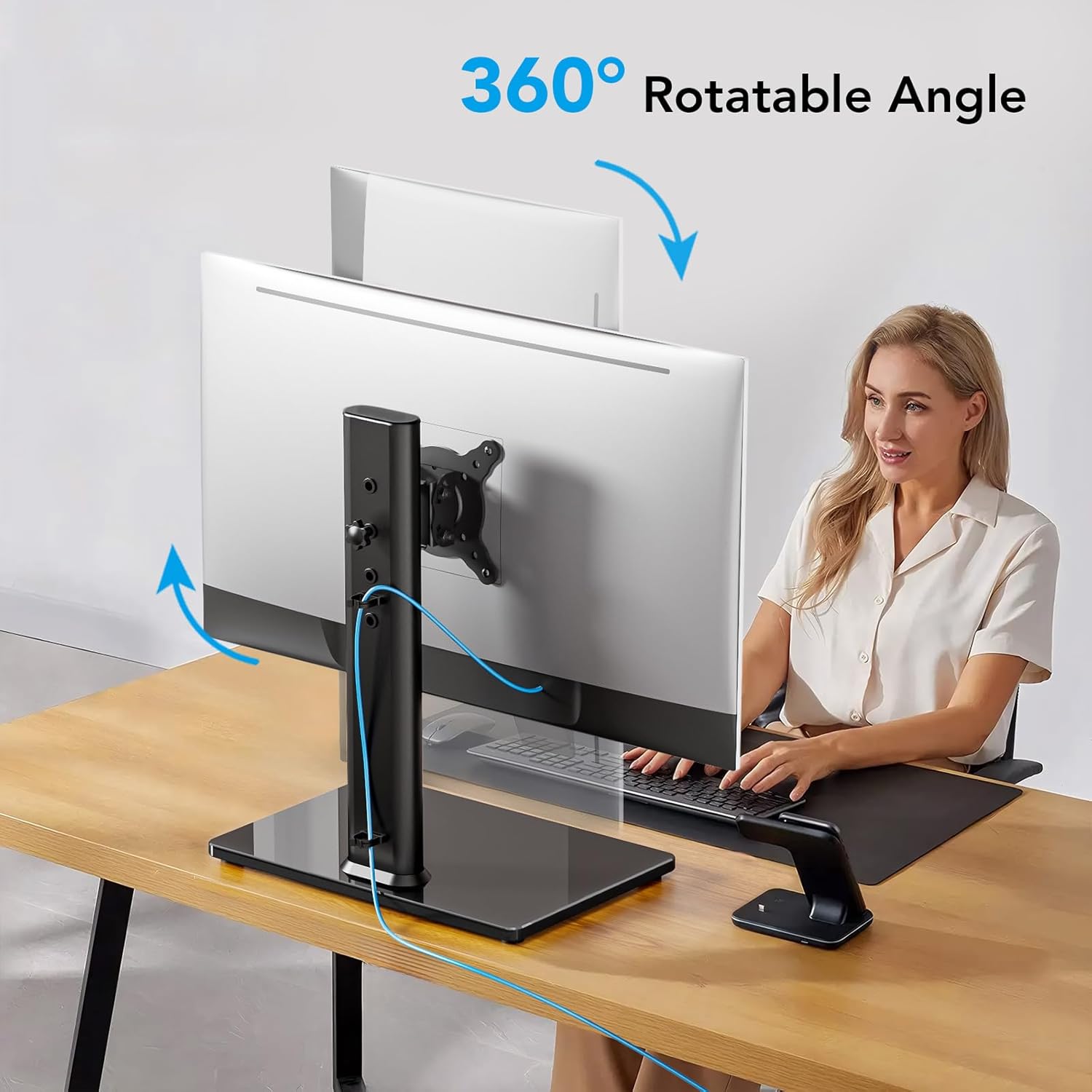
Image: A monitor rotating 360 degrees on the stand, illustrating its full rotational capability.
תַחזוּקָה
- ניקוי: נגבו את המעמד בעזרת מטלית רכהamp מטלית. הימנעו מחומרי ניקוי שוחקים או ממסים שעלולים לפגוע בגימור.
- בדיקות תקופתיות: בדקו מעת לעת את כל הברגים והחיבורים כדי לוודא שהם נשארים מהודקים ומאובטחים. הדקו מחדש במידת הצורך.
- קיבולת משקל: Do not place items heavier than the specified maximum weight on the stand.
פתרון בעיות
| בְּעָיָה | סיבה אפשרית | פִּתָרוֹן |
|---|---|---|
| Monitor is unstable or wobbles. | Screws are loose; monitor too heavy; uneven desk surface. | Ensure all assembly screws are tightened. Verify monitor weight is within 77 lbs limit. Move to a flat, stable surface. |
| Monitor cannot be adjusted (tilt/swivel/rotation). | Adjustment mechanisms are too tight or not properly engaged. | Loosen the relevant adjustment knob/screw slightly. Ensure the monitor is correctly seated on the VESA plate. |
| Monitor slides down after height adjustment. | Height adjustment knob is not tightened sufficiently. | Re-tighten the height adjustment knob firmly after setting the desired height. |
| VESA plate does not fit monitor. | Incorrect VESA pattern or monitor size. | Verify your monitor's VESA pattern is 75x75mm or 100x100mm and its size is between 13" and 32". |
מפרטים
| מספר דגם | AX05TB01 |
| מותג | AXE WABER |
| גודל צג תואם | 13 אינץ' עד 32 אינץ' |
| קיבולת משקל מקסימלית | 77 פאונד (35 ק"ג) |
| תאימות VESA | 75x75 מ"מ, 100x100 מ"מ |
| טווח כוונון גובה | 11.2" to 16" (4 levels) |
| זווית הטיה | +15° עד -15° |
| זווית מסתובבת | 90° (±45°) |
| רוֹטַציָה | 360° (נוף/דיוקן) |
| סוג הרכבה | Tabletop Freestanding |
| חוֹמֶר | סגסוגת פלדה, זכוכית מחוסמת |
| צֶבַע | שָׁחוֹר |
| משקל פריט | 4.86 פאונד |
הערה: המפרטים עשויים להשתנות ללא הודעה מוקדמת.
אחריות ותמיכה
For warranty information or technical support, please refer to the warranty card included with your product or contact AX WABER customer service directly. Contact details can typically be found on the manufacturer's official webבאתר או על אריזת המוצר.
יַצרָן: AX
מותג: AXE WABER
לסיוע נוסף, אנא בקרו באתר AX WABER Store on Amazon.