
המוצר נגמרview
The Topping DX1 is a compact and powerful Digital-to-Analog Converter (DAC) and Headphone Amplifier (HPA) combo designed for high-fidelity audio playback. It features the latest AK4493S DAC chip, offering exceptional sound quality with support for high-resolution audio formats. Its plug-and-play compatibility across various operating systems and robust power output make it suitable for a wide range of headphones and audio setups.
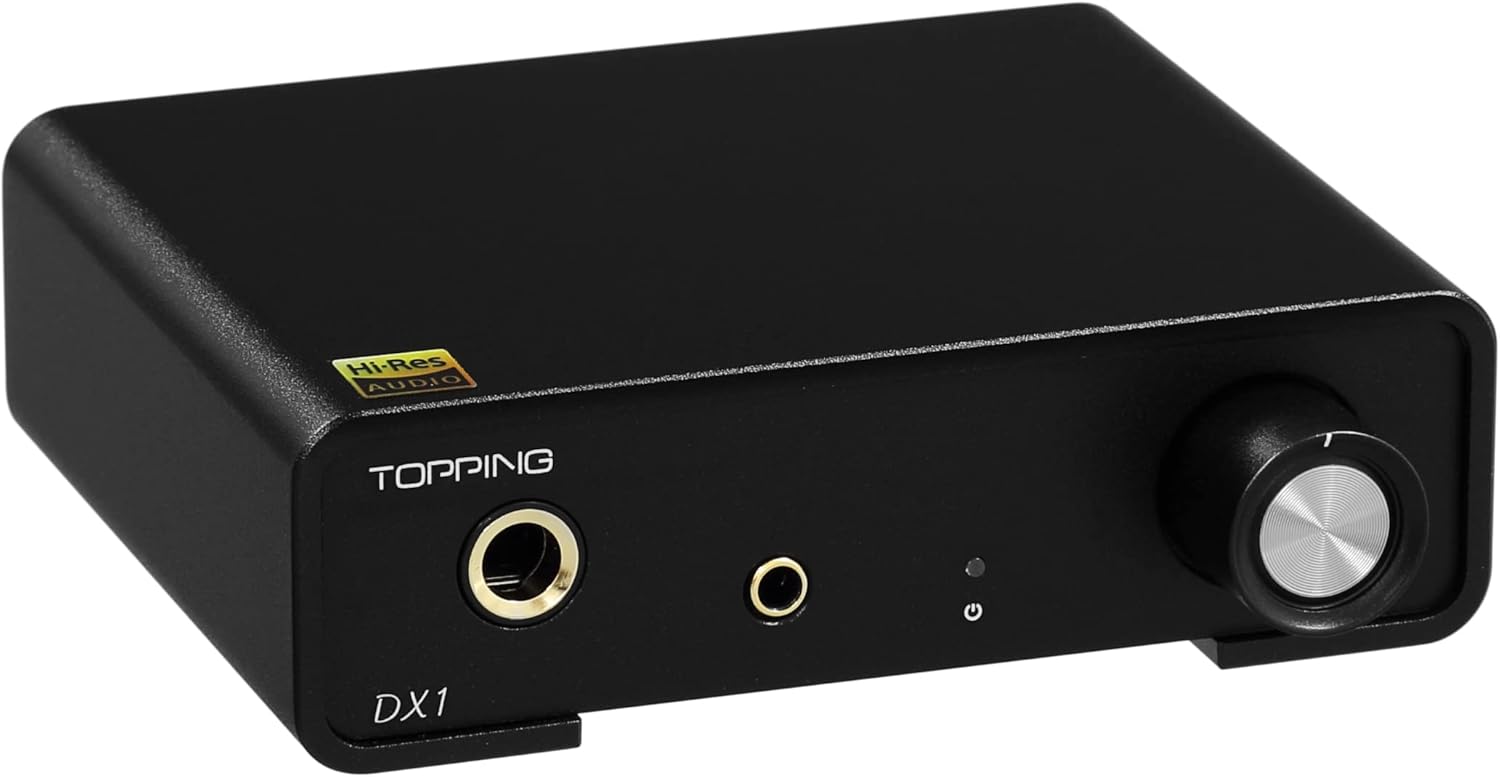
This image displays the Topping DX1 unit in black, showcasing its compact design with a volume knob and two headphone output jacks (6.35mm and 3.5mm) on the front panel. A small status indicator light is also visible.
מה יש בקופסה
- 1 x Topping DX1 Unit
- 1 x כבל USB
- 1 x מדריך למשתמש
- 1 x Quality Card

This image shows the Topping DX1 unit, a USB cable, the user manual, and a quality card, laid out to display all items included in the product packaging.
הגדרה
1. Connecting to Power and Source
The DX1 is USB-powered, eliminating the need for an additional power adapter. Connect the supplied USB cable from your computer or compatible device to the USB input on the rear panel of the DX1. This single connection provides both power and data transmission.

This image shows the Topping DX1 unit placed next to a laptop, with a USB cable connecting the two, emphasizing its "no adapter required" feature and simple USB power supply.
2. התקנת דרייבר
The DX1 offers wide plug-and-play compatibility with Windows 10, Windows 11, MAC, Linux, iOS, and Android. For most applications, no driver installation is required. However, for Windows ASIO applications, you may need to install a specific driver. The USB hardware is based on XMOS XU208 and Thesycon custom driver for Windows, ensuring stable and reliable performance.

This image displays a computer screen with sound settings open, highlighting the Topping DX1 as an available audio output device, demonstrating its plug-and-play functionality across various operating systems.
3. חיבור אוזניות
The DX1 provides two headphone output jacks on the front panel: a 6.35mm (1/4 inch) jack and a 3.5mm (1/8 inch) jack. Connect your headphones to the appropriate jack. Both outputs can be used simultaneously.
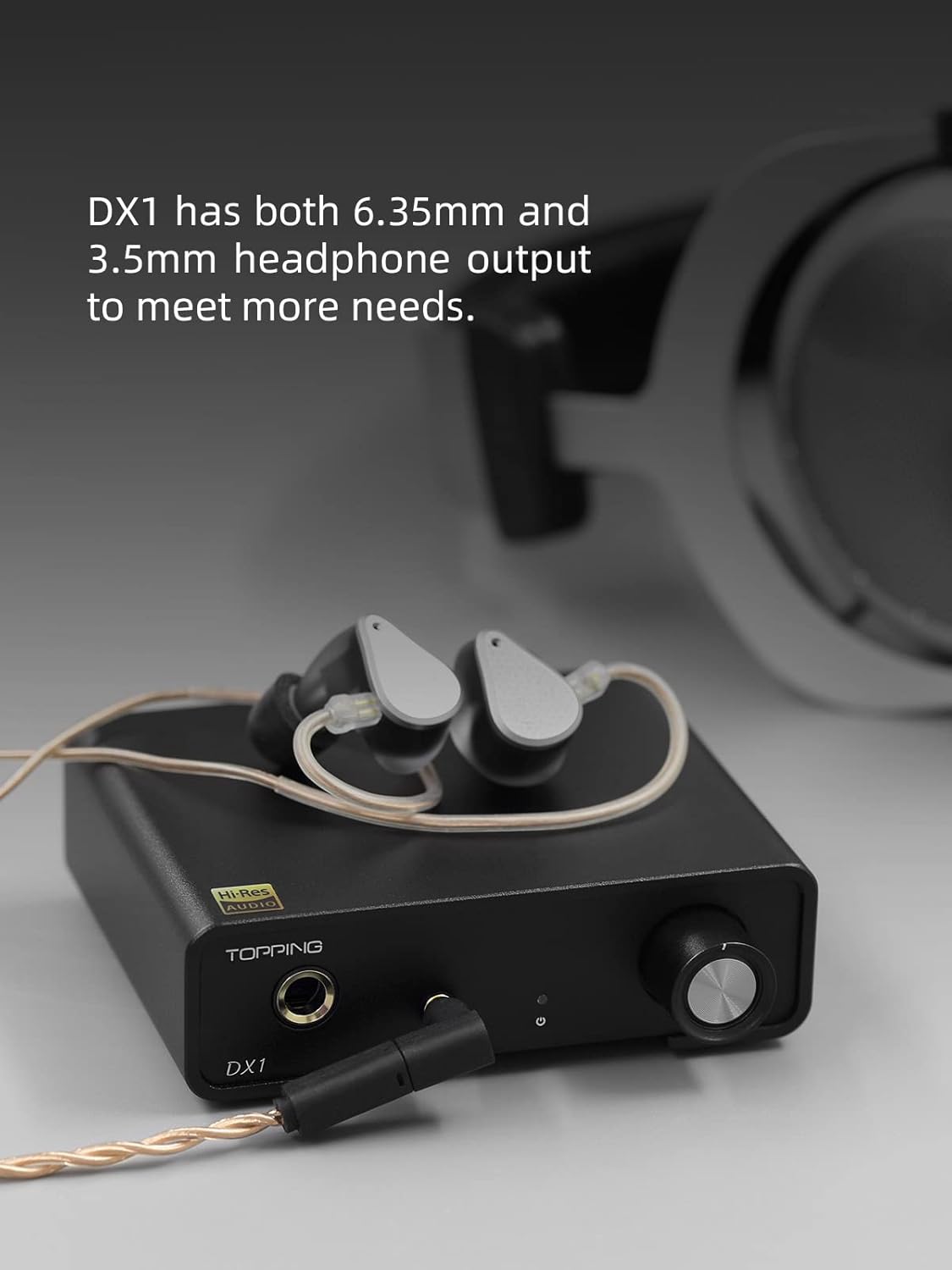
This image shows the Topping DX1 unit with a pair of in-ear monitors (IEMs) plugged into the 3.5mm headphone jack on the front, illustrating the connection point for personal audio devices.
4. הגדרות הגברה
The DX1 features a gain switch on the rear panel, allowing you to select between high (H) and low (L) gain options. This expands the range of headphone adaptation, providing sufficient power for both sensitive In-Ear Monitors (IEMs) and full-sized headphones. Adjust the gain setting based on the impedance and sensitivity of your headphones for optimal performance.
This image provides a close-up of the rear panel of the Topping DX1, specifically pointing out the "H" (High) and "L" (Low) gain switch, which allows users to adjust the output power for different headphone types.
5. Pure DAC Function
The DX1 includes a Line Out with a fixed volume, enabling its use as a pure DAC. This allows you to connect it to external headphone ampמחצבים, כוח amplifiers, or other audio equipment. Note that the volume of the Line Out is fixed at maximum and cannot be adjusted. Both the headphone amplifier output and the line output will function simultaneously.

This image shows the Topping DX1 unit stacked on top of another audio component, illustrating its capability to function as a standalone DAC (Digital-to-Analog Converter) when connected to external ampבעלי חיים.
סרטון פתיחה והתקנה ראשונית
Video 1: TOPPING DX1 DAC Headphone amp Unboxing. This video provides a visual guide to unboxing the Topping DX1 and its included accessories, demonstrating the physical components and their initial presentation.
הוראות הפעלה
בקרת עוצמת הקול
The large knob on the front panel controls the volume of the headphone output. Rotate it clockwise to increase volume and counter-clockwise to decrease it. Remember that the Line Out volume is fixed and not affected by this knob.
השמעת אודיו
Once connected and recognized by your device, select the Topping DX1 as your audio output device in your system's sound settings or media player. The DX1 will then process and output audio through the connected headphones or via the Line Out.
Discrete LNRD Technology
The DX1 incorporates Discrete LNRD (Low Noise Reference Driver) circuitry. This technology effectively filters out noise and interference from the USB 5V power supply, providing a stable and clean power supply. This results in ultra-low noise levels for both the DAC part (lower than 2.0uV) and the AMP part (lower than 1.0uV), ensuring a clean audio signal even with highly sensitive IEMs.
תַחזוּקָה
To ensure the longevity and optimal performance of your Topping DX1, follow these general maintenance guidelines:
- שמרו על ניקיון המכשיר על ידי ניגובו במטלית רכה ויבשה. הימנעו משימוש בחומרי ניקוי נוזליים או בחומרים שוחקים.
- ודא אוורור נאות סביב היחידה כדי למנוע התחממות יתר.
- הימנע מחשיפת המכשיר לטמפרטורות קיצוניות, לחות או לאור שמש ישיר.
- Handle all cables and connections gently to prevent damage to the ports.
- When not in use for extended periods, disconnect the USB cable.
פתרון בעיות
If you encounter any issues with your Topping DX1, refer to the following table for common phenomena and their solutions. For more detailed guidance, please watch the troubleshooting video provided below.
| תוֹפָעָה | פִּתָרוֹן |
|---|---|
| Can't be turned on. The light is off. |
|
| אין קול |
|
| השמעה רועשת |
|
| One channel with noise/no output |
|
| Channel imbalance |
|
| The volume is not adjustable |
|
| מצב סינון |
|
פתרון בעיות בסרטונים
Video 2: TOPPING DX1 Trouble shooting. This video provides visual troubleshooting steps for common issues encountered with the Topping DX1, complementing the written guide.
מפרטים
| תכונה | פְּרָט |
|---|---|
| מותג | KGUSS (Manufacturer: TOPPING) |
| מספר דגם | TOPPING-DX1-BLACK-KGUSS |
| שבב DAC | AK4493S |
| בקר USB | XMOS XU208 |
| Max Decoding (PCM) | 32 סיביות / 384kHz |
| Max Decoding (DSD) | DSD256 מקורי |
| טווח דינמי | 120dB |
| Headphone Output (6.35mm & 3.5mm) | כֵּן |
| הספק פלט (32Ω) | 280mW x 2 |
| הספק פלט (300Ω) | 51mW x 2 |
| הגדרות רווח | High (H) / Low (L) |
| ליין אאוט | Fixed Volume RCA Output |
| ספק כוח | USB 5V (No external adapter required) |
| מידות (L x W) | 3.94 אינץ' x 3.86 אינץ' (10.0 ס"מ x 9.8 ס"מ) |
| משקל פריט | 14.9 אונקיות |
| תאריך ראשון זמין | 14 באוקטובר 2022 |
אחריות ותמיכה
מידע על אחריות
This product is covered by a warranty provided by HIFI College, an authorized distributor. Key warranty terms include:
- אחריות להחזר הכסף של 30 יום מכל סיבה שהיא.
- אחריות של יותר מ-12 חודשים על כל פגמי האיכות.
- תומך בהתאמת מחירים תוך 30 יום.
תמיכת לקוחות
For any questions or support inquiries regarding your Topping DX1, please contact HIFI College directly. They are ready to answer any questions you have 24/7.
אֶלֶקטרוֹנִי: HIFICOLLEGE@gmail.com
You can also visit the official KGUSS store on Amazon for more information: KGUSS Amazon Store