
roborock S5 Max
מדריך למשתמש של שואב האבק והסמרטוט הרובוטי roborock S5 MAX
Model: S5 Max
מָבוֹא
The roborock S5 MAX is an advanced robot vacuum and mop designed to provide thorough and efficient cleaning for your home. Featuring precision LiDAR navigation, powerful suction, and customizable mopping, it offers a comprehensive solution for maintaining clean floors.
This manual provides essential information for setting up, operating, and maintaining your S5 MAX to ensure optimal performance and longevity.
המוצר נגמרview

The roborock S5 MAX, a white circular robot vacuum with a central LiDAR sensor and control buttons on top. It features side brushes and a main brush for comprehensive cleaning.
הגדרה
פתיחת קופסאות והשמה ראשונית
הוציאו בזהירות את כל הרכיבים מהאריזה. ודאו שכל סרטי המגן וחומרי האריזה הוסרו מהרובוט ומתחנת הטעינה.
Video demonstrating the unboxing process of the Roborock S5 Max, showing how to carefully remove the robot and its accessories from the packaging.
Place the charging dock against a wall on a hard, level surface. Ensure there is at least 0.5 meters (1.6 feet) of clear space on both sides and 1.5 meters (4.9 feet) in front of the dock for optimal navigation.

An illustration showing the recommended clear space around the charging dock for the Roborock S5 Max to ensure proper docking and navigation.
טעינת הרובוט
Connect the power adapter to the charging dock and plug it into a wall outlet. Place the robot on the charging dock. The power indicator light on the robot will illuminate, indicating it is charging.
Official Roborock S5 Max Robot Vacuum Video, demonstrating various features including charging and operation.
For first-time use, fully charge the robot before operation. A full charge takes approximately 6 hours.
התקנה וחיבור של אפליקציה
Download the Roborock app from your mobile device's app store. Follow the in-app instructions to connect your S5 MAX to your home Wi-Fi network. This enables remote control, scheduling, and advanced mapping features.
An image illustrating the Roborock app interface on a smartphone, showing options for cleaning schedules, suction control, real-time maps, and no-go/no-mop zones, along with Amazon Alexa and Google Hey Google logos.
הפעלת הרובוט
התחלת ניקיון
Press the power button on the robot or use the Roborock app to start a cleaning cycle. The robot will automatically map your home using LiDAR navigation and clean in an efficient path.
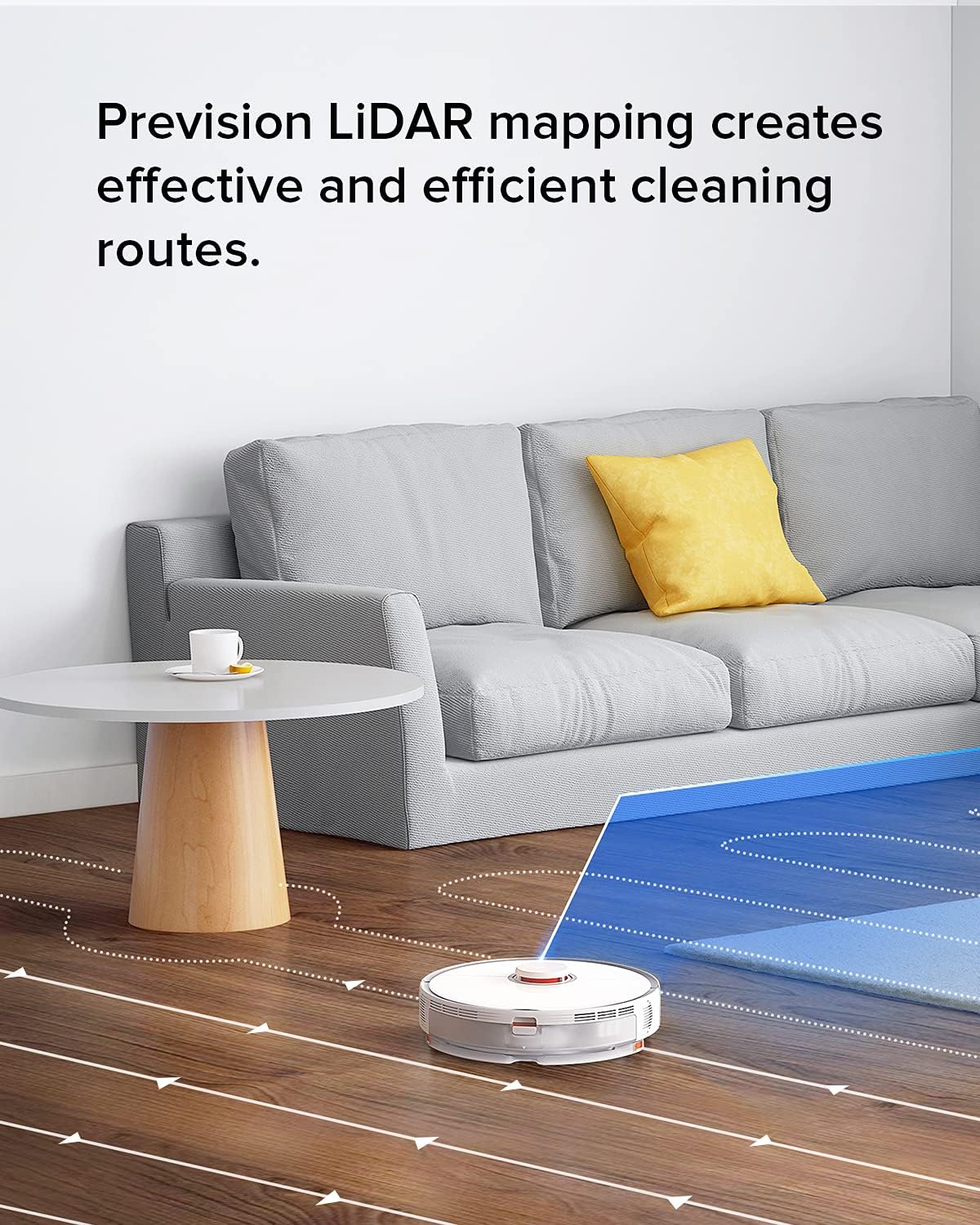
The Roborock S5 Max robot vacuum navigating a living room, illustrating its precision LiDAR mapping and efficient cleaning routes.
Mopping פונקציה
To use the mopping function, fill the water tank and attach the mop cloth. The S5 MAX allows for customizable water flow for different floor types and cleaning needs via the app.

An image showing the water flow control settings for the Roborock S5 Max, allowing users to adjust the water level for different floor types and cleaning needs.
No-Go Zones and No-Mop Zones
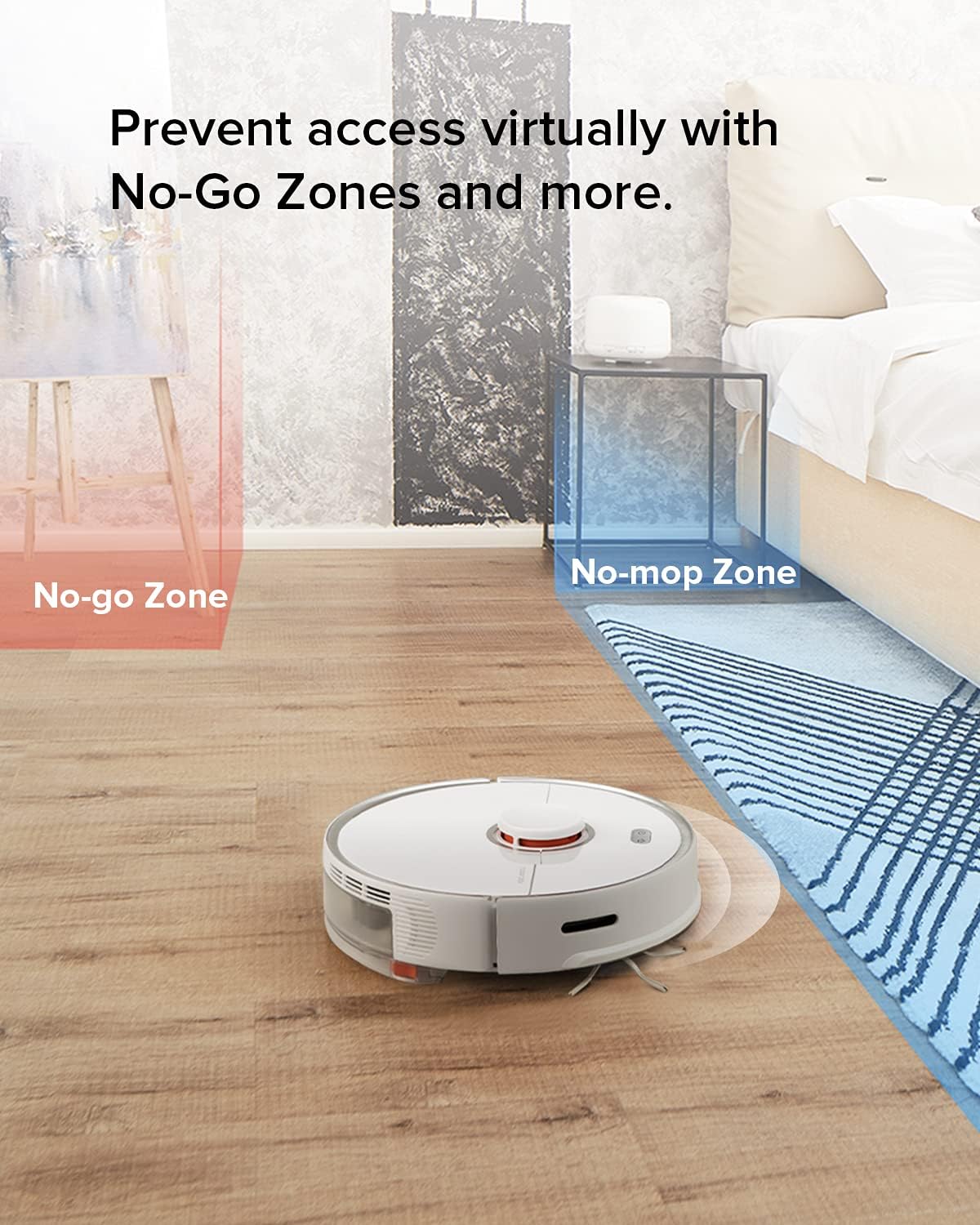
Utilize the app to set virtual No-Go Zones and No-Mop Zones. This prevents the robot from entering specific areas or mopping carpets, providing total control over its cleaning path.

An image illustrating the virtual No-Go Zone (red) and No-Mop Zone (blue) features of the Roborock S5 Max, allowing users to restrict the robot's access to certain areas.
Selective Room Cleaning and Multi-Level Mapping
The S5 MAX supports selective room cleaning, allowing you to direct the robot to clean specific rooms. It can also save up to 4 levels of maps, automatically recognizing different floors in your home.

An image showing the Roborock S5 Max's ability to automatically recognize and save up to 4 levels of maps in a home, including room layouts and cleaning preferences.
תַחזוּקָה
Regular maintenance ensures your S5 MAX operates efficiently and extends its lifespan. Always power off the robot before performing any maintenance.
ניקוי פחי אשפה ופילטר
Empty the dustbin after each cleaning cycle. The filter is washable; clean it with water and allow it to air dry completely before reinserting. It is recommended to have a second filter for rotation.
The E11 filter captures allergens and dust, contributing to cleaner air.
Main Brush and Side Brush Cleaning
Remove the main brush and clean any tangled hair or debris. Use the cleaning tool provided. Inspect and clean the side brush regularly to ensure it is free from obstructions.
Water Tank and Mop Cloth Maintenance
After mopping, empty any remaining water from the tank and allow it to air dry. Wash the mop cloth thoroughly after each use to prevent odor and maintain cleaning effectiveness.
ניקוי חיישנים
Wipe the cliff sensors, wall sensors, and charging contacts with a soft, dry cloth to ensure proper operation and navigation.
פתרון בעיות
If you encounter issues with your S5 MAX, refer to the following common solutions:
- הרובוט לא נטען: Ensure the charging dock is properly connected to power and the robot is correctly seated on the dock. Clean charging contacts on both the robot and the dock.
- רובוט תקוע או אבד: Clear any obstacles around the robot. If it's stuck on a high threshold (up to 2cm), it may need assistance. Reset the map in the app if navigation issues persist.
- ביצועי ניקוי גרועים: Empty the dustbin, clean the filter, main brush, and side brush. Check for any blockages in the suction inlet.
- פסי ניגוב: Ensure the mop cloth is clean and wet. Adjust the water flow setting in the app. Initial streaks may occur on very dirty floors.
- בעיות קישוריות לאפליקציות: Ensure your Wi-Fi network is stable and the robot is within range. Restart the robot and your router.
For more detailed troubleshooting, consult the full user manual (PDF) available via the provided link in the product information.
מפרטים
| תכונה | פְּרָט |
|---|---|
| מותג | רובורוק |
| שם הדגם | S5 מקסימום |
| תכונה מיוחדת | No-mop and No-go Zones, App Controlled Mopping |
| צֶבַע | Clear (White) |
| מידות המוצר | אורך 20.08 אינץ', רוחב 16.93 אינץ', גובה 5.91 אינץ' |
| רכיבים כלולים | Robot Vacuum, Side Brush |
| סוג מסנן | דִיסק |
| חיי סוללה | דקות 180 |
| כוח יניקה | 2000Pa (Maximum) |
| שיטת בקרה | אפליקציה |
| מכשירים תואמים | סמארטפונים, אמזון אקו, גוגל הום |
| משקל פריט | 13 פאונד |
| יַצרָן | רובורוק |
| UPC | 606015769682 |
אחריות ותמיכה
Authentic roborock products from Roborock Technology Co. Ltd enjoy a 1-year warranty.
לסיוע נוסף, אנא בקרו באתר הרשמי חנות רובורוק באמזון או עיין ב מדריך למשתמש (PDF) למידע מפורט.
Ask a question about this manual
Ask about setup, troubleshooting, compatibility, parts, safety, or missing instructions. Manuals+ will review the question and use this page’s manual context to help answer it.