
1. הקדמה
This manual provides essential information for the safe and efficient operation, maintenance, and troubleshooting of your Philips Series 3200 Super-Automatic Coffee Machine, model EP3221/40. Please read all instructions carefully before using the appliance and retain this manual for future reference.
2. מידע בטיחות חשוב
יש להקפיד תמיד על אמצעי זהירות בסיסיים בעת שימוש במכשירים חשמליים כדי להפחית את הסיכון לשריפה, התחשמלות ופציעות. מכשיר זה מיועד לשימוש ביתי בלבד.
- אין לטבול את המכשיר, כבל החשמל או התקע במים או בנוזלים אחרים.
- ודא את הכרךtagה המצוין במכשיר תואם את רשת החשמל המקומית שלךtagה לפני החיבור.
- הרחק את המכשיר ואת הכבל שלו מהישג ידם של ילדים.
- אין להפעיל את המכשיר אם התקע, כבל החשמל או המכשיר עצמו פגומים.
- Always unplug the appliance before cleaning, maintenance, or if it is not in use for an extended period.
- השתמשו רק באביזרים ובחלקים מקוריים של פיליפס.
3. המוצר נגמרview
The Philips Series 3200 Super-Automatic Coffee Machine EP3221/40 is designed to deliver a variety of fresh coffee beverages with ease. Key features include an intuitive touch display, a classic milk frother, and a durable ceramic grinder.
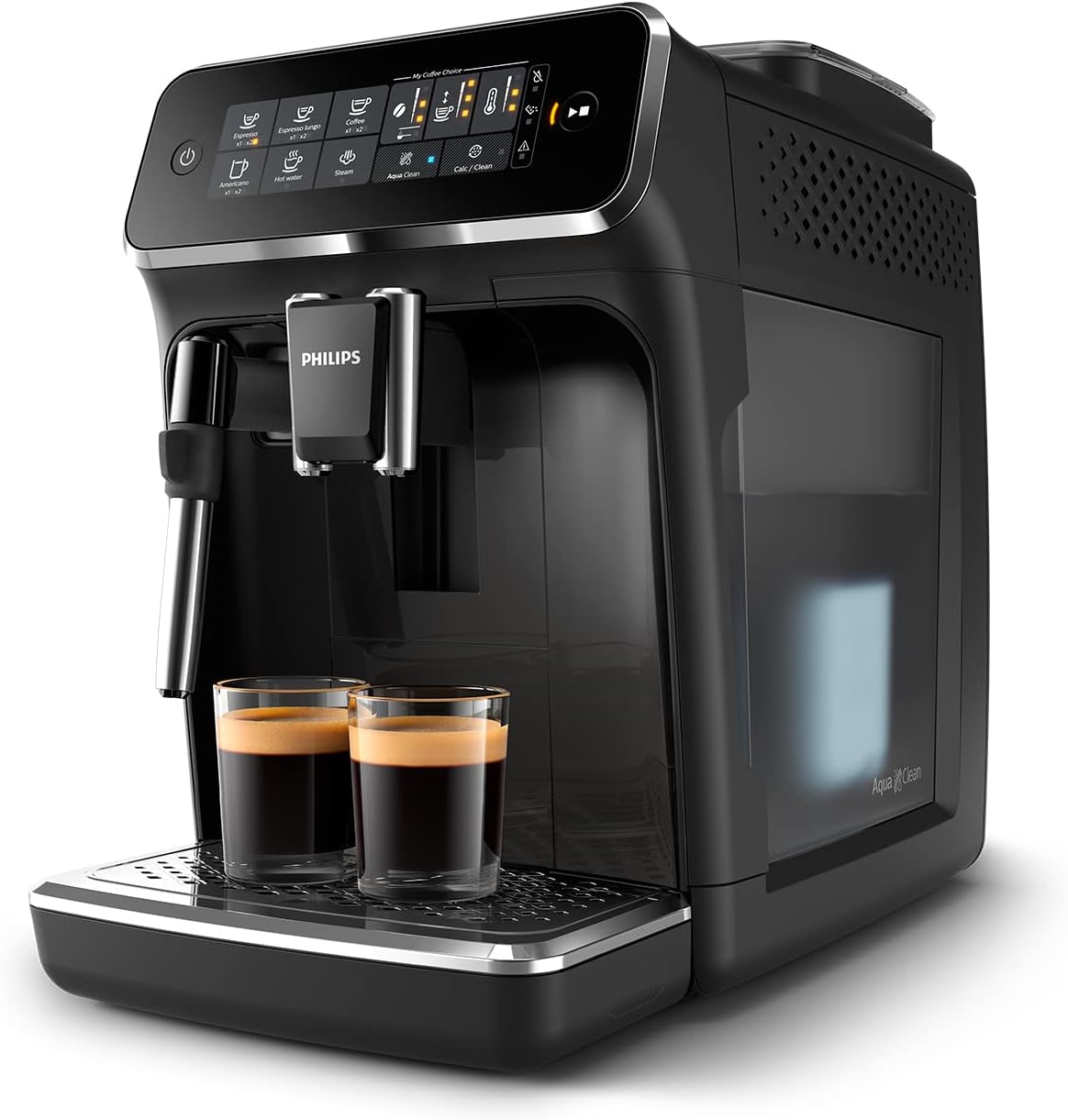
Image: Philips Series 3200 Super-Automatic Coffee Machine with two espresso cups on the drip tray.
4. התקנה ושימוש ראשון
4.1 פירוק וניקוי ראשוני
- הסר את כל חומרי האריזה מהמכונה.
- שטפו את מיכל המים, מגש הטפטוף ומיכל שאריות הקפה במים חמים וחומר ניקוי עדין. שטפו היטב.
- נגב את החלק החיצוני של המכונה בחומר רך, דamp בַּד.
4.2 מילוי מיכל המים
- הסר את מיכל המים מהמכונה.
- מלאו את המיכל במי ברז טריים עד לסימן MAX.
- הכנס את מיכל המים בחזרה למכונה.
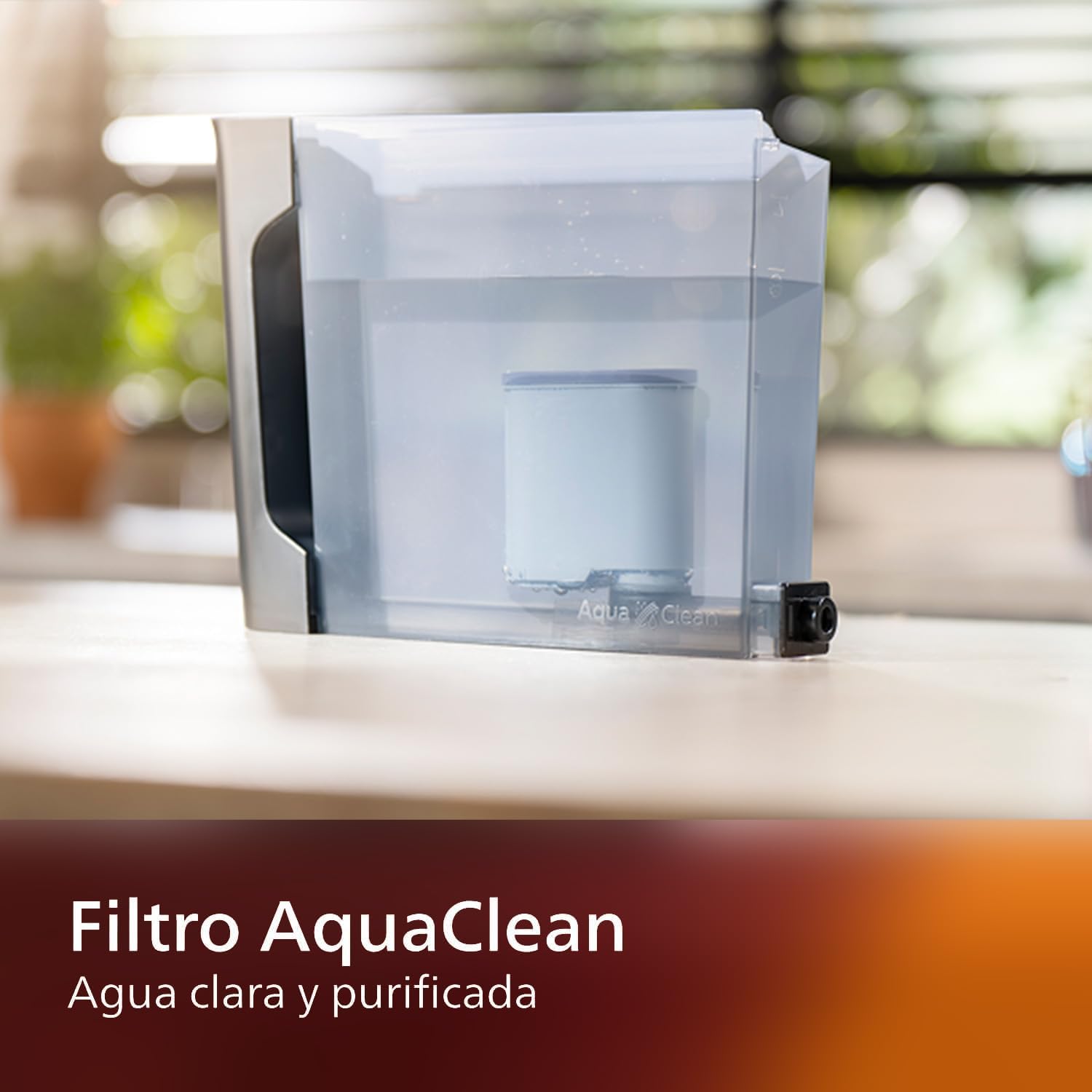
Image: AquaClean water filter installed in the water tank. The AquaClean filter helps ensure clear and purified water for your coffee.
4.3 מילוי מיכל השעועית
- Open the coffee bean hopper lid.
- Pour fresh coffee beans into the hopper. Do not fill above the MAX level.
- Close the lid securely to preserve aroma.
4.4 חיבור מתח
- חבר את כבל החשמל לשקע מוארק בקיר.
- Press the power button to turn on the machine. The machine will perform an automatic rinse cycle.
5. הוראות הפעלה
5.1 הכנת קפה
The intuitive touch display allows for easy selection of your desired coffee beverage.
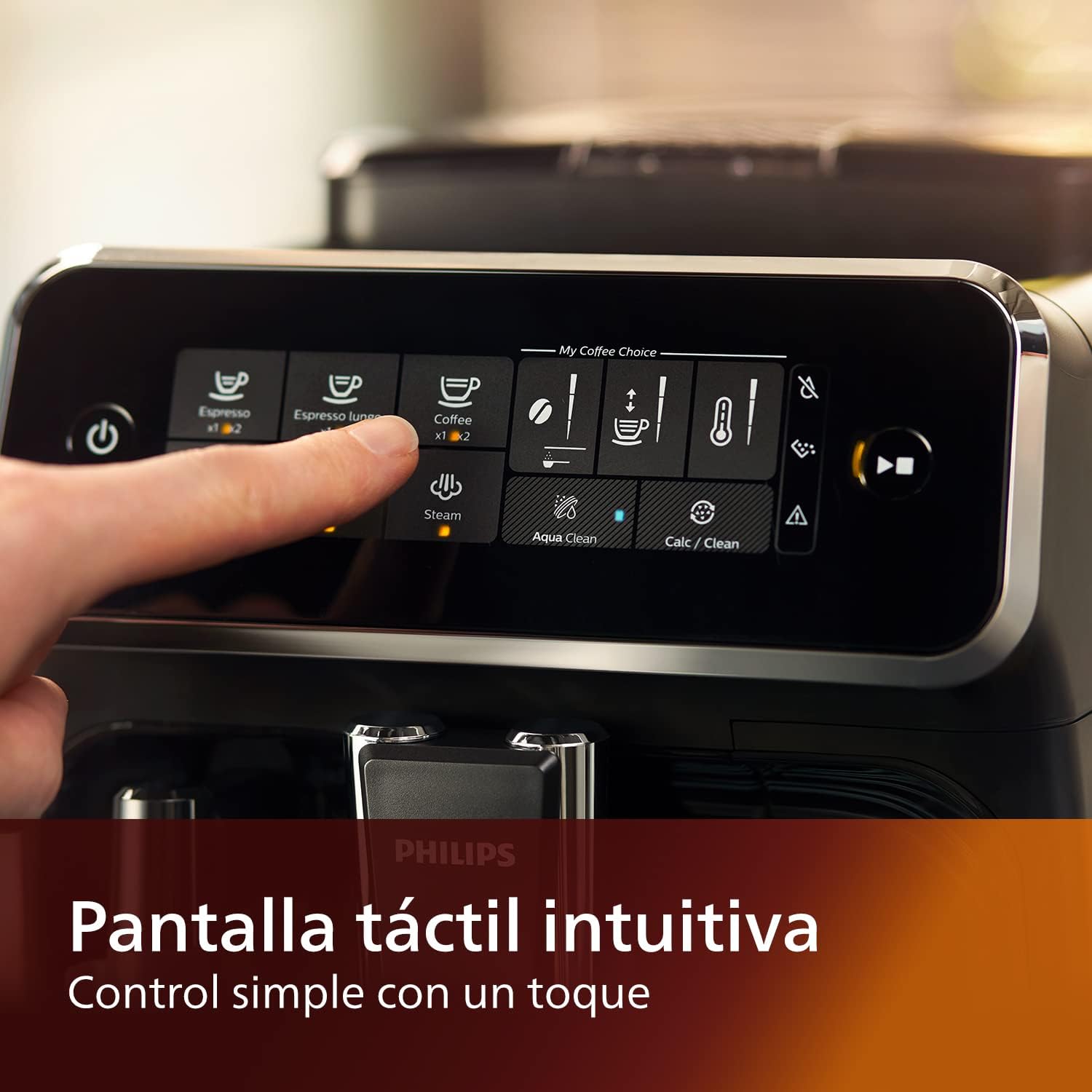
Image: Close-up of the intuitive touch display on the Philips Series 3200 coffee machine, showing various beverage options.
- הניחו כוס מתחת לפיית הקפה.
- Select your desired coffee type (e.g., Espresso, Coffee, Americano) from the touch display.
- המכונה תטחן את הפולים באופן אוטומטי ותכין את הקפה שלך.
5.2 Customizing Your Coffee (My Coffee Choice)
Use the My Coffee Choice menu to adjust intensity and quantity.

Image: The 'My Coffee Choice' screen on the touch display, illustrating options to adjust coffee intensity and volume.
- After selecting a beverage, tap the 'My Coffee Choice' icon.
- Adjust the coffee strength (intensity) and volume (quantity) using the on-screen controls. There are three settings for each.
- Confirm your selection to start brewing.
5.3 שימוש במקציף החלב הקלאסי
The Panarello milk frother allows you to prepare smooth and silky milk foam for cappuccinos and lattes.

Image: The classic milk frother steaming milk directly into a glass cup, creating foam.
- ממלאים קנקן חלב בחלב קר.
- Place the milk jug under the frother.
- Select the 'Steam' option on the touch display.
- Immerse the frother nozzle into the milk and turn the steam knob (if applicable) or press the steam button to start frothing.
- Once desired foam is achieved, turn off the steam.
- Clean the frother immediately after use by wiping it with a damp מטלית וניקוי כמות קטנה של קיטור.
6. תחזוקה וניקיון
ניקוי ותחזוקה שוטפים מבטיחים ביצועים אופטימליים ואורך חיים של מכונת הקפה שלכם.
6.1 ניקיון יומי
- רוקנו ושטפו את מגש טפטוף הניקוז ואת מיכל שאריות הקפה מדי יום.
- Wipe the coffee spout and milk frother with a damp בַּד.
- שטפו את מיכל המים.
6.2 AquaClean Filter
The AquaClean filter ensures clear and purified water, reducing the need for frequent descaling. Replace the filter when indicated by the machine, typically after approximately 5000 cups, depending on water hardness.

Image: A demonstration of the AquaClean water filter, showing its effectiveness in purifying water.
6.3 ניקוי אבנית
Even with the AquaClean filter, descaling will eventually be required. The machine will prompt you when descaling is necessary. Follow the on-screen instructions and use a Philips-approved descaling solution.
6.4 Dishwasher Safe Parts
Note that the main appliance is not dishwasher safe. However, some removable parts, such as the drip tray and coffee grounds container, may be dishwasher safe. Refer to the specific instructions for each component.
7. פתרון תקלות
If you encounter issues with your coffee machine, consult the table below for common problems and solutions.
| בְּעָיָה | סיבה אפשרית | פִּתָרוֹן |
|---|---|---|
| לא מוגש קפה. | מיכל המים ריק. | מלא את מיכל המים. |
| קפה חלש מדי. | Grind setting is too coarse. | כוונן את המטחנה להגדרה עדינה יותר. |
| מקציף החלב לא מייצר קצף. | Frother is clogged or not clean. | Clean the milk frother thoroughly. Ensure the nozzle is clear. |
| המכונה מציגה התראת הסרת אבנית. | הצטברות אבנית. | בצעו מחזור הסרת אבנית בהתאם להוראות המכונה. |
8. מפרטים
| תכונה | פְּרָט |
|---|---|
| מותג | פיליפס |
| מספר דגם | EP3221/40 |
| קיבולת פולי קפה | 275 גרם |
| צֶבַע | שחור מבריק |
| מידות המוצר (D x W x H) | 25 x 36.6 x 32 סנטימטרים |
| תכונות מיוחדות | Integrated coffee grinder, Milk Frother, Water Filter, Programmable |
| סוג מכונת קפה | מכונת אספרסו |
| חוֹמֶר | פּלָסטִי |
| מִבצָע | אוטומטי לחלוטין |
| כּוֹחַ | 1500 וואט |
| כרך ידtage | 230 וולט |
| קלט ממשק אנושי | מסך מגע |
| סוג כניסת קפה | שעועית שלמה |
| סוג מסנן | ניתן לשימוש חוזר (AquaClean) |
| בטוח למדיח כלים | לא (עבור היחידה הראשית) |
| שנת ייצור | 2022 |
9. אחריות ותמיכה
9.1 מידע אחריות
Your Philips Series 3200 Super-Automatic Coffee Machine is covered by a manufacturer's warranty. For detailed information regarding warranty terms, duration, and conditions, please refer to the warranty card included with your product or visit the official Philips webאתר עבור האזור שלך.
9.2 תמיכת לקוחות
For technical assistance, spare parts, or service, please contact Philips Customer Support. You can find contact details (phone numbers, email, and online support) on the official Philips webבאתר או בתיעוד המצורף למכשיר שלך.
When contacting support, please have your model number (EP3221/40) and purchase date ready.