
Epson P600
מדריך למשתמש למדפסת הזרקת דיו Epson SureColor P600
Model: P600 (C11CE21201)
מָבוֹא
This manual provides detailed instructions for the setup, operation, maintenance, and troubleshooting of your Epson SureColor P600 Inkjet Printer. Designed for professional-quality photo and fine art printing, this printer offers advanced features and versatile media handling capabilities.

איור 1: חזית view of the Epson SureColor P600 Inkjet Printer.
הגדרה
פריקה והגדרה ראשונית
- Carefully remove the printer from its packaging. Retain all packing materials for future transport or storage.
- הסר את כל סרטי המגן וחומרי האריזה מהחלק החיצוני והפנימי של המדפסת. עיין במדריך להפעלה מהירה עבור מיקומים ספציפיים.
- הנח את המדפסת על משטח יציב ושטוח עם מרווח מספיק סביבה להפעלה ואוורור.
- חבר את כבל החשמל למדפסת ולאחר מכן לשקע חשמלי מוארק.
- Install the nine UltraChrome HD ink cartridges into their respective slots. Ensure each cartridge clicks into place.
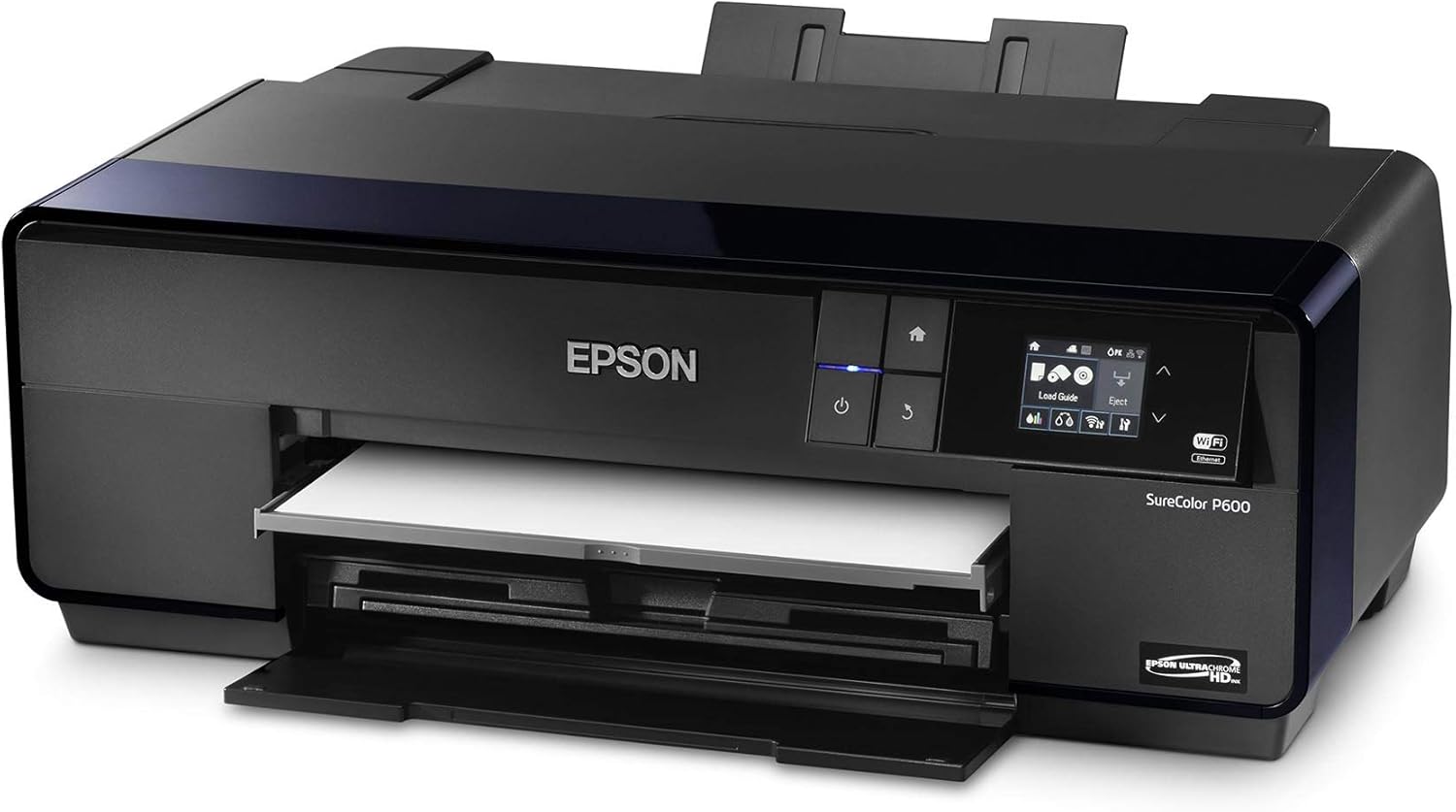
Figure 2: The front tray opened to access ink cartridge slots for installation.
תוכנה וקישוריות
- התקנת דרייבר: Insert the Printer Documentation CD-ROM into your computer or download the latest drivers and software from the official Epson support webאתר. פעל לפי ההוראות שעל המסך להתקנה.
- חיבור רשת:
- Wi-Fi: Use the printer's 3.5-inch LCD control panel to navigate to the network settings. Select your Wi-Fi network and enter the password. The printer supports IEEE 802.11n.
- אתרנט: חבר כבל Ethernet מהמדפסת שלך לנתב או למתג הרשת שלך.
- USB: Connect a USB 2.0 cable directly from your printer to your computer.
- הדפסת מכשיר נייד: The printer supports Epson iPrint, Apple AirPrint, and Google Cloud Print for convenient printing from compatible mobile devices.
הפעלת המדפסת
Loading Paper and Media
The SureColor P600 supports a wide range of media types and sizes. Ensure you load the correct media for your printing needs.
- Standard Input Tray: Load up to 120 sheets of plain paper or photo paper (up to 13" x 19") into the rear auto-sheet feeder. Adjust the paper guides to fit the media width.
- חריץ הזנה ידנית: For thicker media like fine art paper or canvas, use the single-sheet manual feed slot.
- נייר גליל: Attach the optional roll paper holders and feed roll media through the designated path for panoramic prints.
- CD/DVD Tray: Use the included CD/DVD tray for direct printing onto compatible discs.

Figure 3: Paper loaded into the rear auto-sheet feeder.

Figure 4: Printer with paper loaded and output trays extended, ready for printing.
הדפסת מסמכים ותמונות
To achieve optimal print quality, configure your print settings according to the media type and desired output.
- פתחו את המסמך או התמונה שברצונכם להדפיס במחשב או במכשיר הנייד שלכם.
- בחר את אפשרות ההדפסה מהאפליקציה שלך.
- בחרו את Epson SureColor P600 כמדפסת שלכם.
- Adjust print settings such as paper size, media type (e.g., Glossy Photo Paper, Fine Art Paper), print quality (up to 5760 x 1440 dpi), and duplex printing (automatic).
- Confirm settings and initiate the print job.

Figure 5: The Epson SureColor P600 in operation, producing a high-quality print.
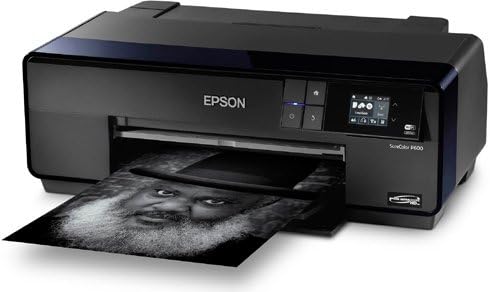
Figure 6: A black and white print being produced by the Epson SureColor P600, showcasinהרבגוניות שלו.

Figure 7: A selection of Epson Legacy Papers, demonstrating the printer's compatibility with diverse media types for professional results.
Official Product Video: Print Your Legacy
Video 1: "Print Your Legacy" - This video highlights the importance of creating physical prints to preserve photographic work and legacy. It showcases the quality and impact of prints made with Epson technology.
תַחזוּקָה
החלפת מחסנית דיו
The printer uses nine individual UltraChrome HD ink cartridges. Replace cartridges when prompted by the printer's LCD screen or software.
- ודא שהמדפסת מופעלת.
- פתח את מכסה מחסנית הדיו.
- Press the tab on the empty cartridge to release it, then pull it straight out.
- Unpack the new cartridge and shake it gently before inserting it firmly into the correct slot until it clicks.
- Close the ink cartridge cover. The printer will begin initializing the new ink.
ניקוי ראשי הדפסה
If you notice banding, missing colors, or blurry prints, perform a print head cleaning. This can be done via the printer's control panel or through the printer driver software on your computer.
- From Printer: Navigate to Maintenance or Setup on the LCD panel, then select Head Cleaning.
- מהמחשב: Access printer properties/preferences, go to the Maintenance tab, and select Head Cleaning.
- Perform a Nozzle Check pattern print after cleaning to verify improvement. Repeat if necessary.
ניקיון כללי
נקו באופן קבוע את החלק החיצוני של המדפסת בעזרת מטלית רכהampמטלית נטולת סיבים. הימנעו משימוש בחומרי ניקוי שוחקים או ממסים.
פתרון בעיות
This section addresses common issues you might encounter with your Epson SureColor P600 printer.
| בְּעָיָה | סיבה אפשרית | פִּתָרוֹן |
|---|---|---|
| Faded or Streaky Prints | Clogged print head nozzles, low ink levels, incorrect media type setting. | Perform a Nozzle Check and Head Cleaning. Replace low ink cartridges. Verify media type setting in print driver. |
| חסימות נייר | Improper paper loading, too much paper loaded, foreign object in paper path. | Remove jammed paper carefully. Ensure paper is loaded correctly and not exceeding capacity. Check for obstructions. |
| המדפסת לא מגיבה | Loose cable connection, incorrect network settings, printer offline. | Check USB/Ethernet cable connections. Verify Wi-Fi connection. Ensure printer is online and selected as default. Restart printer and computer. |
| "Ink Cartridge Not Recognized" Error | Cartridge not installed correctly, faulty cartridge. | Remove and reinsert the cartridge firmly. If the error persists, try a new genuine Epson cartridge. |
מפרטים
| תכונה | פְּרָט |
|---|---|
| טכנולוגיית הדפסה | Advanced MicroPiezo AMC print head with ink-repelling coating technology |
| סוג דיו | Epson UltraChrome HD pigment ink (9-color) |
| רזולוציית הדפסה מקסימלית | 5760 x 1440 dpi מותאם |
| Minimum Ink Droplet Size | 2.0 picoliters |
| מהירות הדפסה (צבע) | Approx. 20 seconds for an 8" x 10" photo |
| גדלי מדיה נתמכים | Up to 13" x 19" (Super B/A3+), Roll Paper (13" wide) |
| קיבולת נייר | Rear auto-sheet feeder: 120 sheets (plain paper), 30 sheets (photo paper) |
| הדפסה דופלקס | Automatic (supports plain paper) |
| קישוריות | Hi-Speed USB 2.0, 100Base-T Ethernet, Wi-Fi (802.11n), Wi-Fi Direct |
| לְהַצִיג | מסך LCD בגודל 3.5 אינץ ' |
| מידות (ב x D x H) | 24.2" x 32" x 16.7" (printing) / 24.2" x 14.5" x 9.8" (storage) |
| מִשׁקָל | 33.5 lb (41.3 lbs shipping weight) |
| צריכת חשמל | Printing: Approx. 21 W; Sleep Mode: Less than 3.5 W |
| תמיכה במערכת הפעלה | Windows 8/7 (32-bit, 64-bit), Mac OS X 10.7.x, 10.8.x, 10.9.x |
אחריות ותמיכה
מידע על אחריות
Epson provides a limited warranty for the SureColor P600 printer. Specific warranty terms and conditions are typically included with your product documentation at the time of purchase. Please refer to the warranty card or contact Epson support for details regarding coverage, duration, and service procedures.
משאבים נוספים
- מדריך רשמי למשתמש (PDF): For a more detailed and comprehensive guide, you can download the official PDF user guide from the Epson support website or access it via this direct link: Epson SureColor P600 User Guide
- תמיכה של Epson Webאֲתַר: בקרו באתר התמיכה הרשמי של Epson website for FAQs, driver downloads, software updates, and contact information for technical assistance.