
Introduzione
The Leadjoy R20 2.4GHz Wireless USB Adapter is designed to enhance your gaming experience on Xbox Series S/X consoles by providing a robust and reliable wireless connection for compatible controllers. This manual will guide you through the installation, operation, and maintenance of your R20 adapter.
Contenuto della confezione
Si prega di verificare che tutti gli articoli elencati di seguito siano inclusi nel pacchetto:
- Leadjoy R20 Wireless USB Adapter
- Manuale di istruzioni (questo documento)
The image below illustrates the R20 Wireless USB Adapter and its key features.
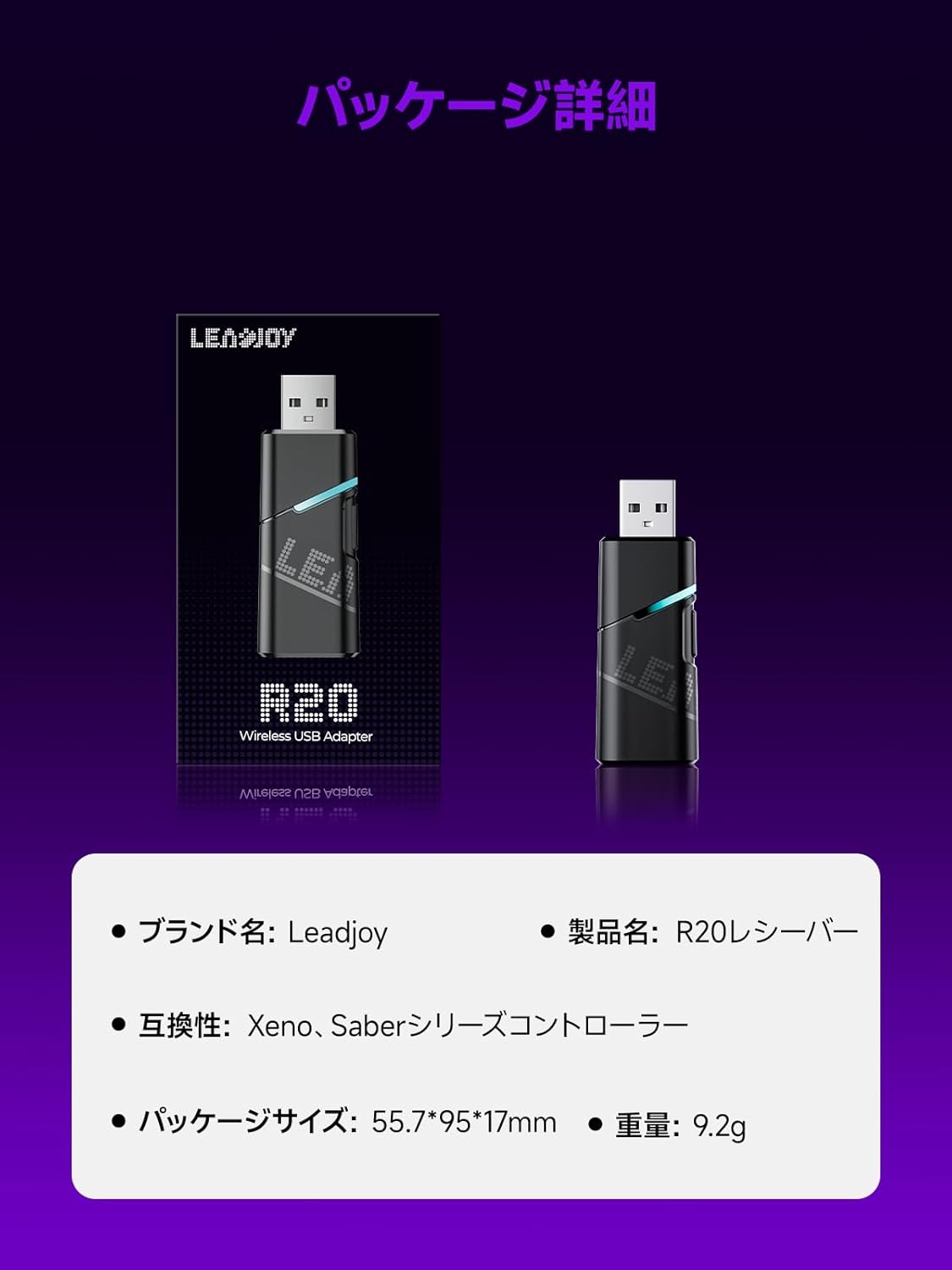
Image: Leadjoy R20 Wireless USB Adapter. This image displays the R20 adapter in its packaging, highlighting its compact design. Text overlays indicate the brand name 'Leadjoy', product name 'R20 Receiver', compatibility with 'Xeno, Saber series controllers', package size '55.7*95*17mm', and weight '9.2g'.
Configurazione e installazione
Follow these steps to connect your Leadjoy R20 Wireless USB Adapter to your Xbox console:
- Fase 1: Insert the R20 receiver into an available USB port on your Xbox console. Ensure the console is powered on.
- Fase 2: Connect your original Xbox controller to the R20's USB port using a USB cable.
- Fase 3: Once the controller's indicator light remains steadily lit, the connection is successful. You can now pair your Leadjoy controller with the R20 receiver.
The diagram below visually explains the connection process.

Image: Connection Method. This diagram illustrates the three steps for connecting the R20 adapter. Step 1 shows inserting the R20 into the Xbox console. Step 2 shows connecting an original Xbox controller to the R20 via a cable. Step 3 shows pairing a Leadjoy controller with the R20 receiver after successful connection.
Nota: Do not disconnect the original controller from the R20 receiver during use to maintain a stable connection.
Istruzioni per l'uso
The R20 receiver provides a stronger signal compared to the original R10 receiver, offering improved performance. If you find the functions of the original Xbox controller insufficient or the operation feel unsatisfactory, and wish to enjoy games on your Xbox console using Xeno Plus, this R20 receiver makes it possible.
After successful setup, your compatible Leadjoy controller will connect wirelessly to the Xbox console via the R20 adapter, allowing for seamless gameplay.
Specifiche
| Marca | Leadjoy |
| Numero di modello | LJR2001-1 (R20) |
| Colore | Nero |
| Connettività | 2.4GHz wireless |
| Compatibilità | Xbox Series S/X, Xeno, Saber series controllers |
| Peso dell'articolo | 9.2g |
| Dimensioni del pacco | Dimensioni: 55.7 x 95 x 17 mm |
| Paese di origine | Cina |
Manutenzione
To ensure the longevity and optimal performance of your Leadjoy R20 Wireless USB Adapter, please observe the following maintenance guidelines:
- Mantenere l'adattatore pulito e privo di polvere. Utilizzare un panno morbido e asciutto per la pulizia.
- Evitare di esporre l'adattatore a temperature estreme, umidità o luce solare diretta.
- Do not attempt to disassemble or repair the adapter yourself. This may void your warranty.
- Quando non lo si utilizza, conservare l'adattatore in un luogo sicuro per evitare danni fisici.
Risoluzione dei problemi
If you encounter issues with your Leadjoy R20 Wireless USB Adapter, please try the following steps:
- Nessuna connessione: Ensure the R20 adapter is fully inserted into the Xbox console's USB port and the original Xbox controller is securely connected to the R20. Check if the controller's indicator light is steadily lit.
- Connessione intermittente: Ensure there are no obstructions between your Leadjoy controller and the R20 adapter. Avoid placing the adapter near other wireless devices that may cause interference.
- Il controller non risponde: Try disconnecting and reconnecting both the R20 adapter from the console and the original controller from the R20. Restart your Xbox console if necessary.
- Aggiornamento del firmware: Check the official Leadjoy website for any available firmware updates for the R20 adapter, which may resolve performance issues.
Se il problema persiste dopo aver provato questi passaggi, contattare l'assistenza clienti.
Garanzia e supporto
The Leadjoy R20 Wireless USB Adapter comes with a standard manufacturer's warranty. Please refer to the warranty card included in your product packaging for specific terms and conditions, including the warranty period and coverage details.
For technical support, troubleshooting assistance, or warranty claims, please contact Leadjoy customer service through their official websito o le informazioni di contatto fornite nella documentazione del prodotto.
Si prega di conservare la prova d'acquisto ai fini della garanzia.