
1. Introduzione
Welcome to the user manual for your new Apple iPad Air 13-inch (M4). This guide provides essential information to help you set up, operate, maintain, and troubleshoot your device. The iPad Air combines powerful performance with a sleek design, featuring the Apple M4 chip, a Liquid Retina display, and advanced camera capabilities.
For additional support and detailed information, please visit the official Apple Support websito.
2. Cosa c'è nella scatola
Your iPad Air package includes the following items:
- iPad Aria
- Cavo di ricarica USB-C
- Adattatore di alimentazione USB-C da 20 W.

Image: The iPad Air, USB-C Charge Cable, and 20W USB-C Power Adapter as packaged in the box.
3. Prodotto finitoview
3.1 Caratteristiche principali
- Apple M4 Chip: Delivers advanced graphics and high performance for multitasking and AI tasks.
- Display Liquid Retina: Stunning 13-inch display with P3 wide color, True Tone, and ultralow reflectivity.
- ID Touch: Secure authentication for unlocking, app sign-ins, and Apple Pay.
- Advanced Cameras: Centro S da 12 MPtage front camera and 12MP Wide back camera for photos and 4K videos.
- Wi-Fi 7 with Apple N1: Fast wireless connectivity for quick data transfers.
- iPadOS: Intuitive operating system with flexible windowing for enhanced productivity.
- Apple Intelligence: Personal intelligence system for writing, expression, and task management with privacy protections.
- Durata della batteria per tutto il giorno: Designed to support extended use throughout the day.

Image: A user interacting with the iPad Air using an Apple Pencil, highlighting its portability and creative capabilities.
3.2 Caratteristiche fisiche
The iPad Air features a slim design with accessible buttons and ports.

Immagine: Un primo piano laterale view of multiple iPad Air devices, showcasing the various color options and button placements.
3.3 Visualizzazione e prestazioni
The 13-inch Liquid Retina display offers a resolution of 2732-by-2048 pixels at 264 ppi, supporting P3 wide color and True Tone technology for accurate color representation. The Apple M4 chip provides exceptional processing power for demanding applications and graphics-intensive tasks.

Image: The iPad Air screen demonstrating multitasking capabilities with two applications open side-by-side, powered by the M4 chip and iPadOS.
3.4 Apple Intelligence
Apple Intelligence is integrated into iPadOS, offering features that enhance productivity and creativity while prioritizing user privacy.
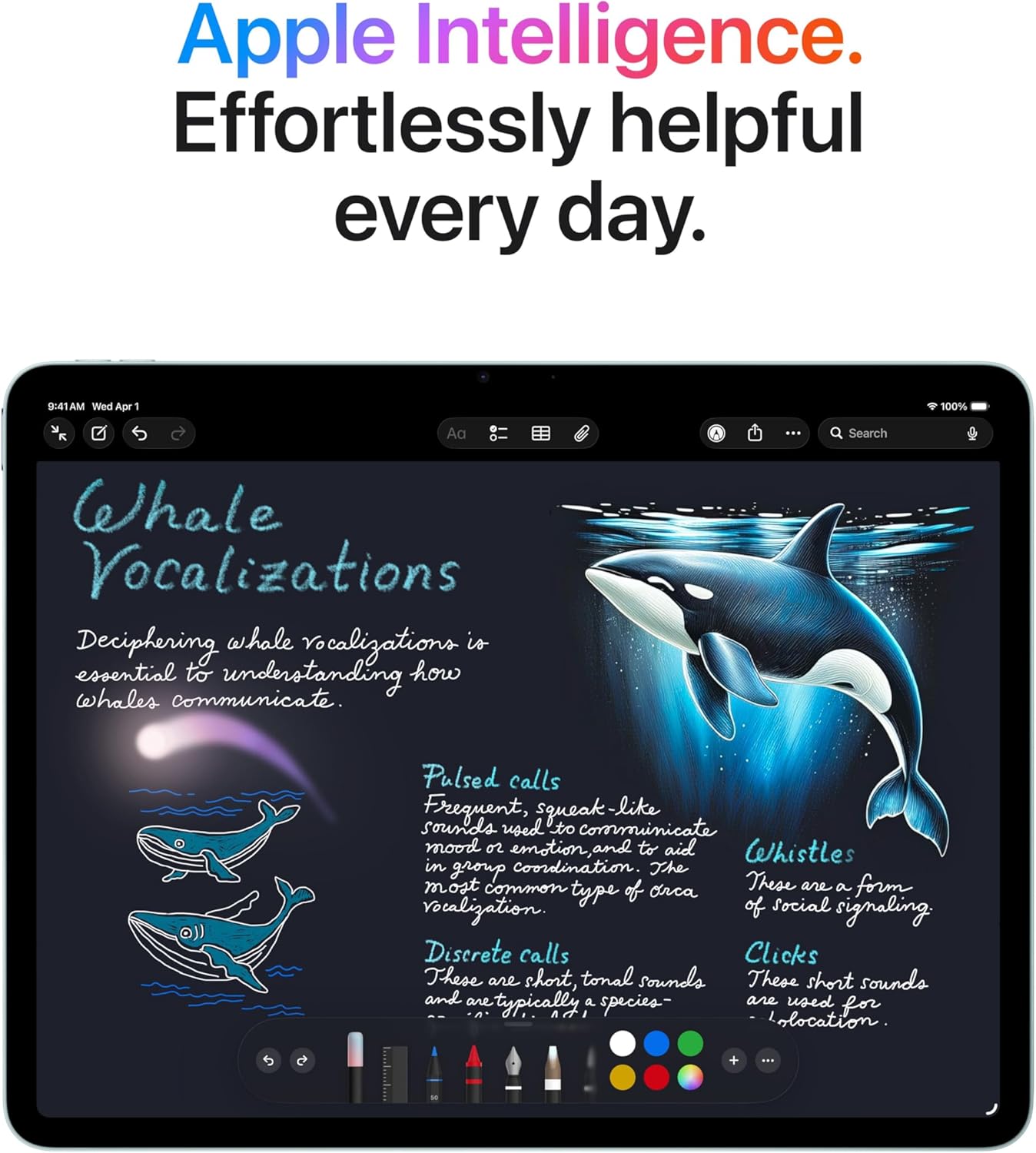
Image: The iPad Air screen showing a detailed note with drawings and text, illustrating how Apple Intelligence can assist with creative and organizational tasks.
3.5 Accessori
The iPad Air supports Apple Pencil Pro and Apple Pencil (USB-C) for precise input, and the Magic Keyboard for an enhanced typing and trackpad experience.

Image: The iPad Air connected to a Magic Keyboard, showcasing its use as a productivity tool with a full keyboard and trackpad.
3.6 Video ufficiale del prodotto
Video: Un oltreview of the Apple iPad Air, highlighting its design, M4 chip, display, and compatibility with accessories like Apple Pencil Pro and Magic Keyboard. It also showcases its use for work, learning, and entertainment.
4. Impostazione
4.1 Accensione iniziale
- Tieni premuto il pulsante in alto fino a quando non viene visualizzato il logo Apple.
- Segui le istruzioni visualizzate sullo schermo per selezionare la lingua e la regione.
4.2 Connessione Wi-Fi
- Seleziona la tua rete Wi-Fi dall'elenco.
- Se richiesto, immettere la password.
4.3 Data Transfer and Apple ID
- Choose to restore from a backup (iCloud or computer) or set up as a new iPad.
- Accedi con il tuo ID Apple o creane uno nuovo.
4.4 Touch ID Setup
- Follow the on-screen prompts to register your fingerprint for Touch ID.
- This allows for secure unlocking and purchases.
5. Istruzioni per l'uso
5.1 Gesti di base
- Rubinetto: Seleziona un elemento o attiva un pulsante.
- Scorri: Naviga tra le schermate o scorri i contenuti.
- Pizzico: Ingrandisci o rimpicciolisci le foto e web pagine.
- Gesti multi-dita: Use for multitasking, such as switching between apps or returning to the Home screen.
5.2 Centro di controllo
Swipe down from the top-right corner of the screen to access Control Center for quick access to settings like Wi-Fi, Bluetooth, brightness, and volume.
5.3 Multitasking
- Diviso View: Drag an app from the Dock to the side of an open app to use two apps simultaneously.
- Scorri sopra: Drag an app from the Dock over an open app to use it in a floating window.
5.4 Gestione delle app
- Scarica le app: Use the App Store to find and download applications.
- Organizza le app: Tap and hold an app icon to rearrange or delete apps.
6. Manutenzione
6.1 Cleaning Your iPad Air
- Per pulire lo schermo e la parte esterna, utilizzare un panno morbido e privo di lanugine.
- Avoid abrasive materials, aerosols, solvents, or ammonia-based cleaners.
- Do not spray cleaners directly onto the iPad.
6.2 Cura della batteria
- Charge your iPad Air using the provided USB-C cable and 20W USB-C power adapter.
- Evitare temperature estreme poiché possono influire sulle prestazioni della batteria.
- Per una salute ottimale della batteria, quando possibile, mantenerne la carica tra il 20% e l'80%.
6.3 Aggiornamenti software
Regularly update your iPadOS to ensure you have the latest features, security enhancements, and bug fixes. Go to Impostazioni > Generali > Aggiornamento software.
7. Risoluzione Dei Problemi
7.1 Dispositivo non reattivo
If your iPad Air is unresponsive, try a force restart:
- Premere e rilasciare rapidamente il pulsante Volume su.
- Premere e rilasciare rapidamente il pulsante Volume giù.
- Tieni premuto il pulsante superiore finché non appare il logo Apple.
7.2 Problemi di connessione Wi-Fi
- Ensure Wi-Fi is enabled in Control Center or Settings.
- Riavvia il router Wi-Fi.
- Vai a Impostazioni > Wi-Fi, tap the information icon (i) next to your network, and select "Forget This Network," then reconnect.
7.3 La batteria si scarica rapidamente
- Controllo Impostazioni> Batteria per identificare le app che consumano più energia.
- Ridurre la luminosità dello schermo.
- Disable background app refresh for non-essential apps (Settings > General > Background App Refresh).
8. Specifiche
| Caratteristica | Descrizione |
|---|---|
| Dimensioni del prodotto | 11.05 x 8.46 x 0.24 pollici |
| Peso dell'articolo | 1.36 libbre |
| Numero modello articolo | MH5T4LL/A |
| Capacità di archiviazione della memoria | 128 GB |
| Dimensioni dello schermo | 13 pollici |
| Risoluzione massima dello schermo | Risoluzione 2732 x 2048 pixel a 264 ppi |
| Chip | Apple M4 chip (8-core CPU, 9-core GPU, 16-core Neural Engine) |
| Telecamera | 12MP Wide camera (back), Landscape 12MP Center Stage camera (front) |
| Registrazione video | Up to 4K at 60 fps (back), 1080p HD at 60 fps (front) |
| Cellulare e wireless | Wi-Fi 7 (802.11be), Bluetooth 6, Thread networking technology |
| Sensori | Touch ID, Three-axis gyro, Accelerometer, Barometer, Ambient light sensor |
| Ricarica ed espansione | USB-C port (supports Charging, DisplayPort, USB 3 up to 10Gb/s) |
9. Garanzia e supporto
9.1 Garanzia del prodotto
Your Apple iPad Air is covered by a limited warranty. For details on warranty coverage, including terms and conditions, please refer to the warranty information provided with your purchase or visit the official Apple websito.
9.2 Supporto tecnico
For technical assistance, troubleshooting, or service inquiries, please contact Apple Support:
- Supporto online: Visita support.apple.com/ipad
- Supporto telefonico: Refer to Apple's regional support numbers available on their websito.
- Negozio Apple: Visit an authorized Apple Store or service provider for in-person assistance.
Before contacting support, please have your iPad Air's serial number ready. This can be found in Impostazioni > Generali > Informazioni.


