
1. Introduzione
Welcome to the user manual for your new ASUS TUF A18 Gaming Laptop. This document provides essential information to help you set up, operate, and maintain your device. Please read this manual thoroughly to ensure optimal performance and longevity of your laptop.
2. Contenuto della confezione
Carefully unpack your ASUS TUF A18 Gaming Laptop and verify that all items listed below are present and in good condition. If any item is missing or damaged, please contact your retailer.
- Computer portatile da gioco ASUS TUF A18
- Adattatore di alimentazione e cavo
- Cavo di prolunga USB
- Cavo HDMI
- Tappetino per il mouse
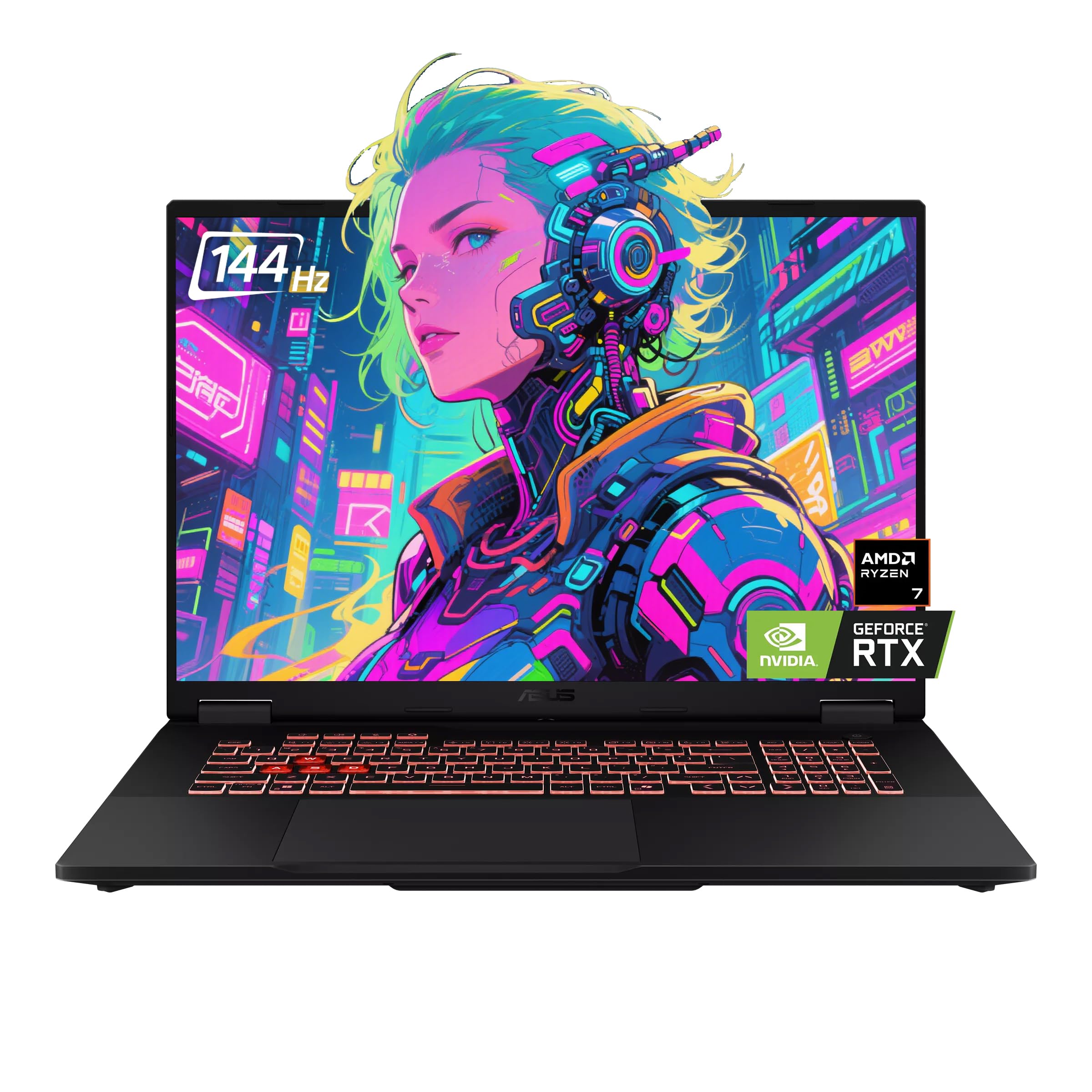
3. Prodotto finitoview
Familiarize yourself with the physical features and components of your ASUS TUF A18 Gaming Laptop.
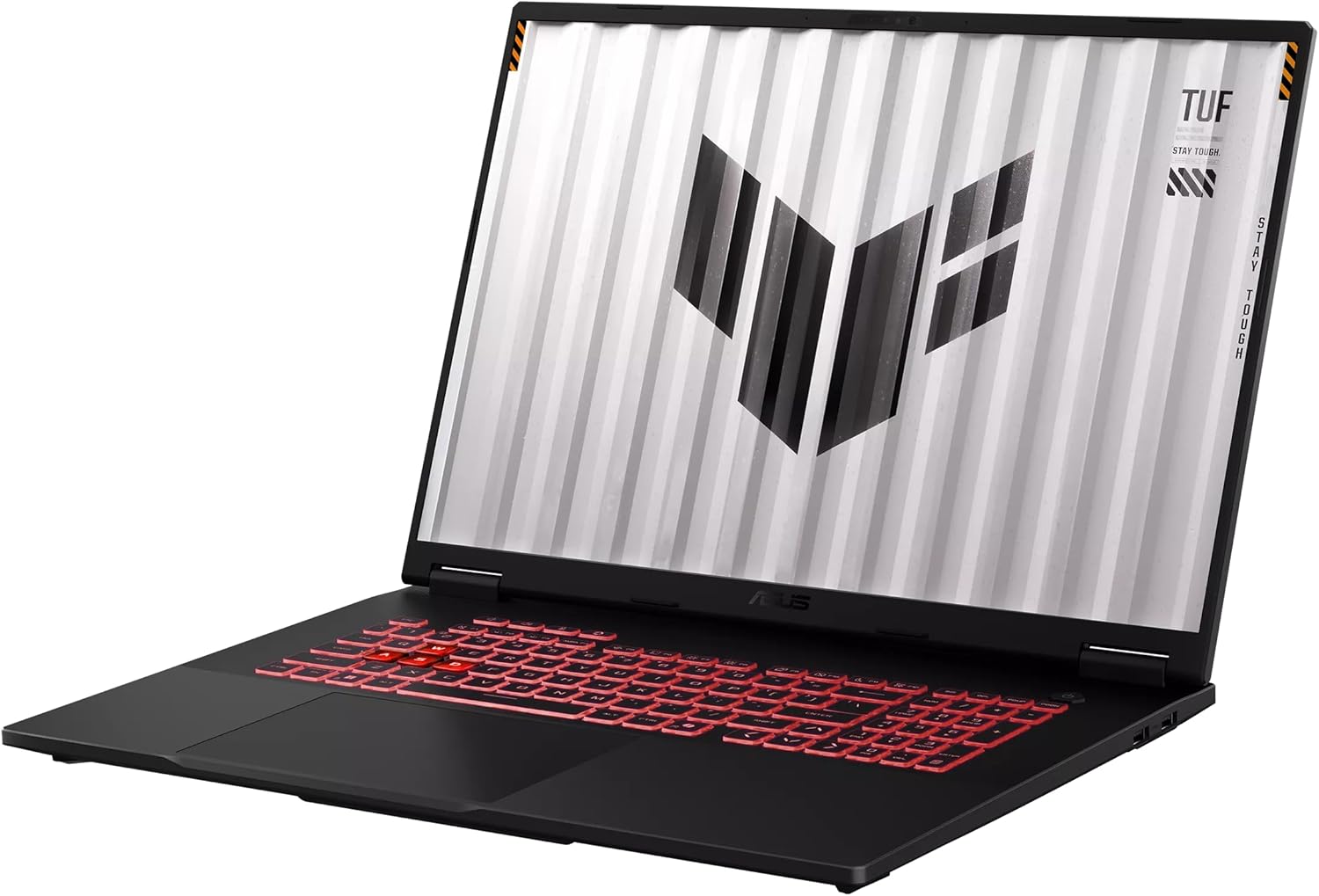
3.1. Front and Keyboard View
3.2. Lato Viewe porti
The laptop features various ports for connectivity. Refer to the image below for port locations.

- Lato sinistro: 1 x 3.5mm Combo Audio Jack, 1 x HDMI 2.1 FRL, 2 x USB 3.2 Gen 2 Type-A, 1 x USB 3.2 Gen 2 Type-C with DisplayPort / power delivery / G-SYNC, 1 x Type-C USB 4 with DisplayPort, 1 x RJ45 LAN port.
- Lato destro: 1 x USB 2.0 Type-A.
3.3. Posteriore View

4. Impostazione
Follow these steps for the initial setup of your ASUS TUF A18 Gaming Laptop.
- Connetti alimentazione: Plug the power adapter into the laptop's power input port and then into a wall outlet. Ensure the power indicator light illuminates.
- Primo avvio: Aprire il coperchio del laptop e premere il pulsante di accensione. Il laptop si accenderà automaticamente.
- Installazione di Windows 11 Pro: Follow the on-screen instructions to complete the Windows 11 Pro operating system setup. This includes selecting your region, connecting to a Wi-Fi network, and creating a user account.
- Aggiornamenti iniziali: After setup, it is recommended to check for and install any available Windows updates and driver updates to ensure system stability and performance.
5. Istruzioni per l'uso
This section covers basic operation of your ASUS TUF A18 Gaming Laptop.
5.1. Tastiera e touchpad
- Tastiera: The laptop features a backlit chiclet keyboard with 1-Zone RGB lighting. Use the function keys (Fn) in combination with other keys to control backlight brightness, volume, screen brightness, and other system functions.
- Touchpad: Il touchpad integrato supporta i gesti multi-touch per la navigazione. Consultare le impostazioni di Windows per personalizzare la sensibilità e i gesti del touchpad.
5.2. Impostazioni display
- Your 18-inch FHD+ (1920 x 1200) display has a 144Hz refresh rate and supports G-Sync. To adjust display settings, right-click on the desktop and select 'Display settings' or 'NVIDIA Control Panel'.
- Ensure the refresh rate is set to 144Hz for the smoothest visual experience, especially during gaming.
5.3. Connettività
- Wifi: The laptop supports Wi-Fi 6E (802.11ax). Connect to your wireless network via the Windows network settings.
- Bluetooth: Bluetooth 5.3 is integrated for connecting wireless peripherals such as mice, keyboards, and headphones. Pair devices through Windows Bluetooth settings.
- Display esterni: Use the HDMI 2.1 FRL port or the USB-C ports with DisplayPort support to connect external monitors.
6. Manutenzione
Una corretta manutenzione garantisce la longevità e le prestazioni ottimali del tuo laptop.
- Pulizia: Utilizzare un panno morbido e privo di lanugine per pulire lo schermo e il telaio. Per le macchie ostinate, dampInumidire leggermente il panno con acqua o con una soluzione detergente adatta allo schermo. Evitare prodotti chimici aggressivi.
- Ventilazione: Ensure the laptop's ventilation openings are clear and unobstructed to prevent overheating. Avoid using the laptop on soft surfaces like beds or couches that can block airflow.
- Cura della batteria: For optimal battery life, avoid frequently discharging the battery completely. If storing the laptop for an extended period, charge it to about 50-60% and store it in a cool, dry place.
- Aggiornamenti software: Regularly update your operating system, drivers, and applications to benefit from performance improvements, security patches, and new features.
7. Risoluzione Dei Problemi
This section addresses common issues you might encounter with your ASUS TUF A18 Gaming Laptop.
7.1. System Crashes or Unexpected Shutdowns
- Surriscaldamento: Ensure ventilation vents are clear. Consider using a cooling pad during intensive tasks.
- Problemi con i driver: Update graphics drivers (NVIDIA GeForce RTX 5060) and chipset drivers from the ASUS support website. Outdated or corrupted drivers can cause instability.
- Conflitti software: Identify recently installed software that might be causing conflicts. Try uninstalling recent applications or performing a system restore to an earlier point.
- Operating System Corruption: If issues persist, consider reinstalling Windows 11 Pro. Back up your data before proceeding.
7.2. Problemi di visualizzazione
- Nessuna visualizzazione: Ensure the laptop is powered on. Try connecting an external monitor to check if the issue is with the laptop's internal display.
- Risoluzione/frequenza di aggiornamento non corretta: Adjust display settings in Windows or NVIDIA Control Panel to the native 1920x1200 resolution and 144Hz refresh rate.
7.3. Problemi di connettività
- Wi-Fi/Bluetooth Not Working: Check if Wi-Fi and Bluetooth are enabled in Windows settings. Update wireless adapter drivers. Restart your router for Wi-Fi issues.
- Dispositivi USB non riconosciuti: Try connecting the device to a different USB port. Update USB controller drivers.
8. Specifiche
Detailed technical specifications for the ASUS TUF A18 Gaming Laptop.
| Caratteristica | Specificazione |
|---|---|
| Marca | Asus |
| Nome del modello | TUF A18 |
| Processore | AMD Ryzen 7 260 (8 Cores, 16 Threads, 3.8GHz base, up to 5.1 GHz boost) |
| Grafica | GPU per laptop NVIDIA GeForce RTX 5060 (8 GB GDDR7) |
| Display | 18-inch FHD+ (1920 x 1200) IPS-level, Anti-glare, 144Hz Refresh Rate, 3ms Response Time, G-Sync, MUX Switch + NVIDIA Advanced Optimus |
| Memoria RAM | 32 GB di RAM DDR5 |
| Magazzinaggio | 2TB NVMe SSD (PCI-e x 4) |
| Sistema operativo | Windows 11 Pro |
| Porte I/O | 1x 3.5mm Combo Audio Jack, 1x HDMI 2.1 FRL, 2x USB 3.2 Gen 2 Type-A, 1x USB 3.2 Gen 2 Type-C (DP/PD/G-SYNC), 1x USB 2.0 Type-A, 1x Type-C USB 4 (DP), 1x RJ45 LAN port |
| Tastiera | Tastiera Chiclet retroilluminata 1-Zona RGB |
| Telecamera | Telecamera IR FHD 1080P per Windows Hello |
| Network & Communication | Wi-Fi 6E(802.11ax) (Triple band) 2*2, Bluetooth 5.3 |
| Dimensioni (L x P x A) | 15.71" x 11.14" x 0.74" ~ 1.05" |
| Peso | 5.73 libbre |
| Colore | Jaeger Gray |
9. Garanzia e supporto
Your ASUS TUF A18 Gaming Laptop comes with a manufacturer's warranty. For specific warranty terms and conditions, please refer to the warranty card included with your product or visit the official ASUS support websito.
- Resi: This product typically has a 30-day return policy from the date of purchase. Please check with your retailer for their specific return guidelines.
- Supporto tecnico: Per assistenza tecnica, download di driver o richieste di assistenza, visitare il supporto ufficiale ASUS websito: www.asus.com/support/
- Risorse online: Il supporto ASUS website provides FAQs, troubleshooting guides, and contact information for customer service.