1. Introduzione
The Strong 4G LTE N300 WiFi Router provides high-speed internet access using a 4G SIM card, offering reliable Cat4 LTE speeds up to 150 Mbps and stable N300 Mbps Wi-Fi coverage. This device is designed for easy setup and use, supporting up to 32 devices simultaneously, making it suitable for both home and small office environments where wired broadband may not be available.
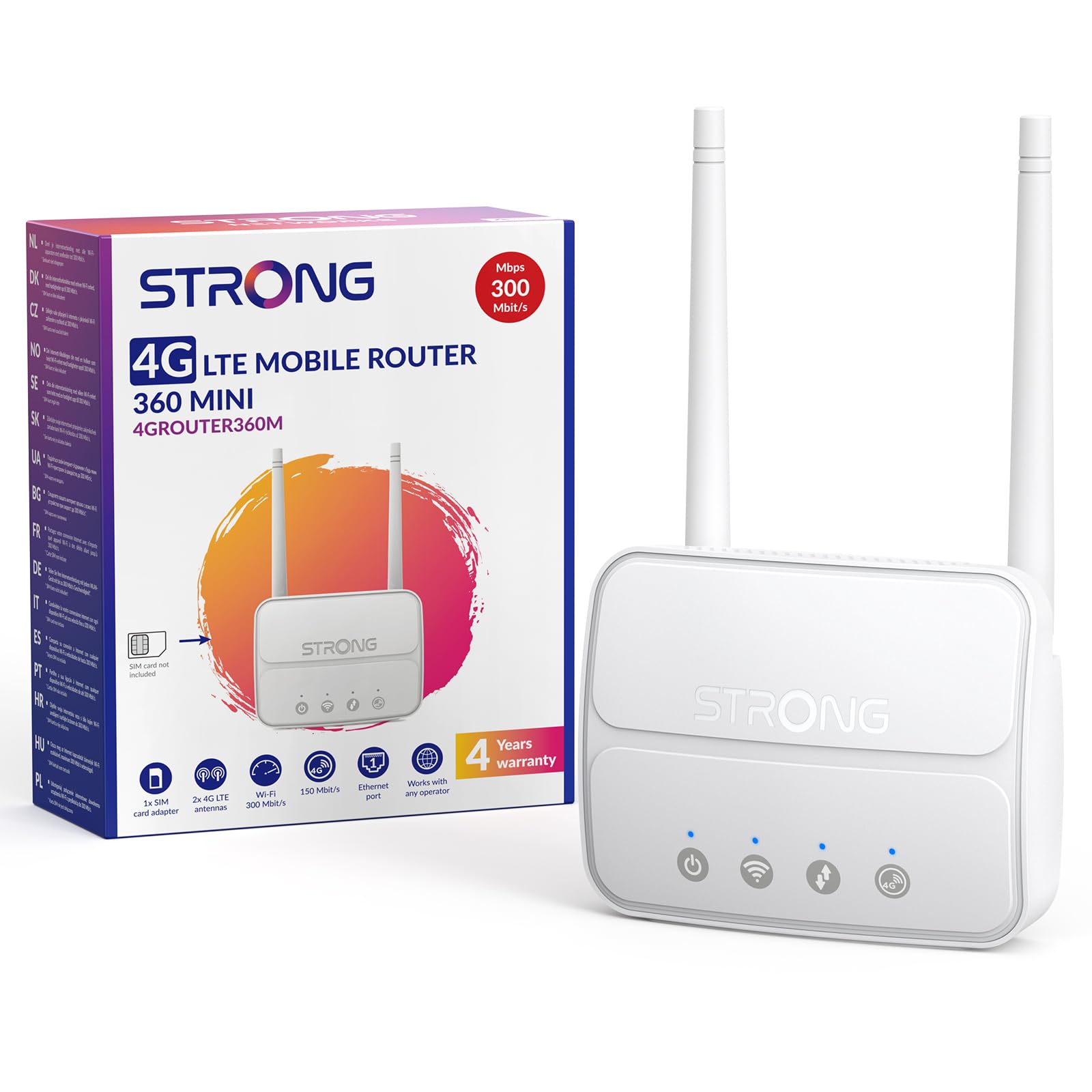
Image 1: The Strong 4G LTE N300 WiFi Router, a compact device with two external antennas for enhanced signal reception.
2. Cosa c'è nella scatola
Si prega di controllare attentamente il contenuto della confezione. Se qualche articolo risulta mancante o danneggiato, contattare l'assistenza clienti.
- Strong 4G LTE N300 WiFi Router
- External Antennas (2 units)
- Cavo Ethernet RJ45
- Alimentazione esterna
- Nano to Micro SIM Card Adapter
- Guida di installazione rapida
- Scheda di sicurezza e garanzia
3. Guida all'installazione
Follow these steps for a quick and easy setup of your Strong 4G LTE N300 WiFi Router.
3.1. Prepare Your SIM Card
Before inserting your SIM card, ensure that any PIN protection is disabled. You can do this by inserting the SIM card into a smartphone and disabling the PIN request through the phone's settings.
3.2. Insert the SIM Card
- Individuare lo slot della scheda SIM sul router.
- If you have a Nano SIM, use the provided Nano to Micro SIM adapter to fit it into the standard SIM slot.
- Gently insert the prepared SIM card into the slot until it clicks into place.
3.3. Attach External Antennas
Screw the two external 4G antennas onto the designated connectors at the back of the router. Adjust their orientation for optimal signal reception.
3.4. Power On the Router
Connect the external power supply to the router's DC-in port and then plug it into a power outlet. The router will automatically power on and begin the startup sequence.
3.5. Connect to the Network (Plug & Play)
The router is designed for Plug & Play operation. Once powered on and with a valid SIM card, it will automatically connect to the 4G LTE network. You can then connect your devices via Wi-Fi or Ethernet.

Image 2: Visual guide for SIM card insertion and powering on the router for instant connection. The image also shows the SIM card slot supporting standard, micro, and nano SIMs with an adapter.
3.6. Accedendo al Web Interfaccia
For advanced settings and network management, access the router's web interfaccia digitando 192.168.188.1 nel tuo web browser's address bar. Refer to the Quick Installation Guide for default login credentials.
4. Istruzioni per l'uso
This section details how to use your Strong 4G LTE N300 WiFi Router for optimal performance.
4.1. Collegamento dei dispositivi
The router supports connections for up to 32 devices simultaneously.
- Connessione Wi-Fi: Locate the Wi-Fi network name (SSID) and password printed on the label at the bottom of the router. Select this network on your device and enter the password to connect.
- Connessione Ethernet: Use an RJ45 Ethernet cable to connect devices such as PCs, game consoles, or Smart TVs to the router's 100 Mbps LAN port for a stable wired connection.
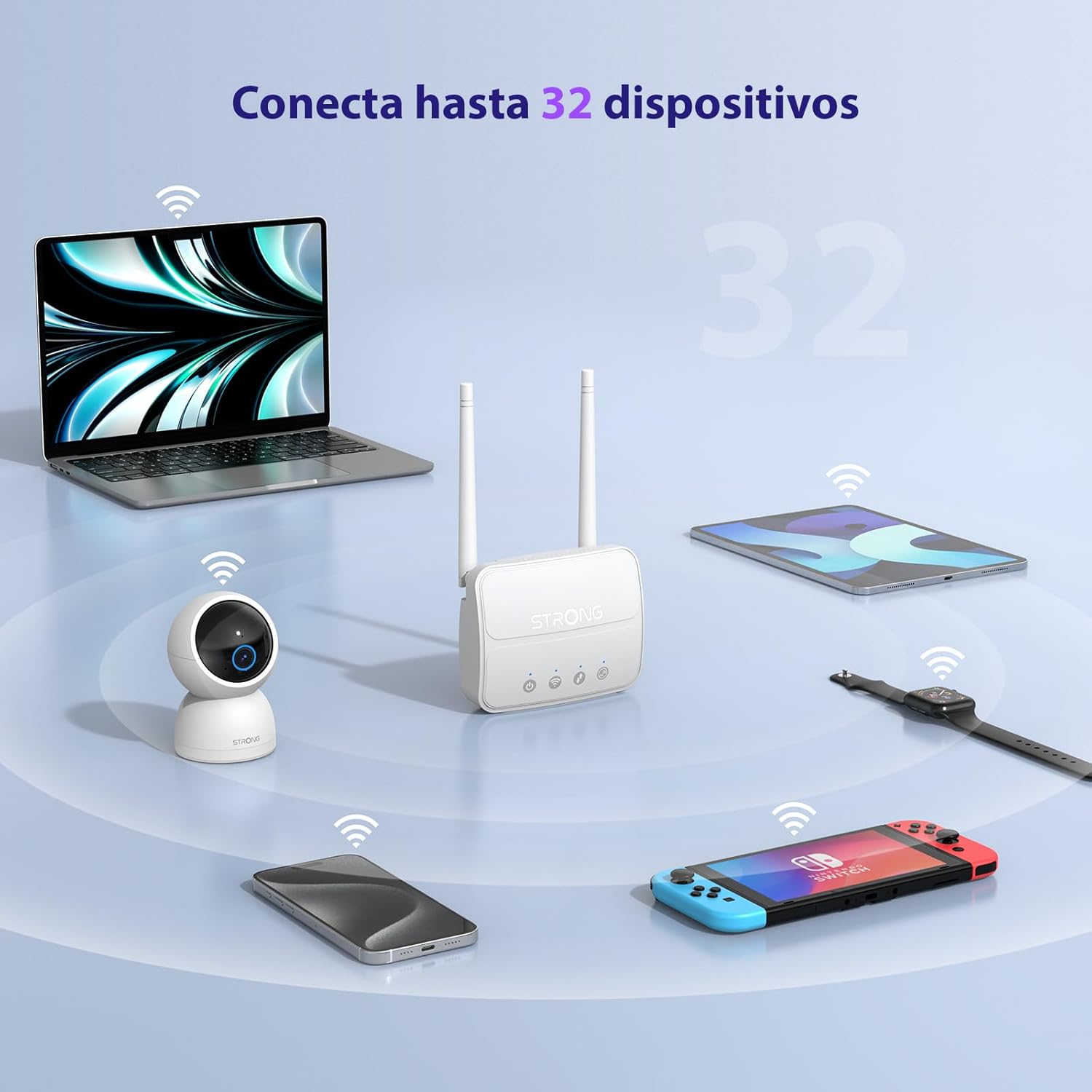
Image 3: The router connecting various devices including laptops, tablets, smartphones, and gaming consoles, demonstrating its capacity for up to 32 simultaneous connections.
4.2. Network Management and Security
The router offers robust security features to protect your network:
- Crittografia WPA / WPA2: Ensures secure wireless communication.
- PIN Control: Manage SIM card PIN settings.
- Filtraggio MAC: Controlla quali dispositivi possono connettersi alla tua rete in base ai loro indirizzi MAC.
- Advanced Firewall Settings: Customize firewall rules for enhanced protection.
All these settings can be managed through the easy-to-use web interfaccia (192.168.188.1).

Image 4: A user managing network settings on a laptop, illustrating the router's WPA/WPA2 encryption and PIN control features for secure network management.
5. Manutenzione
Una corretta manutenzione garantisce la longevità e le prestazioni ottimali del router.
- Pulizia: Utilizzare un panno morbido e asciutto per pulire l'esterno del router. Non utilizzare detergenti liquidi o spray.
- Posizionamento: Posizionare il router in un'area ben ventilata, lontano dalla luce solare diretta, da fonti di calore e da forti campi elettromagnetici.
- Aggiornamenti del firmware: The router features a USB port specifically for firmware updates. Regularly check the Strong official website for the latest firmware versions to ensure improved performance and security. Follow the instructions provided with the firmware update package carefully.
6. Risoluzione Dei Problemi
If you encounter issues with your router, refer to the following common troubleshooting steps:
- Nessuna connessione internet:
- Assicurarsi che la scheda SIM sia inserita correttamente e che abbia un piano dati attivo.
- Verify that the SIM card's PIN protection is disabled.
- Check the signal strength indicators on the router. If the signal is weak, try adjusting the external antennas or relocating the router.
- Riavviare il router scollegando e ricollegando l'adattatore di alimentazione.
- Wi-Fi non visibile o non connesso:
- Ensure the Wi-Fi function is enabled (check the router's LED indicators).
- Verify you are entering the correct Wi-Fi password (SSID and password are on the router's label).
- Try connecting a device via Ethernet to confirm the router has internet access.
- Velocità basse:
- Check the 4G signal strength. Weak signal can lead to slower speeds.
- Assicurarsi che nessun'altra applicazione o dispositivo stia consumando una larghezza di banda eccessiva.
- Consider the number of connected devices; the router supports up to 32, but performance may vary with heavy usage.
- Impossibile accedere Web Interfaccia:
- Assicurati che il tuo dispositivo sia connesso alla rete del router (Wi-Fi o Ethernet).
- Confirm you are typing the correct IP address: 192.168.188.1.
- Prova un'altra web browser.
If these steps do not resolve the issue, please contact Strong customer support.
7. Specifiche
Detailed technical specifications for the Strong 4G LTE N300 WiFi Router (Model 4GROUTER360M).
| Caratteristica | Specificazione |
|---|---|
| Marca | Forte |
| Nome del modello | 4GROUTER360M |
| Tecnologia di connettività | 4G, Ethernet, LTE, Wi-Fi |
| standard wireless | 802.11n (N300 Mbps) |
| Velocità 4G LTE | Up to 150 Mbps (Cat4) |
| Porte Ethernet | 1 x 100 Mbps LAN Port |
| Slot per scheda SIM | Standard (2FF), includes Nano to Micro adapter |
| Tipo di antenna | 2 x External, Detachable 4G Antennas; 2 x Internal Wi-Fi Antennas |
| Numero massimo di dispositivi connessi | Fino a 32 |
| Funzionalità di sicurezza | WPA/WPA2 Encryption, PIN Control, MAC Filtering, Firewall |
| Sistema operativo | StrongOS |
| Dimensioni (confezione) | Dimensioni: 18.1 x 15.6 x 7.3 cm |
| Peso del prodotto | 204 grammi |
| Alimentazione elettrica | Adattatore di alimentazione esterno |
| Caratteristiche speciali | Secure Network Management, Plug & Play, Connect up to 32 devices, USB port for firmware updates |
8. Garanzia e supporto
Strong is committed to providing reliable products and excellent customer service.
8.1. Informazioni sulla garanzia
Your Strong 4G LTE N300 WiFi Router comes with a 4-year protection plan, ensuring long-term peace of mind. Please refer to the included Safety and Warranty Card for detailed terms and conditions.
8.2. Assistenza clienti
For any technical assistance, troubleshooting, or warranty inquiries, please contact our expert support team:
- E-mail: support_at@strong-eu.com
Our support team offers solid service and extended coverage to assist you.

Image 5: Visual representation of Strong's reliable support, highlighting the 4-year protection and contact email for assistance.