
1. Introduzione
The SONOFF AirGuard CO2 Smart Indoor Air Quality Monitor (Model: SAWF-08P) is designed to provide real-time monitoring of carbon dioxide (CO2) levels, temperature, and humidity in your indoor environment. This device supports Matter compatibility, allowing seamless integration with various smart home platforms. It features a high-accuracy NDIR sensor for reliable readings and a triple-alert system to notify you of significant changes in air quality. This manual provides detailed instructions for setup, operation, and maintenance of your AirGuard CO2 monitor.
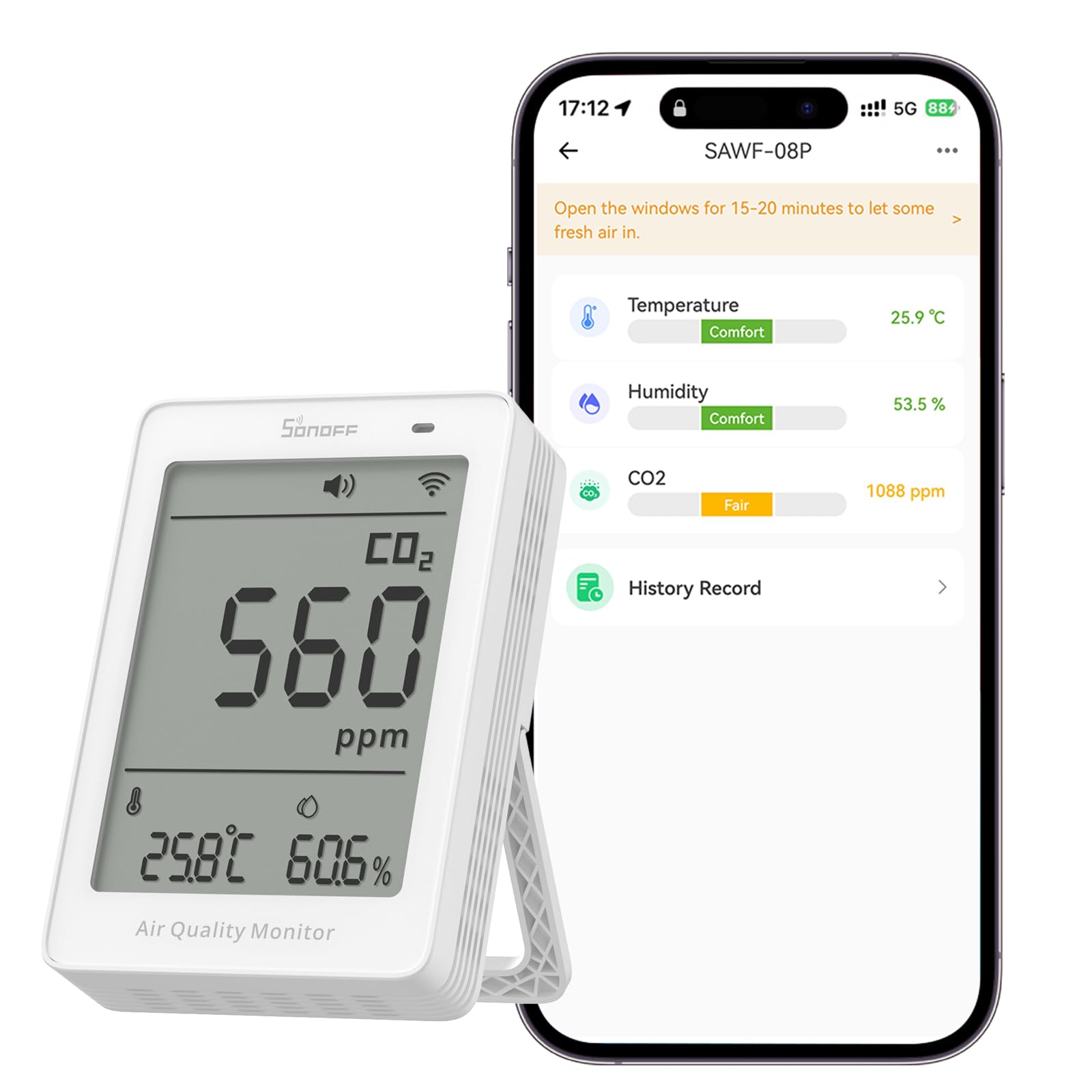
Image: The SONOFF AirGuard CO2 monitor showing its display with CO2, temperature, and humidity readings.
2. Cosa c'è nella scatola
Dopo aver aperto la confezione, assicurarsi che siano presenti tutti i seguenti elementi:
- SONOFF AirGuard CO2 Monitor (SAWF-08P)
- Cavo USB-C
- Manuale utente (Guida rapida)
Note: A USB-A power adapter is required but not included in the package.

Image: The SONOFF AirGuard CO2 monitor, USB-C cable, and user manual laid out from the box.
Video di unboxing
Video: A detailed unboxing of the SONOFF AirGuard CO2 monitor, showing all included components and initial handling.
3. Prodotto finitoview
Caratteristiche principali
- Compatibilità della materia: Seamlessly integrates with smart home platforms like Apple Home, Amazon Alexa, Google Home, SmartThings, and Home Assistant.
- Alta precisione e risposta rapida: Equipped with a built-in NDIR sensor, providing ±(50ppm + 5%) accuracy for CO2 (400–5000ppm) with data updates every 5 seconds.
- All-in-One Air Quality Display: Monitors and displays CO2, temperature, and humidity simultaneously on a 3.73-inch screen.
- Triple-Alert System: Notifies users via sound alarm, multi-color LED indicator, and app alerts when CO2, temperature, or humidity thresholds are exceeded.
- Year-Long Data Tracking & Export: Access up to 12 months of historical data with graphical charts in the app, allowing for deeper analysis and informed decisions.
- Controllo vocale: Check CO2 levels using simple voice commands through Siri or Google Assistant.

Immagine: Oltreview of the monitor's features including Matter compatibility, 3-in-1 monitoring, data logging, and alert systems.

Immagine: Interna view of the monitor emphasizing the NDIR sensor for high accuracy and fast response.

Image: The monitor's 3.73-inch display showing real-time CO2, temperature, and humidity readings.

Image: Visual representation of the three customizable alert methods: sound, LED indicator, and app notifications.

Image: A table summarizing the feature compatibility across different smart home platforms.
4. Impostazione
4.1 Accensione
- Connect the provided USB-C cable to the port on the back of the AirGuard CO2 monitor.
- Plug the other end of the USB-C cable into a compatible USB-A power adapter (not included).
- The device will power on automatically and begin displaying readings.
4.2 App Pairing and Matter Integration
To integrate your AirGuard CO2 monitor with your smart home system, follow these steps:
- Assicurati che il tuo smartphone sia connesso a una rete Wi-Fi a 2.4 GHz.
- Download and open the eWeLink app (or your preferred Matter-compatible smart home app like Apple Home, Google Home, Alexa, or SmartThings).
- On the AirGuard CO2 monitor, long-press the Wi-Fi button (labeled with a Wi-Fi icon) until the icon starts flashing, indicating pairing mode.
- In your smart home app, select the option to add a new device. You may need to scan the QR code located on the back of the AirGuard CO2 monitor.
- Follow the on-screen prompts in the app to complete the pairing process and connect the device to your Wi-Fi network.
How-to Video for Setup
Video: A step-by-step guide on how to set up and pair the SONOFF AirGuard CO2 monitor with your smart home system.
5. Istruzioni per l'uso
5.1 Reading Values
The large display on the front of the AirGuard CO2 monitor shows the current CO2 concentration in parts per million (ppm), temperature in Celsius or Fahrenheit, and relative humidity percentage. The multi-color LED indicator on the top provides a quick visual cue of the air quality status (e.g., green for good, yellow for moderate, red for poor).
5.2 Menu Mode Operation (Local Control)
If you prefer not to use the app, or for quick adjustments, you can operate the device directly using the buttons on the top:
- Accesso alla modalità menu: Short-press the Setting button (middle button) until the "temperature unit" starts flashing. This indicates you have entered Menu Mode.
- Switching Editable Parameters: While in Menu Mode, short-press the Setting button to cycle through the available parameters for adjustment. The currently selected parameter will flash.
- Unità di temperatura di commutazione: When the temperature unit is flashing, short-press the "+" or "-" buttons to switch between Celsius (°C) and Fahrenheit (°F).
- Calibrazione della temperatura: When the temperature value is flashing, short-press the "+" or "-" buttons to manually calibrate the temperature.
- Calibrazione dell'umidità: When the humidity value is flashing, short-press the "+" or "-" buttons to manually calibrate the humidity.
- Exiting Menu Mode: If there is no button operation for 3 seconds, the device will automatically save the current settings and exit Menu Mode. Alternatively, you can short-press the Setting button again after cycling through all available parameters to exit.
5.3 Impostazione dell'allarme
The AirGuard CO2 monitor features an audible buzzer and an indicator light for alerts:
- Interruttore del cicalino: When the buzzer is off, short-press the buzzer button (rightmost button) to turn it on or off. If the buzzer goes off, short-press once to silence it for 30 minutes. Short-press again to turn it off completely.
- Interruttore della luce di segnalazione: Long-press the buzzer button for 3 seconds to turn the indicator light on or off.
6. Specifiche
| Caratteristica | Dettaglio |
|---|---|
| Modello | SAWF-08P |
| Dimensioni del prodotto | 2.76 x 4.06 x 1.02 pollici |
| Peso dell'articolo | 6.7 once |
| Intervallo di rilevamento di CO2 | 400-5000 ppm |
| Precisione CO2 | ±(50ppm + 5%) |
| Intervallo di rilevamento della temperatura | 0–50°C / 32–122°F |
| Precisione della temperatura | ±0.5°C; ±1°F |
| Gamma di rilevamento dell'umidità | 5–95% UR, senza condensa |
| Precisione dell'umidità | ±3% |
| Connessione wireless | IEEE 802.11 b / g / n 2.4GHz |
| Ingresso | 5V === 1A (Type-C) |
| Compatibilità con la casa intelligente | Matter, Apple Home, Amazon Alexa, Google Home, SmartThings, Home Assistant |
| Batterie richieste | No (Powered via USB-C) |

Image: Detailed technical specifications and physical dimensions of the AirGuard CO2 monitor.
7. Manutenzione
- Pulizia: Per pulire il dispositivo, utilizzare un panno morbido e asciutto. Non utilizzare detergenti liquidi o spray.
- Posizionamento: Place the monitor in an area with good air circulation, away from direct sunlight, heat sources, or areas with high humidity to ensure accurate readings. Avoid placing it near vents or windows where drafts might affect readings.
- Aggiornamenti del firmware: Controlla regolarmente l'app eWeLink per verificare la presenza di aggiornamenti del firmware, per garantire prestazioni ottimali e l'accesso a nuove funzionalità.
8. Risoluzione Dei Problemi
- Letture imprecise:
- Ensure the device is placed in an appropriate location, away from direct air currents, heat sources, or areas with concentrated CO2 (e.g., directly above a person's breathing zone).
- Perform a manual calibration for temperature and humidity via the Menu Mode if you suspect inaccuracies. For CO2, expose the device to fresh outdoor air (around 400ppm) for a period to allow for self-calibration.
- Il dispositivo non si accende:
- Verify the USB-C cable is securely connected to both the monitor and the power adapter.
- Ensure the USB-A power adapter is functional and providing 5V/1A output.
- Problemi di connessione Wi-Fi:
- Verifica che la tua rete Wi-Fi sia a 2.4 GHz. Il dispositivo non supporta reti a 5 GHz.
- Assicurati che il dispositivo si trovi nel raggio di azione del router Wi-Fi.
- Re-enter pairing mode on the device and attempt to pair again through the app.
- L'app non visualizza i dati:
- Check if the device is connected to Wi-Fi (Wi-Fi icon on display should be solid).
- Assicurati che il tuo smartphone abbia una connessione Internet attiva.
- Restart the app or the device.
9. Garanzia e supporto
The SONOFF AirGuard CO2 Smart Indoor Air Quality Monitor comes with a Garanzia di due anni. For any technical assistance, product inquiries, or warranty claims, please contact SONOFF customer support:
- Email dell'assistenza clienti: support@itead.cc
- Politica di ritorno: Politica di rimborso/sostituzione di 30 giorni tramite Amazon.
10. Informazioni sulla sicurezza
- Non esporre il dispositivo a temperature estreme, alla luce solare diretta o a elevata umidità.
- Tenere il dispositivo lontano dall'acqua e da altri liquidi.
- Non tentare di smontare o riparare il dispositivo autonomamente. Per l'assistenza, rivolgersi a personale qualificato.
- Use only the specified power input (5V/1A) to avoid damage.
- Questo dispositivo è destinato esclusivamente all'uso in ambienti interni.