
Introduzione
This manual provides essential information for setting up, operating, maintaining, and troubleshooting your HP 15-inch Laptop. Designed for everyday use, this laptop combines performance with a user-friendly experience, featuring an Intel Pentium Processor, 4GB DDR4 RAM, 128GB SSD, and Windows 11 OS.
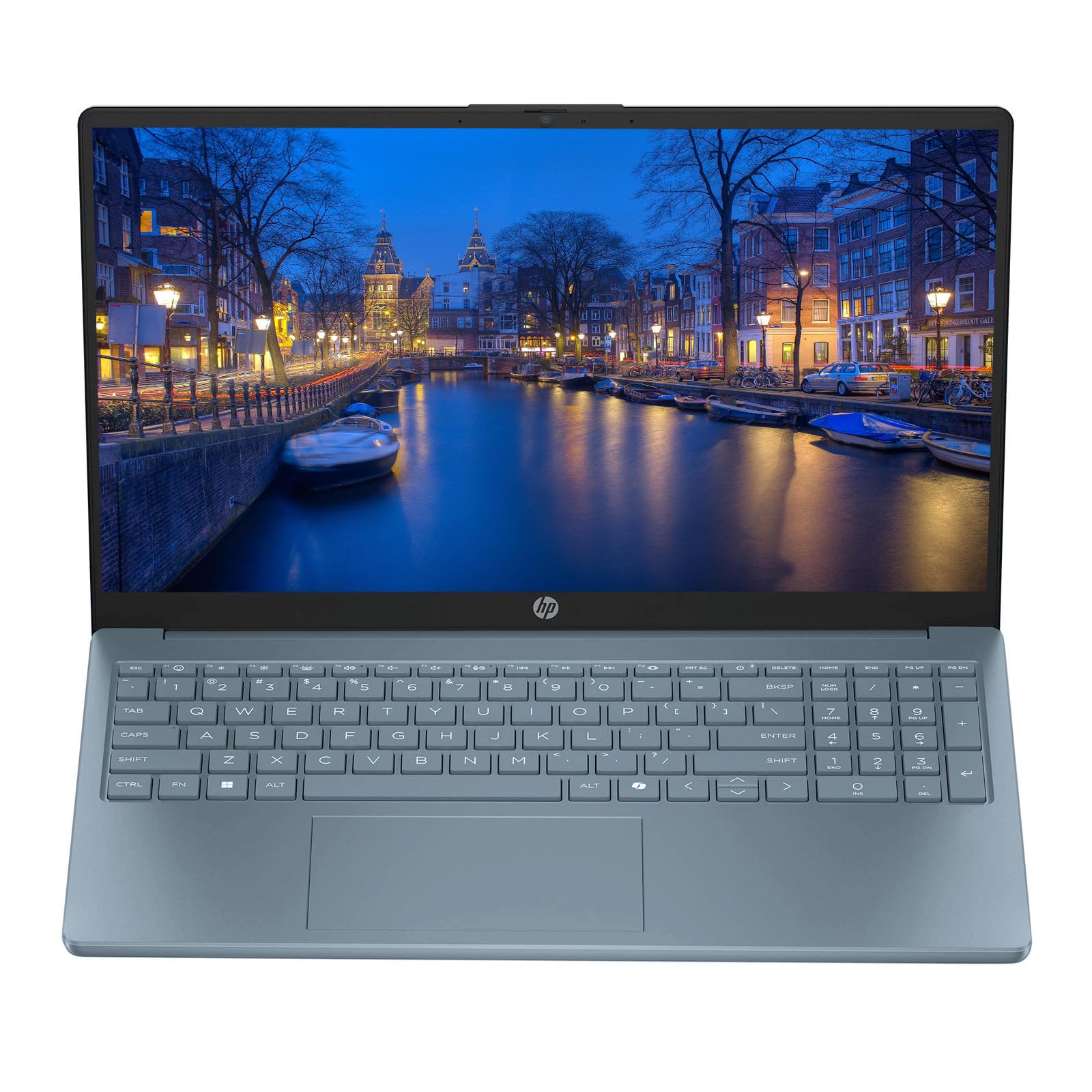
Figure 1: HP 15-inch Dale Blue Laptop
The HP 15-inch laptop is a versatile device suitable for various tasks, from browsing the web and managing emails to streaming videos and working on documents. Its lightweight design and robust features make it an ideal companion for home, school, or on-the-go use.
Video 1: Oltreview of the HP 15.6-inch Laptop, highlighting its sleek design and reliable performance for everyday tasks.
Impostare
1. Disimballaggio e ispezione iniziale
Carefully remove your laptop and all accessories from the packaging. Inspect for any visible damage. The box should contain the HP 15-inch Laptop and an AC Charger.
2. Connecting the AC Charger
Connect the AC charger to the laptop's power port and then to a power outlet. Allow the laptop to charge for at least 30 minutes before initial use, or until the battery indicator shows sufficient charge.

Figure 2: Connecting the AC Charger to the HP Laptop
3. First Power On and Windows 11 Setup
Press the power button located on the keyboard. Follow the on-screen instructions to complete the Windows 11 setup process. This includes selecting your language, connecting to a Wi-Fi network, and creating a user account.
Video 2: Demonstrating the fast boot-up and initial setup of the HP laptop, highlighting its quick responsiveness.
Operating Your HP Laptop
1. Tastiera e touchpad
The laptop features a comfortable and responsive keyboard for efficient typing. The integrated touchpad supports multi-touch gestures for navigation. You can also connect an external mouse via USB.

Figura 3: Layout della tastiera e del touchpad
2. Caratteristiche dello schermo
The 15-inch HD Micro-Edge IPS Display offers clear visuals for all your content. Its micro-edge design maximizes screen space, enhancing your viewing experience for videos, documents, and web la navigazione.
3. Connettività
Your HP laptop is equipped with various ports and wireless capabilities:
- USB Tipo-C: 1 port for modern peripherals and fast data transfer.
- USB di tipo A: 2 porte per dispositivi USB standard.
- HDMI: 1 porta per il collegamento a display o proiettori esterni.
- Jack combinato per cuffie/microfono: Per l'ingresso e l'uscita audio.
- Ultra-Fast 6th Gen Wi-Fi: For reliable wireless internet connection.
- Bluetooth: Per collegare accessori wireless.
4. Integrato Webcamma
Il portatile include un integrato webcam for video calls and online meetings. Ensure proper lighting for optimal video quality.
Video 3: Demonstrating the ease of operation and various features of the HP laptop, including keyboard and screen interaction.
Manutenzione
1. Pulizia
Utilizzare un panno morbido e privo di lanugine per pulire lo schermo e le superfici esterne. Per le macchie ostinate, strofinare leggermenteampPulisci il panno con acqua o un detergente per schermi. Evita prodotti chimici aggressivi.
2. Aggiornamenti software
Regularly check for and install Windows 11 updates to ensure optimal performance, security, and access to the latest features. Navigate to Impostazioni > Windows Update per gestire gli aggiornamenti.
3. Cura della batteria
Per prolungare la durata della batteria, evitare temperature estreme e scaricarla completamente frequentemente. Per una conservazione a lungo termine, caricare la batteria a circa il 50%.
4. Protezione fisica
While lightweight, handle your laptop with care. Use a protective sleeve or bag when transporting it to prevent scratches and impacts.
Risoluzione dei problemi
1. Il portatile non si accende
- Ensure the AC charger is securely connected to both the laptop and a working power outlet.
- Controllare se la spia luminosa dell'adattatore di alimentazione è accesa.
- Prova a tenere premuto il pulsante di accensione per 15-20 secondi per eseguire un hard reset.
2. Prestazioni lente
- Chiudere le applicazioni non necessarie in esecuzione in background.
- Controlla e installa eventuali aggiornamenti di Windows in sospeso.
- Assicurati che lo spazio di archiviazione (SSD) non sia quasi pieno.
- Riavviare il portatile.
3. Problemi di connettività Wi-Fi
- Toggle Wi-Fi off and on in Windows settings.
- Riavvia il router Wi-Fi.
- Ensure your laptop is within range of the Wi-Fi signal.
4. Blue Screen Errors
Blue screen errors can indicate a software or hardware issue. Note down any error codes displayed and search for solutions online or contact HP Support.
Specifiche
| Caratteristica | Dettaglio |
|---|---|
| Marca | HP |
| Nome del modello | HP 15" Laptop |
| Dimensioni dello schermo | 15 pollici |
| Colore | Dale Blue (other variants available) |
| Modello CPU | Pentium (up to 3.68 GHz) |
| Memoria RAM | 4 GB DDR4 |
| Dimensioni del disco rigido | SSD da 128 GB |
| Sistema operativo | Finestre 11 |
| Scheda grafica | Grafica Intel UHD integrata |
| Connettività | Wi-Fi (802.11ac), Bluetooth, 1x USB Type-C, 2x USB Type-A, 1x HDMI |
| Webcamma | Integrato Webcamma |
| Dimensioni (L x P x Spessore) | 11.8"L x 8.08"W x 0.95"S |
| Accessori inclusi | Caricatore AC |

Figure 4: HP 15-inch Laptop in Scarlet Red
The HP 15-inch laptop is available in various colors, including Dale Blue and Scarlet Red, offering a personalized touch to your computing experience.
Garanzia e supporto
Informazioni sulla garanzia
This product comes with a 30-Day Warranty. Please refer to the warranty card included in your packaging for detailed terms and conditions.
Assistenza clienti
For technical assistance, troubleshooting, or warranty claims, please visit the official HP support website or contact their customer service. Keep your product's serial number and proof of purchase handy for faster service.


